Chatbot With Conversion Tracking: Define What Counts as a Win, Then Follow It in Six Steps Without a Developer (Free Step Timeline)
Chatbot with conversion tracking is only useful if you first decide what a conversion is. A sale, a booked call, a phone number left after hours and a returning visitor are all different wins. This guide gives you a six-step plan to define them, capture them with LiveChatBot’s tickets, away form, lead score and Flows, and count them honestly, plus a clear list of what LiveChatBot cannot track for you.
⚡ In short
- Decide first what counts as a conversion. Without that, any number is noise.
- Capture wins in places you can count later: tickets, away-form contacts and tagged chats.
- LiveChatBot has no built-in revenue attribution. Link a sale to a chat by hand or through Zapier.
- Count monthly, compare to the month before, and never claim a result you cannot trace.
Start here
What a conversion means for a chat on your site
Most tools sell conversion tracking as a dashboard. The real work happens before any dashboard: picking the one or two events that matter to your business.
Choose a primary win
For a shop it may be an order after a chat. For a clinic, a booked appointment. For a consultant, a phone number left for a callback. Pick one primary win per website.
Choose a smaller win
A smaller win is easier to count and happens more often: a visitor leaves an email on the away form, or a chat becomes a ticket with an owner. These are your leading signals.
Write it down
Put the definition in one sentence. “A conversion is a visitor who started a chat and then paid for an order within seven days.” Anyone reading your report should understand it without asking.
Free timeline
Six steps from definition to monthly count
Follow these in order. Each step uses a feature LiveChatBot already has.
One sentence for the primary win and one for the smaller win. Share it with everyone who answers chats.
Turn on opening hours and the away form so after-hours visitors can leave an email or phone. Turn unanswered chats into tickets.
Use Flows on your pricing or product page, with conditions such as page and number of visits, so more of the right visitors start a chat.
When a chat leads to a sale or booking, note it on the ticket or in a sheet the same day. Same-day notes are far more accurate than month-end memory.
Add up wins and divide by chats started. Keep the definition identical every month.
Edit one Flows message, one saved reply or one Knowledge answer, then see whether next month’s count moves.
Capture points
Where LiveChatBot lets you capture a win
A chatbot with conversion tracking needs places to record outcomes. LiveChatBot gives you these.
- Away form. Collects email or phone outside opening hours. Each submission is a lead you can count.
- Tickets. Open, pending and solved states with owners. Solved with a booked call is a clean win.
- Lead score and contact details. Flows can use “lead score” and “has contact details” as conditions, which helps you target visitors who already look interested.
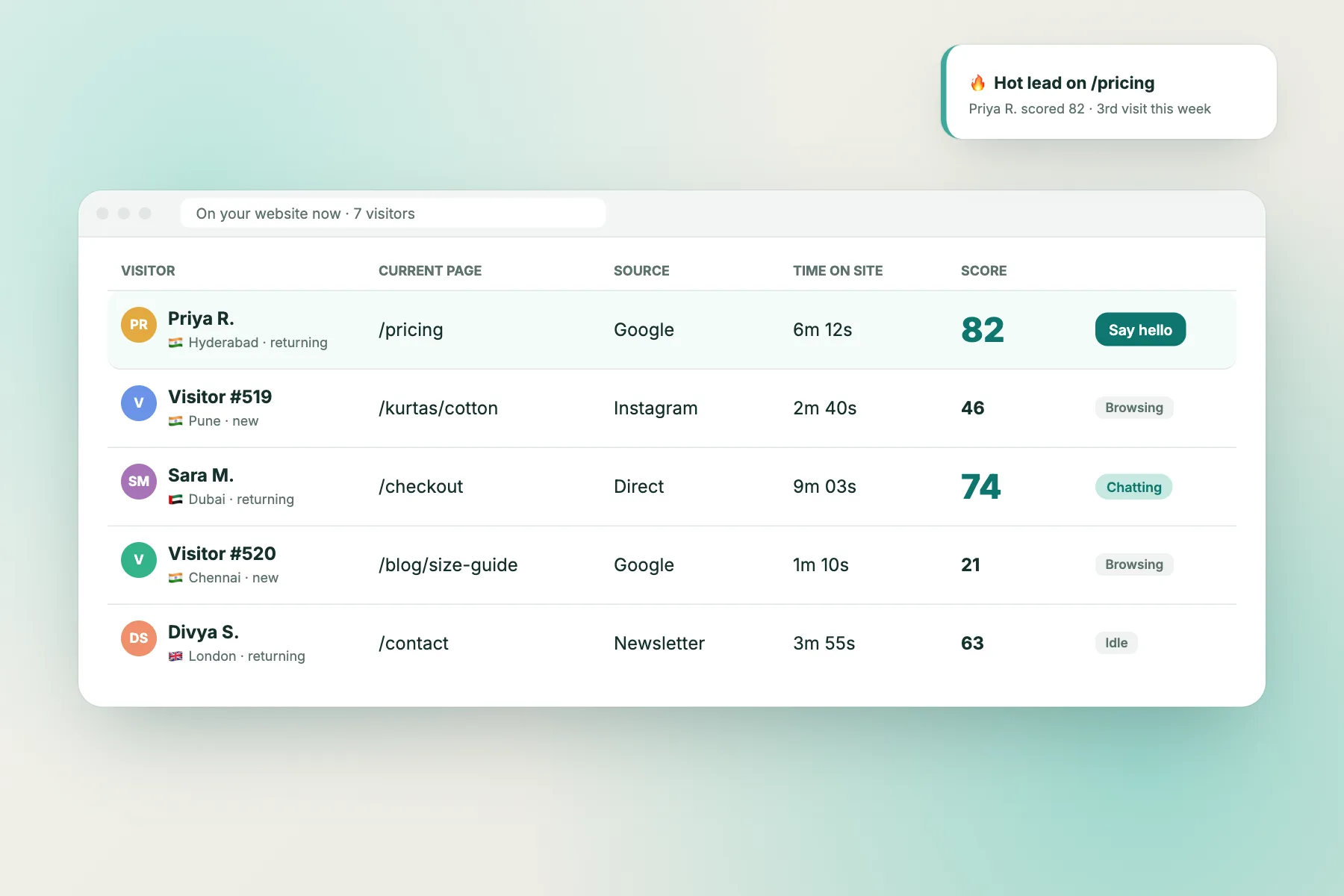
- Visitor tracking. Shows the page and source, so you can see which pages bring the chats that turn into wins. See visitor tracking.
There is no pre-chat form, so contact details arrive only if the visitor offers them in chat or through the away form. Plan scripts that ask politely. Our guide to live chat lead generation has wording that works.
Counting honestly
How to count conversions without fooling yourself
Numbers feel precise even when they are wrong. A few habits keep yours honest.
Count the same thing every month
If you change the definition halfway, last month’s number is no longer comparable. Write down any change and restart the comparison.
Do not credit the chat for every sale
A visitor who chats and buys later may have bought anyway. Where you can, count only wins where the chat answered the final doubt, such as a delivery question, and say so in your report.
Separate bot wins from people wins
Note whether the bot closed the loop or a team member did. That tells you where to invest: Knowledge for the bot, hours for people.
Check the chat was the cause
Ask new customers how they decided. A short question on a callback, such as “what made you get in touch today?”, tells you more than any report. Record the answer on the ticket and you will soon see patterns in what pushes visitors to act.
Keep a small sample note
If you have twelve chats this month, one extra win moves the rate a lot. Say “small numbers” in the report rather than celebrating or panicking.
An example
An illustrative month for a tutoring website
This is a made-up example to show the method, not a real customer.
A tutor defines the primary win as a paid trial lesson booked within seven days of a chat. The smaller win is a phone number left on the away form.
In one month there are 60 chats. Eighteen visitors leave a number. After callbacks, seven book a trial lesson. The tutor notes each on its ticket the same day.
The report reads: 60 chats, 18 numbers, 7 trial bookings. Twelve of the 18 numbers came after 8 pm, so an evening Flows message and a later cover hour are the next change.
None of this needed a special feature. It needed a clear definition and a habit of marking outcomes. Our guide on how to increase website conversion rate shows what to change on the page once you know where the wins come from.
What it can’t do
What this chatbot with conversion tracking plan cannot do
Be upfront about the gaps before you promise anyone a number.
- No built-in revenue attribution or order value tracking.
- No native link to Google Analytics, Meta Pixel, HubSpot, Salesforce or Zoho.
- No custom goal funnel or report builder, though Reports show Flow conversion and leads, and Traffic reports show which pages bring visitors who act.
- No sentiment analysis.
What you can do today is send ticket events out with webhooks (ticket.created and ticket.solved), connect them to a sheet with Zapier, or have a developer use the REST API and the window.LiveChatBot JS API on your site. Ask our team for developer documentation.
“Powered by LiveChatBot” stays on all plans, and the free plan covers two websites with 100 visitors each per month. See pricing before you plan for more.
Common mistakes
Four mistakes in chatbot with conversion tracking projects
Tracking too many things
Five goals means none gets attention. Start with two.
Waiting for month-end
Outcomes noted days later are guesses. Mark them when they happen.
Ignoring the bot’s misses
A visitor who left because the bot gave a poor answer never shows as a conversion or a loss. Read the chats that ended without a contact detail, and add the missing answers using Flows and Knowledge.
Comparing unlike months
A festival month and a quiet month are not comparable. Note the context beside each number.
Frequently asked questions
Does LiveChatBot track conversions automatically?
No. It gives you capture points such as the away form and tickets, and you mark outcomes yourself or through Zapier.
What is the simplest chatbot with conversion tracking setup?
Define one win, collect contacts through the away form, turn chats into tickets and note each outcome on the ticket the same day.
Can I track sales value from chats?
Not inside LiveChatBot. You can record the value on the ticket note or in a sheet connected by Zapier.
Can I see which pages lead to chats?
Yes. Visitor tracking shows the page and source, and Flows conditions can target pages.
How often should I review conversions?
Monthly. Weekly counts are too small for most small websites to mean much.
Keep reading
Related guides
Chatbot With Chatbot Performance Reports: Read the Reports Screen and Build a One-Page Monthly Summary, With Copy-Ready Lines (Free Template)
Chatbot With Google Analytics Integration: What Is Native, What Needs a Developer, and How to Compare Chat Numbers With Your GA Reports (Free Route Chooser)
Chatbot With Conversation Analytics: A 30-Day Review Routine for Small Teams, With Honest Notes on What LiveChatBot Reports (Free Week-by-Week Timeline)
Define the win, then count it
Free plan for two websites with tickets, the away form and Flows. Start free on livechatbot.in.