AI Agent
An AI chatbot that answers like your best teammate
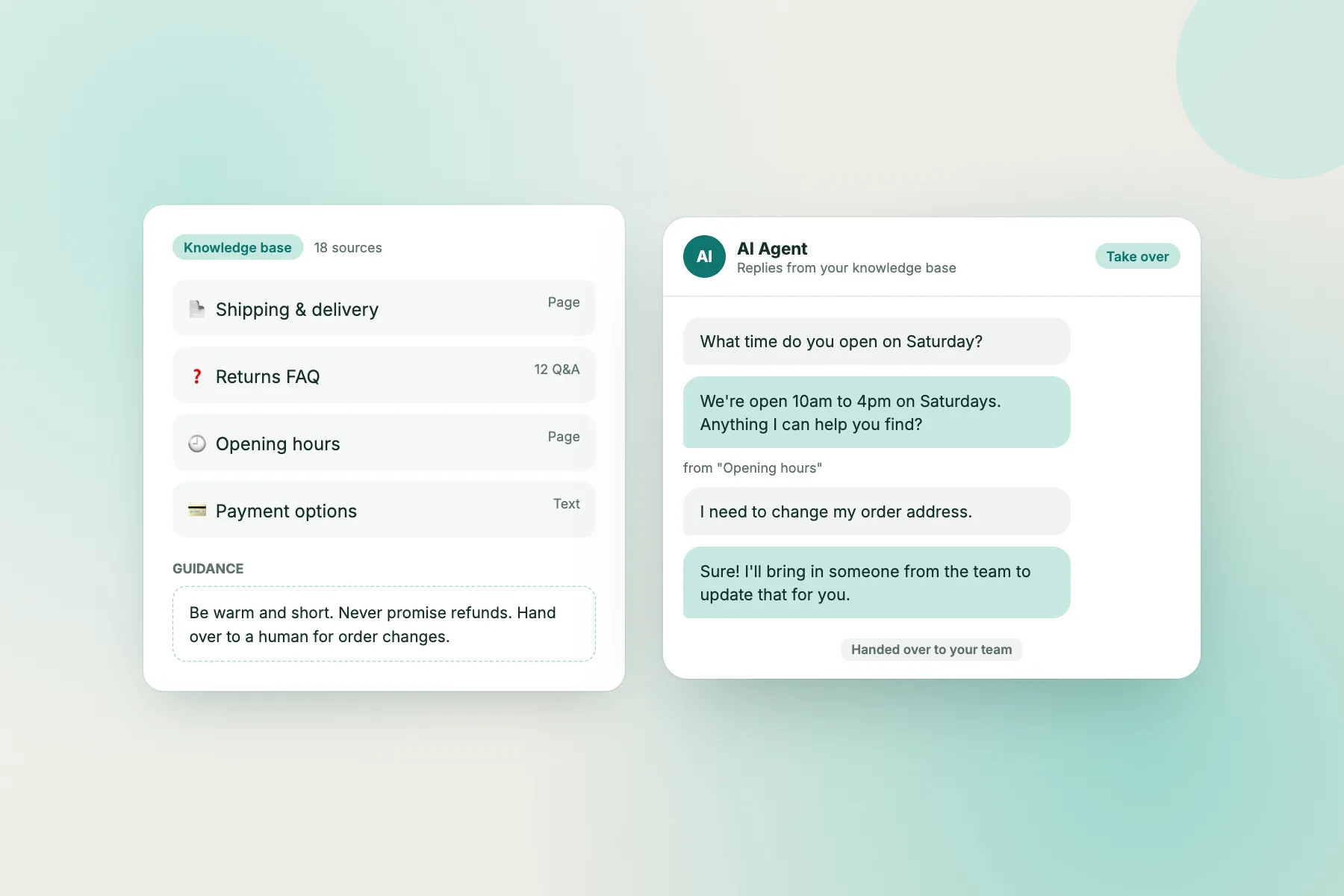
The LiveChatBot AI Agent learns from your FAQ and website pages, replies to common questions in seconds, and hands the conversation to a human whenever it should. You stay in control of every answer.
⚡ In 30 seconds
- You give it your FAQ and website pages. It answers only from that.
- You write a few lines of guidance (tone and rules) and test it before going live.
- It hands tricky chats to your team. Anyone can press Take over at any time.
Interactive walkthrough
From setup to first answer, step by step
The first three steps happen once, in your dashboard. The last three happen every time a visitor writes in. Click any step, or press Play.
How it decides
What the AI Agent does with every message
1
Reads the question
It understands what the visitor is asking, even with typos or short messages.
2
Searches your knowledge
It looks through the FAQ, pages and answers you added. Nothing else.
3
Answers, or hands over
If it finds a good answer, it replies and shows the source. If not, or if your rules say so, it brings in your team.
4
Asks for an email
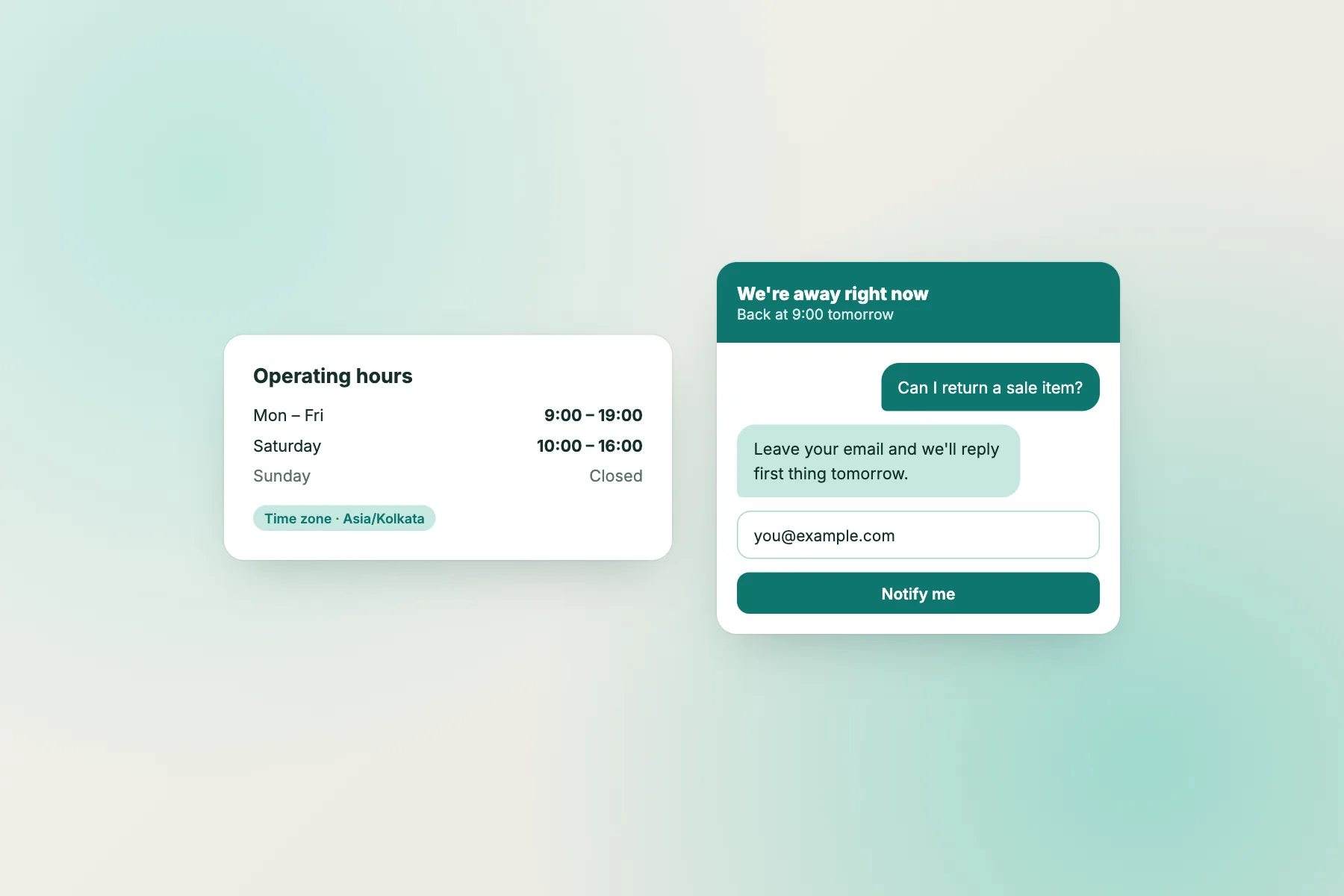
When nobody is online to take over, it collects the visitor’s email for a later reply.
Step 1 in detail
What to put in your knowledge base
Start with the questions your team answers most. Ten good answers beat a hundred vague ones.
✅ Great to add
- Shipping times and areas
- Prices, plans and payment options
- Opening hours and address
- Return, refund and warranty rules
- Course dates, fees and batches
- How-to steps for common tasks
🚫 Keep out
- Customer personal data
- Internal notes and passwords
- Prices that change daily (link to the page instead)
- Medical, legal or financial advice
- Anything you would not say to a customer
Step 2 in detail
Writing good guidance
Guidance is a few plain sentences about tone and rules. Here is the difference good guidance makes.
| Instead of… | Write… | Why |
|---|---|---|
| “Be helpful.” | “Be warm and answer in 2–3 short sentences.” | Specific length and tone |
| “Don’t talk about refunds.” | “Never promise a refund. Hand refund requests to a human.” | Says what to do instead |
| “Sell more.” | “When someone asks about a product, share its page link.” | A clear, safe action |
| (nothing) | “If you are not sure, say so and offer to bring in the team.” | Stops guessing |
Around the clock
Answers at 2am, leads by 9am
Most visitors arrive when your team is asleep. The AI Agent answers what it can and asks for an email for the rest, so you start the day with warm leads instead of missed chats.
- 24/7 first replies
- Emails captured automatically
- Follow up from the inbox in the morning
What the AI Agent is great at
Delivery and shipping
“Do you deliver to Pune?” “How long does it take?”
Payments and pricing
“Is cash on delivery available?” “Do you have EMI?”
Timings and location
“Are you open on Sunday?” “Where is your branch?”
Returns and policies
“Can I return a sale item?” “What is the warranty?”
Courses and admissions
“When does the next batch start?” “What are the fees?”
How-to questions
“How do I reset my password?” “Where is my invoice?”
Step 3 in detail
Before you switch it on: a 5-minute test
Ask your top 10 questions
Use the exact words customers use, typos included.
Ask something it should not answer
Check that it hands over instead of guessing.
Check the tone
Is it as short and warm as your guidance says?
Fix answers at the source
Wrong answer? Edit the knowledge, not the guidance.
Turn it on for one website
Watch the first day’s chats, then expand.
Review weekly
New questions in chat are ideas for new knowledge entries.
Plain-language guide
Words you will see
| Word | What it means |
|---|---|
| Knowledge base | The FAQ, pages and answers the AI Agent is allowed to use. |
| Guidance | Your plain-language rules for tone and behaviour. |
| Playground | A private test chat where you try the AI Agent before visitors do. |
| Handover | The AI Agent passing a chat to your team. |
| Take over | A teammate stepping into a chat the AI Agent was handling. |
AI Agent questions
Will the AI make things up?
It answers from the knowledge you give it. If it cannot find a good answer, it hands over to your team or asks for the visitor’s email instead of guessing.
Do I need technical skills?
No. You add content, write a few lines of guidance and test in the playground. No code, no training to run.
Can I turn it off for one website?
Yes. The AI Agent is switched on or off per website.
Which languages does it understand?
It answers from the content you add, so write your knowledge in the languages your visitors use.
Can I see what it said?
Yes. Every AI reply is in the inbox like any other message, with the source it came from.
Give every visitor an instant answer
Free to start. No credit card. Live on your website in about two minutes.