Live chat
Live chat software that feels calm, not cluttered
A light, fast chat bubble for your website and a shared inbox for your team. See who you are talking to, reply in seconds, and never lose a conversation between tabs.
⚡ In 30 seconds
- Visitors click a small bubble on your site and type a question.
- Your team answers from one inbox (web or phone) with the visitor’s full context on screen.
- Notes, tags and history mean the next teammate always knows the story.
Interactive walkthrough
Watch one live chat, start to finish
See what the visitor sees and what your team sees at each moment of a real conversation. Click any step, or press Play.
Inbox tour
Your inbox, explained column by column
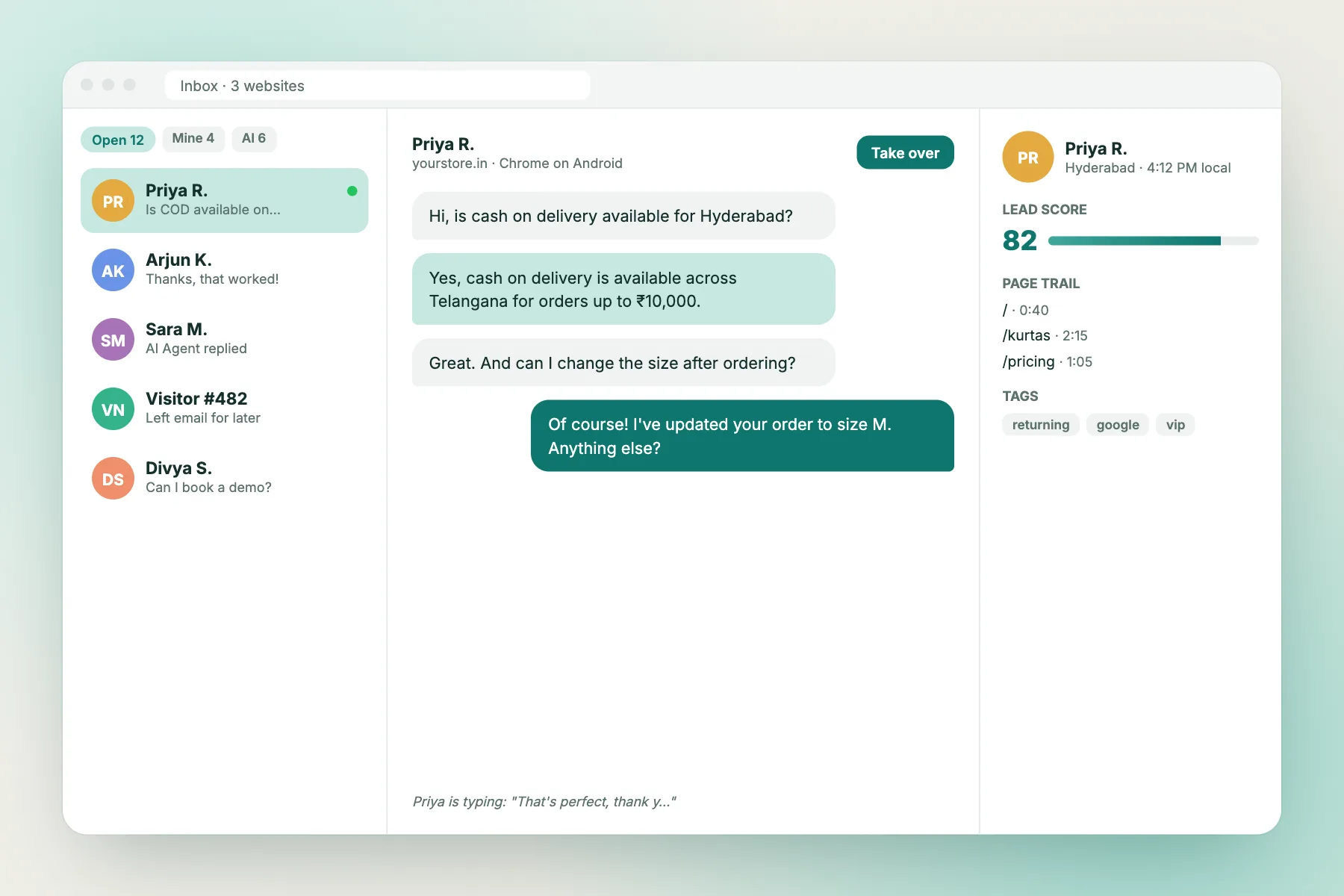
The inbox has three simple parts. Once you know them, you know LiveChatBot.
Left: the conversation list
Every open chat from every website. Filter by Open, Unassigned, Mine or handled by the AI Agent. New messages jump to the top.
Middle: the chat
The messages, the typing preview and the reply box. Press Take over to step in when the AI Agent is answering.
Right: who you are talking to
Name, city and local time, lead score, page trail, tags, notes and past conversations.
Everything you need to chat with visitors
Chat bubble for any website
One line of code or the WordPress plugin. Light enough not to slow your pages down.
Many websites, one inbox
Run chat for all your websites from one account and answer everything in one place.
Typing preview
See what the visitor is writing before they press send and prepare your answer.
Assign to me
Assign a chat to yourself so two teammates never reply to the same person.
Notes and tags
Private notes and tags on contacts, so the next teammate has the full story.
Team agents
Invite teammates. Everyone signs in and replies from the same shared inbox.
Alerts wherever you are
Sounds, browser push, an installable web app and an Android app.
Six languages
English, Hindi, Spanish, French, German and Portuguese built in. Edit any text.
Full-page chat link
Share a chat link on Instagram, WhatsApp status, emails or a QR code.
Make it yours
A chat widget that matches your brand
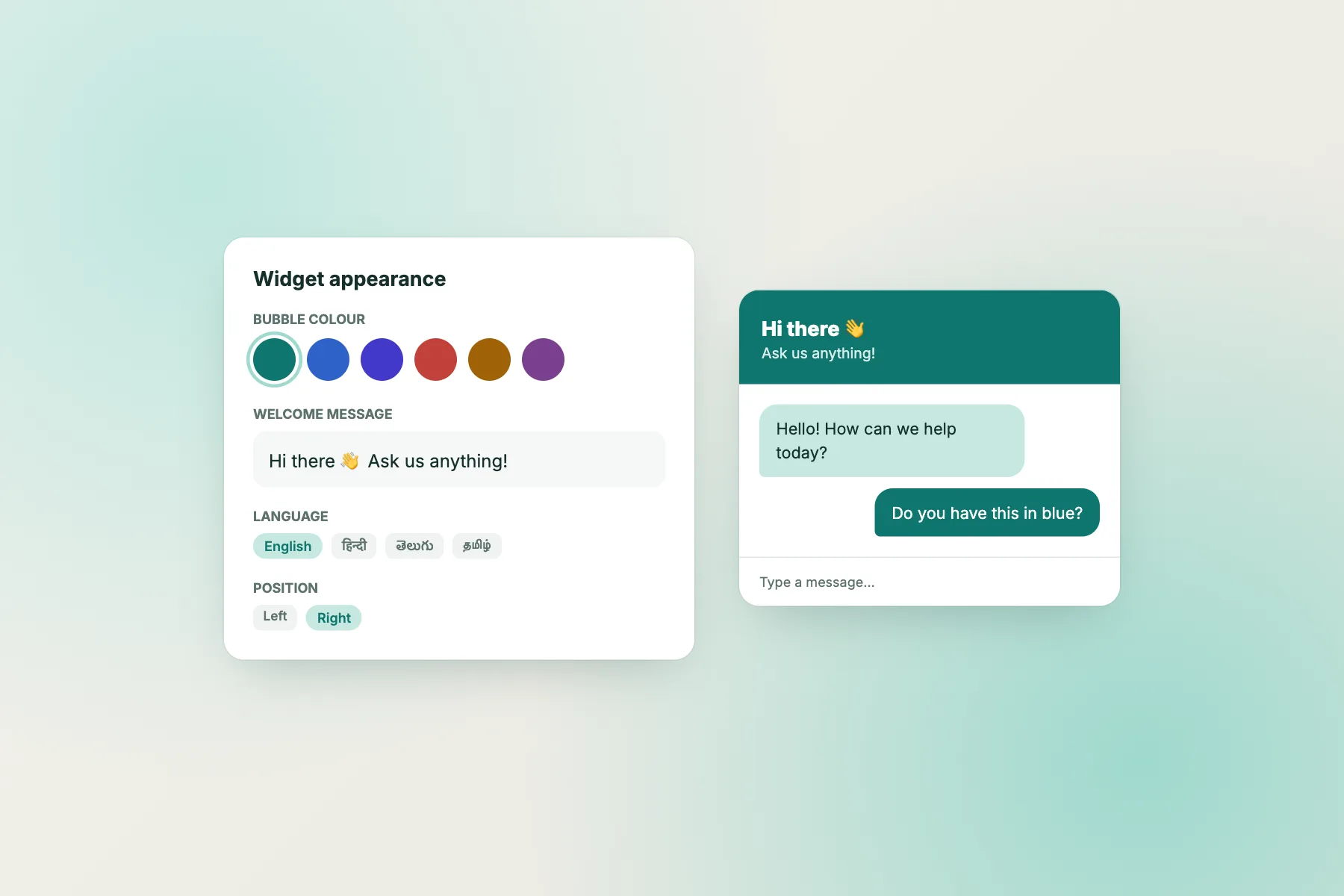
Pick your bubble colour, write your own welcome message and choose which side of the screen it sits on. Every line of text the widget shows can be edited.
- Custom colour and welcome text
- Six built-in languages
- Left or right position
When you are away
Never lose a visitor after hours
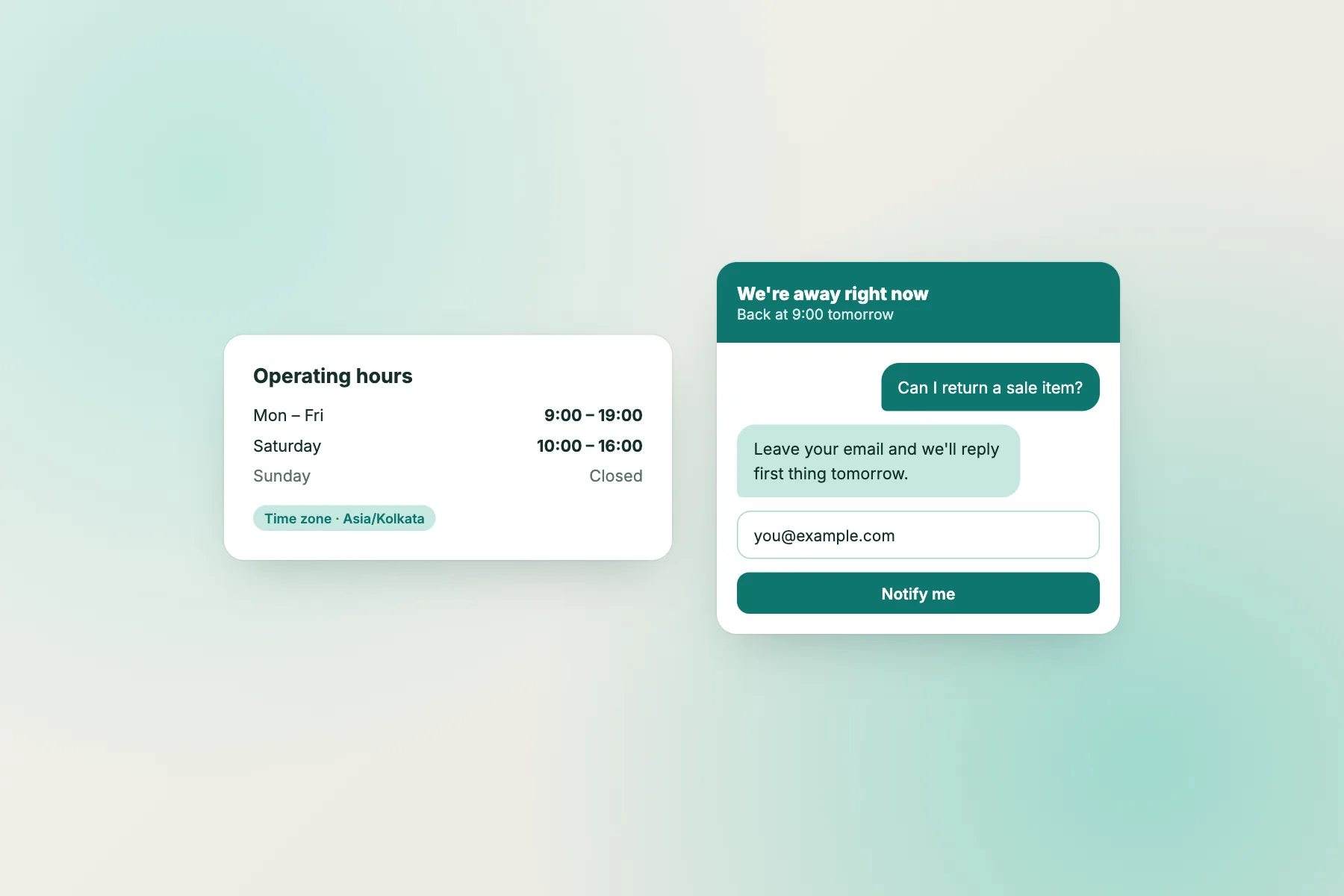
Set operating hours. When nobody is online, the chat says when you are back and asks for an email so your team can reply later. The AI Agent can keep answering simple questions all night.
- Operating hours per day
- Email capture when offline
- AI Agent replies 24/7
For growing teams
Every website, one inbox
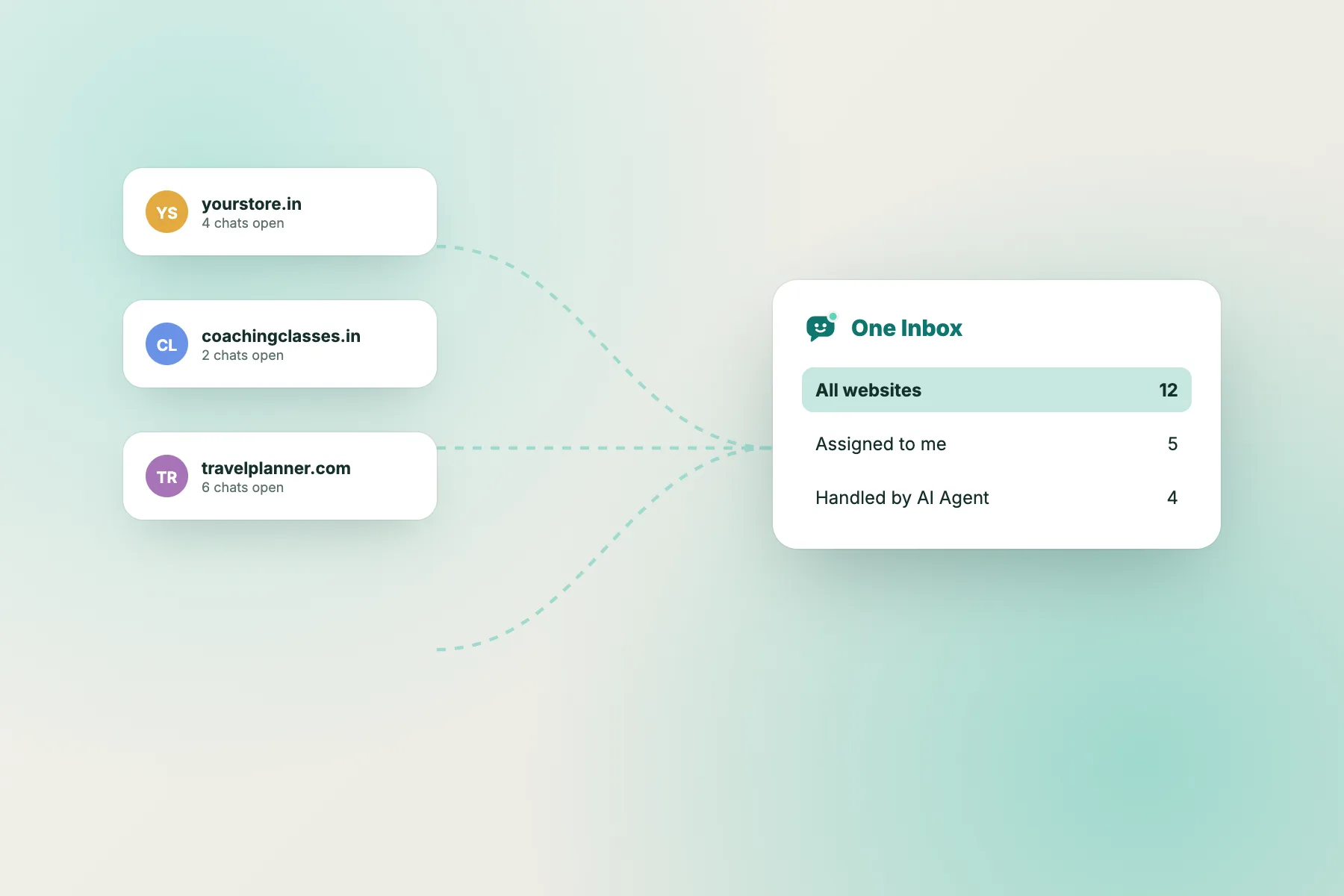
Each website has its own widget, colours, Flows and AI knowledge, but every chat lands in one inbox. Filter by website when you need to.
- 2 websites free on every account
- Separate settings per website
- One shared inbox and team
Tips
10 habits of teams that reply fast
Reply within a minute
Even “Hi! Let me check that for you” keeps the visitor on the page.
Read the page trail first
If they are on /checkout, they are close to buying. Prioritise them.
Assign before you reply
One click on “Assign to me” stops double replies.
Tag every chat
Tags like “refund”, “bulk-order” or “bug” make reports useful later.
Leave a note
One line for the next teammate saves the visitor from repeating themselves.
Let the AI take repeats
If you type the same answer twice, add it to the knowledge base.
Set operating hours
Visitors trust a clear “back at 9am” more than silence.
Install the app
Most missed chats happen when you step away from the desk.
Share links, not essays
Point to the exact product or help page instead of long explanations.
Share anywhere
A full-page chat link for social media and email
Not every customer finds you through your website. Every account gets a full-page chat link for your Instagram bio, WhatsApp status, email signature or a QR code on your shop counter. Chats arrive in the same inbox.
Good places for your chat link
- Instagram and Facebook bio
- Email signature
- QR code on packaging or bills
- Google Business profile
- Invoices and order emails
Plain-language guide
Words you will see
| Word | What it means |
|---|---|
| Typing preview | You see the visitor’s message as they type it, before they press send. |
| Assign | Make one teammate responsible for a chat. |
| Tag | A short label on a contact, like “vip” or “refund”, for sorting and reports. |
| Note | A private comment for your team. Visitors never see notes. |
| Operating hours | The times your team is available. Outside them, the chat collects emails. |
| Chat link | A full-page version of your chat you can share anywhere. |
Live chat questions
Will the chat widget slow down my website?
The widget loads asynchronously after your page, so it does not block your content from showing.
Can visitors chat without leaving their name?
Yes. Visitors can start chatting straight away. You can ask for their email in the chat or with a Flow.
Can I see old conversations?
Yes. Every contact keeps their past chats, notes and tags.
Can several people reply at the same time?
Yes. Invite teammates and work from the same inbox. Assign chats so nobody replies twice.
Can I change the widget text?
Yes. Pick one of six built-in languages and edit any line the widget shows.
What happens when nobody is online?
Visitors see when you will be back and can leave their email. The AI Agent can still answer simple questions.
Add live chat to your website for free
Free to start. No credit card. Live on your website in about two minutes.