Chatbot With Conversation Analytics: A 30-Day Review Routine for Small Teams, With Honest Notes on What LiveChatBot Reports (Free Week-by-Week Timeline)
Chatbot with conversation analytics means you can look back at what visitors asked, how the bot answered and what happened next. LiveChatBot keeps your chats, visitors and tickets, and its Reports and Traffic screens show the counts, speed, ratings and pages for you. It has no custom report builder or sentiment scores. This guide shows what to look at each week, how to read the chats yourself, and how to send data out when you need more, with a timeline you can follow for thirty days.
⚡ In short
- Conversation analytics means learning from the text of chats, not only counting them.
- LiveChatBot stores chats, visitor details and tickets, and its Reports area adds response times, ratings and Traffic reports. It has no custom report builder or mood scoring.
- A small team gets most of the value from a weekly read of real chats and a short list of fixes.
- Follow the four-week timeline and keep a simple tally in a sheet.
The basics
What conversation analytics means for a small team
Counting chats tells you how busy you are. Conversation analytics goes a step further and asks what the chats say.
Questions people ask
Which topics come up most? Which ones does the bot fail to answer? Which pages send the most confused visitors?
Outcomes
Did the chat end with an answer, a handover, a lead or nothing? Did a visitor come back later?
Speed
How long did people wait for a person? Our guide to live chat response time explains what a good target looks like.
Big companies buy dashboards for this. A small business can learn the same lessons by reading twenty chats a week with a clear list of questions in hand. The numbers help, but the wording of real customers helps more.
Honest limits
What LiveChatBot reports, and what it does not
Here is a plain description so you can plan your routine.
You get: a full inbox of chats, visitor tracking with pages seen and visit counts, tickets with status and owners, and the knowledge and saved replies you control.
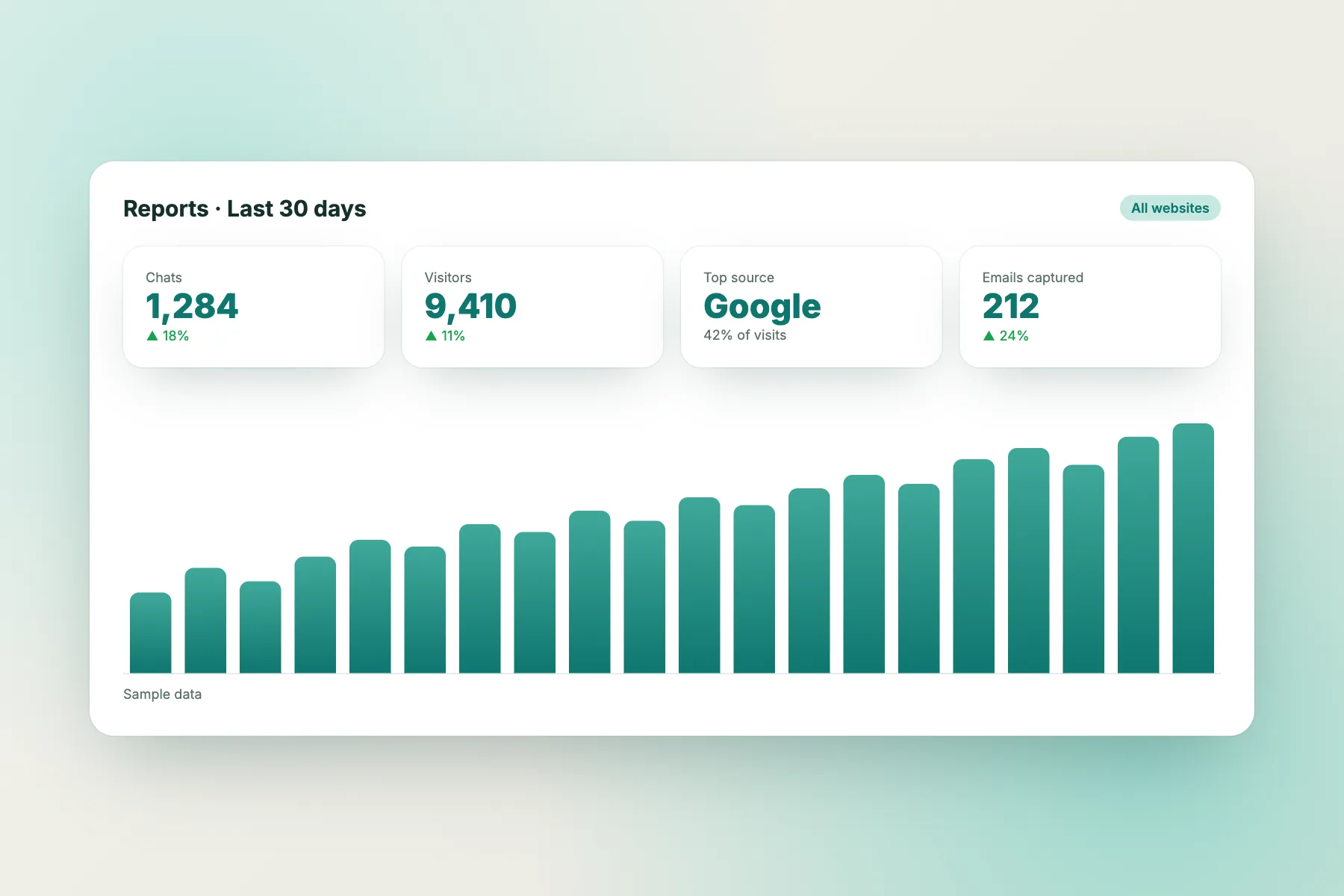
Reports, with a date range and website filter: conversations per day, first response time, response rate, resolution rate and how many chats the AI Agent resolved alone, a by-agent table, Flow conversion, leads acquired, and 👍/👎 chat ratings with comments (turn them on under Settings, Widget design, Features). Help articles with the most “not helpful” votes are listed too.
Traffic reports: where visitors come from, the landing pages that bring them in and how many act (chat, call, WhatsApp, form), pages people leave without acting, marked “Fix first”, plus keywords, rising topics and ideas for new posts and pages. The Growth plan for this is free.
You do not get: a custom report builder, scheduled or emailed reports, sentiment scores or automatic mood grouping.
If you need those, send data out. The REST API, webhooks for ticket.created and ticket.solved, and Zapier let you push ticket and chat details into a Google Sheet or another tool, where you can build your own charts. See how to connect live chat to Zapier. Ask our team for current API documentation. Open the Reports screen on a trial to see your own numbers. The same rule applies to any chatbot with conversation analytics that you are comparing: ask to see the exact screen, with real data, before you pay.
Five questions
Five questions to ask of every chat you review
Print this list and keep it next to you.
- What did the visitor want? Write it in four words, such as “delivery time to Pune”.
- Did the bot answer correctly? Yes, partly or no.
- Was a person needed? If yes, how long did they take?
- What was the outcome? Answer, lead, ticket or lost.
- What one change would have helped? A new saved reply, a knowledge fact or a Flow.
After ten chats, a pattern appears. Perhaps half of the “no” answers are about returns. That tells you exactly which fact to add to the AI Agent first. Keep the notes in a simple sheet with one row per chat and five columns.
Try it
A 30-day routine for chatbot with conversation analytics
Work through one stage a week. Each takes about an hour.
Read twenty recent chats. Fill in the five-question sheet and note the top three topics. Open Reports and write down first response time and resolution rate.
Add the missing facts to the AI Agent and write saved replies for the top three topics. Check the chat rescuer in Flows.
Use visitor tracking to see which pages visitors came from before they asked. Add a proactive message to the confusing ones.
Read twenty new chats with the same sheet. Compare wrong answers, handovers and waiting time with week 1, and check the Reports numbers and chat ratings against your week 1 notes.
Pages
Link chats to pages in a chatbot with conversation analytics routine
A chat about delivery on the pricing page means something different from the same chat on the product page. Visitor tracking shows where a visitor was when they asked, so you can tie questions to pages.
What to look for
- A page that triggers many questions is probably unclear.
- A page that gets visits but no chats may have the widget hidden or poorly placed.
- A page where visitors ask for a person right away may need a phone number or a fuller answer.
What to change
Rewrite the unclear text on the page itself. Then use proactive messages on the pages that still cause trouble. The goal is fewer repeat questions over time, not more chats. Write down the date of each page change, so that next month you can see whether the questions on that page fell. Without a date, a change is just a guess.
Sending data out
When your own sheet is not enough
If you handle many chats, a manual review will not scale. These are sensible next steps, in order.
- Use ticket statuses. Open, pending and solved show where work is stuck.
- Export through Zapier. Send each new ticket to a Google Sheet with the date, topic and owner.
- Use the API. A developer can pull data into a dashboard the business already uses. The chatbot with REST API guide explains the basics.
- Keep privacy in mind. Chats can hold names, phone numbers and order details. Share sheets only with people who need them, and remove old rows when you no longer need them.
Add a short note to your privacy policy if you analyse chat text. Our free chatbot with analytics guide covers which numbers deserve attention.
Mistakes
Common mistakes when you review chat data
Avoid these traps.
- Reading only the angry chats. You will miss the quiet failures where the visitor left.
- Reacting to one chat. Wait for a pattern of at least three.
- Changing too much at once. Fix one topic, then check the result.
- Counting chats as success. More chats is not better if they are repeat questions.
A chatbot with conversation analytics is only as useful as the habit behind it. Put a weekly hour in the diary, pick one owner and keep it going. Share a three-line summary with the rest of the team each month: what you learned, what you changed and what you will try next. That small habit turns reading chats into better answers.
Frequently asked questions
Does LiveChatBot include conversation analytics?
Yes. It keeps chats, visitors and tickets you can review, and the Reports and Traffic screens show response times, resolution, ratings and top pages. It does not include a custom report builder, scheduled reports or sentiment scoring.
How can I get deeper reports?
Send ticket data to a sheet with Zapier or webhooks, or have a developer use the REST API. Ask our team for current documentation.
How many chats should I review each week?
Twenty is a good start for a small team. Use the same five questions every time so weeks can be compared.
Can analytics tell me which page confuses visitors?
Visitor tracking shows the pages a visitor saw, so you can link questions to pages by reading the chat and the visit together.
Is the free plan enough to start?
Yes. It covers two websites and 100 visitors per website each month, with no per-seat charges.
Keep reading
Related guides
Chatbot With Sentiment Analysis: How to Spot Unhappy Visitors Without It, and What LiveChatBot Does Instead (Free Which-Response-Fits Quiz)
Chatbot With Chatbot Performance Reports: Read the Reports Screen and Build a One-Page Monthly Summary, With Copy-Ready Lines (Free Template)
Chatbot With Text to Speech: Do You Need Read-Aloud Replies, or Just Accessible Chat? A Plain Guide With a Free Decision Tree
Learn from every chat
Inbox, visitor tracking, tickets and a free plan. Start free on livechatbot.in.