Chat Solution for Website Buyers: Ten Red Flags in a Sales Pitch and the Test That Checks Each One (Free Claim-vs-Test List)
Chat solution for website pitches all sound alike: fast, smart, easy, cheap. The differences only show up when you test, and by then you may have paid. This guide lists ten phrases that should make you pause, explains what each one often hides, and gives you a simple test for every claim, so you can hold any vendor to the same standard.
⚡ In short
- A red flag is not a lie. It is a claim you cannot check from the sales page.
- For every claim, run one test with your own questions, your own phone and your own numbers.
- Be most careful with words like unlimited, instant, human-like and no setup.
- Free plans let you test before you pay. Use them on a real page of your site.
The approach
How to judge a chat solution for website use without trusting the pitch
Sales pages are written to remove doubt. Your job is to put it back, politely, one claim at a time.
The method is simple. Take each promise and ask what it would look like if it were true. Then make that happen on a test account. If you cannot, the claim stays unproven, and an unproven claim should carry no weight in your decision.
Three rules
- Use your questions. A demo that answers the vendor’s sample questions proves nothing. Bring the ten questions your customers really send.
- Use your device. Test on a mid-range phone on mobile data, because that is how many visitors see you.
- Use your numbers. Replace “affordable” with the rupees you would pay in a busy month. Our year-one cost breakdown shows the lines to count.
This page covers what to doubt. For the bigger picture of what chat is, see our live chat overview.
Free list
Ten claims, ten tests
Each pair shows the claim on the left and the test on the right. Run them in a trial, in any order.
Reading the flags
The three flags that matter most in a chat solution for website buying
Not all ten flags weigh the same. Three decide most buying mistakes.
Wrong answers delivered with confidence
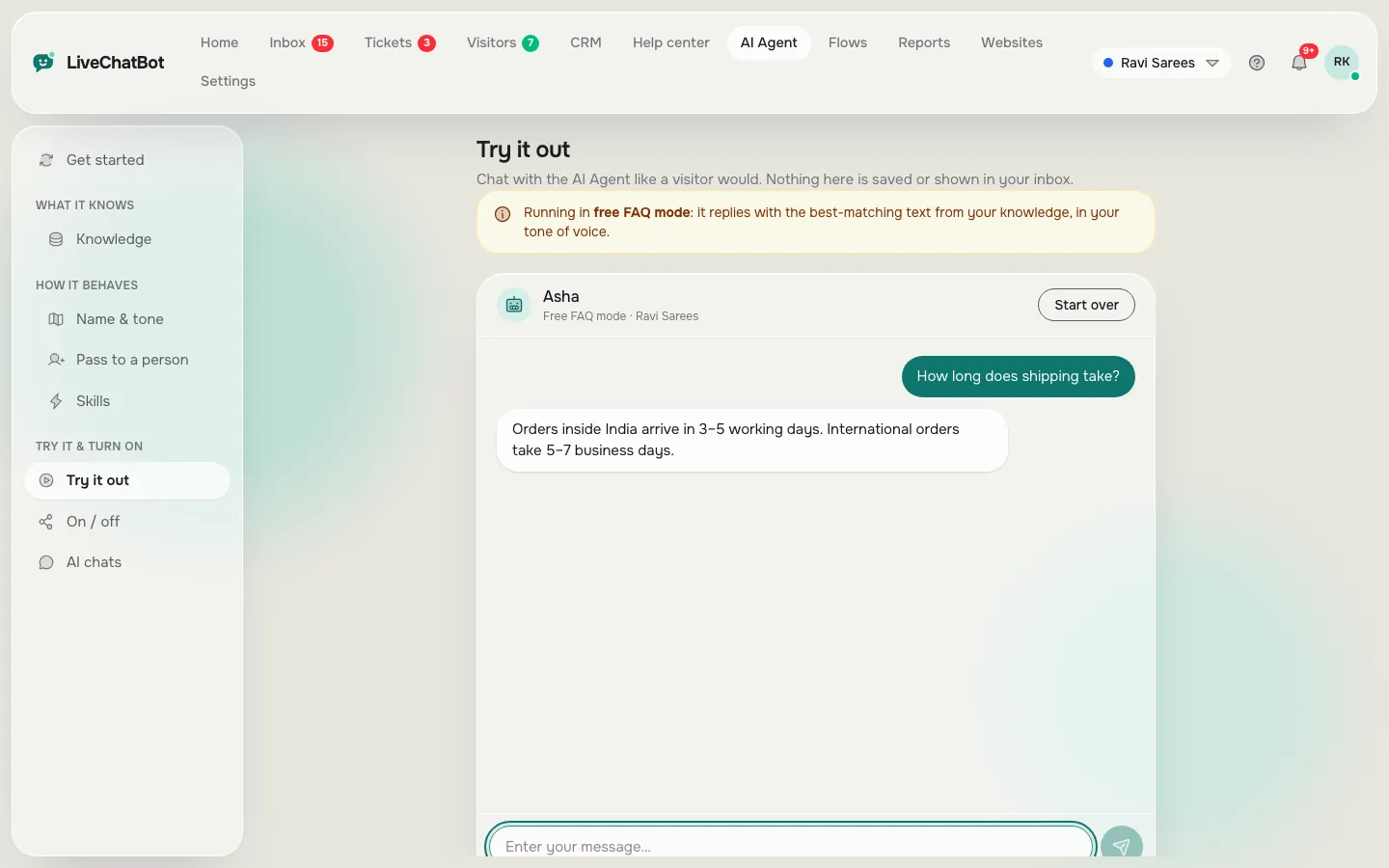
A bot that invents a delivery date or a price costs you a sale or a complaint. Make sure the AI answers from facts you supply, and test what it does when it does not know. In LiveChatBot the AI Agent answers from your knowledge, and a Rules box lets you write behaviour such as “never promise delivery dates”.
No way to reach a person
Every bot fails sometimes. The question is what happens next. Look for handover to a human, an away form after hours and a chat rescuer that asks for email and phone if nobody replies in seconds.
Surprise limits
Find out what happens when you reach a limit before you reach it. With LiveChatBot, tracking and alerts continue, chat pauses for new over-limit visitors and nothing is charged automatically.
Real screens
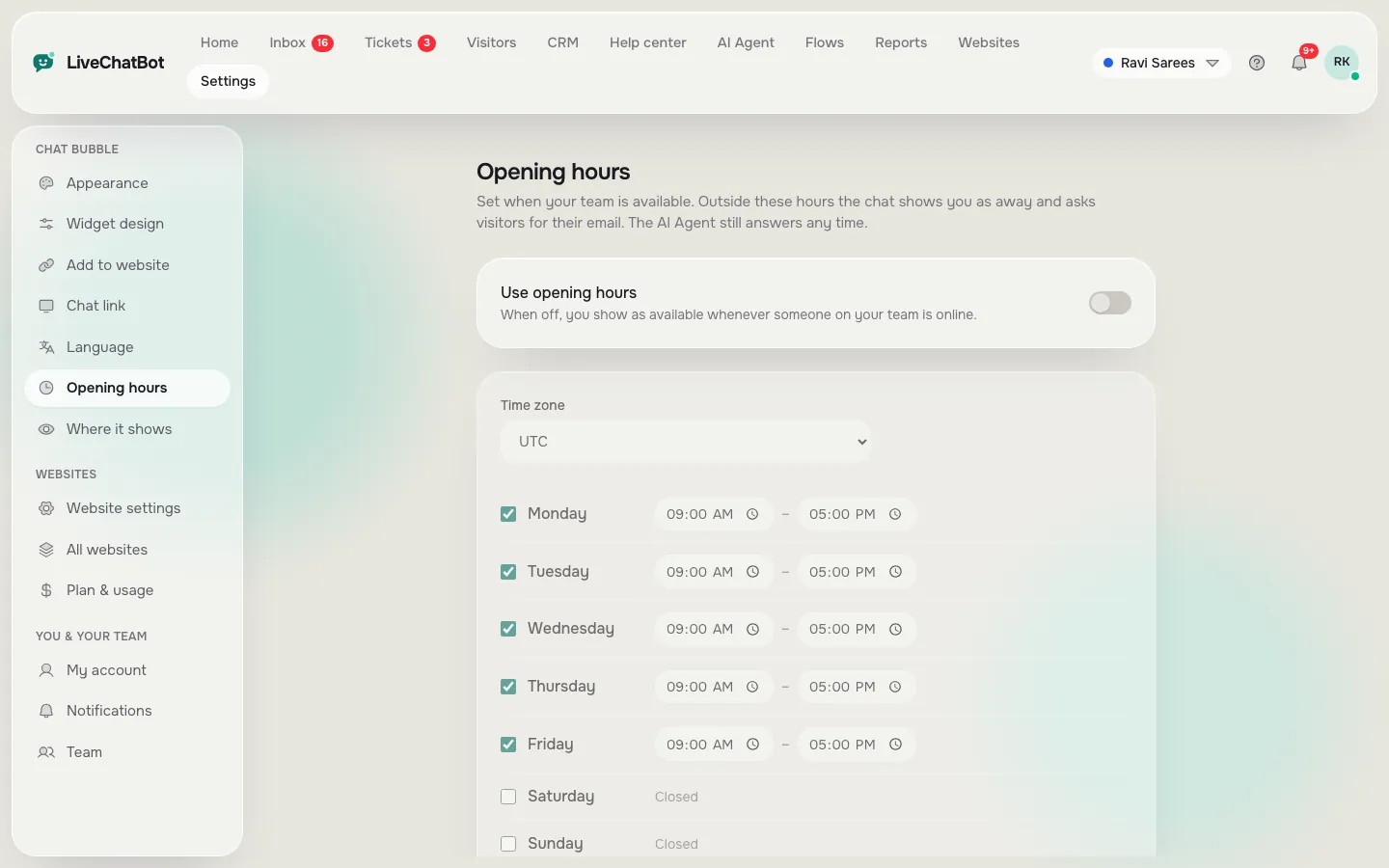
Real screens: test the bot yourself and set the hours it works to
Real screens from the LiveChatBot panel, shown with sample data. Click any picture to see it full size.
Fair play
What LiveChatBot cannot claim, so you can hold us to it too
Use the same list on us. Here is what is not available, so you do not have to discover it later.
- “Powered by LiveChatBot” stays on every plan. No white label.
- No iPhone team app. Android has an app; iPhone users answer in a browser.
- No single sign-on, audit logs or role builder.
- No voice, no captcha and no sentiment analysis.
- No native Slack, Telegram, HubSpot, Salesforce or Zoho links. Zapier, webhooks and a REST API can bridge some.
- You cannot choose the AI model or bring your own API key.
What it does have: a free plan for two websites, prepaid paid plans with no auto-renew, no per-seat charges, WhatsApp and Messenger messages in the same inbox once connected through Meta, tickets, saved replies and Flows. For a different angle, see our setup day plan and the under-the-hood guide.
Your trial
A one-hour trial script for any chat solution for website shortlist
Block an hour and run this on every shortlisted tool, in the same order, so the results compare fairly.
- Sign up (10 minutes). Note how many steps and whether a card is asked for.
- Install (10 minutes). Put the chat on one real page.
- Teach (15 minutes). Give it five facts and ask five questions, including two you did not teach.
- Handover (10 minutes). Ask for a person. Time the alert on your phone.
- After hours (5 minutes). Set hours that have just ended and send a message.
- Price (10 minutes). Write the rupee cost of a month twice as busy as today.
Score each step out of five and keep the notes. The tool with the highest total, not the best pitch, wins your shortlist. Run the same script again after a month on the winner, because behaviour in week four tells you more than behaviour on day one. Read the live chat guides if a step feels unfamiliar. Prices for LiveChatBot are on the pricing page, and a broader tour of options lives in our best chat software for business guide.
Frequently asked questions
What is the biggest red flag when choosing a chat solution for website use?
A claim you cannot test on a trial account. If you cannot try it, you cannot trust it.
Is unlimited ever really unlimited?
Usually something is capped, such as visitors, websites or fair use. Ask exactly which.
How do I test an AI chat answer?
Ask questions you never taught it. A good bot admits it is unsure and hands over to a person.
Should I pick the most features?
No. Pick the tool that covers your must-haves and shows them working in a trial.
Can I test LiveChatBot without paying?
Yes. The Free plan costs ₹0 and covers two websites with 100 visitors each per month.
Keep reading
Related guides
Chat Solutions for Business Are a Team Workflow: Who Picks Up, Who Follows Up and Who Closes the Ticket (Free Coverage Grid)
Chat Software for Website Owners: A One-Day Setup Plan, Hour by Hour, From Sign-Up to Your First Real Chat (Free Timeline)
Chat Software for Business: Where the Money Really Goes in Year One, Line by Line (Free Cost-Line Checklist)
Run the ten tests yourself
Start free on livechatbot.in and hold every claim, ours included, to a test.