Chat Software for Business: Where the Money Really Goes in Year One, Line by Line (Free Cost-Line Checklist)
Chat software for business is usually priced as one number on a pricing page, but the real year-one bill has at least six lines, and only two of them appear on the invoice. This guide lists every line, shows which ones are zero with LiveChatBot and which ones you still pay in time, and gives you a checklist to run against any quote before you sign.
⚡ In short
- The plan price is one cost line. Seats, visitor limits, extra websites, AI use, setup time and upkeep are the others.
- LiveChatBot has no per-seat charges, prepaid plans with no auto-renew, and a free plan, so most of the risk sits in your own time.
- Yearly billing means you pay for 10 months and get 12.
- Use the checklist below to put a rupee figure next to every line on any quote.
The big picture
Why the plan price is only the start for chat software for business
A pricing page shows a monthly figure, your accountant an annual one and your team a time figure. All three matter for any live chat tool.
Think of year one as a stack of lines. Some are charged by the vendor. Some are charged by your own calendar. A tool that is cheap on the invoice but needs a day of setup every month is not cheap. A tool that looks dear but runs itself might be.
If you want the wider buying picture first, our guide to the best chat software for business compares what to look for. This page does something narrower: it only follows the money.
Three kinds of cost
- Billed cost: plan price, extra seats, extra websites, extra visitors.
- Setup cost: hours to install, write answers, train the team.
- Upkeep cost: hours each week to keep answers true and chats covered.
Billed lines
The four lines that appear on an invoice
1. The plan price
LiveChatBot new sign-ups choose from Free at ₹0 (2 websites, 100 visitors per website each month), Starter at ₹299 a month (2 websites, 750 visitors shared across them) and Growth at ₹699 a month (5 websites, 2,500 visitors shared across them). Every plan is prepaid, for example by UPI, with no auto-renew. Choosing yearly means you pay for 10 months and get 12.
2. Seats
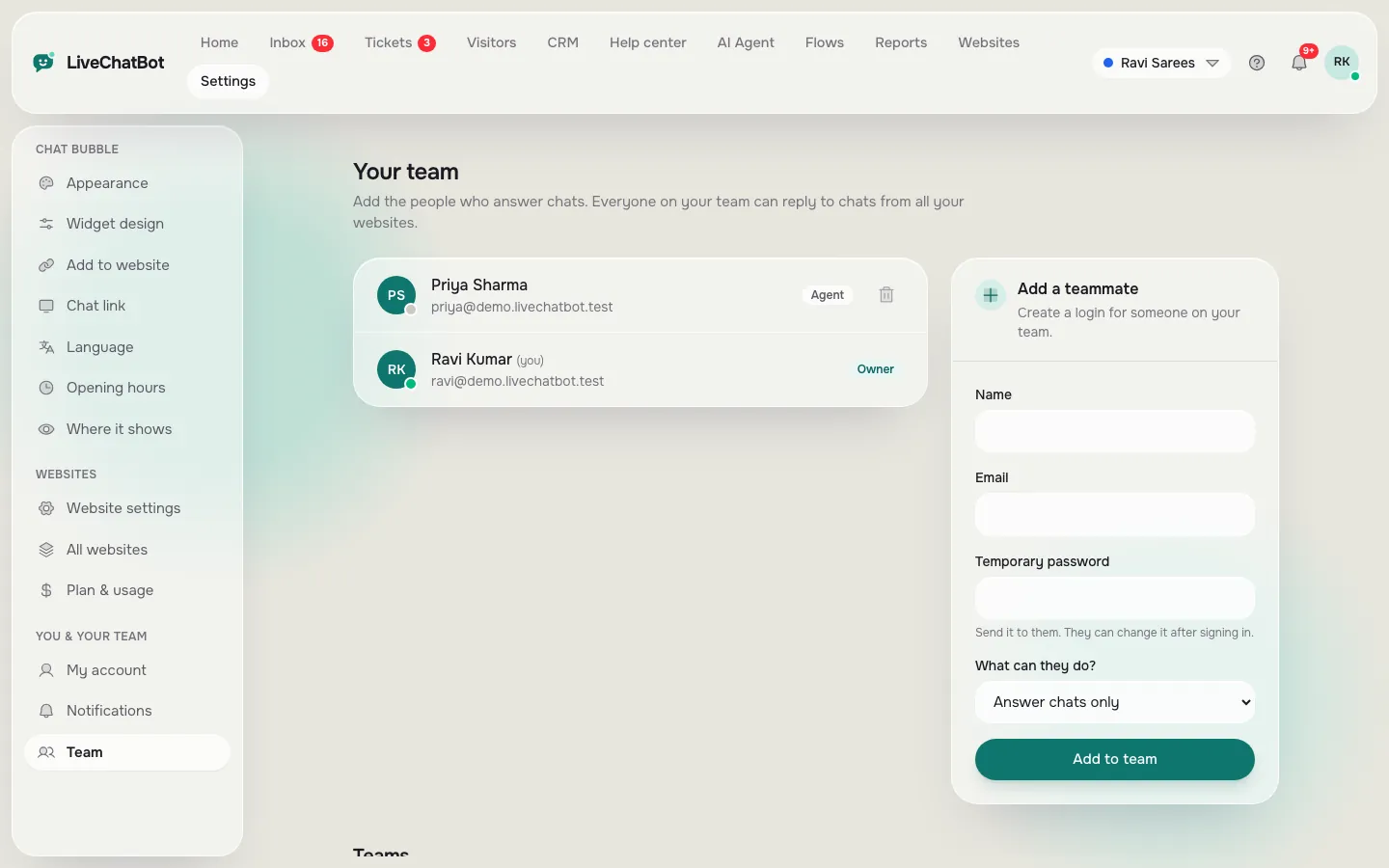
Many tools multiply the price by the number of people who answer. LiveChatBot has no per-seat charges, so a team of one and a team of six pay the same. Ask every vendor for a quote at your real team size, not at one seat.
3. Visitors
Limits are counted differently across vendors: per chat, per visitor, per agent. Here a visitor is counted once a month when they trigger a new-visitor alert. If you go over, tracking and alerts continue and chat pauses for new over-limit visitors. Nothing is charged automatically.
4. Extra websites
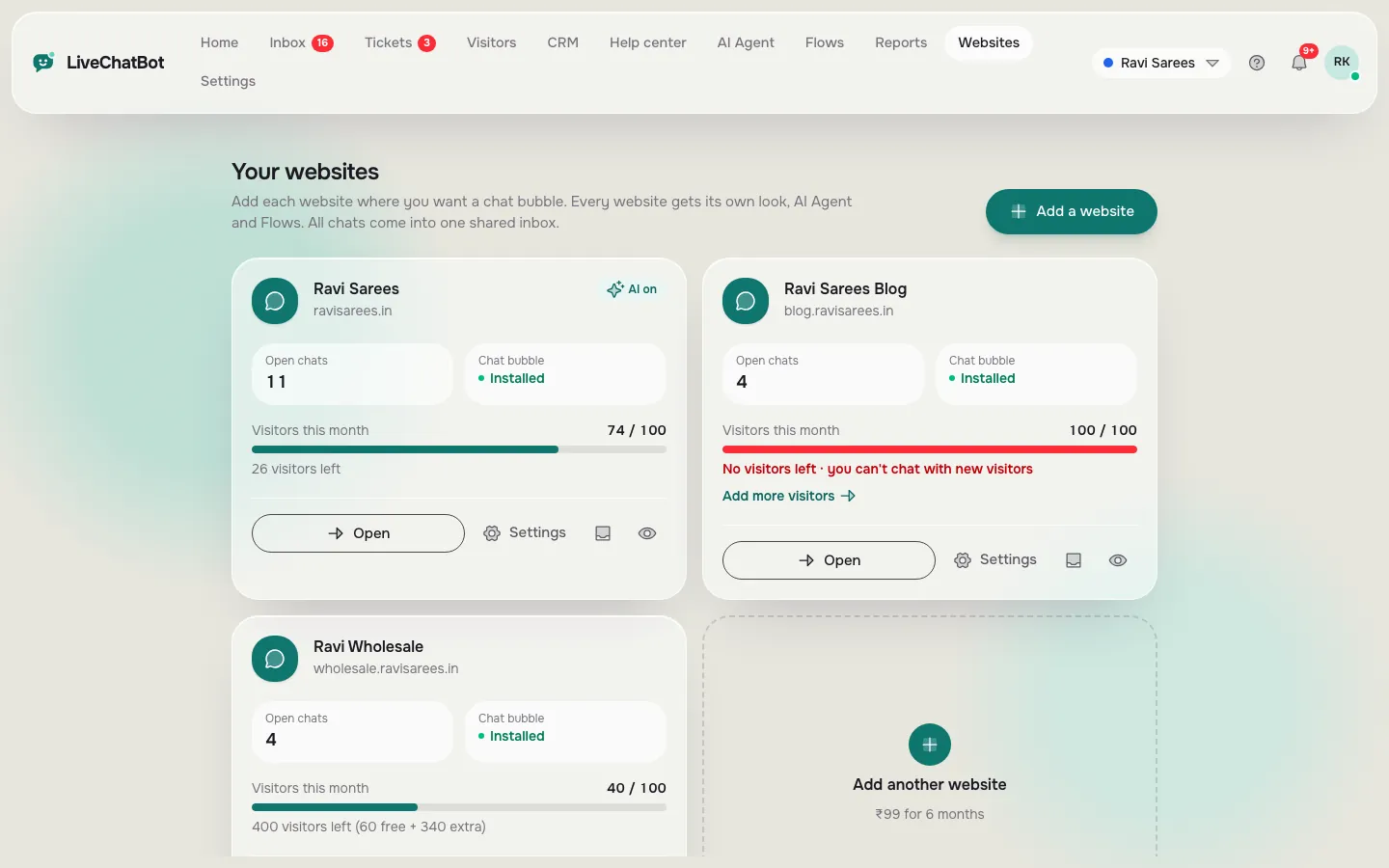
Free and Starter cover two websites; Growth covers five. If you run a shop and a blog, one account can cover both.
Hidden lines
The two lines that never reach the invoice
Most chat software for business budgets forget time, because nobody sends a bill for it. That is exactly why it hurts.
Setup time
A realistic first-day budget is two to four hours: installing the code, choosing colours, writing a welcome message, loading your first answers and setting opening hours. Our setup guide walks through the install itself. If a vendor says setup takes five minutes, ask for a test account and time it yourself.
Upkeep time
Chat gets stale when prices, hours or policies change and the answers don’t. Budget about fifteen minutes a week to read what the bot missed and fix it, plus whatever time your team spends actually replying. This is the line that decides whether the tool pays back.
Count the hourly cost of whoever does this work. Three hours of setup plus one hour a week is roughly 55 hours in year one. That number belongs next to the plan price.
Real screens
Real screens: the two places seats and websites show up
Real screens from the LiveChatBot panel, shown with sample data. Click any picture to see it full size.
Free checklist
Put a rupee figure next to every cost line
Tick each line once you have an actual number from the vendor or your own estimate. A line you cannot tick is a line you are guessing.
Sample year
An illustrative year for a small online shop
The numbers below are made up to show the method. They are not a real customer.
A shop with two staff chooses the Starter plan on yearly billing. It pays for 10 months at ₹299, which is ₹2,990, and gets 12. There are no seat charges, so the second person costs nothing extra. Setup takes three hours. Upkeep is one hour a week for 50 weeks.
The three totals
- Billed: ₹2,990.
- Setup time: 3 hours.
- Upkeep time: 50 hours.
At ₹300 an hour, setup and upkeep add up to ₹15,900 of time, far more than the plan. The invoice is the smaller number, so better saved replies and a well-fed knowledge base save more than any discount.
Where it saves
Four ways chat software for business reduces its own upkeep
- Answers from your facts. The AI Agent answers from what you give it, including a typed answer, a copied web page or an uploaded file such as a PDF, Word, Excel, CSV or text document. Teach it once and it replies at night.
- Saved replies. Common answers become one-click replies instead of retyped sentences.
- Reports. The Reports area lists conversations, response times and the help articles visitors marked “not helpful”, so you know what to fix first.
- Chat rescuer. If nobody replies in seconds, the chat asks for email and phone so the lead is not lost, which protects the value you paid for.
None of this removes upkeep entirely. It shrinks it, and that is where the real saving sits. To see how teams spread the daily work, read our team workflow guide.
Honest gaps
Cost lines LiveChatBot cannot remove
Be fair to yourself and check these before you rely on any quote.
- “Powered by LiveChatBot” stays on all plans. There is no white-label option.
- There is no iPhone team app. iPhone users answer from a browser; Android has an app.
- No single sign-on, audit logs or role builder. If your policy demands them, you need a different tool.
- No native links to CRMs or Slack. Zapier, webhooks and a REST API can bridge some of them.
If any of these are must-haves, add the cost of a different tool, not a workaround, to your comparison. If none are, the plan price and your time are the whole story. Read the live chat overview, then measure your own time on the free plan. See pricing or start free.
Frequently asked questions
How much does chat software for business cost?
It ranges from free to thousands of rupees a month. With LiveChatBot the Free plan is ₹0, Starter is ₹299 a month and Growth is ₹699 a month, all prepaid with no auto-renew.
Do I pay per agent?
No. LiveChatBot has no per-seat charges, so adding a team member does not change the price.
What is the biggest hidden cost?
Your own time for setup and weekly upkeep. It is usually larger than the plan price.
Is yearly billing cheaper?
Yes. You pay for 10 months and get 12.
Does the free plan work for a real business?
Yes for small traffic: two websites with 100 visitors each per month. Move up when your busiest month needs more.
Keep reading
Related guides
Chat Software for Website Owners: A One-Day Setup Plan, Hour by Hour, From Sign-Up to Your First Real Chat (Free Timeline)
Chat Services for Websites, Added in Layers: A 30-Day Plan From a Simple Chat to AI, Tickets and a Help Center (Free Timeline)
Chat Solution for Website Buyers: Ten Red Flags in a Sales Pitch and the Test That Checks Each One (Free Claim-vs-Test List)
More to read
More guides on this topic
Affordable Customer Chat Software: Compare Quotes by Year-One Cost per Answered Chat, Not Monthly Price (Free Quote Scorecard)
Cost your chat before you buy it
Start free on livechatbot.in, time your own setup and see which cost lines are real for you.