Chat Services for Websites, Added in Layers: A 30-Day Plan From a Simple Chat to AI, Tickets and a Help Center (Free Timeline)
Chat services for websites come as a bundle: live chat, a bot, tickets, a help center, reports and more. Turn them all on at once and nothing works well. Add them in layers and each one gets tested before the next arrives. This guide gives a 30-day plan, week by week, with what to switch on, what to test and what to leave for later, using services LiveChatBot includes today.
⚡ In short
- Week 1: the basic chat, alerts on phones, opening hours and an away form.
- Week 2: the AI Agent and saved replies, so repeated questions get quick answers.
- Week 3: Flows, form leads and tickets, so interest turns into follow-up.
- Week 4: help center and reports, so you learn what to fix next.
The idea
Why services work better when you add them one at a time
A vendor page lists everything the service offers. A small team cannot absorb all of it in one weekend. Features that nobody owns turn into noise: a bot that gives wrong answers, a proactive message that nags, a ticket list nobody opens.
Layers fix that. Each week you switch on one group of services, check it with real use, and only then move on. If something goes wrong you know which layer caused it, because it is the only thing that changed.
This is also how you keep cost under control. The free plan covers two websites with 100 visitors each per month, so the early layers cost nothing. You pay only when traffic proves the chat is worth more. If you want the bigger picture of what chat can do for a business, our live chat guide is the place to start.
Week by week
What each layer contains
Layer 1: the base
The chat bubble, the inbox, the Android app, opening hours and the away form that collects an email or phone.
Layer 2: answers
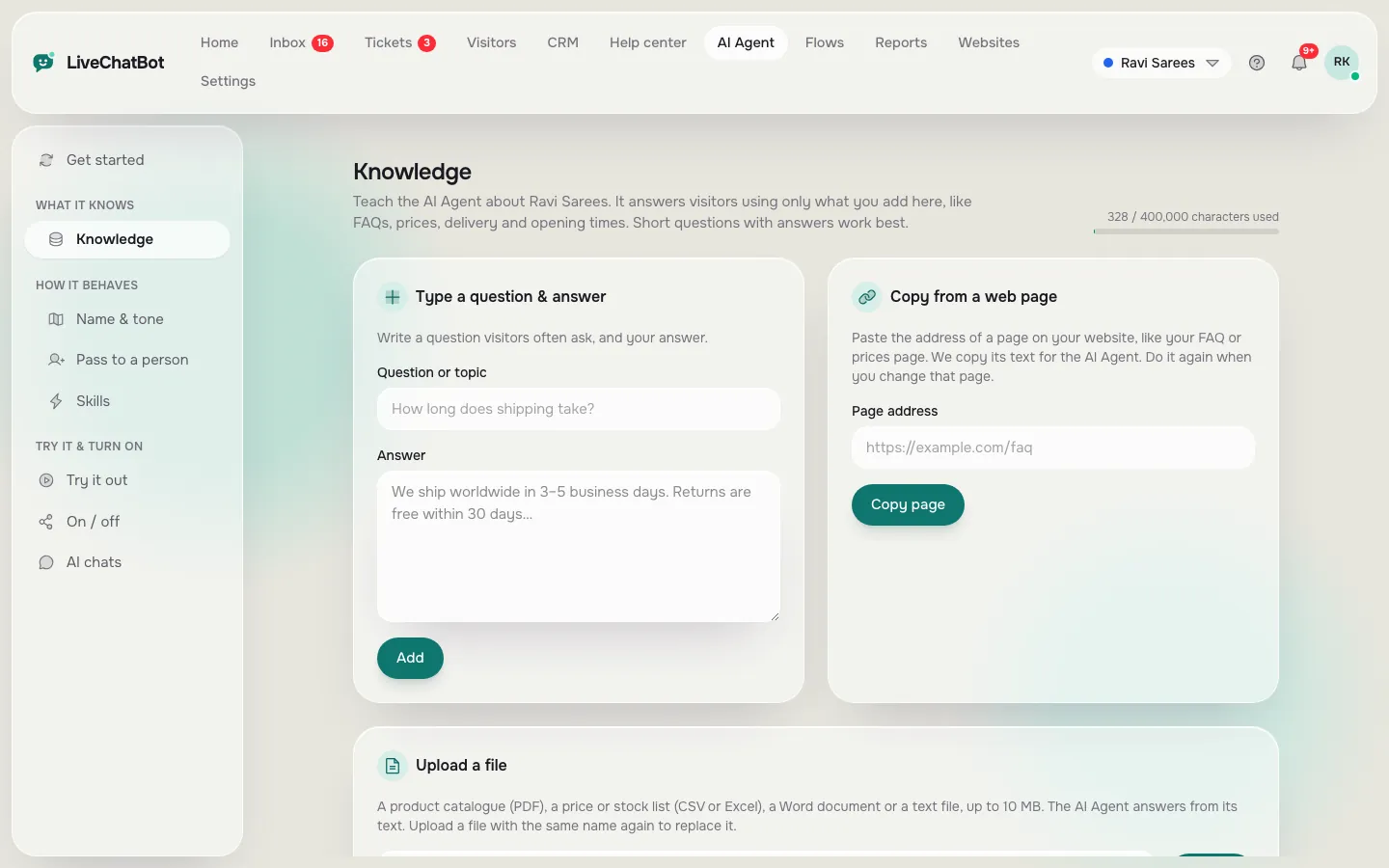
The AI Agent answers from the knowledge you give it: typed answers, a copied web page or an uploaded file such as PDF, Word, Excel, CSV or TXT. Saved replies help your team. A keyword bot covers the gaps.
Layer 3: capture
Flows show proactive messages with up to six conditions. Form submissions from supported form plugins become leads with instant alerts. Tickets keep unresolved questions from getting lost.
Layer 4: learning
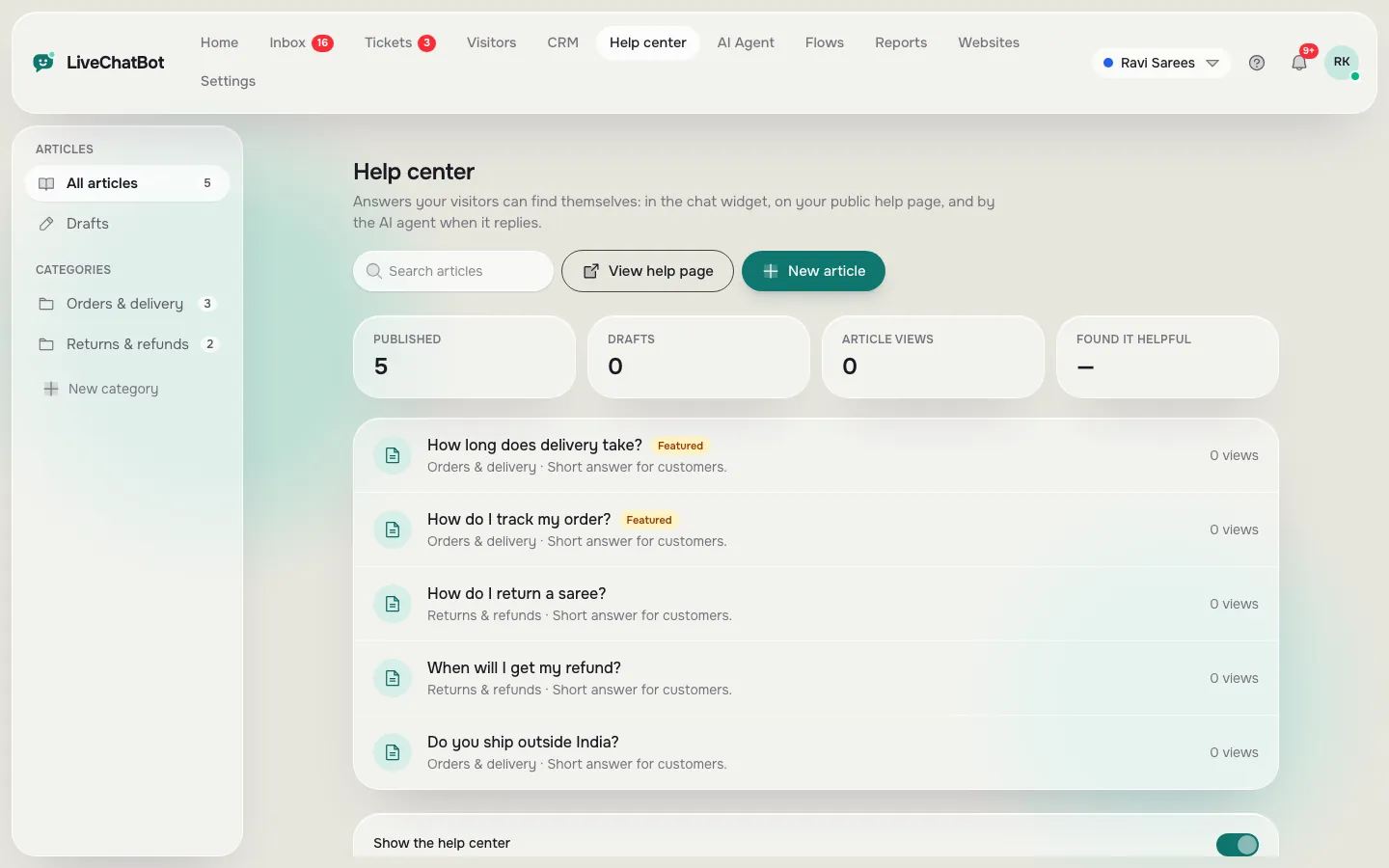
A public help center, chat ratings and Reports show what visitors ask, which pages lose them and what to write next.
Real screens
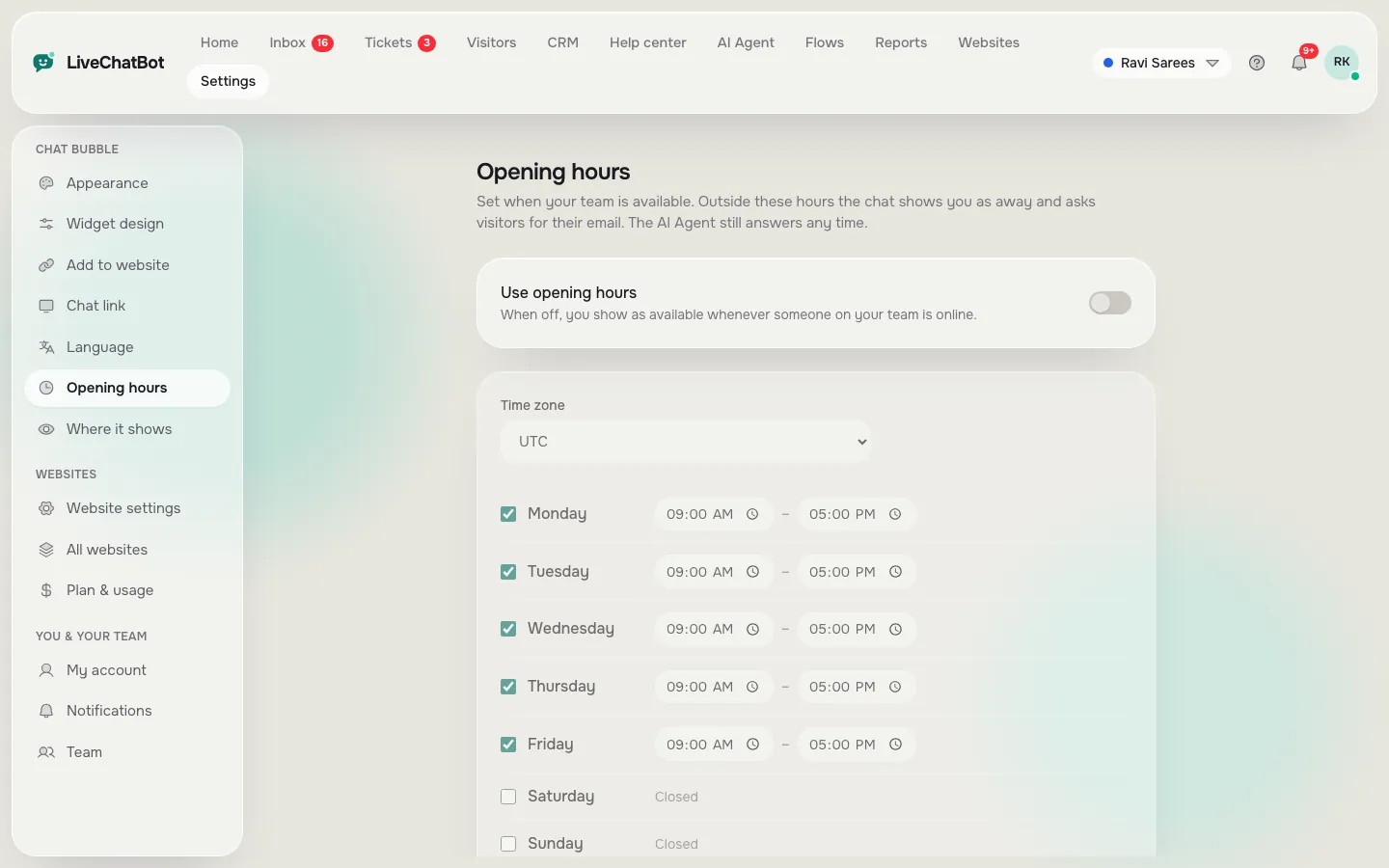
Opening hours, the AI knowledge base and the help center articles
Real screens from the LiveChatBot panel, shown with sample data. Click any picture to see it full size.
Free timeline
Your 30 days of chat services for websites
Follow the steps in order. Each ends with a test, so you know the layer works before the next one starts.
Add the plugin or paste the code line, set colour and welcome text, and check three page types.
Install the Android app, set opening hours and turn on the away form. Send a test chat.
Read every chat. Write down the questions you answered more than twice.
Add answers from those questions in Knowledge. Add a few saved replies for people.
Ask real questions, including awkward ones. Fix every wrong answer by editing the knowledge.
Show a short message on your pricing or contact page, and check how many visitors reply.
Turn unanswered chats into tickets and check that a test form submit gives a New lead alert.
Turn your five best answers into public help center articles.
Look at chats, reply times and Pages to improve. Choose the next layer by what the numbers say.
Layer details
Where to be careful in each layer
Layer 1. Do not skip the phone test. Many teams install the chat and never find out their alerts are off. Our guide to opening hours covers the away form.
Layer 2. An AI answer is only as good as your facts. Keep prices, hours and policies in Knowledge and behaviour in the Rules box. Read how the AI Agent handles questions it cannot answer.
Layer 3. Do not stack five Flows. One good message beats five that overlap. See chat flows for the conditions you can use.
Layer 4. Reports are only useful if someone looks at them. Pick one day a week for ten minutes. A ticketing system keeps follow-ups from slipping while you do.
Honest limits
Chat services for websites that LiveChatBot does not include
To plan well, know the gaps. LiveChatBot has no single sign-on, audit logs, role builder, voice or sentiment scoring. It has no native Slack, HubSpot, Salesforce, Zoho or Calendly connection, though Zapier and webhooks can bridge some. There is an Android app, not an iOS one, and the Powered by LiveChatBot badge stays on every plan.
If your project needs any of these, add that requirement to week one, not week four. It is far cheaper to learn it before you build. If none of them matters to you, the layers above cover what most small businesses need, from a first chat to a working help desk.
Money
What the layers cost as you grow
Layers 1 to 4 all work on the free plan, within its limits. When visitors outgrow 100 per website a month, there are paid plans: Starter at ₹299 a month for 750 visitors shared across 2 websites, and Growth at ₹699 a month for 2,500 visitors shared across 5. Yearly plans pay for ten months and give twelve. Payment is prepaid, with no auto-renew and no per-seat charges.
AI replies come with every plan, with a monthly allowance shown in your dashboard. Read the pricing page for the current details, and the help desk software guide if tickets become your main work.
Next step
Begin with layer one today
Create a free account at livechatbot.in, install the chat and set your hours. That is the first of the chat services for websites you will use, and the only one you need today. The rest can wait for the days in the timeline. For a wider view, return to the live chat guide whenever you want to plan the next layer.
Frequently asked questions
Which chat services for websites should I start with?
Start with the basic chat, phone alerts, opening hours and the away form. Add the AI Agent, Flows, tickets and help center in later weeks.
Do I need all of these services?
No. Many small sites run happily on layers 1 and 2. Add the others only when a real need appears.
Can the free plan cover the whole 30 days?
Yes, within its limits: 2 websites and 100 visitors per website each month.
What if my traffic grows faster than planned?
Paid plans share visitors across your websites, and you can move up when you need to. There are no per-seat charges.
Can I add a help center later?
Yes. The help center is public articles you write when you are ready, and it works alongside the chat and tickets.
Keep reading
Related guides
Chat Software for Business: Where the Money Really Goes in Year One, Line by Line (Free Cost-Line Checklist)
Chat Software for Website Owners: A One-Day Setup Plan, Hour by Hour, From Sign-Up to Your First Real Chat (Free Timeline)
Chat Plugin for Website Builders: What Counts as a Plugin, What Is Just a Code Snippet, and 20 Words You Will Meet (Free Searchable Glossary)
One layer at a time
Free plan for two websites, no per-seat charges. Start free on livechatbot.in and switch on layer one today.