Chat System for Websites, Explained Under the Hood: How a Message Travels From a Visitor’s Phone to Your Inbox (Free Plain-English Glossary)
Chat system for websites sounds like one thing, but it is really five small parts working together: a widget on your page, a place that stores messages, an inbox for your team, alerts, and an optional AI that answers from your facts. Knowing the parts helps you ask better questions, fix problems faster and understand what a tool can and cannot do.
⚡ In short
- A chat system has five parts: widget, message store, inbox, alerts and optional AI.
- With a hosted tool like LiveChatBot you paste one snippet; the rest runs on the vendor’s side.
- Most chat problems trace to one part: a missing snippet, a closed inbox, or an AI with no facts.
- Use the glossary below to decode vendor words before you compare quotes.
The journey
A message’s journey through a chat system for websites
Follow one message from start to finish.
A visitor opens your page. Your page loads a small snippet of code, and that snippet draws the chat bubble. The visitor taps it and types “Do you deliver on Sundays?” That message goes from the visitor’s browser to the chat service. The service saves it, links it to a visitor record and decides who should see it.
If a person is available, your team gets an alert and the message appears in the inbox. If the AI Agent is on, it looks at the knowledge you supplied, writes a reply and sends it back. If nobody can answer, the chat asks for contact details so the lead is not lost.
All of that happens in a few seconds, and none of it needs a server of your own. You can read about the same flow from the buyer’s side in our guide to a chat solution for your website, and the basics of the category are in our live chat overview.
Why this matters
When something breaks, you can ask which of the five parts is at fault. That question turns “the chat is broken” into a thirty-second check.
Five parts
The five parts, and what to check on each
1. The widget
The snippet on your page. If the bubble does not show, the snippet is missing, blocked by a caching plugin or placed on the wrong template. Check by viewing the page on a phone.
2. The message store
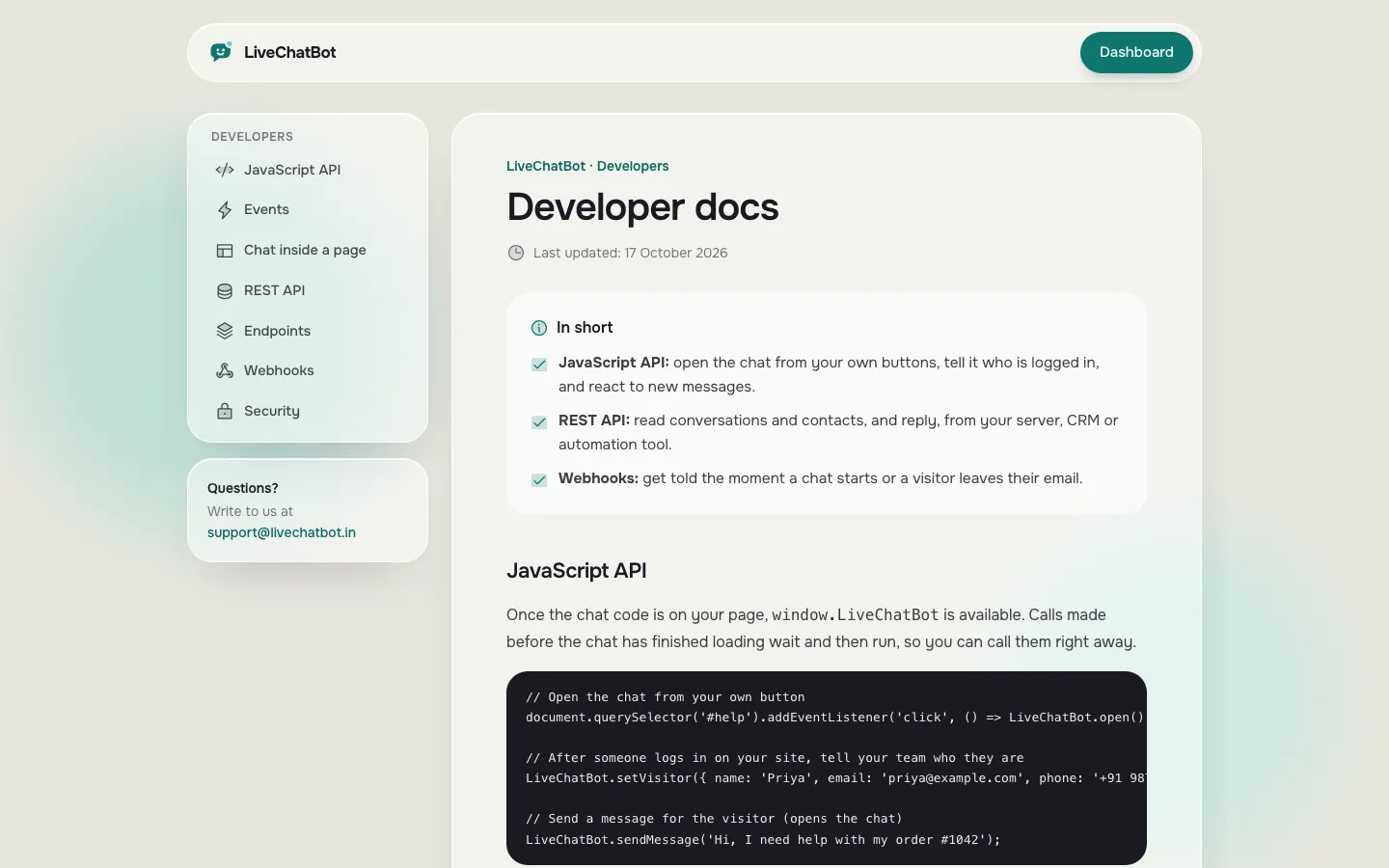
Where chats and visitor records live. Ask how long chats are kept and how you can get your data out. LiveChatBot offers a REST API and webhooks for ticket events; ask our team for developer documentation.
3. The inbox
Where your team replies. Check that alerts arrive on the phones that matter. There is an Android team app; there is no iOS app, so iPhone users use a browser.
4. Alerts
The bridge between a visitor and a human. If alerts are silenced, the whole system looks broken. Test it with your own phone.
5. The AI Agent
Optional, and only as good as its facts. Our page on the AI Agent explains what it can answer from.
Real screens
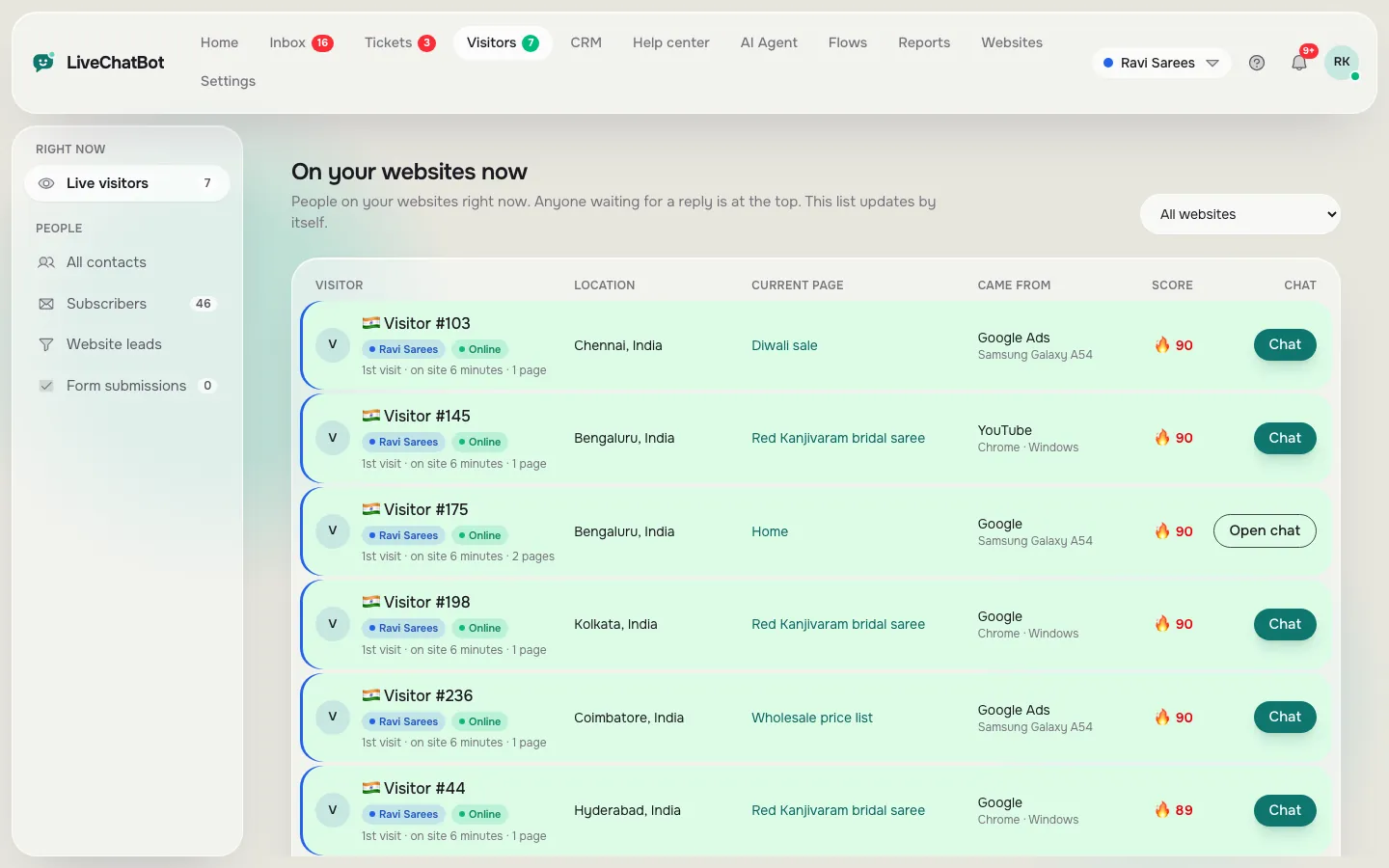
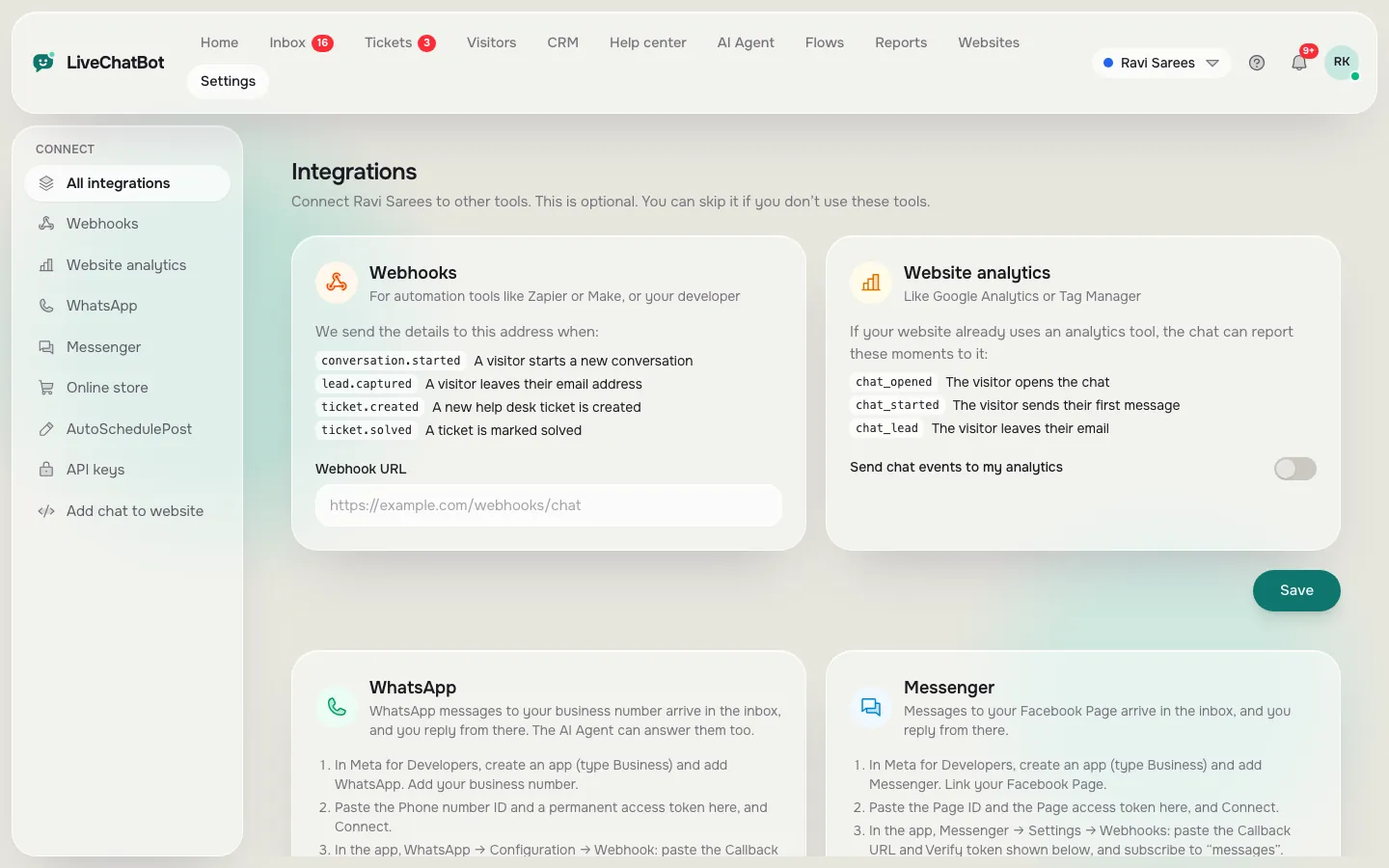
Real screens: live visitors, the developer page and integrations
Real screens from the LiveChatBot panel, shown with sample data. Click any picture to see it full size.
Free glossary
Plain-English words vendors use
Search a word to see what it means in practice. Use it to decode a quote or a feature list.
Hosted or self-run
Hosted systems, self-run systems and what you actually maintain
You will meet two models. In a hosted system, the vendor runs the servers, updates the software and keeps it online. You paste a snippet and use the dashboard. LiveChatBot is hosted.
In a self-run system, you install software on your own server. You control more, but you also own backups, updates, security patches, uptime and alert delivery. That is real, ongoing work, and many small businesses underestimate it. Our look at open source live chat software goes deeper on that trade-off.
What hosted means for you
- Nothing to install on a server.
- Updates arrive without your action.
- You depend on the vendor’s uptime, so ask where the status is shown.
What it does not mean
Hosted does not mean unlimited. Plans have visitor limits, and some vendors count differently. Our year-one cost breakdown lists the lines to ask about.
Connecting out
Connecting a chat system for websites to your other tools
Your chat will not live alone for long. Leads should reach a sheet, a CRM or your email. There are three honest routes.
- Zapier. Connect LiveChatBot events to thousands of apps without code.
- Webhooks. Get a message when a ticket is created or solved.
- REST API and JS API. A developer can read data or control the widget from your page.
There are no native Slack, Telegram, HubSpot, Salesforce or Zoho integrations. WhatsApp and Facebook Messenger messages can arrive in the same inbox once connected through Meta, and WooCommerce and Shopify stores connect with a code or plugin. See the integrations page for the current list.
Privacy in one line
Ask any vendor what visitor data is stored, for how long, and how you delete it. Do not assume; get it in writing.
Quick diagnosis
Five-minute diagnosis when a chat system for websites seems broken
Run these in order and stop at the first failure.
- Bubble missing? Check the snippet and clear caches.
- Message sent but no alert? Check phone notification settings and the app login.
- Alert but no reply from the bot? Check that Knowledge has the answer and AI replies are available.
- Replies slow? Check who is on duty and whether chats sit in Unassigned.
- Too many junk messages? Block the visitor or IP; there is no captcha.
Each step maps to one of the five parts, so the fix is usually small. Read our setup day plan for the order to build things in, and see pricing for the limits behind each plan. The live chat hub links the rest of our guides.
Frequently asked questions
What is a chat system for websites?
Software with a widget on your page, a message store, a team inbox, alerts and often an AI that answers from your facts.
Do I need a server?
Not with a hosted tool like LiveChatBot. You paste one snippet and use the dashboard.
Can a developer connect to it?
Yes. There is a REST API, webhooks for ticket events and a JavaScript API called window.LiveChatBot.
Why is my chat bubble missing?
Usually the snippet is not on that page, or a caching plugin is serving an old copy.
Is there a limit on messages?
Visitor messages are limited to 20 a minute per IP, and the REST API to 120 requests a minute per key. These limits are fixed.
Keep reading
Related guides
Chat Solutions for Business Are a Team Workflow: Who Picks Up, Who Follows Up and Who Closes the Ticket (Free Coverage Grid)
See the five parts working
Start free on livechatbot.in, install the snippet and watch your first test message reach the inbox.