Best Chat for Shopify Starts With the Right Words on the Right Page: Welcome Lines for Home, Collection, Product, Cart and Policy Pages (Free Copy-Ready Lines)
Best chat for Shopify stores is less about the tool and more about what the chat says on each page. A shopper on a product page has different doubts from one on the cart or a returns policy, and one generic greeting fits none of them. Here are copy-ready welcome lines for each page type, plus how to show them with LiveChatBot Flows.
⚡ In short
- A greeting that matches the page gets more replies than a generic ‘Hi, need help?’.
- Each page type has its own doubt: choice on collections, fit or detail on products, cost on the cart, trust on policy pages.
- Copy the lines below, change the specifics, and show them with Flows set to chosen pages.
- Keep promises small: the bot answers from your facts and hands over order-specific questions.
The idea
Why the best chat for Shopify talks differently on every page
Open any Shopify store and walk the path a shopper takes. On the home page they are browsing. On a collection they are comparing. On a product page they are checking one thing: size, material, delivery date. In the cart they are nervous about total cost. On a returns page they are deciding whether to trust you.
A chat that says the same thing on all five pages misses four of the five moments. Page-specific lines are short, honest and specific to the doubt, and they turn a polite bubble into a useful one.
Two rules keep them credible. First, only offer help you can give: the AI Agent answers from the facts you give it, and it cannot look up one shopper’s order. Second, always leave a way to reach a person. Test each greeting on your phone before it goes live, and ask a friend to react to it cold. Our Shopify live chat page shows how both fit together, and our Shopify chat replies guide has the answers to paste behind these greetings.
Free lines
Welcome lines for each Shopify page type
Open a tab, copy a line and paste it into your welcome message or a Flow. Swap the details in brackets for your own.
Showing them
How to show a different greeting on different pages
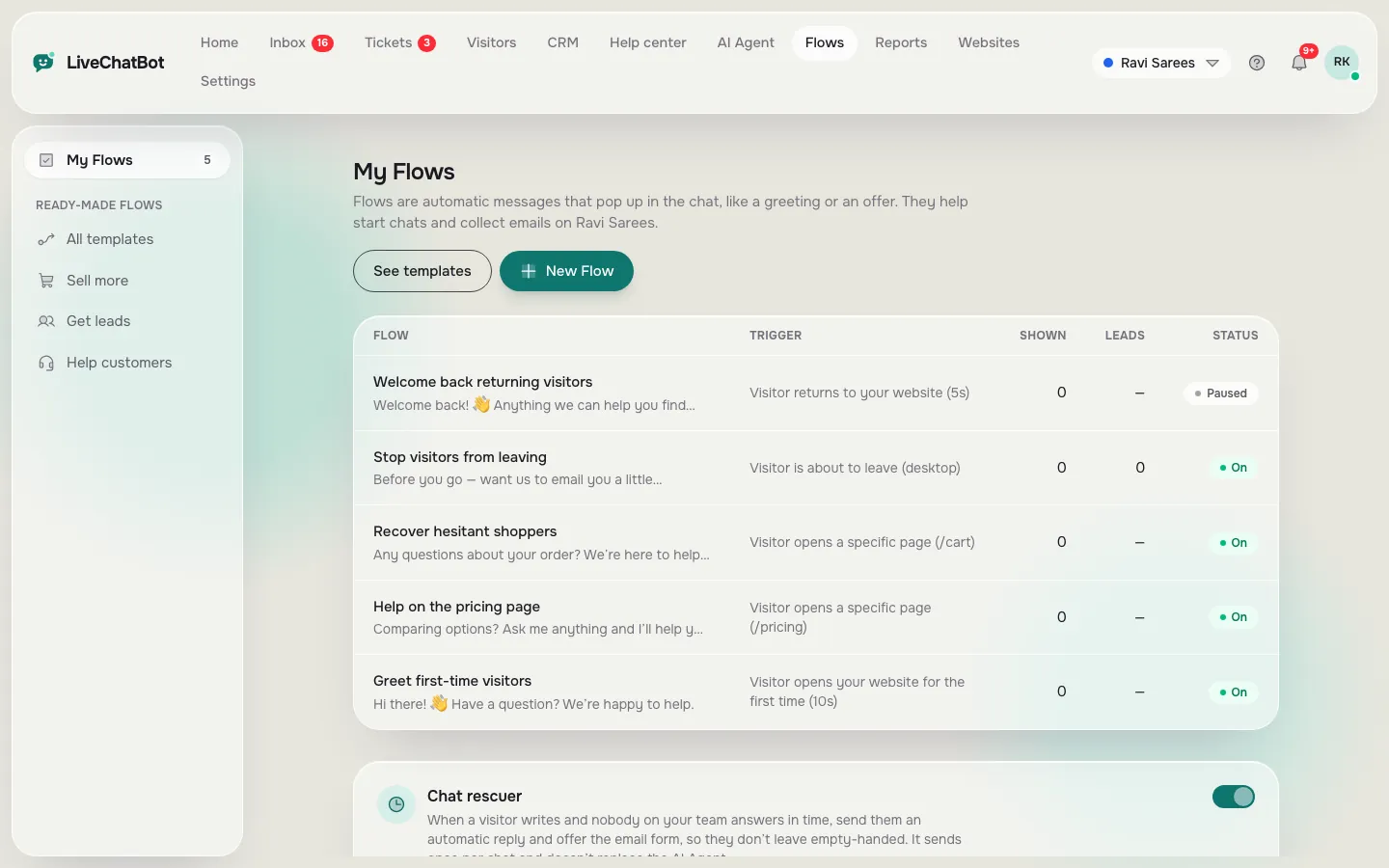
The lines only work if they appear on the right page. In LiveChatBot you do that with Flows: a proactive message that fires on pages you choose, with up to six conditions such as the page, how long the visitor has stayed, or whether they are on a phone.
The best chat for Shopify stores is the one that stays quiet until it has something useful to say, so keep timings gentle. A simple set-up for a small store:
- Home Flow. Show the home line after 20 seconds.
- Product Flow. Show the product line after 30 seconds on any product page, or when the visitor returns to the page.
- Cart Flow. Show the cart line straight away on the cart page.
- Policy Flow. Show the policy line on returns and shipping pages.
Each Flow can have a follow-up message and the chat rescuer: if nobody replies within seconds, the chat asks for email and phone so the shopper is not lost. Under Widget design you can also change the bubble position, so it does not cover the add-to-cart button on a phone. Our guide on showing live chat on specific pages goes through the page rules.
Real screens
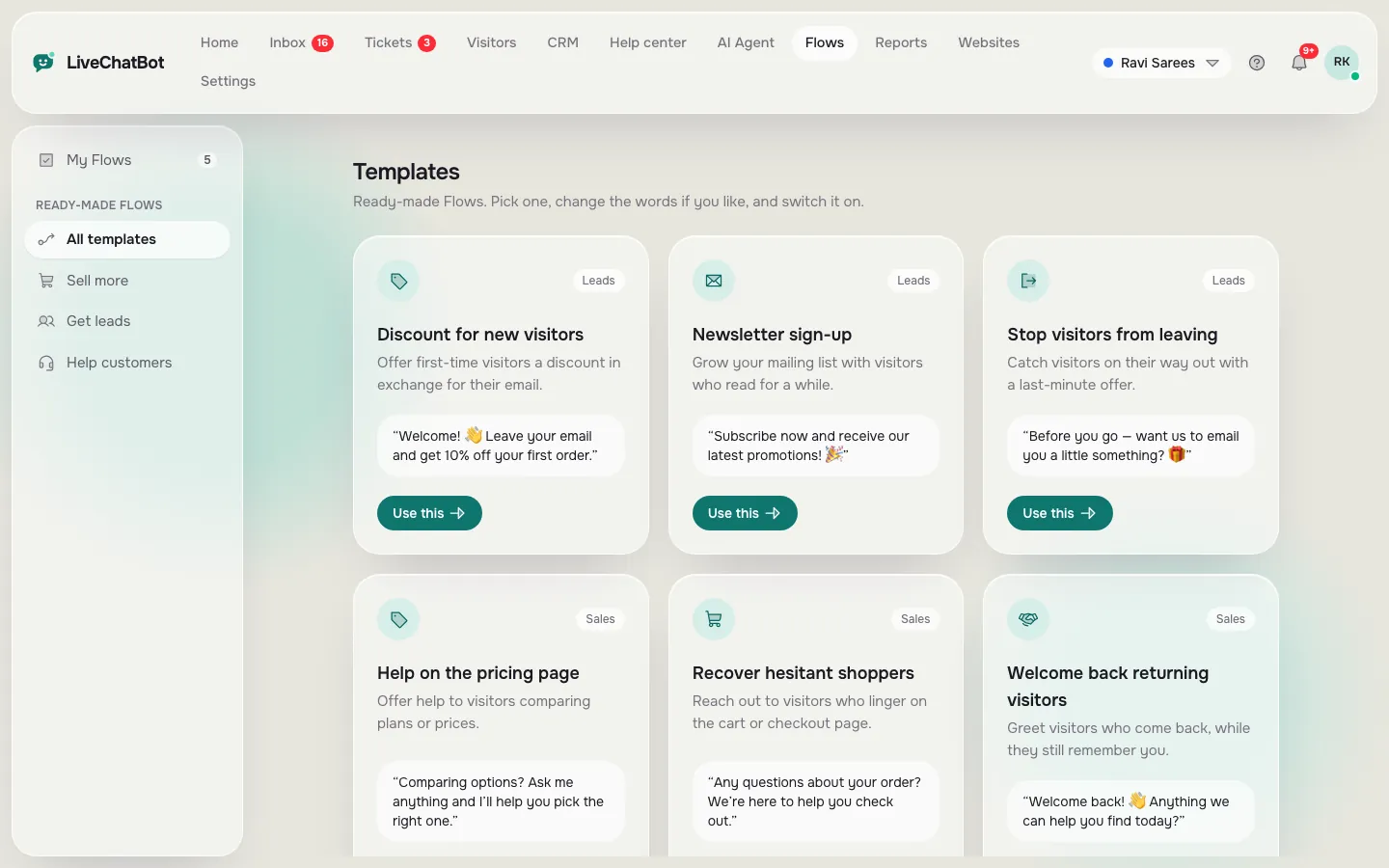
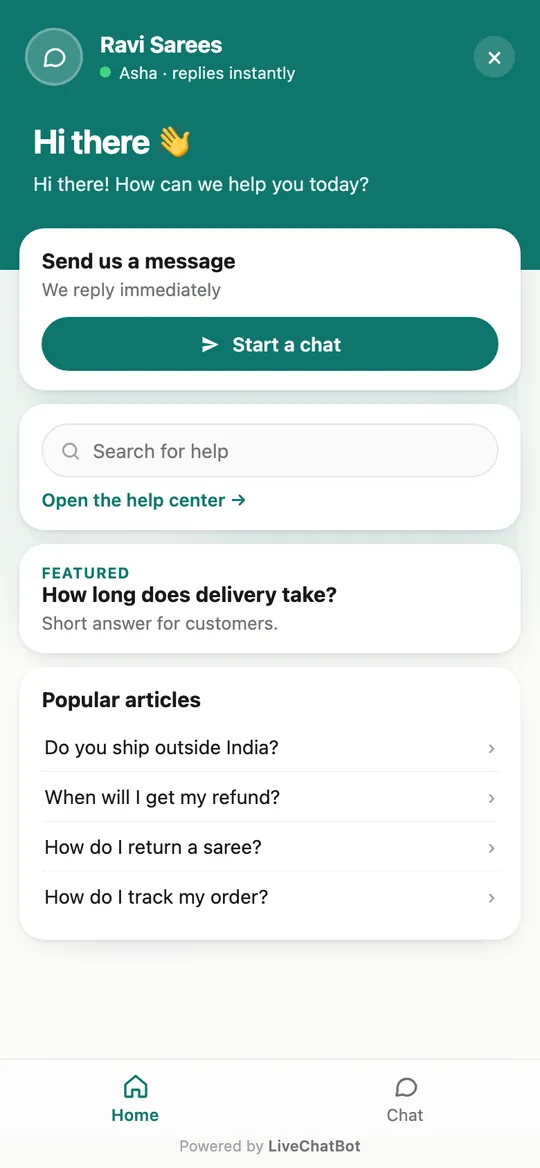
Flows for chosen pages, ready-made templates and the chat on a phone
Real screens from the LiveChatBot panel, shown with sample data. Click any picture to see it full size.
Behind the greeting
Make sure the answers behind each line are true
A good greeting makes people ask, so the answers must be ready. Spend an hour on three things.
Knowledge
Give the AI Agent your delivery times, return window, payment methods and care instructions. You can type them, copy a web page, or upload a PDF, Word, Excel, CSV or text file. Put behaviour in the Rules box, such as “never promise a delivery date; ask for the pincode and hand over.”
Saved replies
For the questions you answer by hand, write saved replies once and reuse them. Keep each one short and warm, and read them aloud: if they sound like a form letter, shoppers will treat them like one. Add a name and a small detail from the shopper’s question so it feels like a person wrote it, because one did.
Handover
Decide who takes over when the bot is unsure, and make sure they get an alert on their phone. The team app is Android only; iPhone owners can reply from a browser.
If you connect your Shopify store, agents see the cart and Reports, Sales show purchases that followed a chat. It is a connect-and-paste install, not a Shopify App Store app.
Cost
What this setup costs, and what it does not include
Getting the best chat for Shopify should not need a big budget. Free is ₹0 for two websites and 100 visitors each per month. Starter is ₹299 a month for 750 visitors shared across two websites, and Growth is ₹699 a month for 2,500 shared across five. It is prepaid, with no auto-renew, and no per-seat charges. Yearly plans pay for ten months and give twelve. In dollars ₹299 is about 3 to 4 US dollars; check today’s rate.
Not included: a Shopify App Store listing, an iOS team app, removal of the “Powered by LiveChatBot” badge, or a bot that reads individual orders. If you are still comparing tools, our guide to the best chat app for Shopify lists seven mistakes to avoid before choosing.
Frequently asked questions
What is the best chat for Shopify stores?
The one that shows helpful, honest lines on the right pages, answers from your own facts and hands over to a person when needed.
Can I show different messages on different pages?
Yes. Flows let you pick pages and add conditions such as time on page or device.
Can the bot tell customers where their order is?
No. It cannot look up individual orders. Hand those to a person or point to your tracking page.
Is LiveChatBot in the Shopify App Store?
No. You connect your store and paste the chat code into your theme.
Is there a free plan?
Yes. It covers two websites with 100 visitors each per month.
Keep reading
Related guides
Best Chat for WordPress Is Proven in Your First Week: Install, Watch Seven Days, Then Keep or Switch (Free Week-One Timeline)
Best Chat App for WordPress Is Proven in Your First 30 Days: A Week-by-Week Trial Plan for Your Own Site (Free Trial Timeline)
Best Chat App for Website Types: A Blog, a Service Business, a Shop and a Software Product Each Need a Different Setup (Free Quiz)
Put the right words on the right page
Free plan for two websites. Paste one snippet, add your Flows and test it on your phone.