Best Chat App for Shopify Is the One That Avoids These Seven Mistakes: What Store Owners Get Wrong When They Choose (Free Mistake-vs-Fix List)
Best chat app for Shopify lists are easy to find and hard to trust, because the winner depends on how your store works. Instead of another ranking, this guide walks through the seven mistakes store owners make when they pick a chat tool, with a better move for each, so you can judge any app, including ours, on your own terms.
⚡ In short
- Most bad choices come from judging by a ranking, not by how your shop actually gets questions.
- Check the install route first: LiveChatBot connects by pasting code in your theme, not through the Shopify App Store.
- Test on a phone, because most shoppers use one and your team will answer from one.
- Run the mistake-vs-fix list below against any app before you pay.
The problem
Why a ranking can’t tell you the best chat app for Shopify
Every list of the best chat app for Shopify is written for an imaginary store. Yours sells something specific, and the person answering messages is probably you, between packing parcels.
A tool that is perfect for a ten-person support team is a burden for one owner. So the useful question is not “which is number one” but “which choices would I regret in a month?”
That’s why this guide works backwards from regrets. Each mistake below is something store owners commonly report after they install a chat tool: the wrong install route, the wrong pricing model, the wrong expectations of the bot. Fix those and almost any decent tool will do the job. Our Shopify live chat page shows how LiveChatBot handles each of them.
Free list
Seven mistakes, and the better move for each
Read each pair. If the left side sounds like you, take the right side to your next trial.
Mistakes 1 and 2
Start with price and install route, not the star rating
Price, in the units you’ll actually pay
The first thing to compare is what you pay when your traffic doubles. LiveChatBot is free for two websites with 100 visitors per website a month. Starter is ₹299 a month for 750 visitors shared across two websites, and Growth is ₹699 a month for 2,500 visitors shared across five. Plans are prepaid, with no auto-renew, and there are no per-seat charges. Yearly plans pay for ten months and give twelve. In dollars, ₹299 is about 3 to 4 US dollars; check today’s rate.
How it gets onto the store
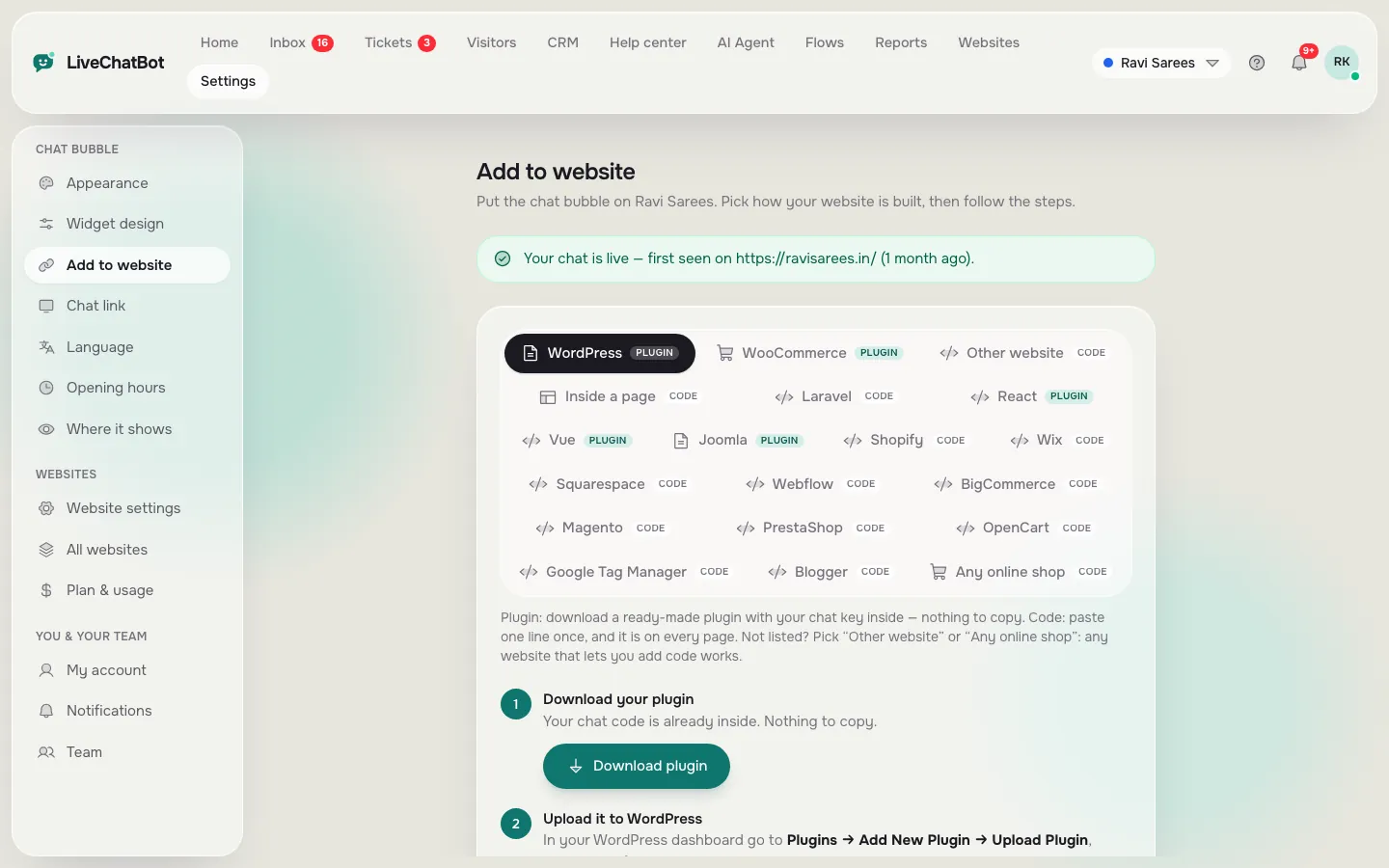
Be upfront with yourself about the install. LiveChatBot is connected to Shopify by connecting your store and pasting the chat code into your theme. It is not a Shopify App Store app. If one-click installs from the App Store matter to you, say so now (our Shopify glossary explains the terms). If a ten-minute paste is fine, you gain a tool you control from one dashboard.
Our guide to adding live chat to Shopify safely covers the duplicate-theme step.
Real screens
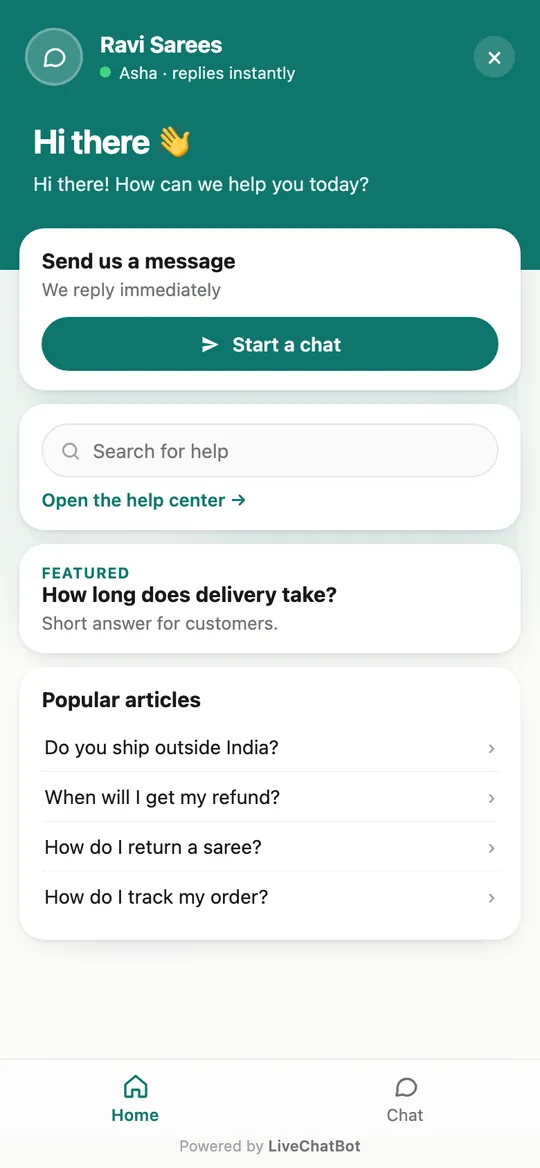
The install page, the chat on a phone, and the store connection
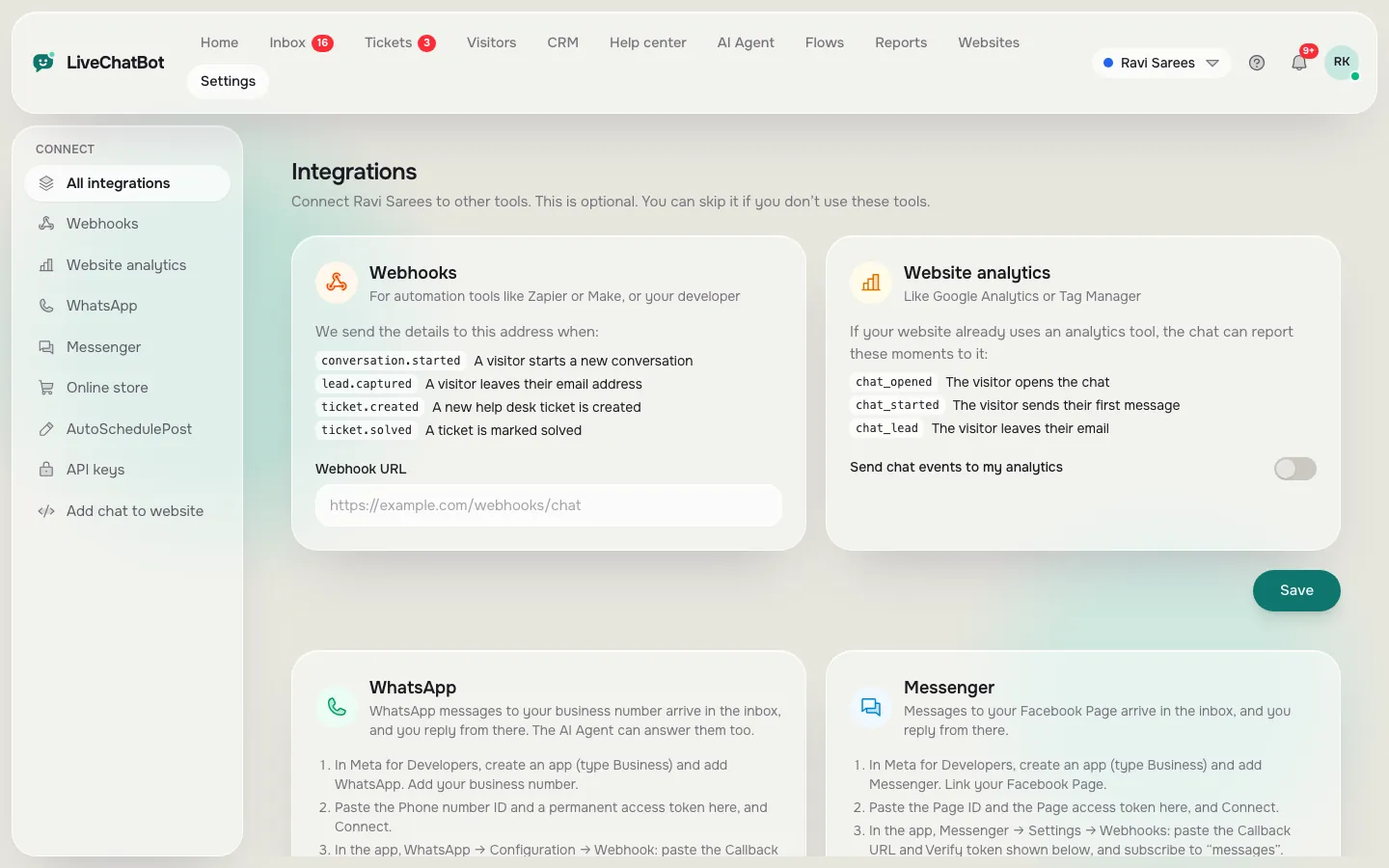
Real screens from the LiveChatBot panel, shown with sample data. Click any picture to see it full size.
Mistakes 3 and 4
Test on a phone and teach the bot only what it can know
The phone test
Most store browsing happens on phones, so take yours. Load a product page, add to cart, scroll to the checkout button. Does the chat bubble sit on top of it? You can change the button position and size under Widget design, and choose which pages show the chat at all. Then answer a test chat from the Android app. The team app is Android only; there is no iOS team app, though you can reply from a browser on an iPhone.
What the bot can honestly answer
The AI Agent answers from what you give it: typed answers, a copied web page, or an uploaded PDF, Word, Excel, CSV or text file. It does not look up an individual customer’s order, so don’t write that it can. Put shipping times, return rules and payment options in Knowledge, and put behaviour in the Rules box, such as “never promise delivery dates.” For “where is my order?” the better move is a quick handover to you.
If you want the full picture of what shoppers ask at each step, our Shopify chat replies guide has copy-ready lines.
Mistakes 5 to 7
Cost per seat, empty nights and unmeasured chats
Seats
Shops hire help for festivals and sales. Without per-seat charges you can add a helper, use the shared inbox and Assign to me, and drop them when the rush ends.
After hours
A shopper who finds you at 11 pm and meets silence tends to open another tab. Opening hours with an away form capture email and phone, and the chat rescuer asks for both if nobody replies within seconds, so the lead isn’t lost.
Measuring
Connect your Shopify store and the cart shows to agents, purchases are detected, and Reports → Sales shows what chats produced. Our Shopify online chat break-even guide turns that into a 30-day test.
Fair warnings
What LiveChatBot does not do for Shopify stores
Being honest helps you choose.
- No Shopify App Store listing; you paste the code.
- “Powered by LiveChatBot” stays on every plan.
- No iOS team app; Android only.
- No native Instagram DM, Slack or Zendesk link, though Zapier and webhooks can bridge some tools.
- No bot that reads individual orders.
What you do get: the AI Agent on every plan with a monthly allowance, WhatsApp and Messenger messages in the same inbox, a CRM with a pipeline, tickets, saved replies and Flows that fire on chosen pages. For the broader picture of platforms, see our chat widget installation guide.
Decision
A fair way to decide this week
Run the seven fixes as a short trial. Day one: install on a duplicated theme and test on your phone. Day two: load your shipping and returns facts. Day three: set hours and the away form. Then watch Reports for a week. If a different tool passes the seven checks better, take it. A good best chat app for Shopify is one that passes your checks. Start with the Shopify live chat page.
Frequently asked questions
What is the best chat app for Shopify?
The one that fits how your store gets questions, installs the way you can manage and prices without surprises. Use the seven-mistake list to compare.
Is LiveChatBot in the Shopify App Store?
No. You connect your store and paste the chat code into your theme.
Can the bot see my customers’ orders?
No. It answers from the facts you give it. Order-specific questions should be handed to you.
Do I pay per agent?
No. There are no per-seat charges.
Can I try it free?
Yes. The free plan covers two websites with 100 visitors each per month.
Try the checks on your own store
Free plan for two websites. Paste one snippet, test on your phone and see what your chats earn.