Best Shopify Chat App Listings Decoded: Theme Files, App Embeds, Checkout Limits and Other Words You Need Before You Install (Free Shopify Glossary)
Best Shopify chat app pages are full of words like theme.liquid, app embed and storefront, and the wrong guess about one of them can leave you with a chat that never shows or one that disappears after a theme update. This guide explains the terms in plain English, in a searchable glossary, and shows how LiveChatBot is installed on a Shopify store.
⚡ In short
- Shopify chat tools install in one of two ways: an App Store app with an app embed, or a code snippet pasted into your theme.
- LiveChatBot uses the snippet route: connect your store, paste the code, and you’re live. There is no Shopify App Store app.
- Duplicate your theme before you edit it, and re-check the chat after any theme change.
- Search the glossary below for any word on a chat tool’s listing that you don’t recognise.
Why words matter
The best Shopify chat app for you depends on a few Shopify words
Shopping around for the best Shopify chat app means reading listings written by developers. They use Shopify terms as if everyone knew them, and a store owner who doesn’t can pick a tool that clashes with their setup.
Three questions sit under almost every term:
- Where does the chat code live? In an app embed that you switch on in the theme editor, or in a snippet you paste into a theme file.
- What survives a theme change? Chat code in a theme file can be lost if you switch themes. An app embed may follow the store but depends on that app.
- Which pages does it reach? Storefront pages are easy. Checkout is restricted on most plans, so don’t count on chat there.
Once those three are answered, a comparison of chat tools gets much simpler. Our Shopify live chat page puts LiveChatBot’s answers to them in one place.
Free glossary
Shopify chat words, in plain English
Type any word from a listing into the search box. Where a term depends on your Shopify plan or theme, check Shopify’s own help pages as well.
The two routes
Snippet route or App Store route: what each means for a store owner
The App Store route
You install from Shopify, approve some permissions and switch on an app embed. It feels like a phone app: quick and familiar. The trade-off is that the tool’s depth depends on what the app is allowed to do, and moving away means uninstalling through Shopify.
The snippet route
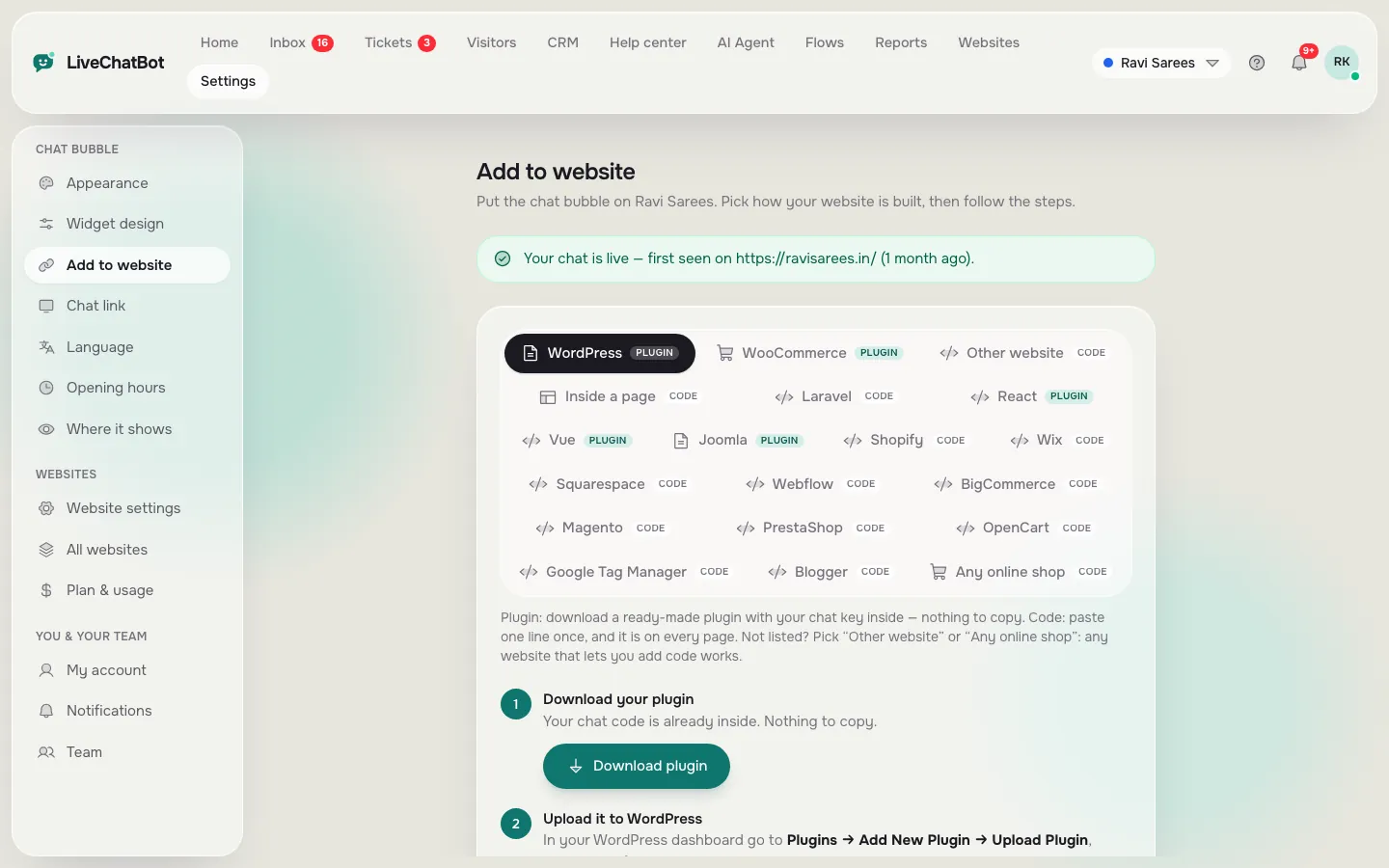
You connect your store in the chat tool, copy a short piece of code and paste it into theme.liquid on a duplicated theme. It takes about ten minutes, and the same dashboard can serve another website, which suits owners who run a shop plus a blog or a second store. LiveChatBot’s free plan covers two websites.
The only real risks are editing the wrong file and losing the snippet when you change themes. Both are fixed by duplicating first and checking after updates. We walk through it in add live chat to Shopify, and if you are still comparing tools, our scorecard for Shopify chat apps lets you weigh what matters to you.
Real screens
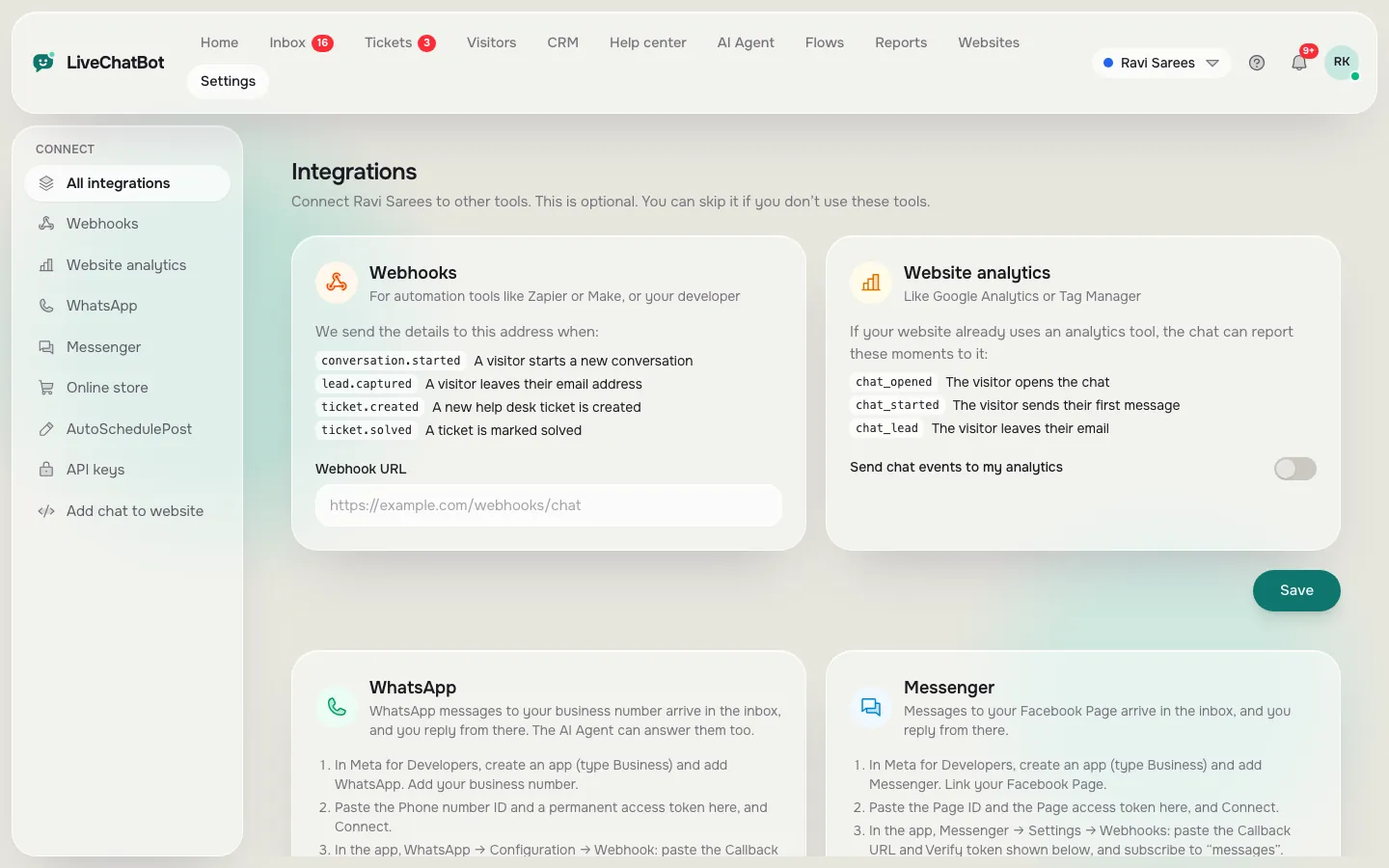
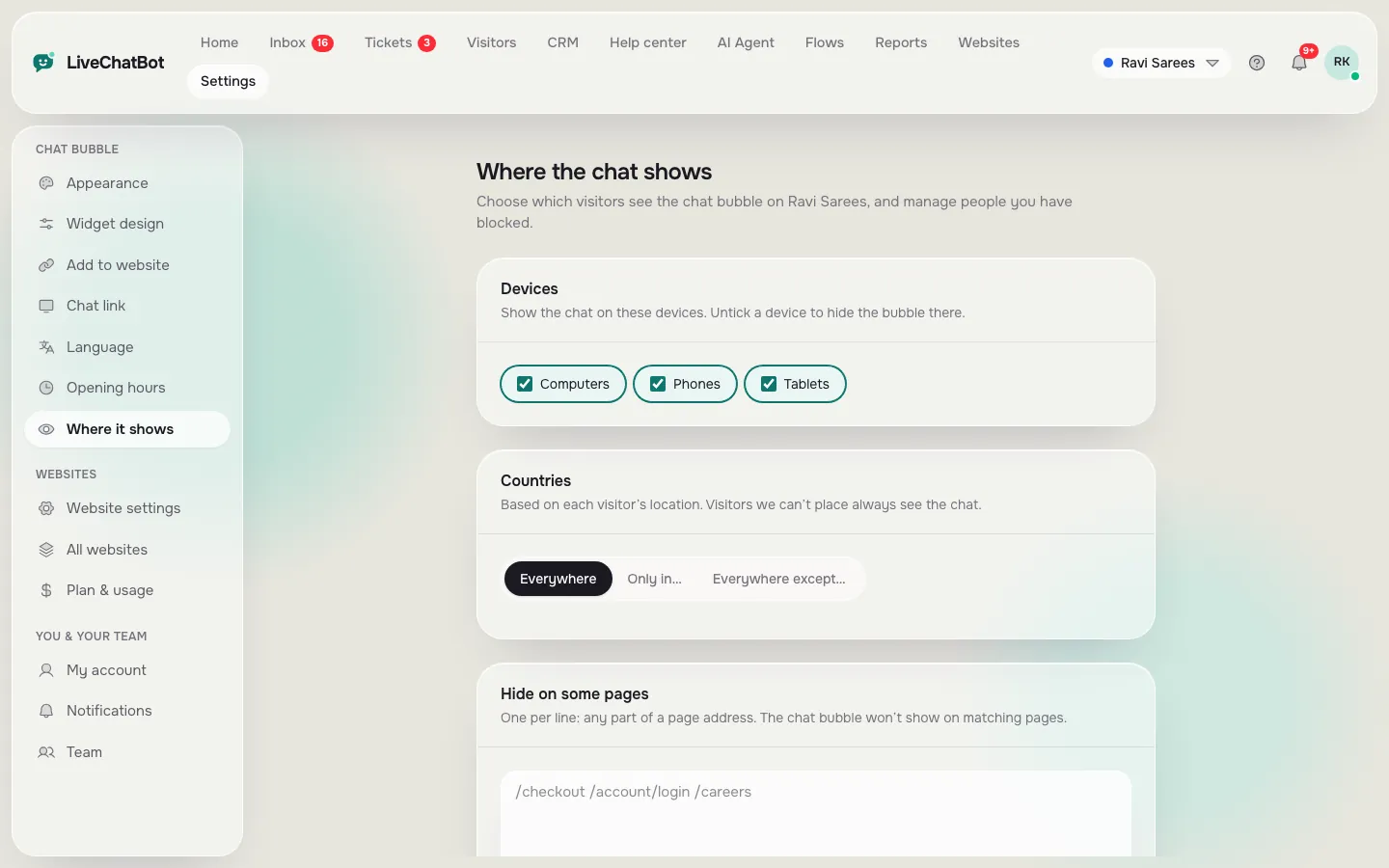
Install code, store connection and the pages the chat shows on
Real screens from the LiveChatBot panel, shown with sample data. Click any picture to see it full size.
After the install
What to check on day one
Whichever you choose as your best Shopify chat app, open your store in a private window on a phone and a laptop. Then:
- See the bubble on the home page, a collection, a product page and the cart.
- Send a test message and answer it from the Android app. There is no iOS team app, so iPhone owners reply from a browser.
- Check the page rules. Under Where it shows, you can turn the chat off for pages where it gets in the way and set rules for devices and countries.
- Add your facts. The AI Agent answers from what you type, a copied web page or an uploaded file (PDF, DOCX, XLSX, CSV, TXT). It can’t read a single customer’s order, so decide who gets the handover.
- Set opening hours and the away form.
After a theme update, repeat step one. It takes a minute and protects the leads you’d otherwise lose.
Cost and limits
What this costs and what it will not do
Free is ₹0 for two websites with 100 visitors each per month. Starter is ₹299 a month for 750 visitors shared across two websites; Growth is ₹699 a month for 2,500 shared across five. It is prepaid, with no auto-renew, and yearly plans pay for ten months and give twelve. For a dollar sense, ₹299 is about 3 to 4 US dollars, so check today’s rate.
Be clear about the gaps. The “Powered by LiveChatBot” badge stays on every plan. There is no Shopify App Store listing, no iOS team app and no native Slack, Zendesk or Instagram DM link, although Zapier and webhooks can bridge some tools. Your store connection shows the cart to agents and detects purchases for Reports, Sales.
Priced in rupees, with no seats to count, this is a simple bill. For the buying mistakes to avoid, read our seven-mistake guide to choosing a Shopify chat tool. If all that fits, the Shopify live chat page is the next stop.
Frequently asked questions
What is the best Shopify chat app?
The one that installs in a way you can manage, prices in units you understand and hands over to a person when the bot is unsure. Use the glossary to read listings critically.
Is LiveChatBot a Shopify App Store app?
No. You connect your store and paste the chat code into your theme.
Will the chat survive a theme change?
A pasted snippet lives in your theme file, so re-paste it into a new theme and test. Duplicating first keeps your live store safe.
Can the chat appear on the checkout page?
Shopify restricts checkout customisation on most plans, so plan for chat on storefront and cart pages. Check Shopify’s help pages for your plan.
Is there a free plan?
Yes: two websites, 100 visitors each per month.
Install it on a copy of your theme
Free plan for two websites. Connect your store, paste one snippet and test on your phone.