Chat Function on Website: Six Jobs a Chat Does Behind the Bubble, and Which Ones Your Business Needs First (Free Weighted Scorecard)
Chat function on website pages looks simple from outside: a bubble, a box, a reply. Behind it, a good chat does six separate jobs, and most businesses need only two or three at first. This guide names the six, shows how LiveChatBot handles each, and gives you a scorecard to weigh three setups from simplest to fullest.
⚡ In short
- A chat is not one feature. It answers, captures, routes, follows up, remembers and reports.
- Most small sites need answering and capturing first. The rest can wait.
- Add one function at a time, and check it works before adding the next.
- The scorecard lets you weight each job by your own priorities and compare three setups.
The six jobs
Opening the box: every chat function on website pages in plain words
When people say they want a chat function on website pages, they usually mean a way to talk to visitors. That is one job out of six. Naming all six helps you buy and set up only what you need.
- Answer. Reply to questions, by a person, an AI Agent or a keyword bot.
- Capture. Get a name, email or phone number so a lead is not lost.
- Route. Send the chat to the right person or team.
- Follow up. Reach out again, by a proactive message, an away form or a ticket.
- Remember. Keep what you know about the visitor: pages seen, source, contact details.
- Report. Show what happened: how many chats, how fast, which pages.
Think of these like the jobs in a small shop: someone serves, someone takes details, someone directs, someone calls back, someone keeps the notebook, someone counts the till. A one-person shop does all six in one head. A growing shop splits them.
Our live chat overview shows the whole picture.
Answer and capture
Jobs one and two: answering and capturing
Answering
Three layers answer visitors. A person replies from the inbox or the Android app. The AI Agent answers from the facts you provide and hands over when it cannot. A free keyword bot answers from saved replies if AI is not available. Many sites run all three: bot first, person on top.
Capturing
Answering without capturing loses people who leave before you reply. Capture has several routes. A chat rescuer asks for email and phone if no one answers within seconds. An away form takes details outside opening hours. Form submissions from Contact Form 7, WPForms and other common tools arrive as leads with an instant alert.
Which to do first
If you can only start with one, make it capture. A single phone number from a visitor who left is worth more than a perfect reply they never saw. The page on live chat lead generation goes deeper on this.
Route and follow up
Jobs three and four: routing and following up
Routing
On a one-person team, routing is not needed. On a team of three, it saves arguments. Agents press Assign to me to claim a chat, and the Unassigned and Mine folders show who owns what. Teams can receive routed chats in a My teams folder. There is no automatic round-robin, so someone still decides.
Following up
Follow-up is what turns a chat into a result. Flows send proactive messages by page, source, country, device, visits or lead score, with a follow-up message. Tickets track unresolved questions with an owner and status, and a customer ticket page needs no login. Offline messages can become tickets.
A realistic start
You do not need a complicated Flow on day one. One welcome message on your pricing page and one ticket habit for unanswered questions already covers most of this job. Read how tickets work before you need them.
Remember and report
Jobs five and six: remembering and reporting
Remembering
The visitor profile keeps pages viewed, source, contact details and a lead score. The live visitors list shows who is on the site now. A small CRM adds deals, companies and activities if you sell to businesses. This job saves you asking the same question twice.
Reporting
The Reports area shows conversations per day, first response time, response rate, ratings and, for traffic, which pages bring visitors and which lose them. There is no custom report builder or scheduled emailed report, so choose two numbers and check them each week.
Why they come last
These two jobs make the other four better, but they need chats to exist first. A new site with ten chats a month has little to remember or report. Wait until you have a few weeks of data, then start using them. The visitor tracking page explains what is recorded.
Try it
Weigh three setups for your site
Set the importance slider for each job from 1 to 5, then score the three setups. The totals show which fits best. Click a setup name to rename it.
Replies by a person, bot or both.
Importance Score Score Score
Away form, rescuer and lead forms.
Importance Score Score Score
Assigning and teams.
Importance Score Score Score
Flows, tickets and proactive messages.
Importance Score Score Score
Profile, source and lead score.
Importance Score Score Score
Reports on speed, pages and leads.
Importance Score Score Score
Real screens
Live visitors, the visitor profile and the chat reports
Real screens from the LiveChatBot panel, shown with sample data. Click any picture to see it full size.
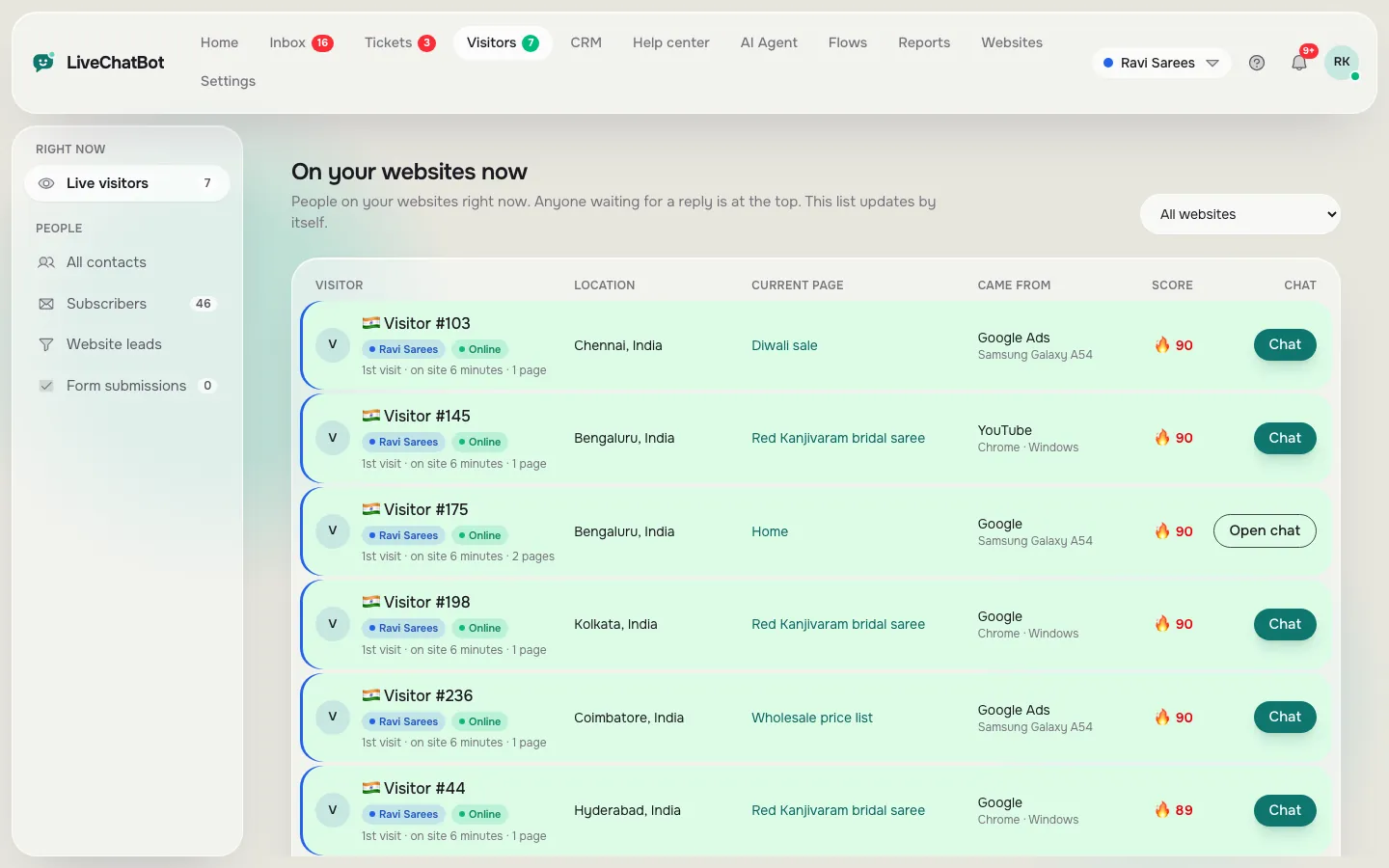
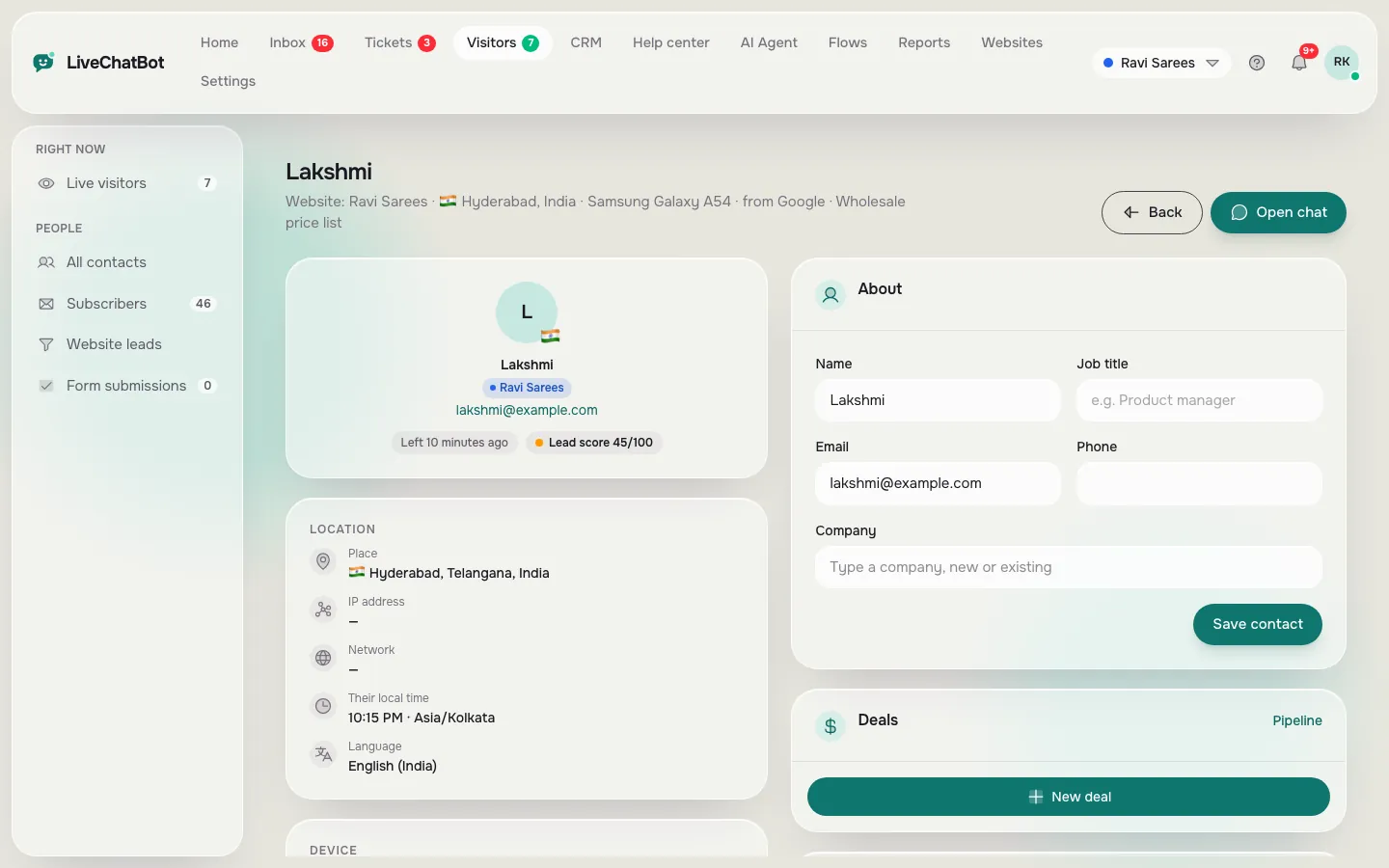
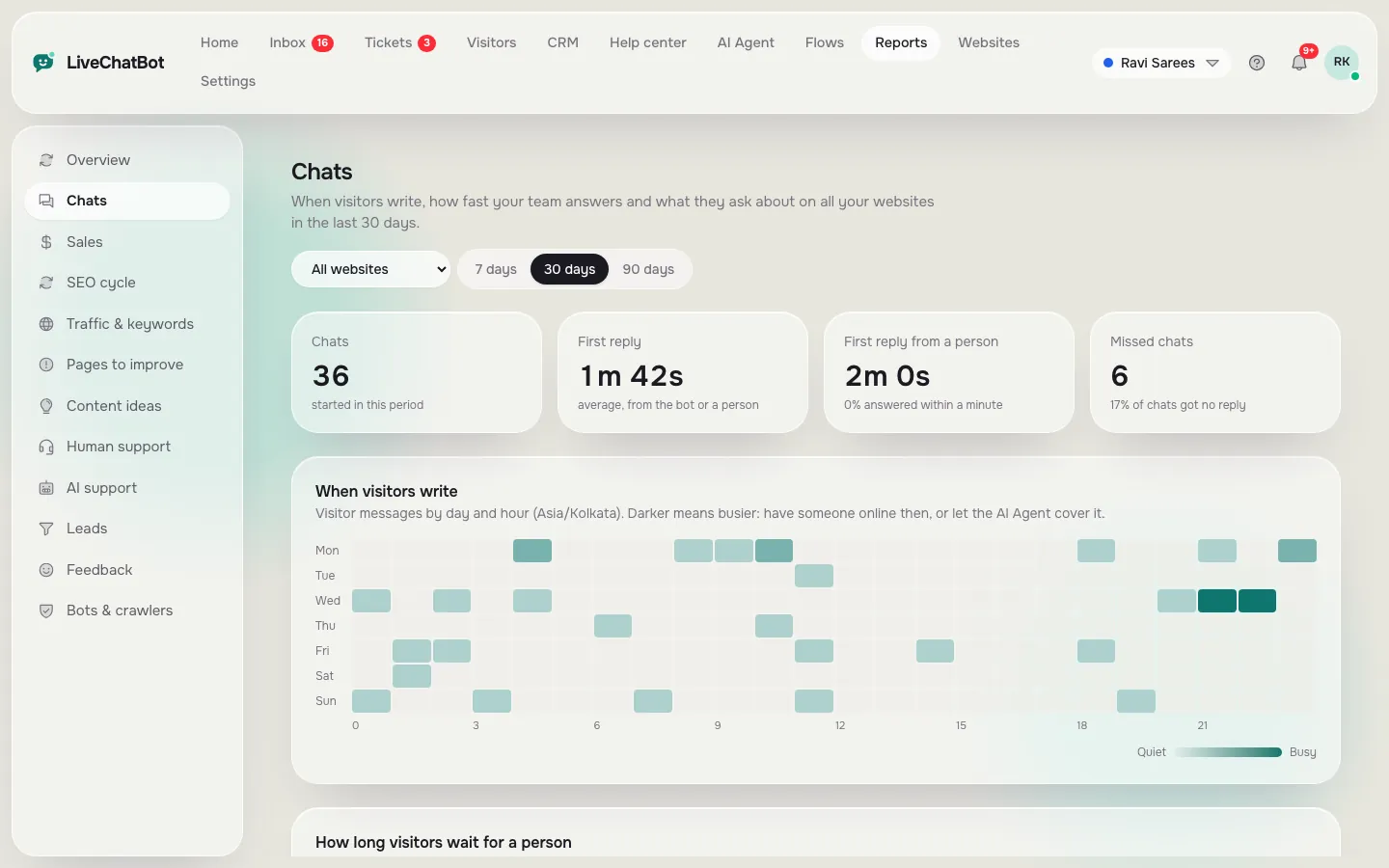
What it lacks
What a chat function on website pages will not give you here
Be clear about gaps before you build around them. The "Powered by LiveChatBot" line stays on all plans. There is no pre-chat form, no iOS team app, no sentiment analysis and no voice. Single sign-on, audit logs and permission builders are not available. Native Slack, HubSpot, Salesforce or Calendly links do not exist, though Zapier, webhooks and the REST API can bridge some tools.
None of these stop a small business from running a good chat. They matter if you need enterprise controls or a particular tool built in.
Adding functions in order
Start with answering and capturing. After two weeks, add one follow-up. After a month, look at the reports and decide on one change. See pricing for how visitor limits grow with plans, or create an account at livechatbot.in. The live chat guide ties all six jobs together.
Frequently asked questions
What is a chat function on website pages?
It is the set of things a chat does: answer, capture details, route, follow up, remember visitors and report. The bubble is only the front.
Which function should I start with?
Start with answering and capturing contact details. Add the others as you see real chats.
Can the chat work without a person online?
Yes. The AI Agent or keyword bot can answer, and an away form collects an email or phone number.
Does LiveChatBot include reports?
Yes. Reports show conversations, reply times, ratings and traffic. There is no custom report builder.
Do I pay more for each function?
No separate charge per function. Plans differ by websites and visitors: Free at ₹0, Starter at ₹299 a month and Growth at ₹699 a month.
Keep reading
Related guides
Chat for Your Website, Decided in One Evening: Seven Choices a First-Timer Must Make Before Going Live (Free Evening Checklist)
Chat Integration in Website Projects: Two Layers to Get Right, the Install and the Connections (Free Verification Checklist)
Chat Embedded in Website Pages: Floating Bubble, Inline Box or Full-Page Link? Pick the Right Way to Embed by Page Job (Free Decision Tree)
Switch on the jobs you need
Free plan for two websites, with answering, capture and reports included. Start free on livechatbot.in.