Best WordPress Chat Plugin: Ask the Vendor These 16 Questions by Email Before You Install Anything (Free Copy-Paste Question Pack)
Best WordPress chat plugin guides tell you what to install. This one tells you what to ask first. Sixteen short questions, in four groups, that you can paste into an email or support form. How a vendor answers, and how fast, tells you more than any feature table, and none of it touches your live site.
⚡ In short
- Emailing a vendor before you install costs nothing and tells you how support really behaves.
- Ask about speed, data, limits and support. Those four areas cause most regrets.
- A clear, specific answer within a day is a good sign. A vague one is information too.
- Copy the questions below, send them to two vendors and compare the replies side by side.
Why ask
The best WordPress chat plugin is the one whose vendor answers plainly
A WordPress plugin is not like a phone app you can delete in a second. It adds code to every public page, may write to your database and may call outside servers. When it goes wrong, you want a vendor who answers.
You can test that before you install. Send a handful of specific questions and watch what comes back. Do you get a human reply or a template? Are the answers precise, or do they dodge? Is anything promised in writing?
None of this needs a technical background. The questions below use plain words, and each one has a “good answer looks like” note, so you can tell a real answer from marketing. For the full overview of how chat plugins work, start with our WordPress live chat plugin guide.
How to ask
How to send the questions and what to look for
Send the same pack to two vendors
Paste the same questions into both emails. If you change the wording, you cannot compare the answers.
Note the time to first reply
Write down when you sent each email and when the answer arrived. The reply time is the support experience you will get after you pay.
Read for specifics
“Yes, we are fast” is empty. “The script loads after the page, about 20 KB, and you can turn it off on selected pages” is a real answer. If an answer needs a follow-up question, ask it.
Keep the replies
Save them. If the vendor later changes a limit or a price, you have the earlier answer in writing.
Do not pay before the answers arrive
If a vendor asks for payment before replying to a pre-sales question, treat that as a warning. A free plan or trial exists so you can ask, test and leave. Keep your first week on the free tier, and keep a note of anything that behaves differently from what the vendor wrote.
Try it
Sixteen questions to copy and send
Pick a tab, click Copy next to a question and paste it into your email. Send all four groups together, or one group at a time.
Good answers
What good and weak answers look like
Here is how to read the replies.
On speed
Good: a number, a statement about loading after the page, and a way to switch the chat off on chosen pages. Weak: “very lightweight” with no detail. Our WordPress chat plugin guide explains what to measure yourself.
On data
Good: a clear location, an export or delete route, and a plain answer about what happens on removal. Weak: a link to a long policy with no direct answer.
On limits
Good: a table or a short list, and a statement about what happens at the limit. Weak: “contact sales”.
On support
Good: a named channel, a typical reply time and a changelog. Weak: a form with no promised time.
If both vendors give good answers, the decision comes down to price and fit. If one dodges three or more questions, you have your answer.
Real screens
What LiveChatBot’s answers look like on screen
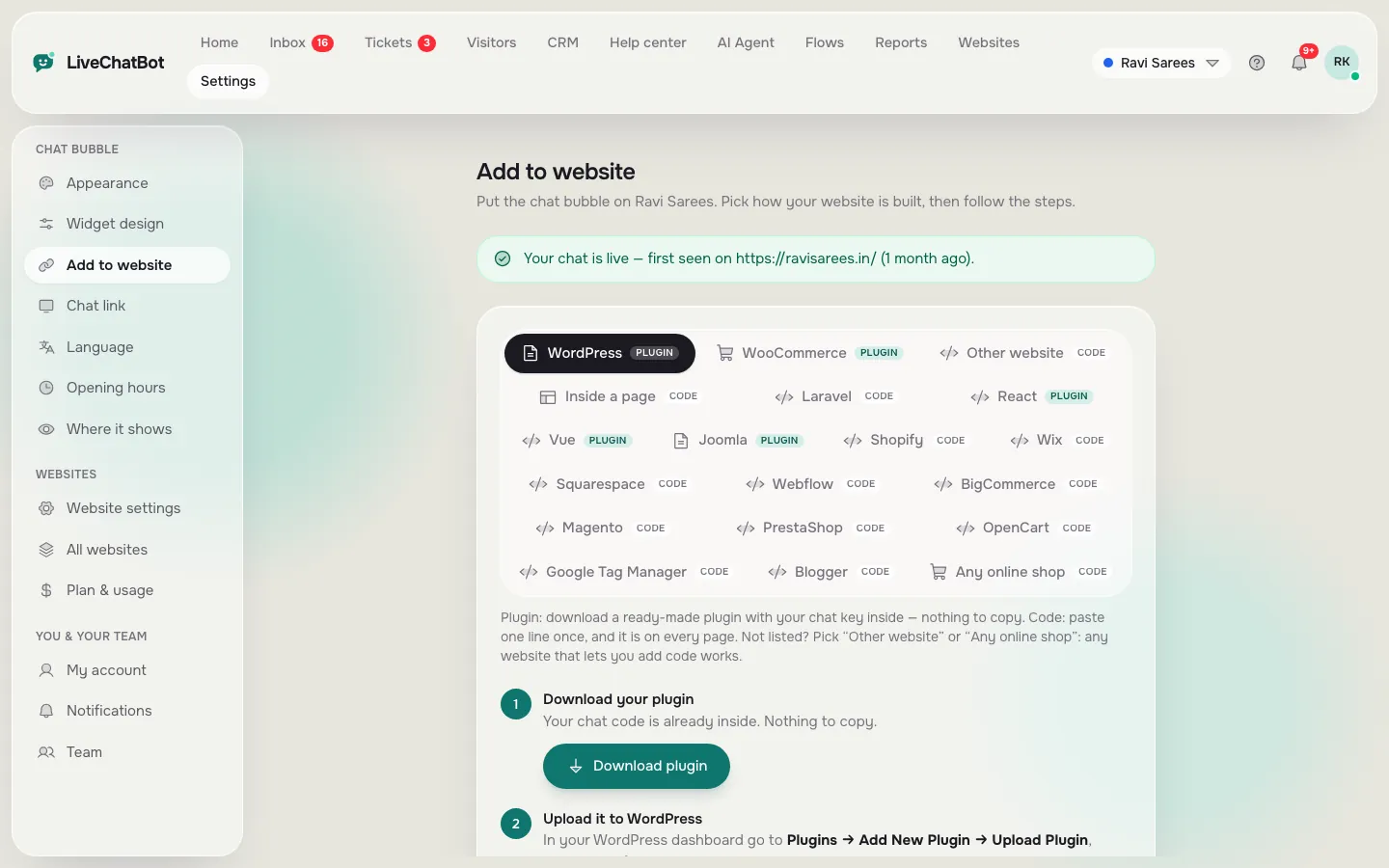
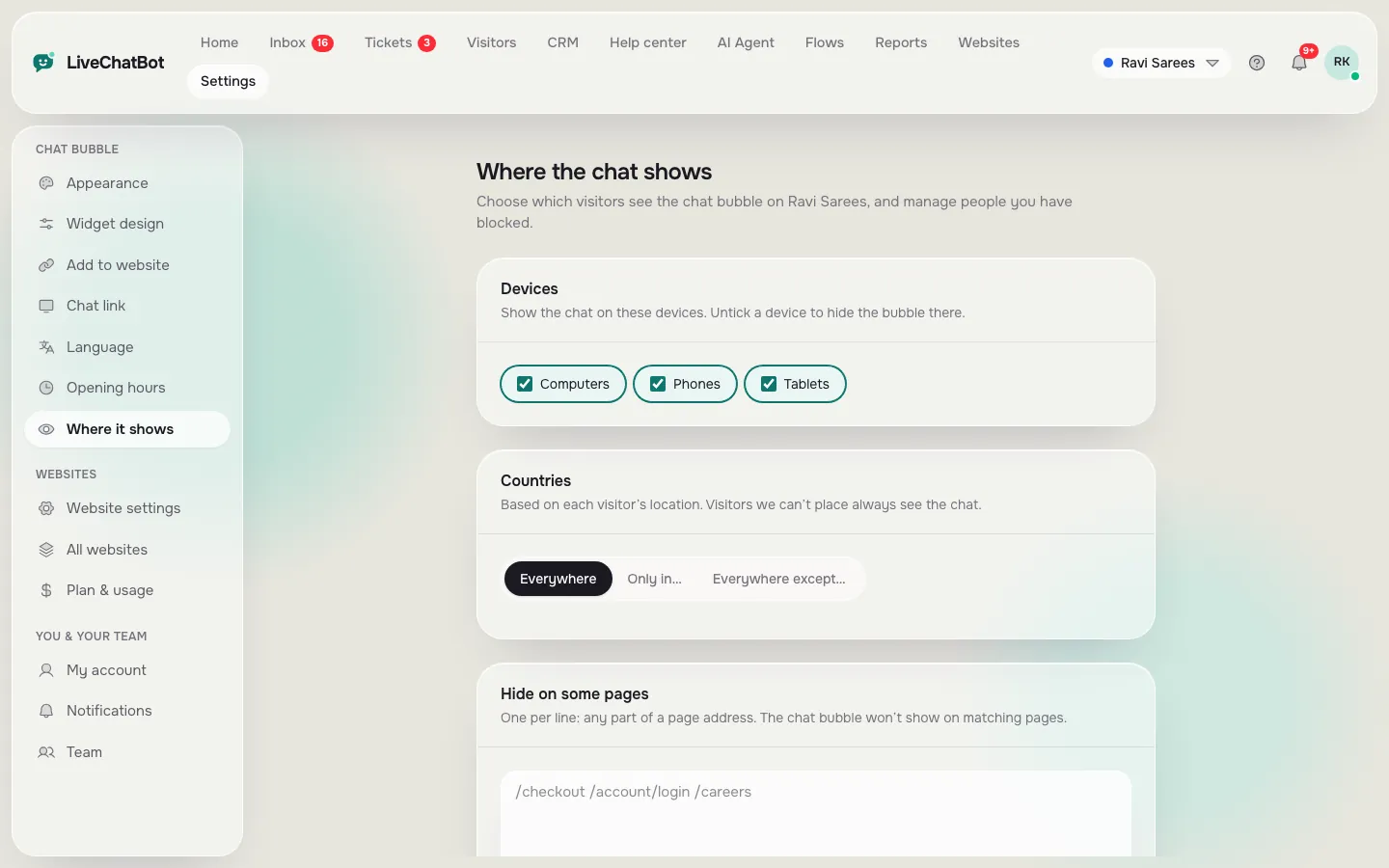
Real screens from the LiveChatBot panel, shown with sample data. Click any picture to see it full size.

Our answers
How LiveChatBot answers the sixteen questions
We would rather you ask us too, so here are honest short answers.
- Limits. Free for two websites, 100 visitors per website a month. Paid plans are prepaid with no automatic charges, and there are no per-seat charges.
- Over the limit. Tracking and alerts continue; chat pauses for new over-limit visitors until you buy more or the month resets.
- Pages. The widget can be hidden on chosen pages, and shown only on chosen devices and countries.
- Forms. The WordPress plugin catches Contact Form 7, WPForms, Elementor Pro, Gravity, Fluent and Ninja form submissions as leads. WooCommerce is supported.
- Branding. “Powered by LiveChatBot” stays on every plan.
- Apps. There is an Android team app; there is no iOS team app.
For the details on stores, read about WooCommerce live chat and see pricing.
Decision
Pick the best WordPress chat plugin from the replies
Lay both vendors’ answers side by side. Mark each group as green, amber or red. Choose the one with no red in the areas that matter to you. Install it on a staging copy first, test it on your phone and then roll it out.
If you are still unsure, keep both on trial for a week on different pages and compare real chats. The best WordPress chat plugin for your site is the one that behaves well when you ask hard questions, as well as when the demo is running. You can return to the WordPress live chat plugin guide at any step.
Frequently asked questions
How do I choose the best WordPress chat plugin?
Email two vendors the same specific questions, note how fast and how clearly they reply, then install the better one on a staging copy first.
Do I need technical skills to ask these questions?
No. They are written in plain language, and each group has a note on what a good answer looks like.
Will a chat plugin slow down my site?
It can. Ask how large the script is, whether it loads after the page and whether it can be switched off on selected pages.
Does LiveChatBot charge per agent?
No. There are no per-seat charges, and adding a teammate does not change the price.
Can I remove the Powered by LiveChatBot badge?
No. It stays on every plan, so check this before you choose if a badge-free widget matters to you.
Keep reading
Related guides
Best WhatsApp Chatbot Platform for Small Businesses: Know the Three Kinds Before You Compare Vendors (Free Decision Tree)
Best WordPress Chatbot Plugin Listings: How to Read Ratings, Update Dates and Support Threads Before You Install (Free Listing Checklist)
Best Website Chat Software Starts With Who Answers: Pick by Your Team, Your Hours and Your Phone (Free Decision Tree)
Ask us too
Free plan for two websites, a WordPress plugin and no per-seat charges. Try LiveChatBot at livechatbot.in.