Best WhatsApp Chatbot Platform for Small Businesses: Know the Three Kinds Before You Compare Vendors (Free Decision Tree)
Best WhatsApp chatbot platform searches return lists that mix three different kinds of product as if they were the same. A click-to-chat button, a shared team inbox and a full automation platform solve different problems and cost very different amounts. Learn which kind you need first, and the vendor comparison becomes short and easy.
⚡ In short
- Most people searching for a WhatsApp chatbot platform need only one of three things: a button, a shared inbox, or automation.
- Decide which one before you read any vendor page. It removes half the options at once.
- WhatsApp business messaging runs through Meta’s approval and rules, whichever vendor you pick.
- Test with your own number and a real customer question before paying for anything.
Why lists mislead
Why the best WhatsApp chatbot platform list you read is probably comparing the wrong things
Type the keyword into a search engine and you get tables with twenty tools, each with a tick or a cross. The tools are not alike. One is a snippet that opens a chat with your number. Another is a team inbox where several people share one business number. A third lets you design automated flows that message thousands of people.
Comparing them on one table is like comparing a bicycle, a bus and a freight train on speed. Each is right for a different journey. Pick the journey first.
For a small business the honest question is usually smaller than it looks: “Where do my customers already message me, and who answers?” Answer that, and the shortlist writes itself. If your site visitors should reach WhatsApp in one tap, start with our WhatsApp chat button guide.
Three kinds
The three kinds of WhatsApp platform, in plain words
1. The click-to-chat button
A button or card on your website that opens WhatsApp with your number and a pre-filled message. There is no bot and no inbox. Chats happen in your normal WhatsApp or WhatsApp Business app. It is free or very cheap, and it is the right start for one or two people.
2. The shared team inbox
Messages sent to your business number appear in one inbox where several agents see them, reply, and assign chats. This needs a connection through Meta, so setup takes longer. It is right when more than one person answers and you want history in one place.
3. The automation platform
Flows that message customers first, send templates and run campaigns. This is the expensive end, with Meta charges on top of the vendor’s fee. Many small businesses never need it.
Most shops should move up one step at a time, not buy the third kind on day one.
Try it
Which kind do you need? Four questions
Follow the branch that matches your situation. Each ends in the kind of platform that usually fits, plus the one thing to check first.
Meta’s part
What Meta controls, whichever platform you pick
Every vendor that connects to business WhatsApp has to go through Meta. That means a Meta business account, a phone number that can be registered, and Meta’s own rules about who you may message and when.
Opt-in and the 24-hour window
You can reply freely while a customer has messaged you recently. Starting a conversation after that window usually needs an approved template message. Vendors cannot change this.
Charges outside the vendor’s fee
Meta may charge for some message types. Ask any vendor for a worked example of a month’s cost using your real message counts, with Meta’s charges shown separately.
Quality ratings
Sending many messages that customers block can lower your number’s rating. A platform cannot rescue a poor list.
Knowing this stops you paying a premium for features the vendor does not control.
Cost check
What the best WhatsApp chatbot platform really costs a small team
The price on the vendor’s page is rarely the price you pay. Build your own estimate in four lines.
Line 1: the platform fee
Is it per month, per agent or per number? Per-agent pricing grows every time you hire. Flat pricing does not.
Line 2: Meta’s message charges
Ask which message types are charged and what they cost for your country. Service replies inside the window are treated differently from template messages you start.
Line 3: add-ons
Chatbot builders, extra numbers and reports are often separate. List what you need and price each.
Line 4: your own time
A tool that takes a weekend to set up and a day a month to maintain has a cost, even if the plan is cheap.
Add the four lines and divide by the chats you expect. That cost per chat is the number to compare, not the headline plan price.
Real screens
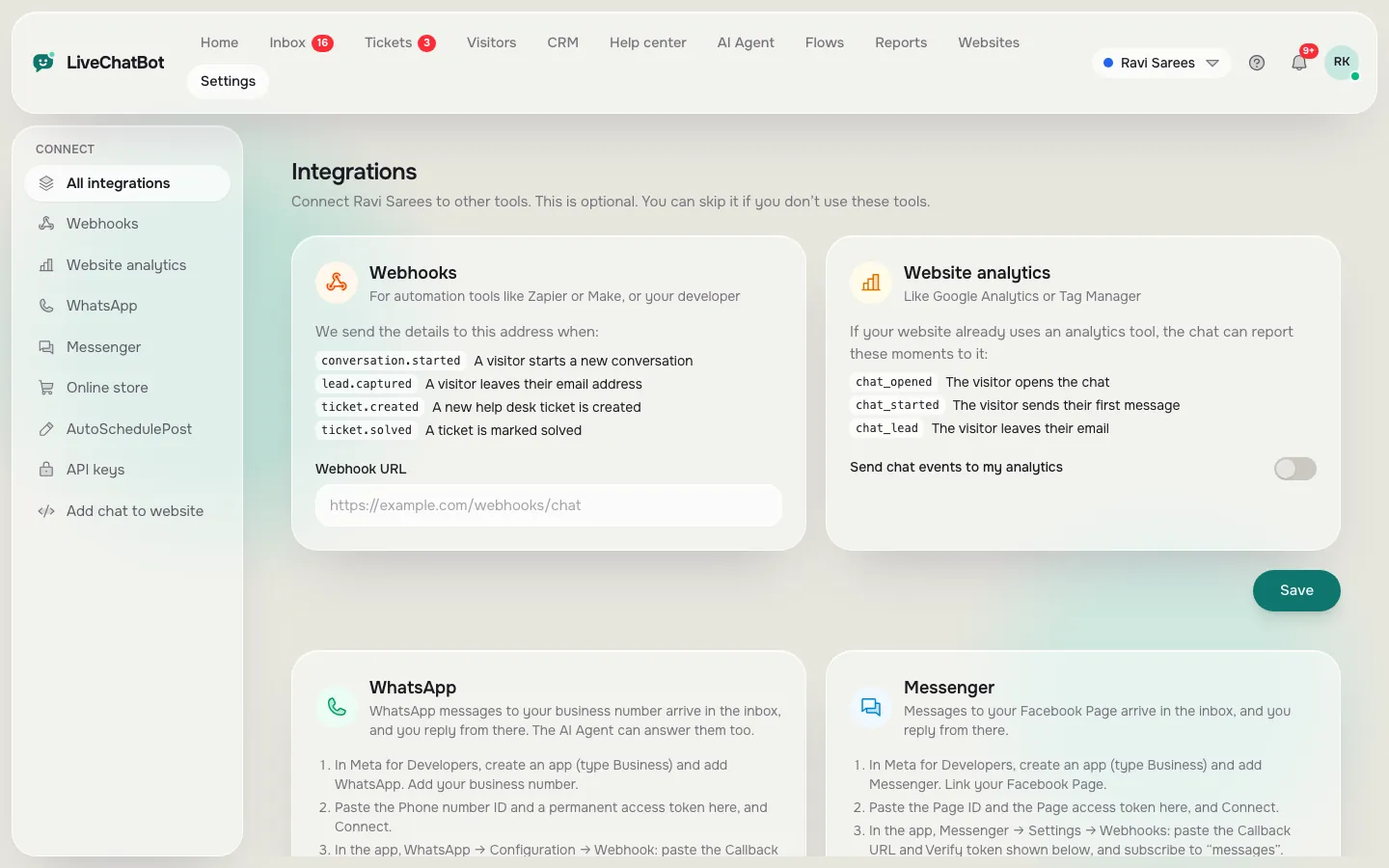
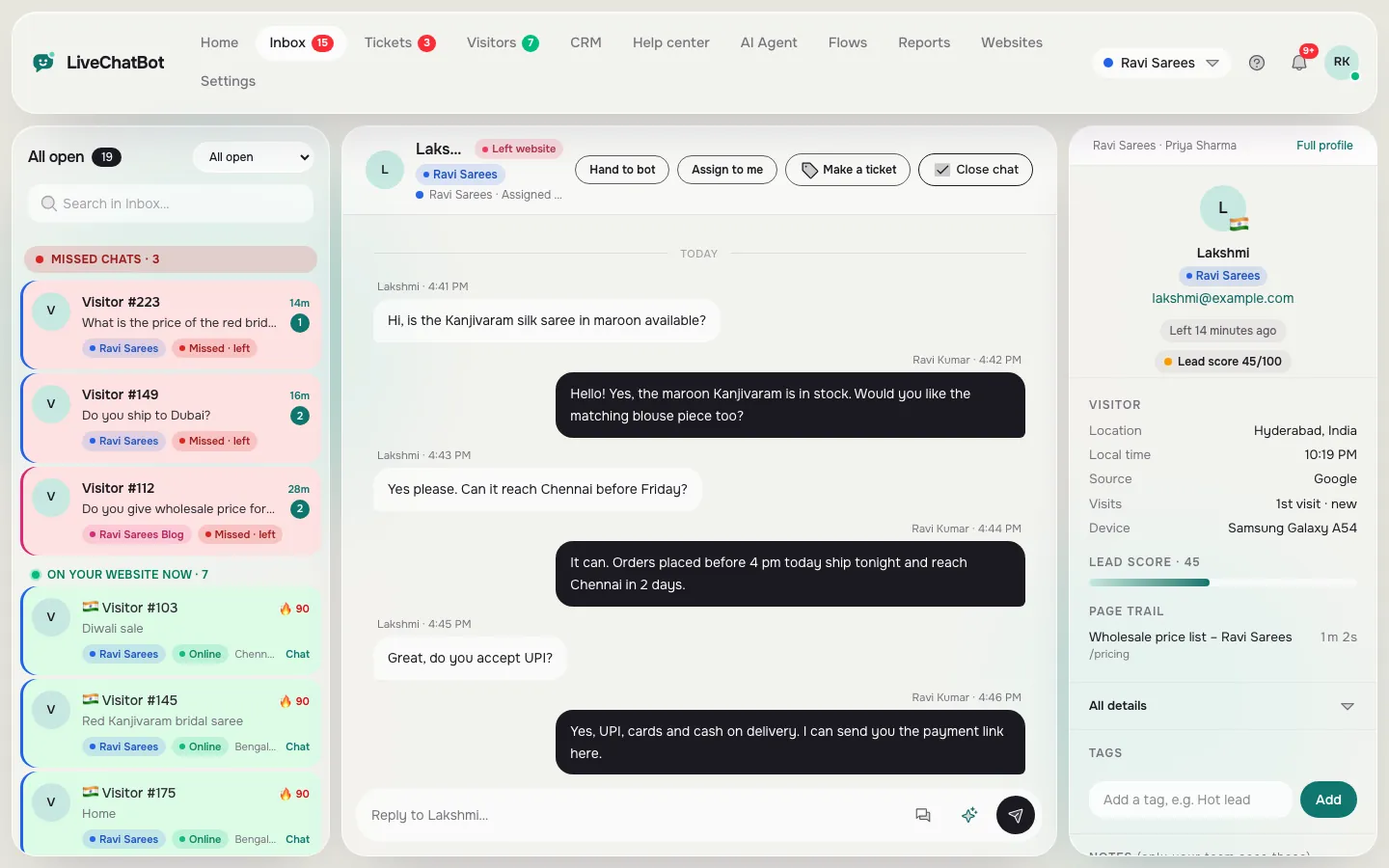
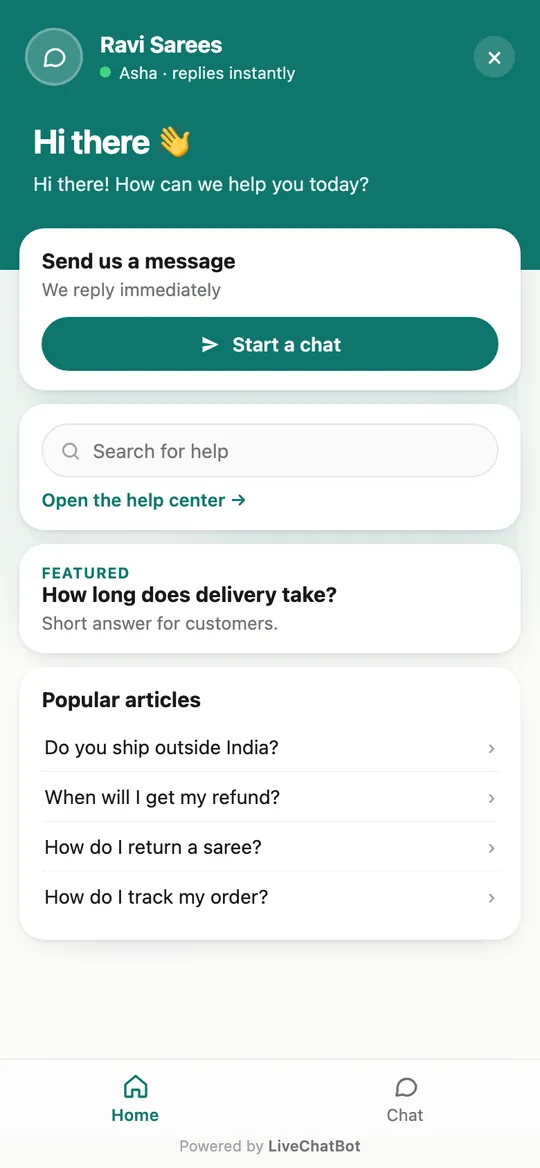
Where WhatsApp fits in LiveChatBot
Real screens from the LiveChatBot panel, shown with sample data. Click any picture to see it full size.
Our position
Where LiveChatBot fits among WhatsApp platforms
We are a website chat product first, so here is exactly what we offer.
- A WhatsApp button card on the website widget, so visitors tap to chat with your number.
- WhatsApp and Facebook Messenger messages that arrive in the same LiveChatBot inbox, connected through Meta, alongside website chats.
- Teams, Assign to me, and Unassigned and Mine folders, so several people can share the work.
- An optional ref code added to WhatsApp messages, so you can match a chat to the page that sent it.
- The Android app for agents, with no per-seat charges.
What we are not: a broadcast or campaign sender. There is no native Slack, HubSpot or Salesforce link, and “Powered by LiveChatBot” stays on every plan. Zapier and webhooks can bridge some tools. See integrations and pricing before you decide.
Test first
A one-evening test before you pay
Whatever kind you choose, run this test with your own phone.
- Send a message from a second number, asking something a real customer would.
- Time how long your team takes to see it and reply.
- Ask a second person to take over the same chat, and check the history is visible.
- Send a message a day later and check it reaches the same thread.
- Ask the vendor for a cost example for your month of messages.
If a vendor cannot answer step 5 in writing, move on. A good best WhatsApp chatbot platform for your business is one whose costs you can predict. Return to the WhatsApp chat button page when you want the simplest option to start.
Frequently asked questions
What is the best WhatsApp chatbot platform for a small shop?
The best WhatsApp chatbot platform is usually the simplest one that covers who answers. A button is enough for one person; a shared inbox suits a small team.
Do I need an approved Meta account?
For a shared inbox or automation, yes. A click-to-chat button works with a normal WhatsApp number and needs no approval.
Can the platform message my customers first?
Only within Meta’s rules. After the 24-hour window you generally need an approved template message.
Does LiveChatBot send WhatsApp campaigns?
No. It offers the website button card and an inbox for WhatsApp and Messenger messages, not broadcast campaigns.
Is there a charge per agent?
Not on LiveChatBot. There are no per-seat charges, so adding a teammate does not change the price.
Keep reading
Related guides
Best Website Chat Software Starts With Who Answers: Pick by Your Team, Your Hours and Your Phone (Free Decision Tree)
Best WordPress Chatbot Plugin Listings: How to Read Ratings, Update Dates and Support Threads Before You Install (Free Listing Checklist)
Best Website Chat Plugin Bake-Off: Try Two Candidates on One Test Page and Score Them the Same Afternoon (Free Scorecard)
Start with the kind you need
A WhatsApp button card, a shared inbox and no per-seat charges. Try it free at livechatbot.in.