Best Web Chat Apps Seen From the Visitor’s Side: Eight Things That Make People Close the Chat Window (and the Fix for Each)
Best web chat apps are normally ranked by what the owner sees: the inbox, the reports, the price. Your visitor sees none of that. They see a bubble, a few words and a wait. This guide looks at web chat from the visitor’s phone and lists eight small things that make people close the window, each with a fix you can make in a few minutes.
⚡ In short
- A visitor judges a chat in seconds: does it cover the page, does it say something useful, does it answer fast?
- Most closing-the-window moments come from vague welcome text, popups at the wrong time and slow or silent replies.
- Every fix in this guide lives in widget settings, Flows or opening hours. None needs a developer.
- Test on your own phone, on mobile data, before you decide which tool is best.
Owner view versus visitor view
Why the best web chat apps are judged by what visitors feel
When you compare tools, you open the dashboard. You count features, look at the price, read the report names. That is the owner view, and it matters. But a visitor never sees it. A visitor sees a small circle on a mobile screen and decides in a few seconds whether to tap it.
If the circle covers the button they wanted, they annoy. If the first message is “Hi, how can I help you?”, they feel no reason to answer. If they type a question and nothing happens for two minutes, they leave and, often, never come back.
So a fair review of web chat apps and any live chat tool should include a visitor test. Take your phone, switch off wifi and open your own site as a stranger would. Everything below comes from that view. For the owner side, our guide to the best live chat apps for replying from your phone covers what to test on the team’s end.
The eight
Mistakes visitors notice, and the better way
Each pair shows what makes people leave and what to do instead.
Fixes 1 to 4
The look and feel fixes, in order of effort
Position and size
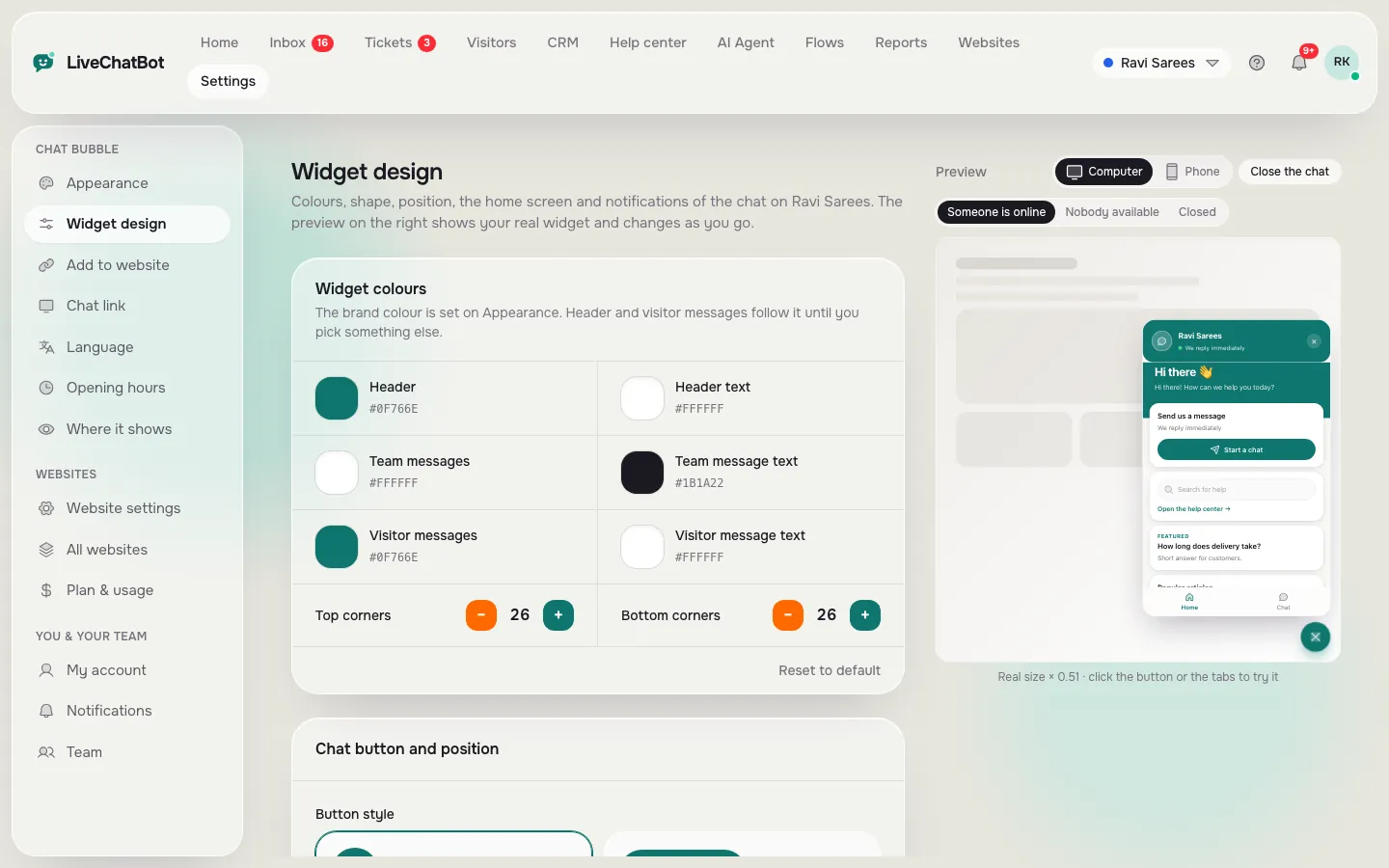
The quickest win is moving a bubble that blocks something. Open Widget design, change the corner and offsets and watch the live preview. Check the phone preview, not just the computer one, because mobile screens are where overlap happens.
Words that give a reason to type
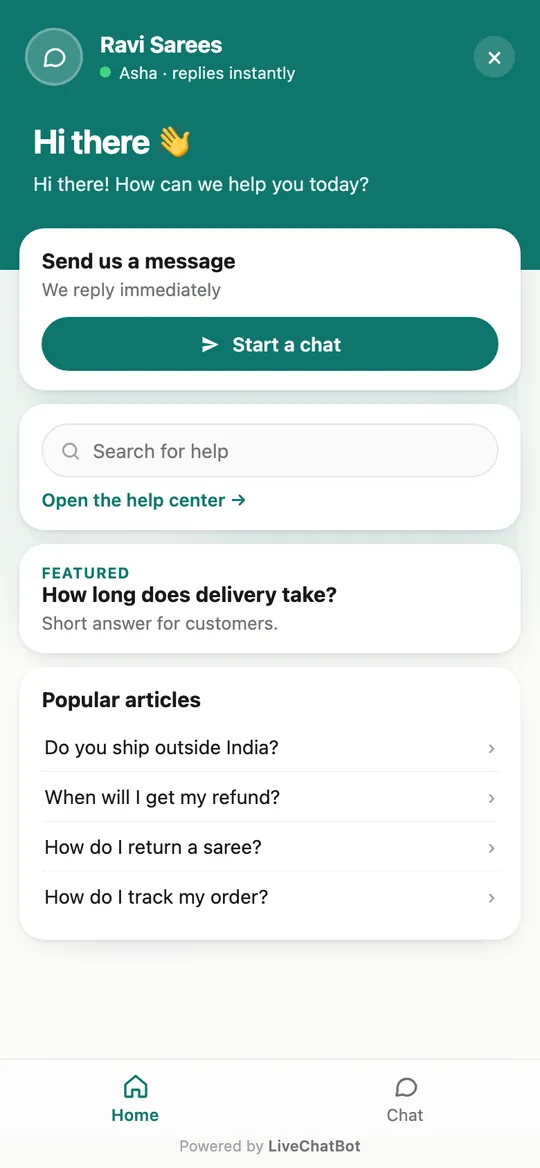
Change the welcome title and message to mention two or three real topics. A shoe shop might write “Ask about sizes, delivery or returns”. A clinic might write “Ask about timings or booking”. Specific words tell the visitor the chat is for them.
Timing
If a proactive message pops up too fast, add a delay in your Flow. Five to ten seconds on a pricing or product page works better than an instant popup. Our guide on proactive live chat explains when to wait.
Language
Visitors often use a different language from the one you wrote the site in. Auto language and welcome translations let the chat greet them in theirs. See multilingual live chat.
Real screens
The chat as a visitor sees it on a phone
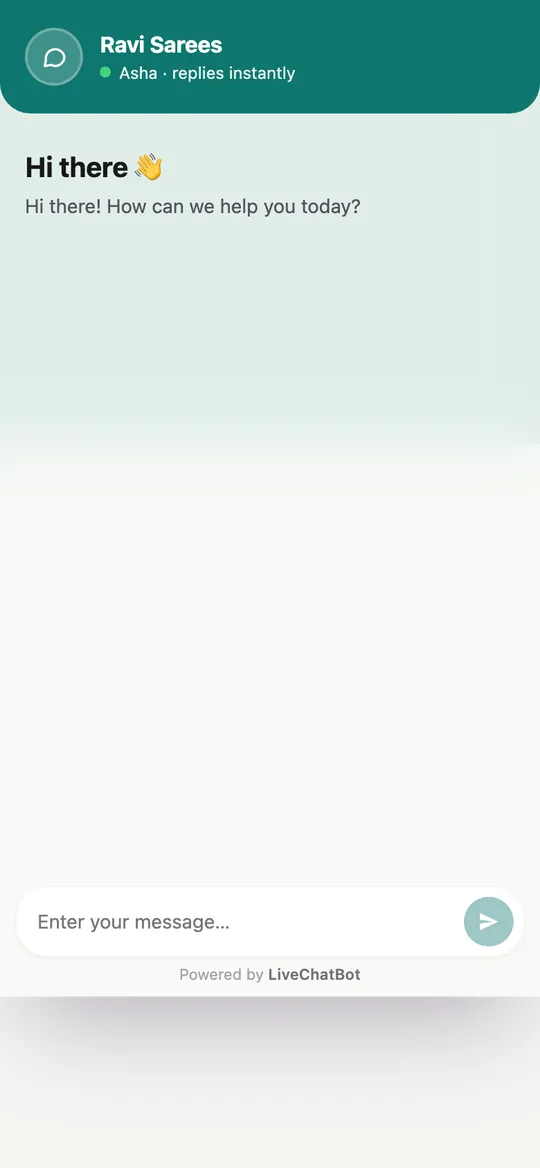
Real screens from the LiveChatBot panel, shown with sample data. Click any picture to see it full size.
Fixes 5 to 8
The fixes that save the lead
Out-of-hours honesty
Nobody expects a small shop to answer at midnight. They do expect to be told. With opening hours set, the widget shows an away form after hours. Write the message with a time and a promise: “We reply by 10 am. Leave your email or WhatsApp number.” See how to set live chat opening hours.
The rescuer
If a visitor writes during opening hours and nobody replies within seconds, the chat rescuer asks for their email and phone so the lead is not lost. It is on by default for all websites, and it turns a missed chat into a callback.
Answers you can trust
An AI that invents a price is worse than no AI. Put real facts in the knowledge, add behaviour Rules, and test with a question you never taught it.
Quiet pages
Use hide-on-pages for checkout, login and thank-you pages. A shopper typing a card number does not want a chat pop-up.
Try it
Run the visitor test in ten minutes
Tick each check on your own phone as you do it.
What to expect
Honest limits of any web chat app
No app removes every closed window, not even the best web chat apps. Some visitors just wanted to look. Others are on a slow connection. What you can do is remove the avoidable reasons.
On LiveChatBot, remember these limits: “Powered by LiveChatBot” stays on all plans, there is no iOS team app, and there is no captcha or spam scoring, though visitor messages are limited to 20 per minute per IP and you can block a visitor or IP. WhatsApp and Messenger messages reach the shared inbox once connected through Meta.
The best web chat apps are the ones where the visitor test passes with default settings plus ten minutes of tidying. Read our live chat guide or what is live chat if you want the basics first, or start free at livechatbot.in and run the test above.
Frequently asked questions
What makes the best web chat apps different for visitors?
They stay out of the way, say something specific, answer quickly and ask for contact details when nobody can reply.
Should the chat open by itself?
Only on pages where people hesitate, and with a short delay. An instant popup on every page is the fastest way to be ignored.
Can I show chat only on some pages?
Yes. Where it shows lets you hide the chat on chosen pages, devices and countries.
What if nobody is online?
Set opening hours. Outside them visitors see an away form that collects email or phone.
Does LiveChatBot charge per agent?
No. There are no per-seat charges.
Keep reading
Related guides
Best Shopify Chat App Listings Decoded: Theme Files, App Embeds, Checkout Limits and Other Words You Need Before You Install (Free Shopify Glossary)
Best Website Chat Plugin Bake-Off: Try Two Candidates on One Test Page and Score Them the Same Afternoon (Free Scorecard)
Best Plugin for Live Chat in WordPress Also Catches Your Form Leads: Follow One Contact Form Submission From Click to Alert
See your chat through your visitors’ eyes
Free plan for two websites with an away form, a chat rescuer and page rules. Start free on livechatbot.in.