Best Live Chat Tools Are the Small Ones You Use Every Day: 14 Built-In Helpers, What Each Is For and When to Reach for It (Searchable Glossary)
Best live chat tools are rarely the flashy ones. They are the saved reply you use forty times a week, the opening-hours switch that saves a night-time lead and the block button that ends a pest. This guide lists fourteen small tools that come with LiveChatBot, says what each does and tells you when to use it.
⚡ In short
- Daily results come from small tools used well, not from a huge feature list.
- Start with four: saved replies, opening hours, the AI Agent’s knowledge and phone alerts.
- Add the rest one at a time when a real problem shows up.
- Use the glossary below to look up any tool by name or by the problem it solves.
The idea
Why the best live chat tools are boring on purpose
When people shop for chat software they compare big headline features: AI, automation, integrations. But a week of real use is mostly small actions. Reply to a question. Add the person to a team. Turn a missed chat into a ticket. Stop an annoying visitor.
If those small actions take three clicks instead of ten, you answer faster, and faster answers win customers. So judge a package by the tools you will touch daily.
This page is a tour of those tools in LiveChatBot. If you want the five-layer overview of a whole stack, our live chat software guide takes the wider view, and the live chat pillar explains the basics.
Searchable glossary
Fourteen everyday tools, in plain words
Type a word such as ticket, alert or hours to filter the list.
Starter four
Which four of the best live chat tools to set up first
With fourteen options, start with four that cover most of the value.
1. Saved replies
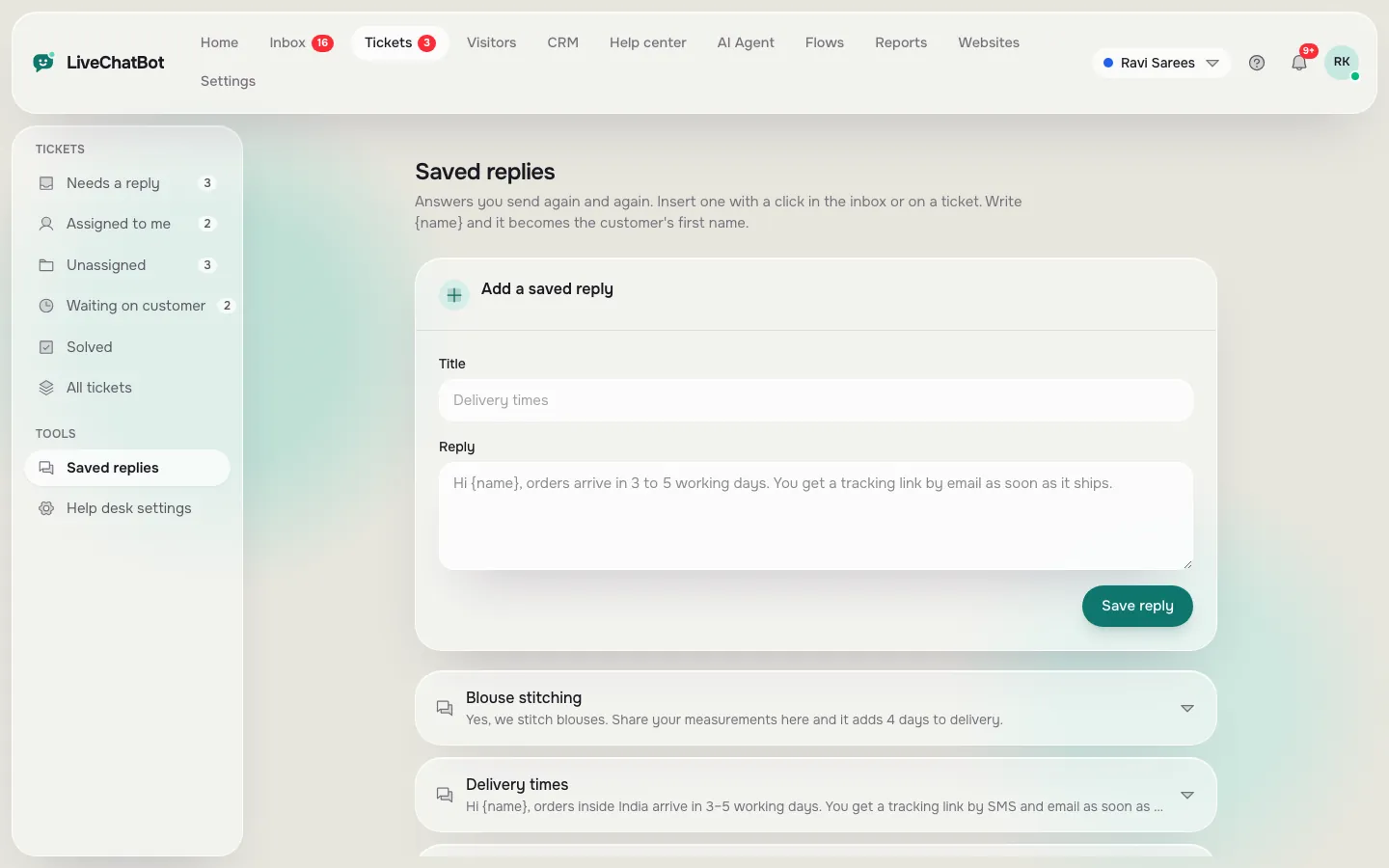
Write down the five questions you answered most last week and save a reply for each. The guide to saved replies gives wording ideas.
2. AI Agent knowledge
Add prices, hours, delivery and returns. This makes the bot useful from day one.
3. Opening hours and away form
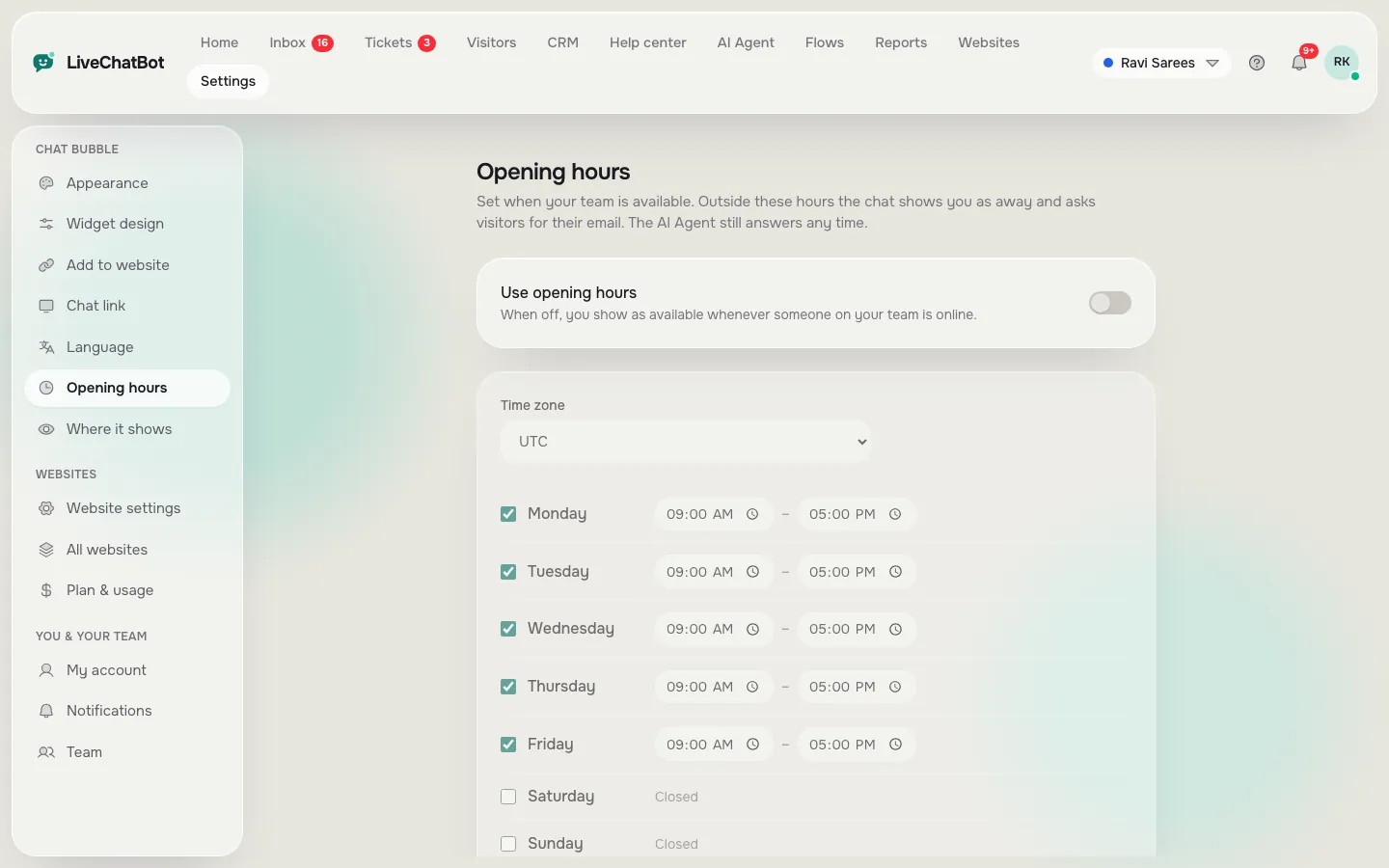
Set hours once. From then on, evening visitors leave contacts instead of leaving.
4. Phone alerts
Install the Android app and test an alert from another phone. If the alert is slow, nothing else matters.
Real screens
Three of the daily tools in the dashboard
Real screens from the LiveChatBot panel, shown with sample data. Click any picture to see it full size.

A week with the tools
What a normal week looks like with these tools
This is an illustrative week for a small team, not a real customer.
Monday. Two overnight leads arrived through the away form. The owner calls both before 10 am, using the phone numbers collected overnight.
Wednesday. A visitor asks about returns. A saved reply answers in seconds, with the name filled in. The AI Agent handled three similar questions without help.
Friday. The owner opens Reports, sees most chats arrive between 7 and 9 pm and moves the opening hours to match. One weak bot answer gets a new fact added to the knowledge.
Notice that nothing here is advanced. It is small tools, used on a rhythm. That rhythm, rather than the size of the feature list, is what decides whether chat pays for itself.
When it grows
Tools to add when a real problem appears
Do not switch everything on at once. Add a tool when a problem asks for it.
- Chats are being missed at busy times? Add teams, Assign to me and the Unassigned folder.
- Visitors browse pricing and leave? Add a Flow on that page.
- Questions arrive after you are asleep? Turn on the chat rescuer and check the away form.
- The same complaint keeps repeating? Turn chats into tickets and publish a help center article.
- Need data in a spreadsheet or CRM? Use Zapier, webhooks (ticket.created and ticket.solved) or the REST API. See chat flows and integrations.
Each of these is a response to evidence, which is why Reports matter. Look at conversations, first response time and pages to improve once a week.
Honest limits
What the best live chat tools here do not include
Be sure about the gaps before you choose. “Powered by LiveChatBot” stays on all plans. There is no iPhone team app, no single sign-on, no audit log and no custom permission builder. There are no native Slack, HubSpot, Zoho or Calendly connections; Zapier and webhooks can bridge some. There is no sentiment scoring or voice.
Pricing is simple: Free at ₹0 for two websites with 100 visitors each, Starter at ₹299 a month, Growth at ₹699 a month. Yearly pays for ten months and gives twelve. Plans are prepaid with no auto-renew and no per-seat charges. See pricing and sign up at livechatbot.in.
Frequently asked questions
What are the best live chat tools for a small team?
Saved replies, AI Agent knowledge, opening hours with an away form, and phone alerts. These four cover most daily work.
Do I need to pay for these tools?
The tools in this guide are included on the free plan, within its limits of two websites and 100 visitors each a month.
Can the AI follow my own rules?
Yes. The Rules to follow box takes up to 5,000 characters of instructions, while AI replies are available.
How do I send chat data to other apps?
Use Zapier, ticket.created and ticket.solved webhooks or the REST API.
Is there a tool to stop spam chats?
You can block a visitor or IP and the widget has built-in rate limits. There is no captcha.
Keep reading
Related guides
Best Live Chat Solutions for Six Business Situations: A Shop, a Clinic, a Tutor, an Agency, a Software Product and a Restaurant, and the Wrong Pick for Each
Best Live Chat Solution Is the One That Passes a 30-Day Test: A Week-by-Week Trial With a Pass Mark for Each Week (Free Timeline)
Best Live Chat Software for Websites Depends on How Your Site Is Built: Match Plugin, Pasted Code or API to Your Platform (Free Platform Quiz)
Start with four small tools
Free plan, no per-seat charges. Start free on livechatbot.in.