Best Live Chat Software for Websites Depends on How Your Site Is Built: Match Plugin, Pasted Code or API to Your Platform (Free Platform Quiz)
Best live chat software for websites is partly a question of plumbing. A tool that installs in two minutes on WordPress can take a week on a custom React app, and the other way round. This guide sorts websites into four build types, shows the install route that fits each one and gives you a short quiz that names your route.
⚡ In short
- The best live chat software for websites is the one that fits your platform, because your platform decides the install route: plugin, pasted code, framework package or API.
- Check three things on any tool: how it installs, whether it slows the page and how you control which pages show it.
- Test on a staging copy or a single page before you roll it out to the whole site.
- Take the quiz below to find the route that fits your site.
Why the platform matters
Installing chat is the easy part until your platform fights back
Every live chat tool ends up as one small script on your pages. How that script gets there is the real difference between a ten-minute job and a lost weekend.
A WordPress site can use a plugin. A Shopify, Wix or Squarespace store pastes a snippet into a settings box. A hand-built site pastes the same snippet before the closing body tag. A single-page app built with React or Vue needs the widget to survive page changes without a reload.
So the useful question is not “which brand is best?” but “which route will not break my site?” Our best live chat for website guide ranks by what visitors see; this one ranks by what you have to do. If you want the full install walk-through afterwards, follow how to set up live chat on a website.
Four build types
The four routes to the best live chat software for websites like yours
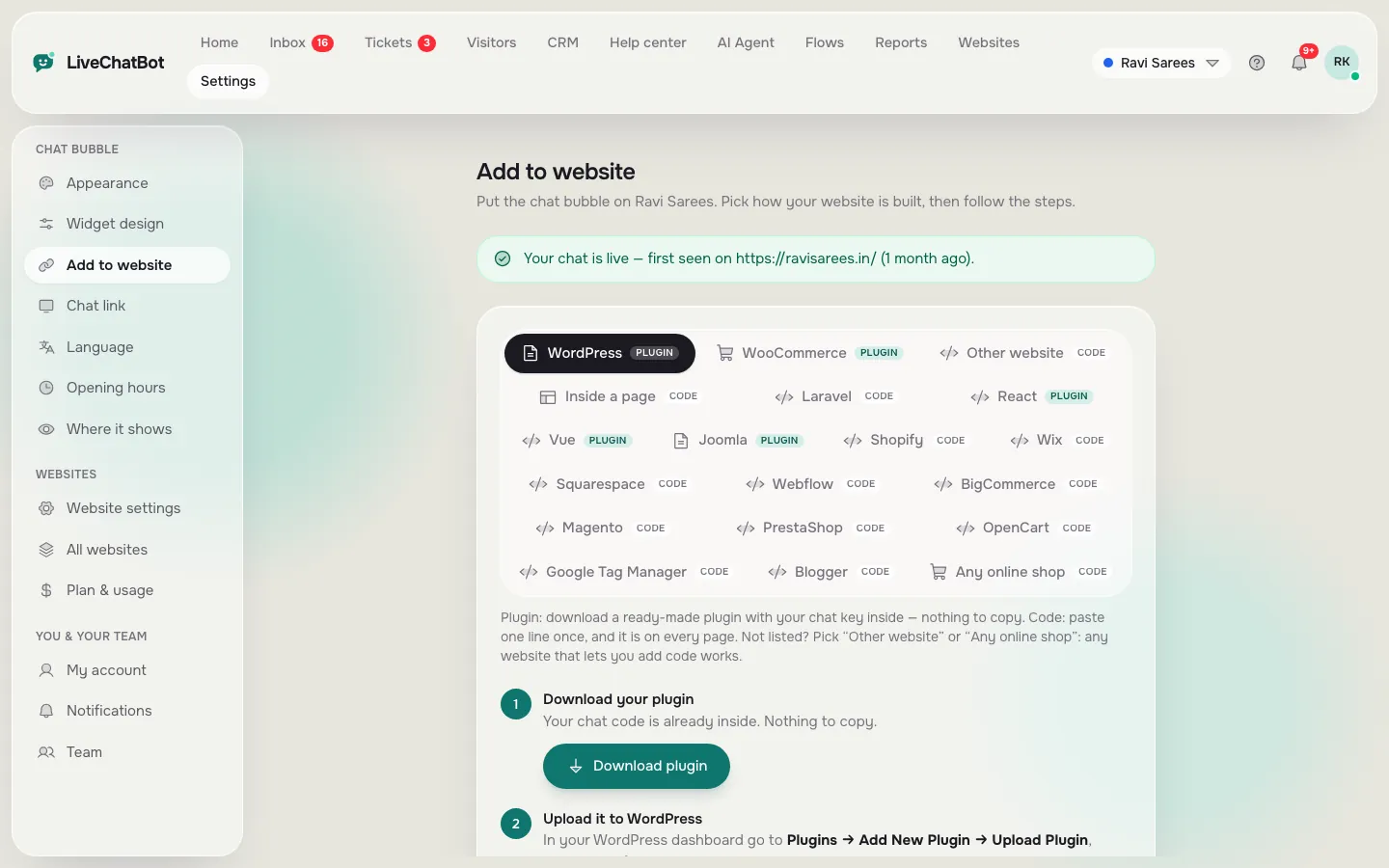
1. Plugin route: WordPress, WooCommerce, Joomla
If your site runs on WordPress, a plugin is the gentlest route. LiveChatBot has a WordPress plugin that also works with WooCommerce, and a Joomla extension. The plugin also catches form submissions from Contact Form 7, WPForms, Elementor Pro, Gravity, Fluent and Ninja forms as leads. See the WordPress live chat plugin page.
2. Paste-code route: Shopify, Wix, Squarespace, plain HTML
Copy one snippet and paste it into your theme or custom-code area. There is no Shopify App Store app, so on Shopify you connect your store and paste the code. After that, the cart shows to your agents and purchases are detected.
3. Framework route: React and Vue
LiveChatBot has React and Vue plugins, so the widget loads once and stays across page changes.
4. JavaScript API route: custom builds
The window.LiveChatBot API lets your own code open or close the chat, show or hide it, set visitor details, send a message and listen to events. Use it when you want a “Chat with us” button in your own design.
Free quiz
Which install route fits your website?
Answer four questions. The quiz names the route and the first thing to check.
Speed and safety
Three checks before any chat script goes on your site
Whatever route you take, check these before you roll chat out to every page.
Page speed. Load a page on a slow phone connection. The page text should appear first and the widget a moment later. If the page freezes, remove the script and ask the vendor why.
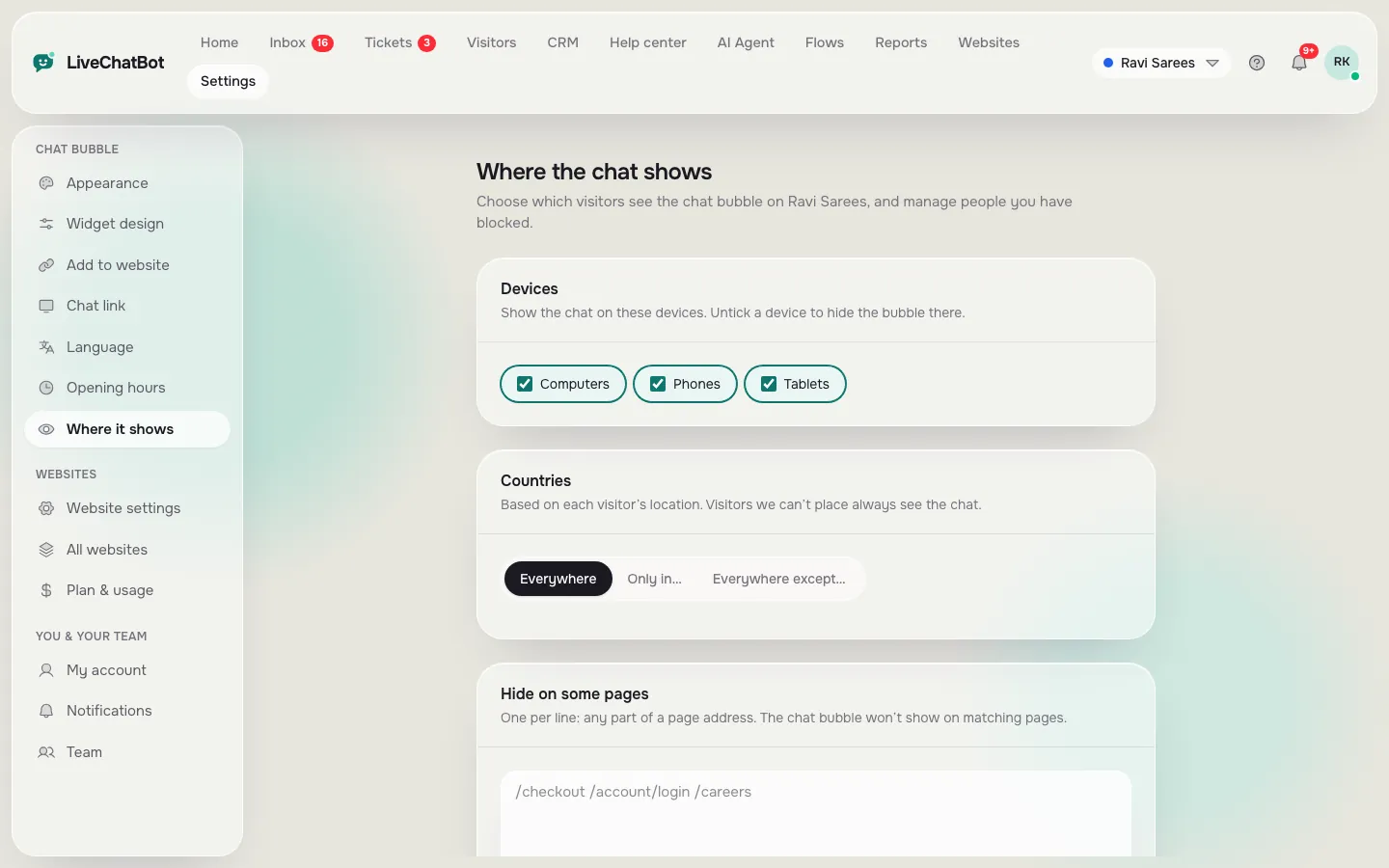
Control over where it shows. You should be able to hide chat on checkout, login or legal pages and show it only on chosen countries and devices. LiveChatBot has a “where it shows” setting for devices, countries and hide-on pages. Our guide to showing live chat on specific pages explains it.
A way to switch it off. If something breaks, you should be able to turn the widget off from the dashboard without editing code. Practise that once, so you are not learning it during a problem.
Real screens
Install, choose where it shows, and see the result
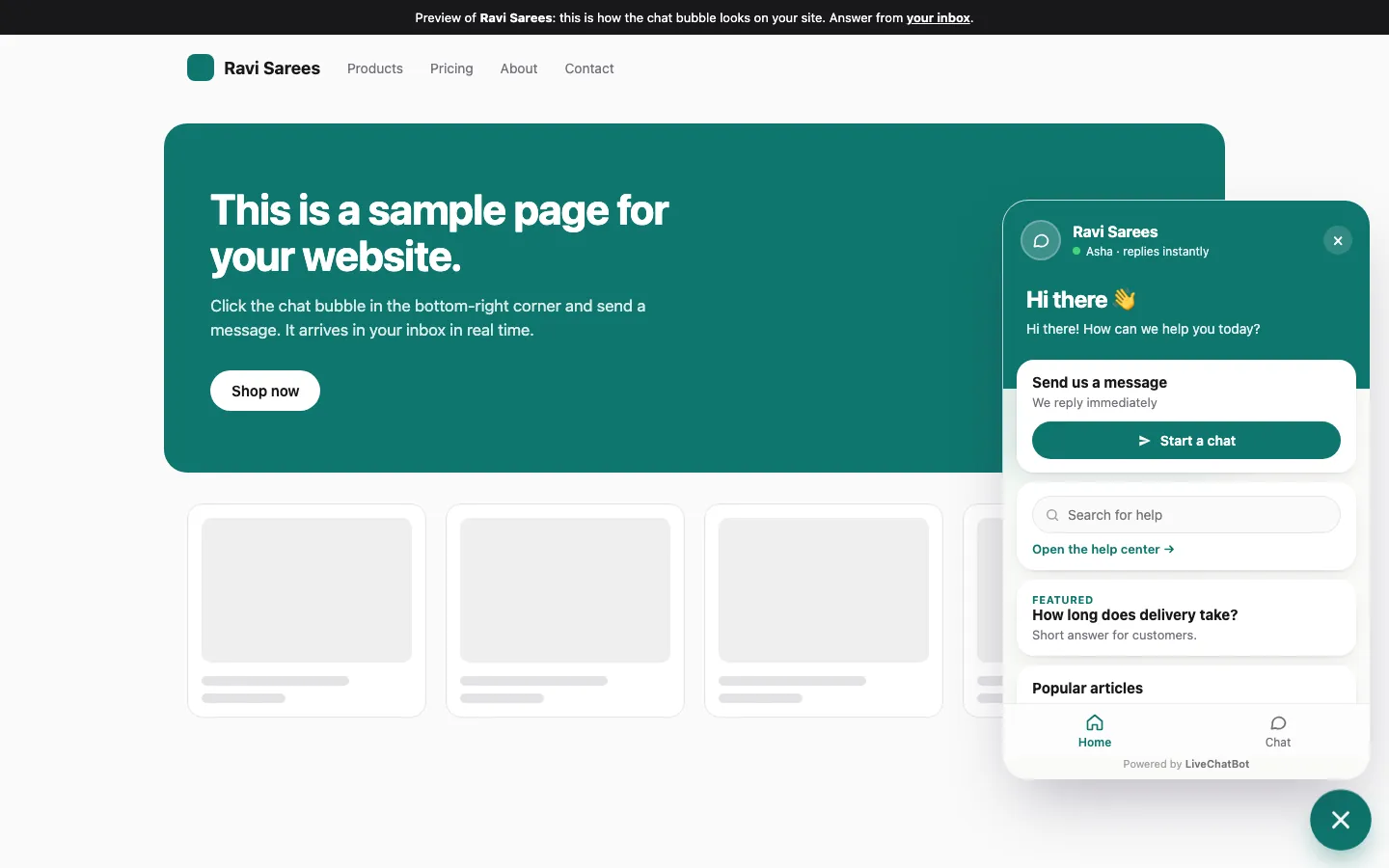
Real screens from the LiveChatBot panel, shown with sample data. Click any picture to see it full size.
Examples
Three illustrative setups, from simplest to most custom
These are made-up examples to show the thinking, not real customers.
A bakery on WordPress. The owner installs the plugin, teaches the AI Agent opening hours, cake sizes and delivery areas, and turns on the away form. Total time: one evening. Contact Form 7 enquiries now arrive as leads with an instant alert.
A coaching site on Wix. The coach pastes the snippet in the custom-code area and shows chat only on the pricing and booking pages, so the blog stays clean. A Flow offers help to visitors who view pricing twice.
A SaaS marketing site in React. The developer uses the React plugin and calls window.LiveChatBot to open the chat from a “Talk to sales” button. Tickets created from missed chats can fire a ticket.created webhook into the team’s own tools.
Each used the same product but a different route, which is the point.
After install
What to switch on once chat is live
The widget itself is only the start. A good set of defaults for most websites:
- A welcome message that mentions what visitors can ask.
- Opening hours and an away form for evenings and weekends.
- The AI Agent, taught from your own pages. You can type answers, copy a web page or upload a PDF, Word, Excel, CSV or TXT file.
- Chat rescuer, so a chat nobody answers in seconds asks for email and phone.
- A Flow on your pricing or contact page that offers help after a short time.
Then watch Reports for a week: conversations, reply time and the pages where visitors leave without acting. Our chat flows page covers proactive messages in detail, and the live chat guide pulls everything together.
Limits
What the best live chat software for websites still cannot fix
Be realistic about gaps before you commit.
- “Powered by LiveChatBot” stays on every plan.
- There is no iPhone team app; the Android app is the mobile route, and iPhone users reply from a browser.
- Shopify has no App Store listing, so you paste code.
- Native Slack, HubSpot, Zoho and Calendly links are not built in; Zapier, webhooks and the REST API can bridge many of them.
For most websites, none of these blocks a launch. Start on the free plan with two websites and 100 visitors each a month, or see pricing for Starter at ₹299 a month and Growth at ₹699 a month. Sign up at livechatbot.in.
Frequently asked questions
What is the best live chat software for websites built on WordPress?
Pick a tool with a maintained WordPress plugin, so updates and form leads are handled for you. LiveChatBot’s plugin also works with WooCommerce.
Can I add live chat to a static HTML site?
Yes. Paste the snippet before the closing body tag of each page, or in the shared footer file if your site has one.
Will live chat slow my website down?
It should not. Test on a slow connection, and remove the script if the page freezes while the widget loads.
Can I hide chat on some pages?
Yes. The where-it-shows settings control devices, countries and hide-on pages.
Do I need a different tool for each website?
No. One account covers two websites free and each has its own design, visitors and settings.
Keep reading
Related guides
Best Live Chat Software for Small Business Is the Kind You Can Run Alone: A 15-Minute-a-Day Checklist for Owners Who Do Everything (Free Checklist)
Best Live Chat Software for Your Business Is a Weighted Score: Set Your Weights, Rule Out Deal-Breakers and Check the Winner Holds (Free Weighted Picker)
Pick your route and go live
Plugin, pasted code, framework package or API. Start free on livechatbot.in.