Best Live Chat Software for Small Business Is the Kind You Can Run Alone: A 15-Minute-a-Day Checklist for Owners Who Do Everything (Free Checklist)
Best live chat software for small business owners is not the tool with the longest feature list. It is the one you can still run when you are also the cook, the accountant and the delivery person. This guide gives you a daily routine, a setup checklist and a list of what to ignore.
⚡ In short
- The best live chat software for small business owners works while you are busy: after-hours capture, answers from your own facts and alerts on your phone.
- Judge software by the time it asks of you each day, not by how many panels it has.
- Set up once with the checklist below, then spend about 15 minutes a day on replies and one weekly look at Reports.
- Skip what a one-person team never uses: enterprise security, complex routing and deep analytics.
The owner’s problem
Small business chat fails when it needs a full-time person
Most buying guides are written for a support department. You do not have one. You have a shop, a clinic room or a laptop on the kitchen table, and chat has to fit into the gaps.
That changes what “best” means. A tool with twelve inbox views and routing rules suits a team of twenty, but you will never configure it, and an unanswered widget makes your site look abandoned.
So when you compare tools, ask four plain questions:
- Can I be set up in an afternoon without a developer?
- Will it answer common questions when I am not looking?
- Will my phone tell me when a real person needs me?
- Can I see in two minutes whether it is paying off?
Everything else is a bonus. Our general best live chat software guide covers a weighted way to compare tools; this page is about fitting one into a one-person week.
What to skip
Features a small business can safely ignore
It is easier to choose when you know what not to pay attention to.
Enterprise controls
Single sign-on, audit logs and staff permission builders matter for large companies. LiveChatBot does not offer them, and if you are a team of one to five you will not miss them.
Complicated routing
Round-robin and skill-based routing exist to share thousands of chats. With a few staff, a simple “Assign to me” button and an Unassigned folder is enough.
Per-seat pricing
If you hire a part-timer for the festive season, the bill should not jump. LiveChatBot has no per-seat charges.
Free checklist
Set up chat once, in the right order
Tick each step as you finish it. Most owners complete the whole list in a single afternoon.
The daily routine
The 15-minute day: what to do and when
Once the setup is done, running chat is a habit, not a job. Here is a routine that works for a solo owner.
Morning, five minutes
Reply to anything that came in overnight, starting with people who left a phone number through the away form. They are warm leads.
Midday, five minutes
Glance at the phone alerts you have already seen and answer the open ones. Use saved replies for repeat questions and add the person’s name with the {name} placeholder so it still feels personal.
Evening, five minutes
Read the chats the AI Agent handled. If it gave a weak answer, add the missing fact to its knowledge. This single habit is what makes the bot better every week. The guide to training your AI chatbot explains how.
Once a week
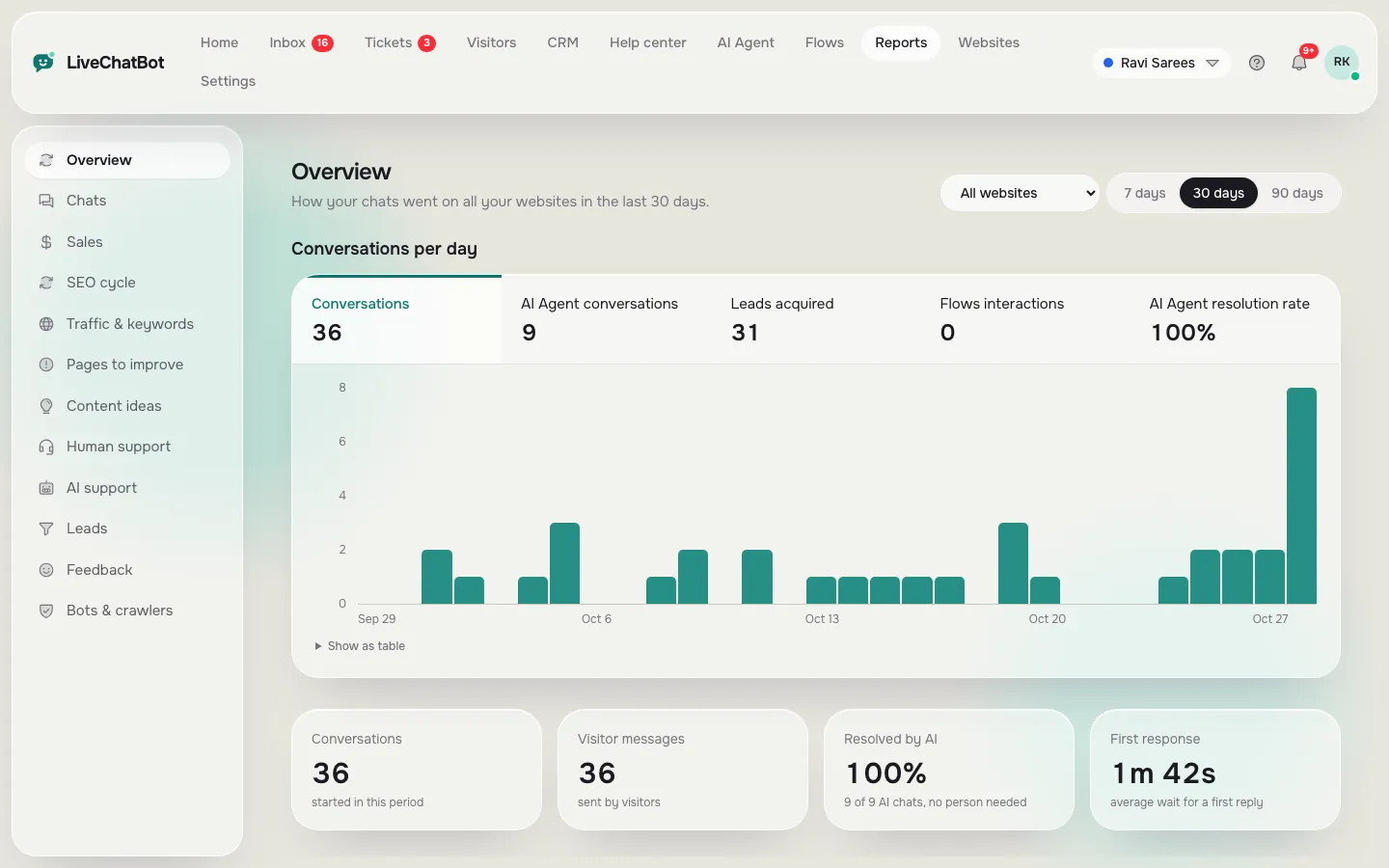
Open Reports for ten minutes. Check conversations, response time and leads, and look at the pages where visitors leave without acting. One small fix a week adds up quickly.
Real screens
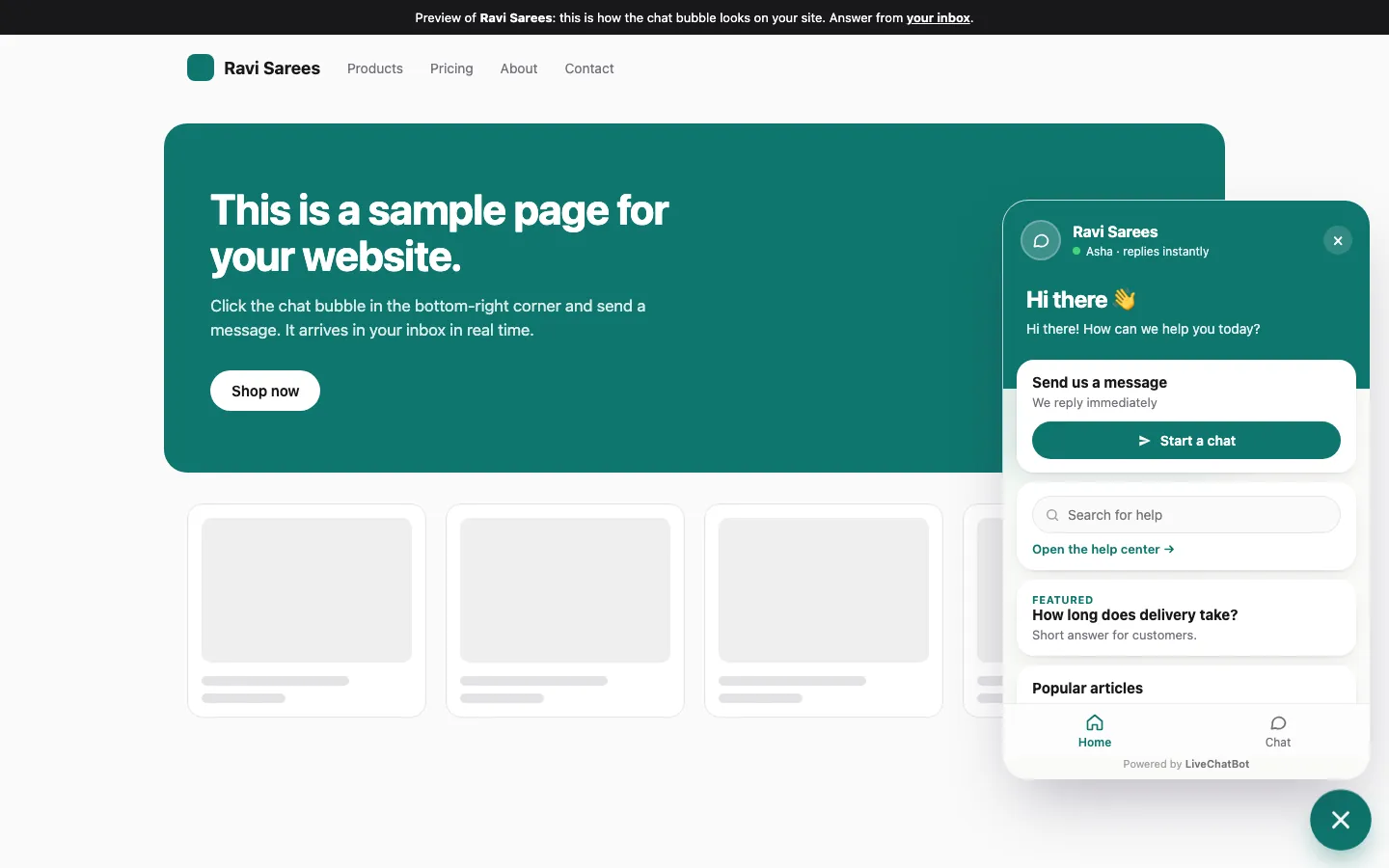
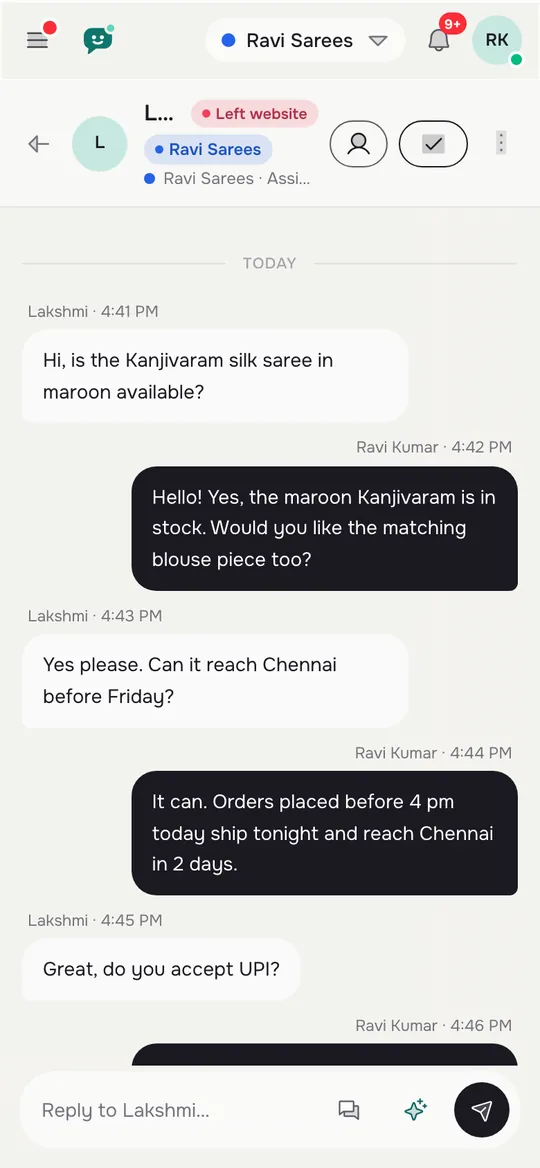
The three screens a solo owner actually uses
Real screens from the LiveChatBot panel, shown with sample data. Click any picture to see it full size.
Cost
What the best live chat software for small business really costs
Prices below are for new sign-ups from 1 November 2026.
- Free, ₹0: two websites and 100 visitors per website a month. Many small sites can stay here for a long time.
- Starter, ₹299 a month: two websites and 750 visitors a month shared across them.
- Growth, ₹699 a month: five websites and 2,500 visitors a month shared across them.
Yearly plans pay for ten months and give twelve. Payment is prepaid, for example by UPI, with no auto-renew. The sign-up code WELCOME100 adds 100 visitors once. AI replies come with every plan, with a monthly allowance shown in your dashboard.
To pick a level, look at your analytics for last month’s visitors, not the website’s total pages. Our pricing page explains what counts as a visitor, and the guide to free live chat shows how far the free plan goes.
Honest gaps
Where LiveChatBot is not the right fit
No tool suits everyone, and you should hear the limits before you start.
- “Powered by LiveChatBot” stays on every plan, so a badge-free widget is not possible.
- There is an Android app for the team, but no iPhone team app. iPhone users reply from a browser.
- There is no single sign-on, audit log or custom permission builder.
- Native links to Slack, HubSpot, Zoho or Calendly are not built in. Zapier, webhooks and the REST API can bridge many of them.
If none of these is a dealbreaker, a small business gets nearly everything it needs: chat, a shared inbox, WhatsApp and Messenger messages in the same place, tickets, saved replies, a basic CRM, a help center and reports. The live chat pillar guide shows how those pieces fit together.
Next step
A first week plan for your small business chat
On day one, finish the checklist above. On days two to four, answer every chat yourself and note questions the bot missed. On day five, add those answers to the AI Agent. On day seven, open Reports and look at leads and reply time.
After two weeks you will know whether chat suits your business. If most chats arrive at night, lean on the away form and the chat rescuer. If chats are rare, show the widget on your busiest pages with the page rules guide.
Then keep it simple. The best live chat software for small business owners is the one still running a year from now, and that is nearly always the one that asked for the least of your time. Sign up free at livechatbot.in.
Frequently asked questions
What is the best live chat software for small business owners with no team?
Choose software that answers common questions by itself, captures contacts after hours and alerts your phone. Features that need a full support team are wasted on a solo owner.
Do I need a developer to add live chat?
No. Paste a code snippet, or use the WordPress plugin. Most owners finish setup in an afternoon.
How much time does live chat take each day?
Around 15 minutes once it is set up: a morning check, a midday reply round and a short look at what the AI Agent answered.
Can I start free and upgrade later?
Yes. The free plan covers two websites with 100 visitors each a month. Paid plans are prepaid with no auto-renew.
Does it work if I am away from my desk?
Yes. The Android app sends alerts to your phone, and the away form collects contacts when you are offline.
Keep reading
Related guides
Best Live Chat Software for Your Business Is a Weighted Score: Set Your Weights, Rule Out Deal-Breakers and Check the Winner Holds (Free Weighted Picker)
Run chat in 15 minutes a day
Free plan for two websites, no per-seat charges, answers from your own facts. Start free on livechatbot.in.