Best Live Chat Software for Ecommerce Is Scored on Carts, Sales and Store Questions: A Scorecard You Fill In Yourself (Free Store Scorecard)
Best live chat software for ecommerce does more than say hello. It shows your agent what is in the visitor’s cart, spots when a chat ends in a purchase, and tells you whether chatting actually makes money. This guide lists the eight things a store needs from chat, then gives you a scorecard to compare your shortlist with your own weights.
⚡ In short
- A store needs chat that sees the cart, notices purchases and reports sales, not only a friendly bubble.
- LiveChatBot connects WooCommerce and Shopify: the cart is shown to agents, purchases are detected, and Reports has a Sales view.
- Shopify means connecting the store and pasting the code. There is no Shopify App Store app.
- Fill in the scorecard with your own weights and your own shortlist.
The store difference
What the best live chat software for ecommerce must do differently
A store has a job that a service website does not: turn browsers into buyers. Chat helps in a few specific moments, and a tool should be judged on those moments.
Before the cart. Shoppers ask about size, stock, material and delivery. Fast, accurate answers are what stop them leaving for a competitor.
At the cart. This is where most sales are lost. A shopper hesitates over delivery cost or returns. If your agent can see what is in the cart, they can answer exactly and offer the right help. See our shopping cart abandonment guide for why this matters.
After the order. Where is my parcel? Can I change the address? These repeat endlessly, and a good bot with your policies in its knowledge handles many of them.
Most “best of” lists ignore all this and compare widgets. For a store, the question is whether the software connects to your shop. Our live chat for ecommerce page has the overview, and this page gives you a way to judge.
Eight needs
The eight needs that separate store-ready chat from a plain widget
1. Store connection
It should link to WooCommerce or Shopify, not leave you to guess. LiveChatBot’s WooCommerce live chat works through the WordPress plugin, and Shopify live chat means connecting your store and pasting the code.
2. Cart view
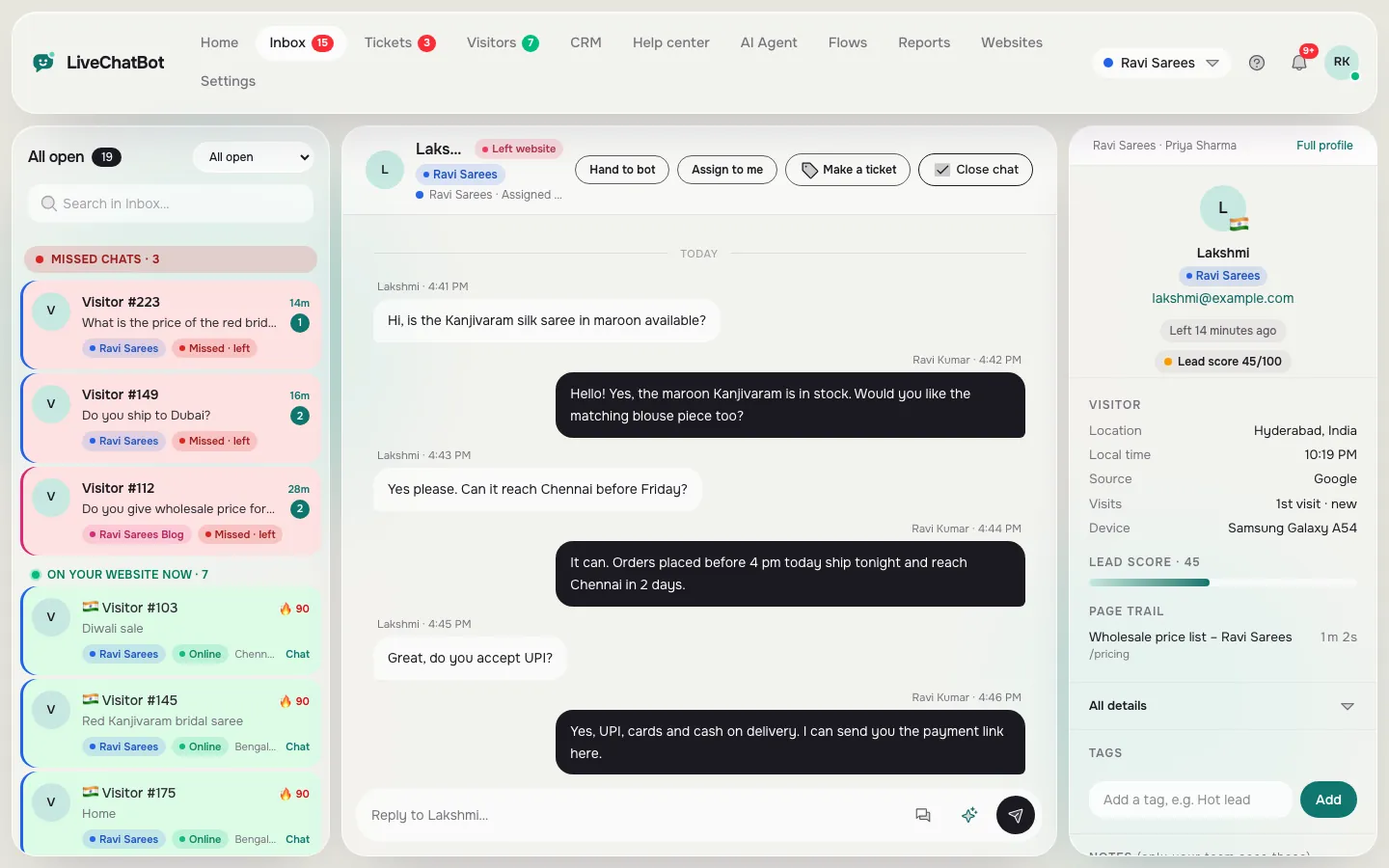
The agent should see what the visitor has in the cart while chatting.
3. Purchase detection
The tool should notice when a chat ends in an order, so you can prove chat earns money.
4. Sales reporting
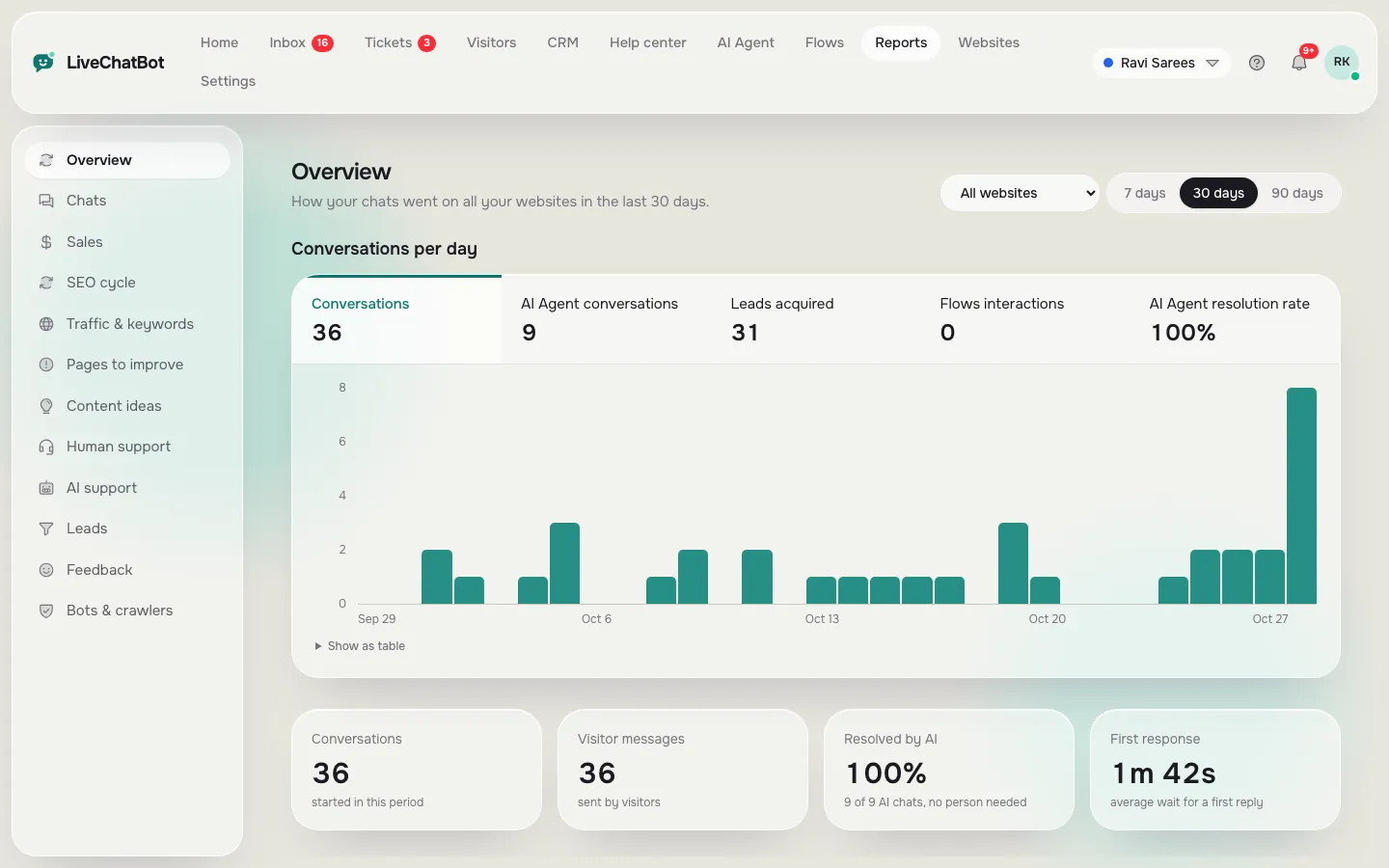
LiveChatBot has Reports → Sales, next to chat reports with reply times and a busy-hour heatmap.
5. Answers from your policies
The AI Agent should answer delivery, returns and sizing from your own knowledge, which you can type in, copy from a web page or upload as PDF, DOCX, XLSX, CSV or TXT.
6. After-hours capture
Late-night shoppers need a way to leave a phone number. Opening hours and the away form do that.
7. Phone alerts
Orders do not wait. The Android app alerts agents instantly.
8. Proactive messages
Flows can show a message on a product or cart page after a set time, based on up to six conditions.
Real screens
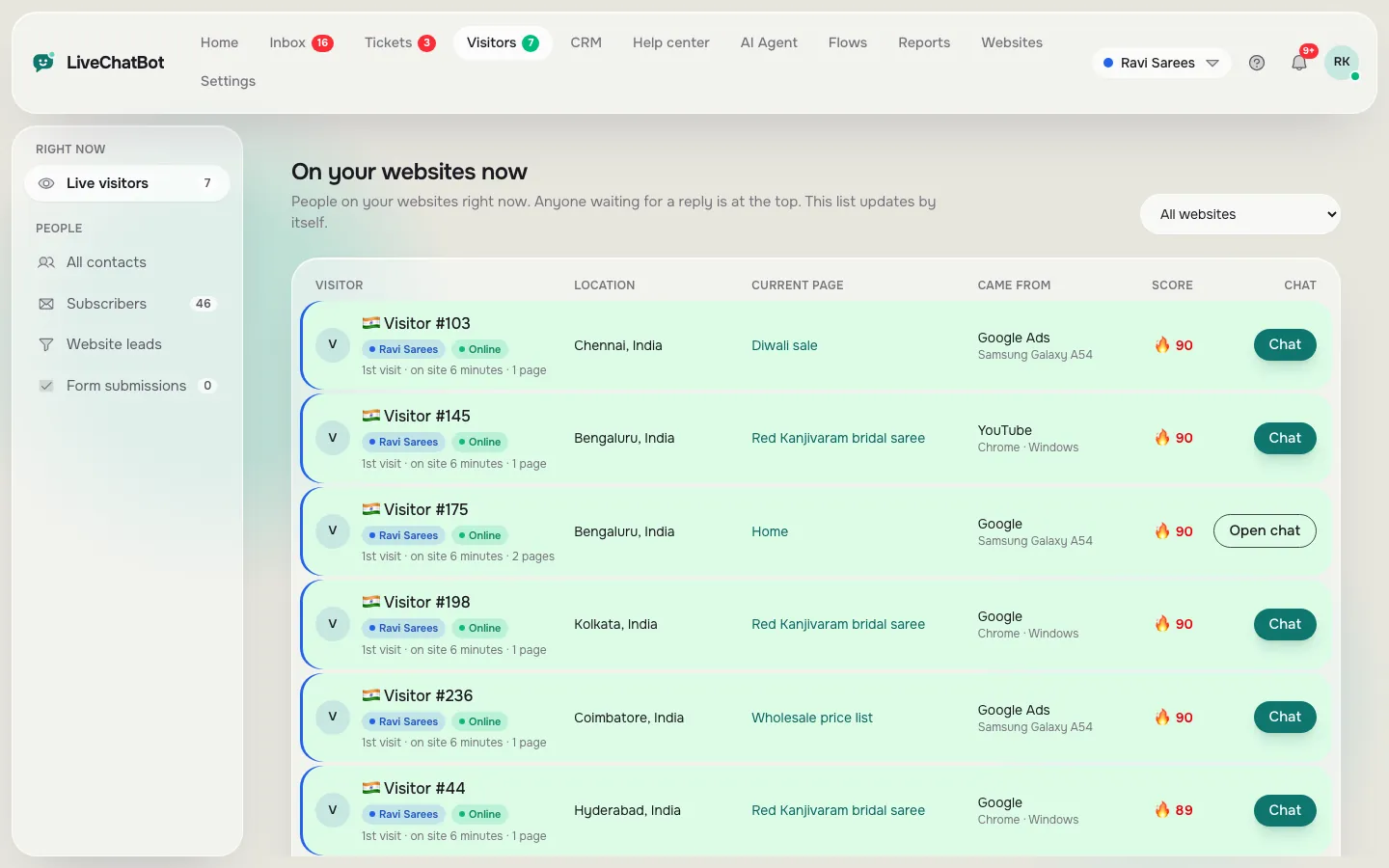
Real screens: live visitors, reports and the shared inbox
Real screens from the LiveChatBot panel, shown with sample data. Click any picture to see it full size.
Free scorecard
Score your shortlist for a store
Rename the three columns to your shortlisted tools. Set how much each need matters to you (1 to 5), then score each tool (0 to 5).
WooCommerce or Shopify linked, not just a pasted widget
Importance Score Score Score
Can your agent see what is in the cart?
Importance Score Score Score
Can you prove chat brings orders?
Importance Score Score Score
Delivery, returns and sizing from your own text
Importance Score Score Score
Away form, opening hours, chat rescuer
Importance Score Score Score
App for the phones your team uses
Importance Score Score Score
Page, time and visitor rules
Importance Score Score Score
Plan price, visitor limits, seats
Importance Score Score Score
Using the score
How to use the scorecard and read the result
Set the importance first, before you look at any vendor page. This avoids bias. A store with one owner on Android may give "phone alerts" a 5, while a bigger store may care more about the sales report.
Then score each tool using evidence, not memory. Open the vendor's help pages. If you cannot find a feature in writing, score it zero. Features that exist only in a sales call are not reliable.
When the totals are within a few points of each other, do not argue about the number. Pick the two highest and run a week's trial on a real store. Watch four things: how many chats start, how many are about the cart, how fast you reply and whether purchases show up. The chat reports on reply times help here.
Finally, check what the best live chat software for ecommerce will cost in your busiest month, such as a festival sale. Compare plans on visitors, not only on price per month.
Honest gaps
What this best live chat software for ecommerce pick does not do
Be clear about the limits. There is no Shopify App Store app, so Shopify setup is a store connection plus pasted code. LiveChatBot does not take payments in chat, has no native Stripe or Razorpay integration inside the chat, and has no native links to HubSpot, Salesforce or Zoho. Zapier and webhooks (ticket.created and ticket.solved) can bridge some tools. The "Powered by LiveChatBot" badge stays on all plans, and there is no iOS team app.
On price: Free is ₹0 for 2 websites with 100 visitors per website each month. Starter is ₹299 a month for 2 websites and 750 shared visitors. Growth is ₹699 a month for 5 websites and 2,500 shared visitors. Yearly plans give 12 months for the price of 10, and there are no per-seat charges. Details are on the pricing page.
Frequently asked questions
What is the best live chat software for ecommerce?
The one that connects to your store, shows the cart to agents, detects purchases and reports sales, at a price you can afford in your busiest month.
Does LiveChatBot work with WooCommerce?
Yes. Use the WordPress plugin and connect the store to see carts and purchases, with a Sales report.
Does LiveChatBot work with Shopify?
Yes, by connecting your store and pasting the code. There is no Shopify App Store app.
Can the bot answer delivery and returns questions?
Yes. Give the AI Agent your policies as typed text, a copied page or an uploaded file, and it answers from them.
Do I pay per agent?
No. There are no per-seat charges on any plan.
Keep reading
Related guides
Best Live Chat Software for Your Business Is a Weighted Score: Set Your Weights, Rule Out Deal-Breakers and Check the Winner Holds (Free Weighted Picker)
Best Live Chat Software for Small Business Is the Kind You Can Run Alone: A 15-Minute-a-Day Checklist for Owners Who Do Everything (Free Checklist)
Best Live Chat Software for Websites Depends on How Your Site Is Built: Match Plugin, Pasted Code or API to Your Platform (Free Platform Quiz)
Make chat part of your store
Connect WooCommerce or Shopify and see carts, purchases and sales. Start free on livechatbot.in.