Best Live Chat for Small Business Is the One You Can Run in 15 Minutes a Day: Eight Owner Habits That Waste Time, and What to Do Instead (Free Habit List)
Best live chat for small business owners is not the one with the longest feature list. It is the one that fits into the gaps of a day already full of customers, suppliers and paperwork. Most owners lose time to a handful of habits that no tool fixes by itself. This guide lists eight of them, each paired with a better habit, and shows how a small setup can run in about 15 minutes a day.
⚡ In short
- Time is the real cost of live chat for a small team, more than the subscription.
- Write answers once as saved replies; stop retyping the same ten lines.
- Let alerts come to your phone and check the inbox at fixed times, not all day.
- Use reports once a week to decide what to change.
The real cost
Why time, not price, decides the best live chat for small business
A small business usually has one to five people doing everything. A live chat tool that needs an hour a day to feed and watch does not survive past the first busy month.
So when you compare tools, add up minutes as well as rupees. How long to install? How long to write answers? How long to check each day? And how much of that can run while you are away from your desk?
LiveChatBot is built around that. The free plan covers two websites, has no per-seat charges, and includes an away form, a free keyword bot and an Android app, so a chat does not stop when you step out. Our wider live chat guide explains each of those parts.
The 15-minute day
- Morning, 5 minutes: open the inbox and clear anything left overnight.
- Midday, 5 minutes: answer new chats and add one saved reply.
- Evening, 5 minutes: check alerts, assign anything open, and close.
Everything between those slots should be handled by alerts, the bot and the away form.
Free tool
Eight habits that waste time, and the better habit
Read each pair. If you recognise the left side, swap in the right.
Real screens
Three screens that save an owner the most time
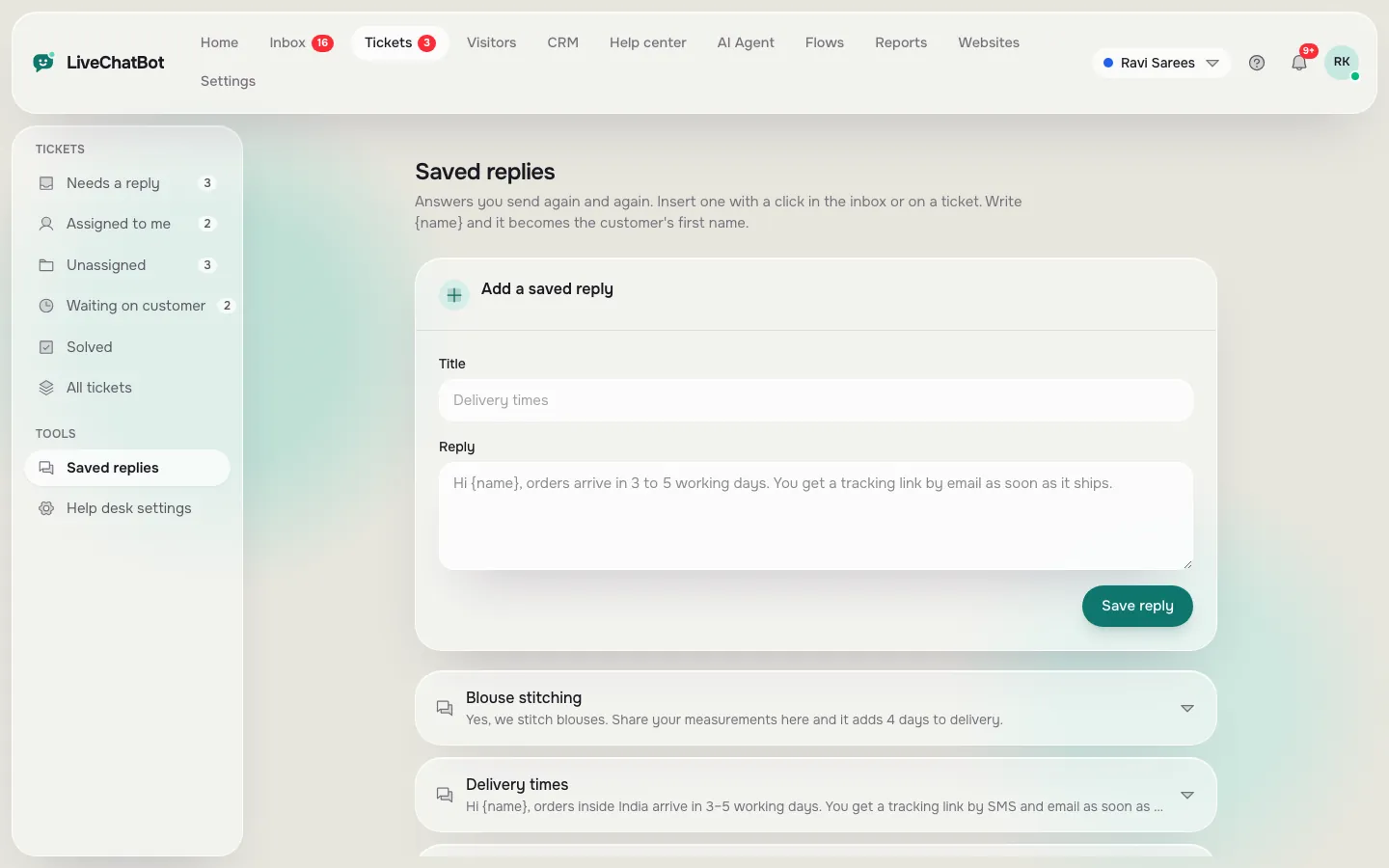
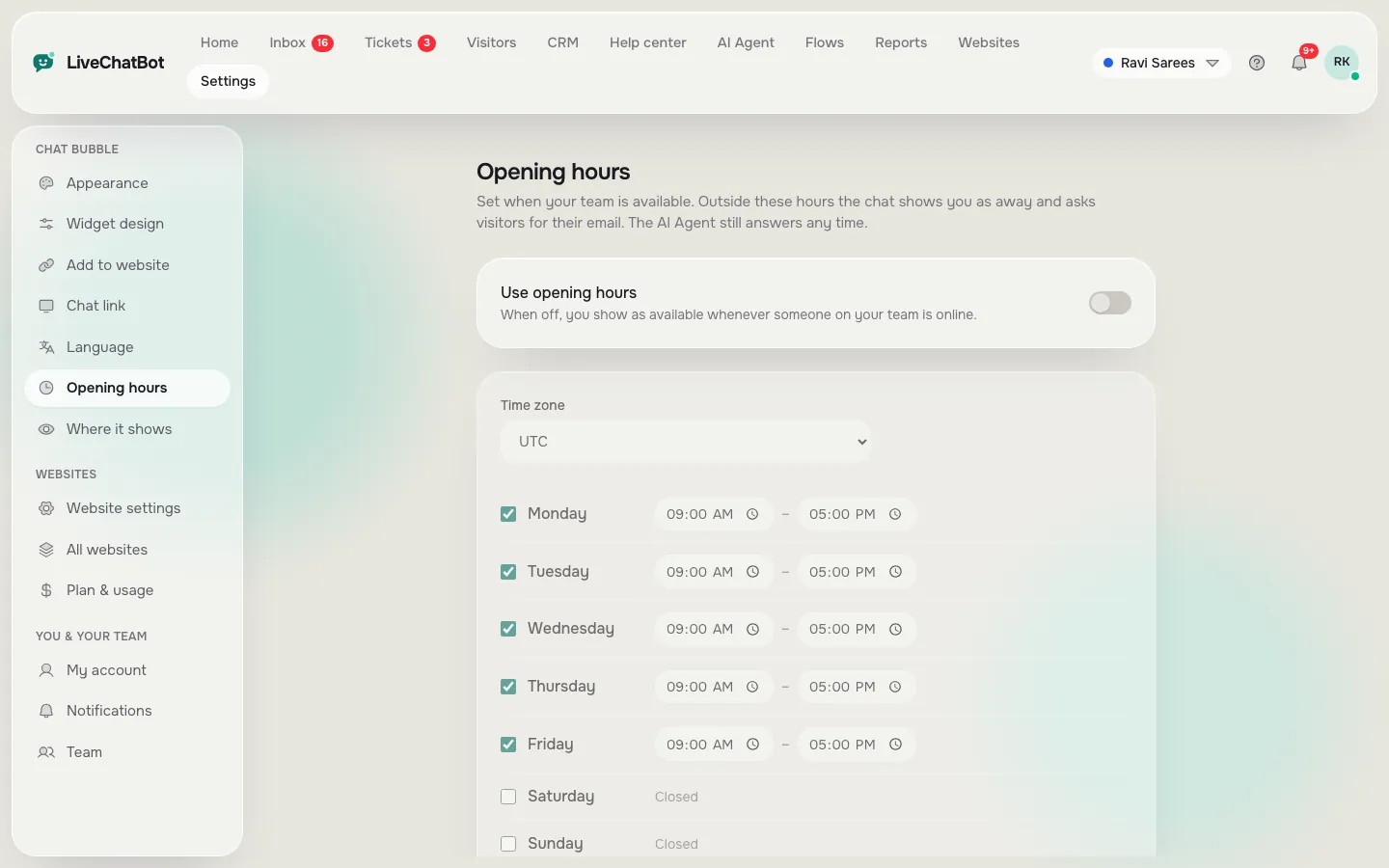
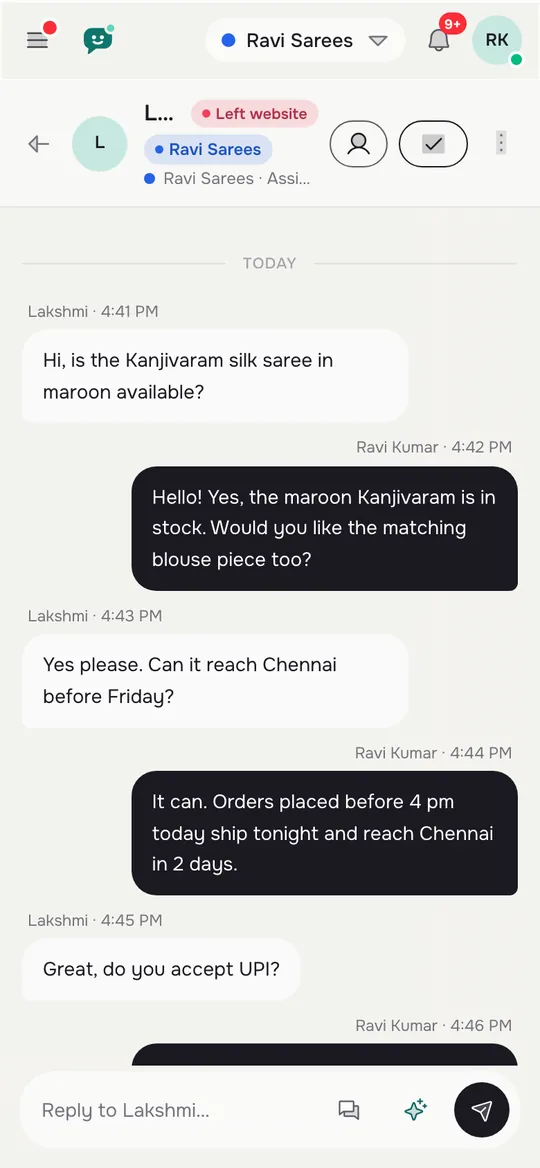
Real screens from the LiveChatBot panel, shown with sample data. Click any picture to see it full size.
Saved replies
Saved replies are the biggest time saver in any live chat for small business
Start with five. Look at your last month of messages, emails and calls, and note the five questions that came up most. They are usually opening hours, prices or fees, delivery or booking time, location and returns or refunds.
Write each as a short, friendly reply. Add {name} where it helps. Then use them in every chat. Each saved reply saves a minute; ten chats a day is ten minutes.
Keep the replies fresh
Once a week, check the questions that did not have a saved reply and add one. After a month you will have twenty replies that cover most of what customers ask. See how to use saved replies in live chat for the full steps.
Hours and alerts
Let hours and alerts do the watching
A small business cannot staff chat all day. Set your opening hours once. Inside them, new chats alert your phone. Outside them, the widget shows an away form that asks for an email or phone number, and the chat rescuer asks for contact details if nobody replies in seconds.
On the phone, install the Android app and pick an alert tone you will notice. There is no iOS team app, so an iPhone user answers from a browser.
This is where the free keyword bot earns its place. It answers from your saved replies, and AI replies, which come with every plan, can cover more once you add facts to the AI Agent. Neither replaces you, and both give you room to eat lunch.
Weekly check
A weekly ten-minute review
Once a week, open Reports. You are looking for four things.
- Busy hours. If chats cluster at 6 pm, make sure someone is free then.
- Reply time. Slow answers lose customers. If the first reply is slow, fix alerts before anything else.
- Repeated questions. Turn the top three into saved replies or help centre articles.
- Leads. Count how many left an email or phone number, and follow each up within a day.
Then decide on one change for next week, and only one. Small steady changes beat a big weekend rebuild. For a lighter-weight option while you decide, read our live chat lead generation guide.
Honest limits
What a small business should know before relying on it
Be clear about the gaps. “Powered by LiveChatBot” stays on every plan. There is no iOS team app. There is no single sign-on or role builder. Native links to Slack, HubSpot and similar tools are missing, though Zapier and webhooks can bridge many. WhatsApp and Facebook Messenger messages do arrive in the same inbox.
If none of those matter to you, the best live chat for small business fits comfortably in a free plan until traffic grows. Check pricing when you do.
Frequently asked questions
What is the best live chat for small business owners with no time?
One that installs in minutes, has saved replies, hours and an away form, and alerts your phone, so you only check at set times.
How much time does live chat take each day?
About 15 minutes if you use saved replies and phone alerts. Busy days are longer, but the habit stays the same.
Do I need an AI chatbot for the best live chat for small business setup?
Not at first. The free keyword bot answers from saved replies. AI replies come with every plan when you want broader coverage.
Can my staff share one account?
Yes, with Assign to me, a shared inbox and no per-seat charges.
What does the free plan include?
Two websites with 100 free visitors each per month, the widget, inbox, Android app, hours and away form.
Keep reading
Related guides
Best Live Chat for Shopify Is One That Knows the Shopper’s Cart: What a Connected Store Shows Your Agent, and What to Do With It (Free Decision Tree)
Best Live Chat for WordPress Is Proven on a Staging Copy: A Six-Step Test Before It Goes Live
Best Live Chat for Ecommerce Is Tested in Sale Week: A Festive-Season Prep Timeline for Online Stores, From Four Weeks Out to the Morning After (Free Timeline)
Run chat in 15 minutes a day
Free plan for two websites and no per-seat charges. Start free on livechatbot.in.