Best Live Chat for Ecommerce Is Tested in Sale Week: A Festive-Season Prep Timeline for Online Stores, From Four Weeks Out to the Morning After (Free Timeline)
Best live chat for ecommerce is the one that still works when your festive sale doubles the questions in a day. Quiet weeks hide every weakness: slow alerts, a bot that guesses, a limit nobody checked. This timeline walks an online store through four weeks of preparation, the sale itself and the morning after, so the chat you pick is proven before the rush and not during it.
⚡ In short
- Peak traffic exposes chat problems. Prepare four weeks ahead, not the night before.
- Check your visitor limit against last year’s busiest day, then add a margin.
- Write sale answers in advance: delivery dates, returns, COD, offer rules.
- Review the chat reports the morning after and fix what shoppers asked most.
Why sale week
Why sale week is the real test of any store chat
On an ordinary day a store gets a handful of chats and almost any tool copes. In sale week the same store gets ten times the questions, from people who are ready to buy and impatient. A slow answer is a lost order.
Three things break first. Alerts: the team is busy packing and nobody sees a new chat. Answers: shoppers ask about offer rules, stock and delivery dates that changed overnight. Limits: the plan quietly hits its visitor cap on day two.
Choosing the best live chat for ecommerce therefore means choosing the one you have rehearsed. Whatever tool you pick, run the timeline below. If you want the wider picture first, our live chat for ecommerce guide covers the basics for online stores.
Free tool
Your sale-week timeline
Work backwards from the sale date. Each stage has a job and a check.
Find last year’s busiest week in your analytics. Compare visitors per site with your plan. LiveChatBot’s free plan gives 100 visitors per website each month; Starter shares 750 across two sites and Growth shares 2,500 across five. Pick the plan, not the surprise.
Connect WooCommerce or Shopify so agents see the cart, and purchases are detected for Reports → Sales. On Shopify that means connecting the store and pasting the code.
Offer rules, delivery times, COD, returns and exchange windows. Put them in saved replies and in the AI Agent’s knowledge. Add a Rules line such as ‘Never promise a delivery date.’
Ask three friends to chat from the live site. Check the alert on a locked Android phone, an assigned chat and the away form after hours.
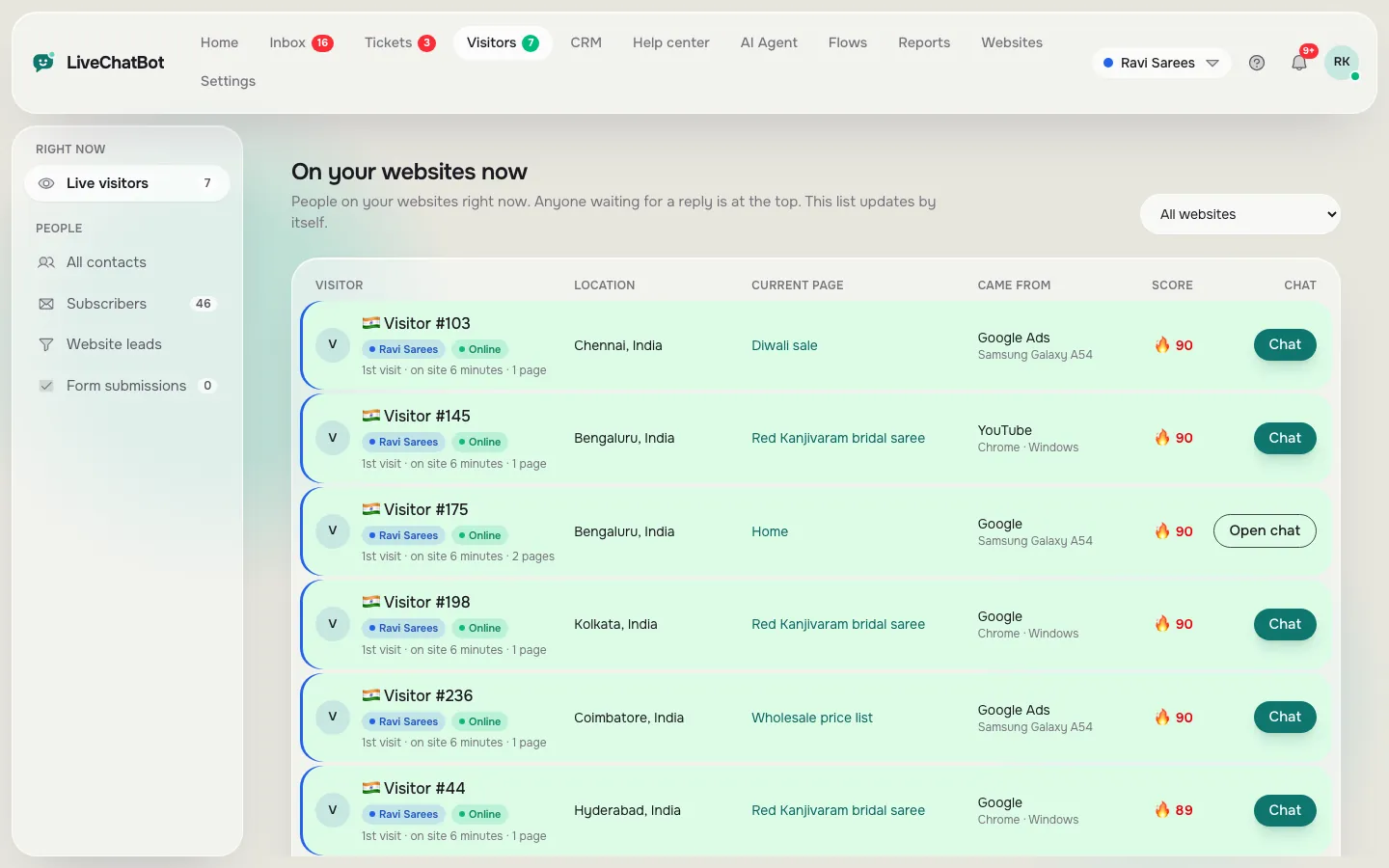
Keep Live visitors open. Use a Flow on the cart or offer page to start the chat. Hand slow questions to the person with the free minute.
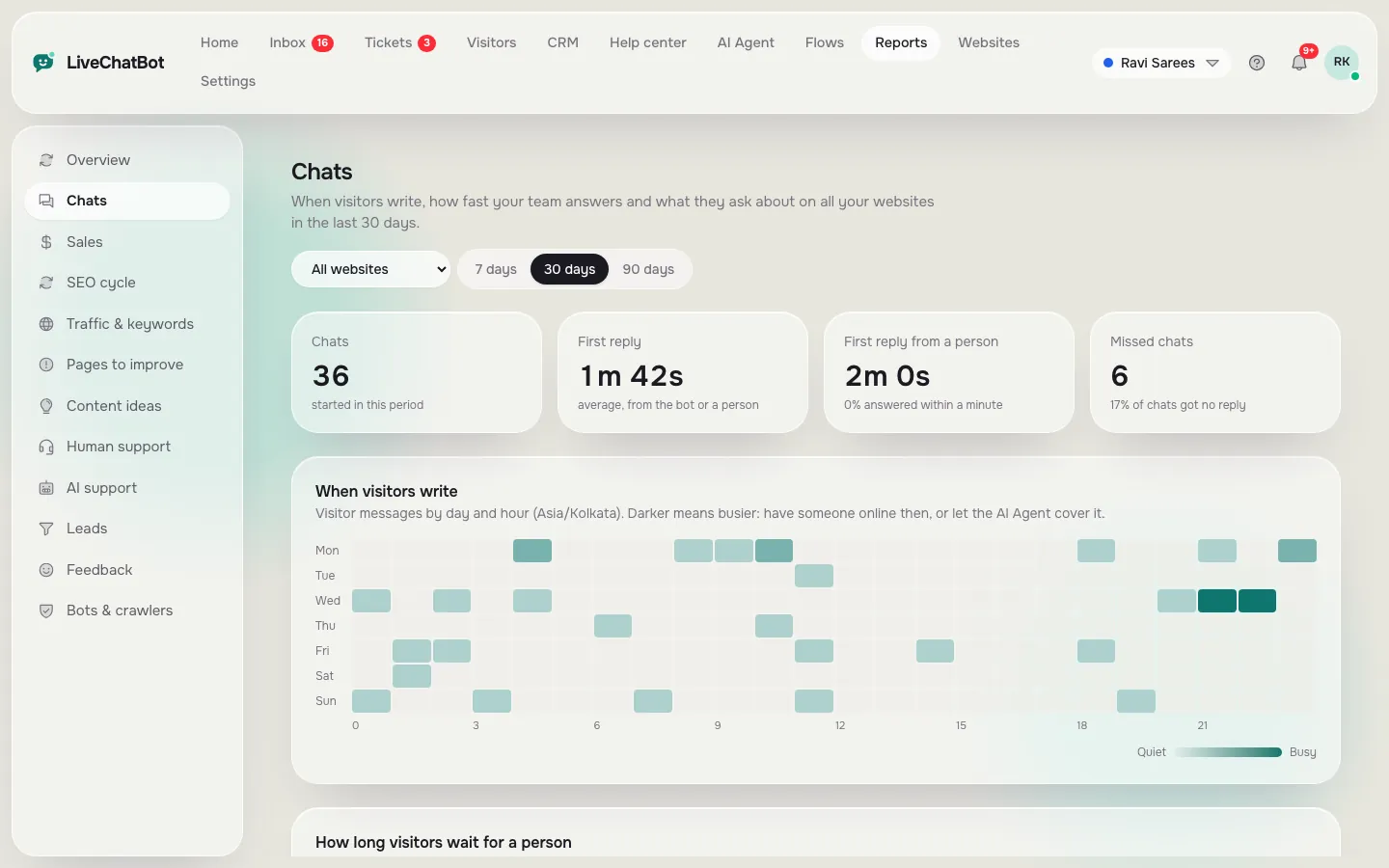
Open Reports → Chats for busy hours and reply times, Reports → Sales for orders, and Pages to improve for pages people left without acting.
Pre-sale answers
Questions shoppers ask in the last hour before they pay
Most sale-week chats come from a short list. Prepare these before the sale starts.
Offer questions
- “Does the code work with the sale price?”
- “Is the offer valid on all sizes or colours?”
- “When does the sale end?”
Delivery and payment
- “Will it arrive before the festival?”
- “Do you ship to my pincode?”
- “Is cash on delivery available?”
After-purchase worries
- “Can I change the address?”
- “How do I return it?”
- “Where is my order?”
Write one calm answer for each and save it as a saved reply with {name}. For the delivery answers, link to your own status or policy page and keep a person on standby for exceptions. The bot cannot look up a live order, so say that plainly in the answer when it applies.
Real screens
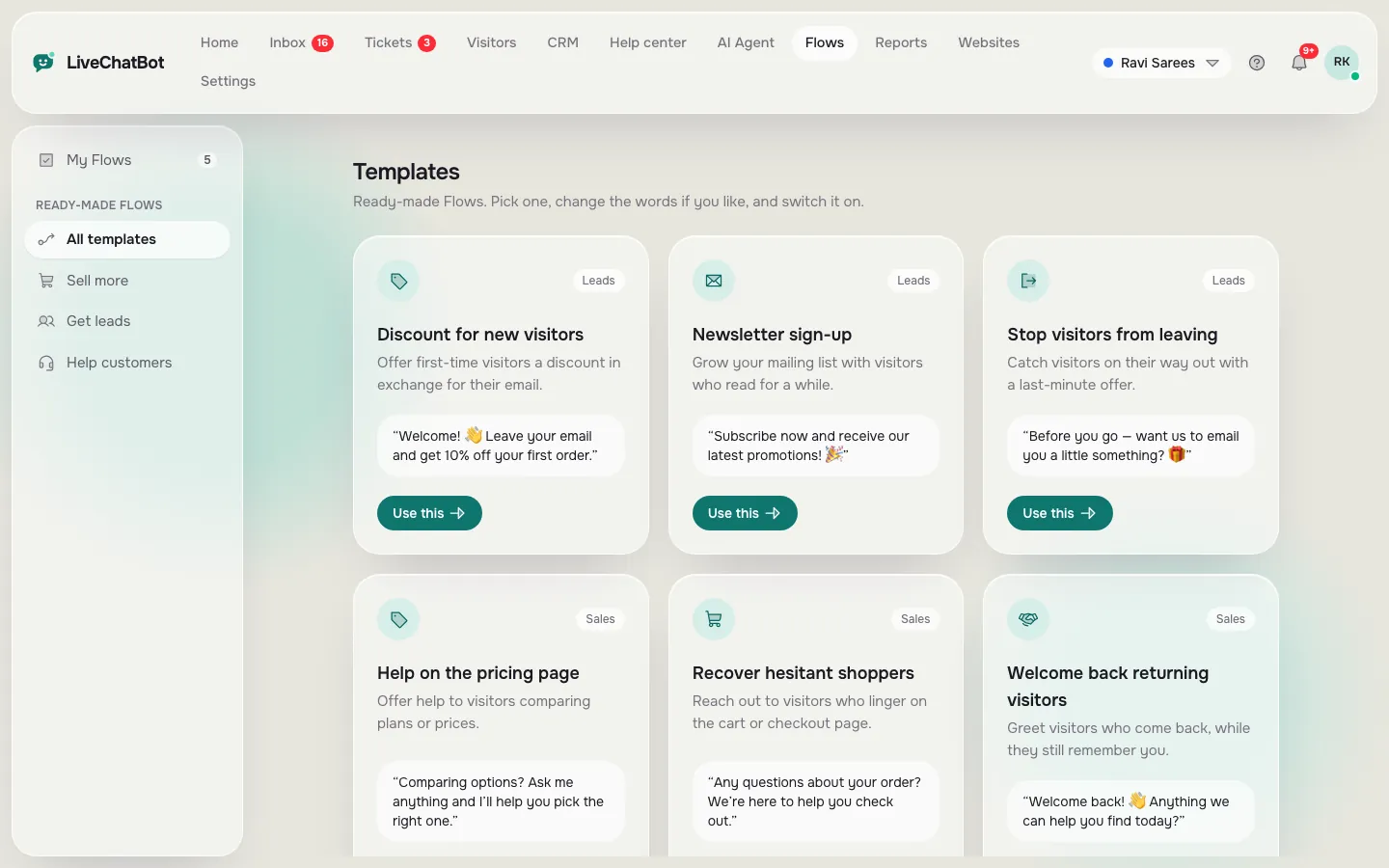
Sale-week tools in the real panel: live visitors, Flows and chat reports
Real screens from the LiveChatBot panel, shown with sample data. Click any picture to see it full size.
Proactive chat
Start the right chat on the right page
In sale week you cannot wait for shoppers to ask. Use Flows to open the conversation on the pages where people hesitate.
- Cart page: “Questions about delivery or returns? Ask here.” Add the condition ‘number of visits’ so repeat visitors see it.
- Offer page: a short line that states the rules of the offer.
- Product page for a popular item: “Need help choosing a size?”
Flows can use up to six conditions, including page, source, device and lead score, and include a chat rescuer: if nobody replies in seconds, the chat asks for email and phone, so the shopper is not lost. See proactive live chat for ideas, and shopping cart abandonment for what else to do for people who leave.
Keep the message short and let the shopper close it. A pushy pop-up in sale week annoys more people than it helps.
Team plan
Who answers what when the best live chat for ecommerce gets busy
Even a small store should write down roles before the sale. Otherwise everyone answers the easy chats and nobody takes the hard ones.
- Front line: replies to offer, size and delivery questions using saved replies.
- Order desk: handles address changes and returns, and turns anything slow into a ticket with an owner.
- Owner: watches the live visitor list and steps in on high-value carts.
Use Assign to me so two people don’t answer the same chat, and use the Unassigned and Mine folders to see what is waiting. If you have a bigger team, route chats to a team and use the My teams folder. Keep the Android app installed on each phone and test the alert tone, so a pack-and-ship rush doesn’t swallow a new chat. Ten minutes of role-setting saves a day of confusion.
After the sale
Learn from the rush, then keep what worked
The morning after is when the best live chat for ecommerce earns its place. Open Reports and answer five questions.
- Which hour had the most chats, and was anyone slow to answer?
- Which questions repeated? Turn them into saved replies or help centre articles.
- Which pages lost visitors who never chatted? Fix the top one.
- How many chats became orders or leads?
- Did you stay under the visitor limit?
Then decide whether to keep the same plan. If you ran close to the cap, step up before the next season. Remember that Yearly plans give 12 months for the price of 10, and everything is prepaid, so nothing renews without you.
Frequently asked questions
What is the best live chat for ecommerce during a big sale?
The one you have tested with real phones before the sale, with answers prepared, a store connection and a visitor limit that fits peak traffic.
Can a bot handle sale-week chats alone on the best live chat for ecommerce?
It can answer repeat questions from your knowledge, but pass exceptions and order lookups to a person. Add a Rules line telling it what not to promise.
Will my chat stop if visitors exceed the limit?
Chat pauses for new visitors over the limit until the month resets or you add visitors. Tracking and alerts continue, and nothing is charged automatically.
Does it work with WooCommerce and Shopify?
Yes. Connect the store to show carts and detect purchases. Shopify is connect plus pasted code; there is no Shopify App Store app.
Do I pay more when staff join for the sale?
No. LiveChatBot has no per-seat charges.
Keep reading
Related guides
Best Live Chat App for Website Owners Is Settled by Questions, Not Reviews: Copy-Ready Messages to Send Every Vendor Before You Install (Free Question Pack)
Best Live Chat App for Shopify: A Weighted Scorecard to Pick One for Your Own Store (Free Scorecard)
Best Live Chat for WordPress Is Proven on a Staging Copy: A Six-Step Test Before It Goes Live
Rehearse before the rush
Free plan for two websites, store connection and no per-seat charges. Start free on livechatbot.in.