Best Live Chat App for Website Owners Is Settled by Questions, Not Reviews: Copy-Ready Messages to Send Every Vendor Before You Install (Free Question Pack)
Best live chat app for website owners is the one that gives straight answers to a short list of questions, and most reviews never ask them. Star ratings tell you what strangers felt. They do not tell you what happens at your limit, on your phone, at 11 pm. This guide gives you the questions, grouped by topic, as copy-ready lines you can paste into an email or a sales chat, plus the answers LiveChatBot would give.
⚡ In short
- Reviews rank tools; questions test them. Send the same questions to every vendor.
- Ask about limits, handover, mobile alerts, data and leaving. Those five hide the surprises.
- Write the answers in a table and compare them side by side.
- A vendor who answers plainly, including what they lack, is easier to trust.
Why questions
Why reviews alone won’t find the right app
Review sites sort live chat tools by stars and feature counts. That helps you build a shortlist, and it stops there. Two tools with the same score can behave very differently the day your traffic doubles.
Reviews also reward big feature lists. A small business may use six features out of sixty. What matters is whether those six work well, and whether the price stays calm.
A question list fixes this. You ask each vendor the same things, in writing, and keep the answers. It takes an evening and it is the cheapest due diligence you can do. Our general live chat guide explains what the tools do; this one helps you choose between them.
What good answers look like
- Specific: a number, a setting name, a page in the help centre.
- Honest about gaps: “We don’t do that, here is the workaround.”
- Quick: a reply within a working day.
Vague answers such as “yes, we support that” without a how are a warning sign. Ask a follow-up and see.
Keep a record
Paste every reply into one document with the date and the person’s name. If a promise about limits or pricing later turns out wrong, you have it in writing. It also makes the final comparison easy, because you are reading answers rather than remembering a sales call from two weeks ago. Share the document with whoever else will answer chats, so the choice is a team decision and not just yours.
Free tool
Copy-ready questions for every vendor
Pick a tab, copy a line, paste it into email or a sales chat. Replace [tool] with the vendor’s name.
Our answers
What LiveChatBot would answer to the same questions
Fair is fair. Here are straight answers for LiveChatBot, so you can compare.
- Limits. Visitors are counted, once a month per website. The free plan gives 100 per website on two websites. At the limit, tracking and alerts continue and chat pauses for new visitors until the month resets or you add visitors. Nothing is charged automatically.
- Handover. A free keyword bot answers from saved replies; AI replies come with every plan. Chats with no reply can ask for email and phone through the chat rescuer. Offline messages can become tickets.
- Phone. Android app, yes. iOS team app, no; use a browser.
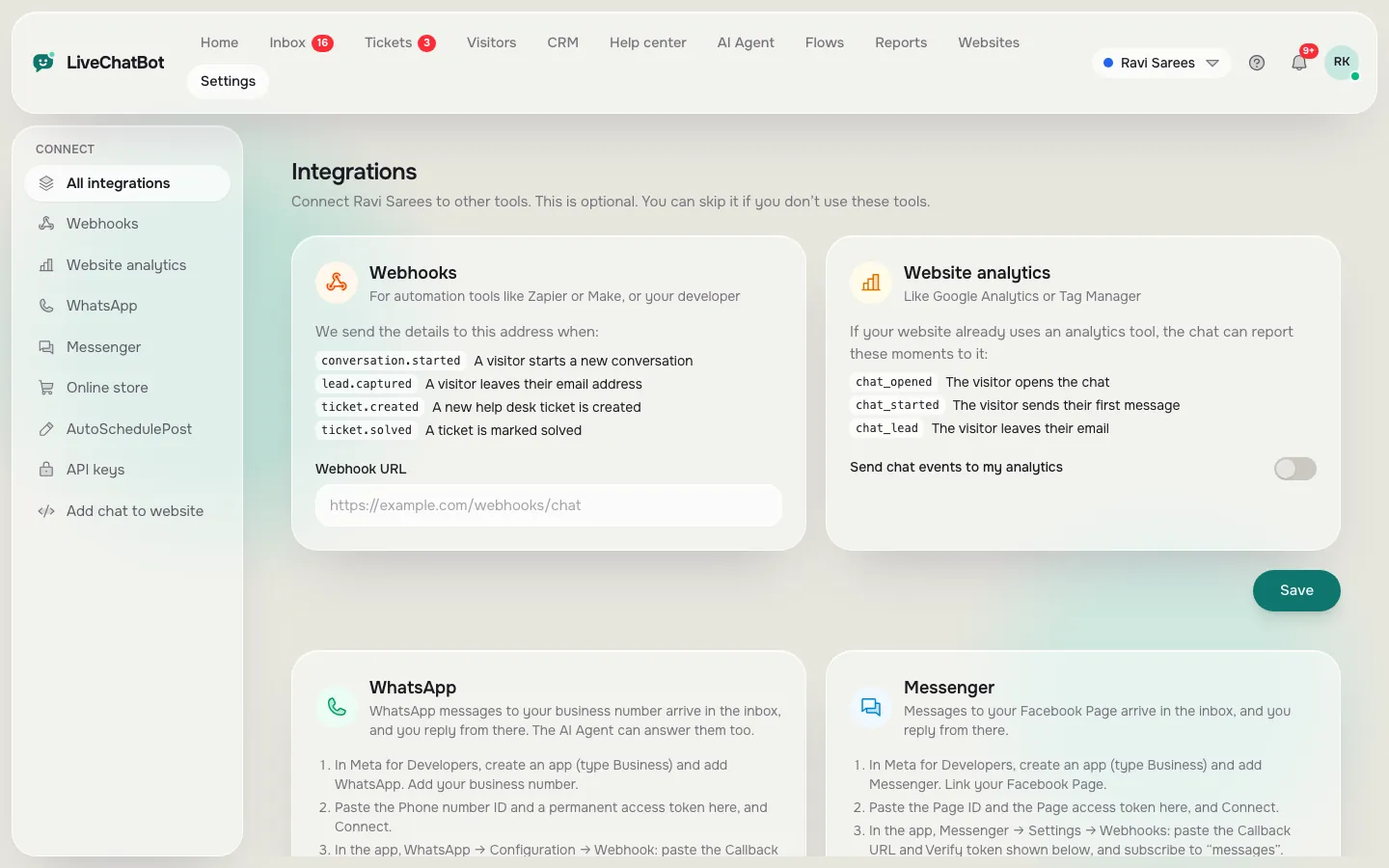
- Data. REST API, webhooks (ticket.created, ticket.solved) and Zapier. The “Powered by LiveChatBot” badge stays on every plan.
- Leaving. Plans are prepaid with no auto-renew and no per-seat charges.
Notice that two of those answers are gaps. We think that is exactly what the answer to “best live chat app for website” should look like: a clear yes, a clear no, and a workaround.
Real screens
Where the answers can be checked in the real panel
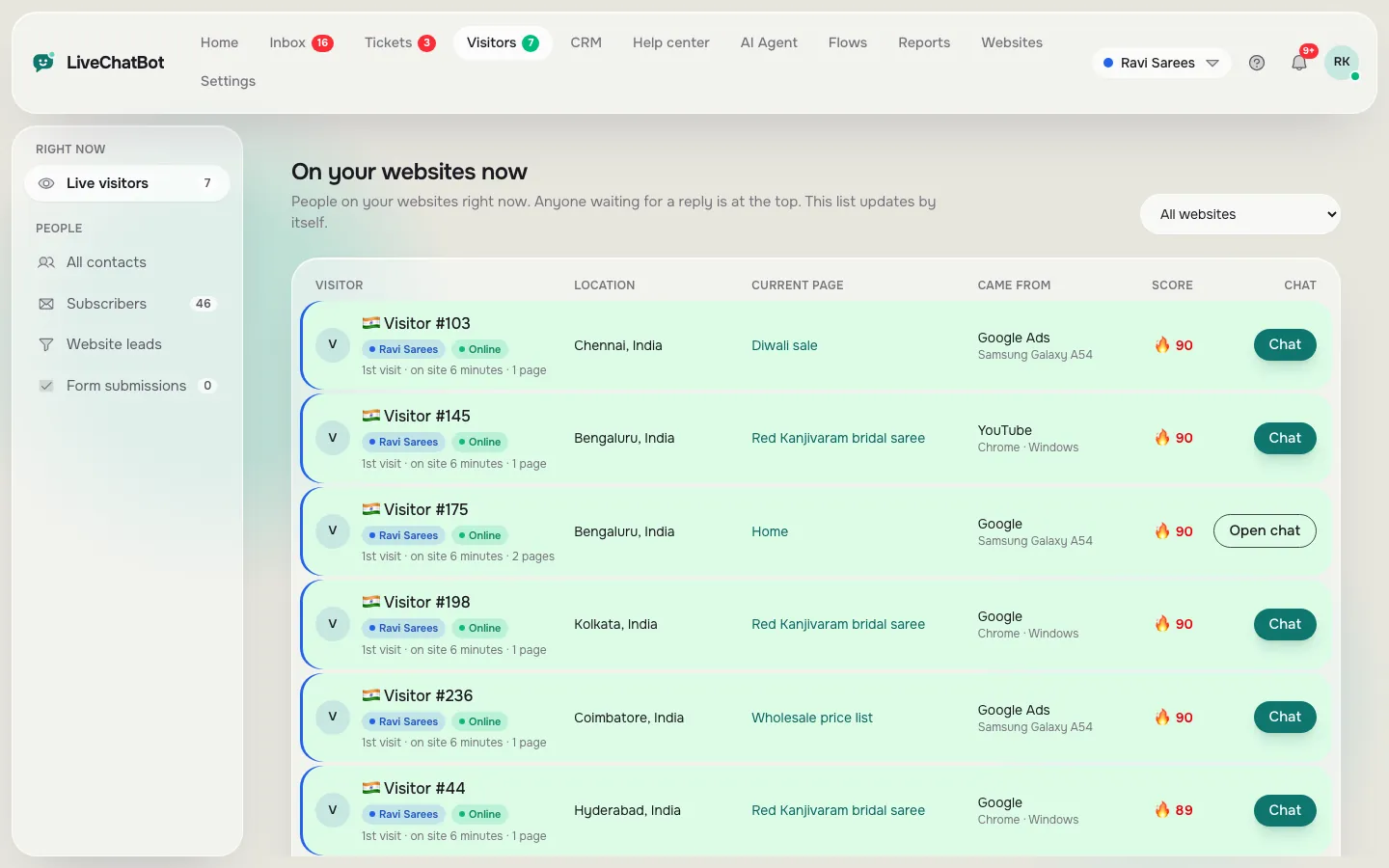
Real screens from the LiveChatBot panel, shown with sample data. Click any picture to see it full size.

Scoring
Turn the replies into a score
When the answers arrive, put them in a simple grid. List the vendors across the top and the five groups down the side. Mark each cell red, amber or green.
How to mark
- Green: a clear answer that fits how you work.
- Amber: a clear answer with a catch, or a vague one you can test.
- Red: a missing feature you need, or no reply at all.
Count the reds first. One red in a group you can’t live without ends the contest. Then count greens. Don’t average everything: a tool that is perfect on seven things and red on phone alerts is the wrong tool if you answer from your phone all day.
Finally, test the finalist for a week on a real page. The how to set up live chat on a website guide walks you through the install.
Common traps
Three traps that make the best live chat app for website visitors look worse than it is
The demo that hides the limit. A demo with a perfect bot never shows the bill. Always ask the limits questions in writing.
The feature list that ignores your channel. If your customers use WhatsApp, check that those messages reach the inbox. LiveChatBot brings WhatsApp and Facebook Messenger messages into the same inbox, and adds a WhatsApp button card to the widget.
The free trial that expires before you have traffic. A 14-day trial on a site with ten visitors tells you nothing. Prefer a free plan you can keep running while the site grows. See website chat widget options for how the widget itself should behave.
Frequently asked questions
What is the best live chat app for website owners with a small team?
One with no per-seat charges, a phone app and an away form. Ask the vendors the same questions and compare the answers.
How many vendors should I compare?
Three is enough. Send the question pack to each, wait a working day and score the replies.
Is the best live chat app for website visitors always the most expensive?
No. Price tracks limits and team size, not quality. Many small sites do well on a free plan.
Can I switch later?
Yes. Export contacts, change the install code and keep your saved replies in a document. Ask each vendor how exporting works.
Does LiveChatBot have a free plan?
Yes: two websites, 100 free visitors per website each month, no card needed.
Keep reading
Related guides
Best Live Chat App for Shopify: A Weighted Scorecard to Pick One for Your Own Store (Free Scorecard)
Best Free Online Chat App Starts With One Question: Who Is on the Other End? Sort Customer Chat From Team Chat From Social Chat (Free Sorter Quiz)
Best Live Chat for WordPress Is Proven on a Staging Copy: A Six-Step Test Before It Goes Live
Ask the questions, then try it free
Test LiveChatBot against your own list. Free plan for two websites. Start free on livechatbot.in.