Best Free Live Chat Plugin for WordPress When Several People Run Your Site: Who Installs It, Who Answers It and Who Gets the Login (Free Copy-Ready Messages)
Best free live chat plugin for WordPress advice usually ignores a real problem: on most business sites more than one person is involved. A developer or agency installs things, the owner pays the bills and a member of staff answers customers. If nobody agrees who owns the chat, it quietly stops working. This guide sorts out the roles and gives you ready-to-send messages for each person.
⚡ In short
- Split the work into three jobs: install, answer and own the account.
- Create the chat account in the business owner’s name, not the freelancer’s.
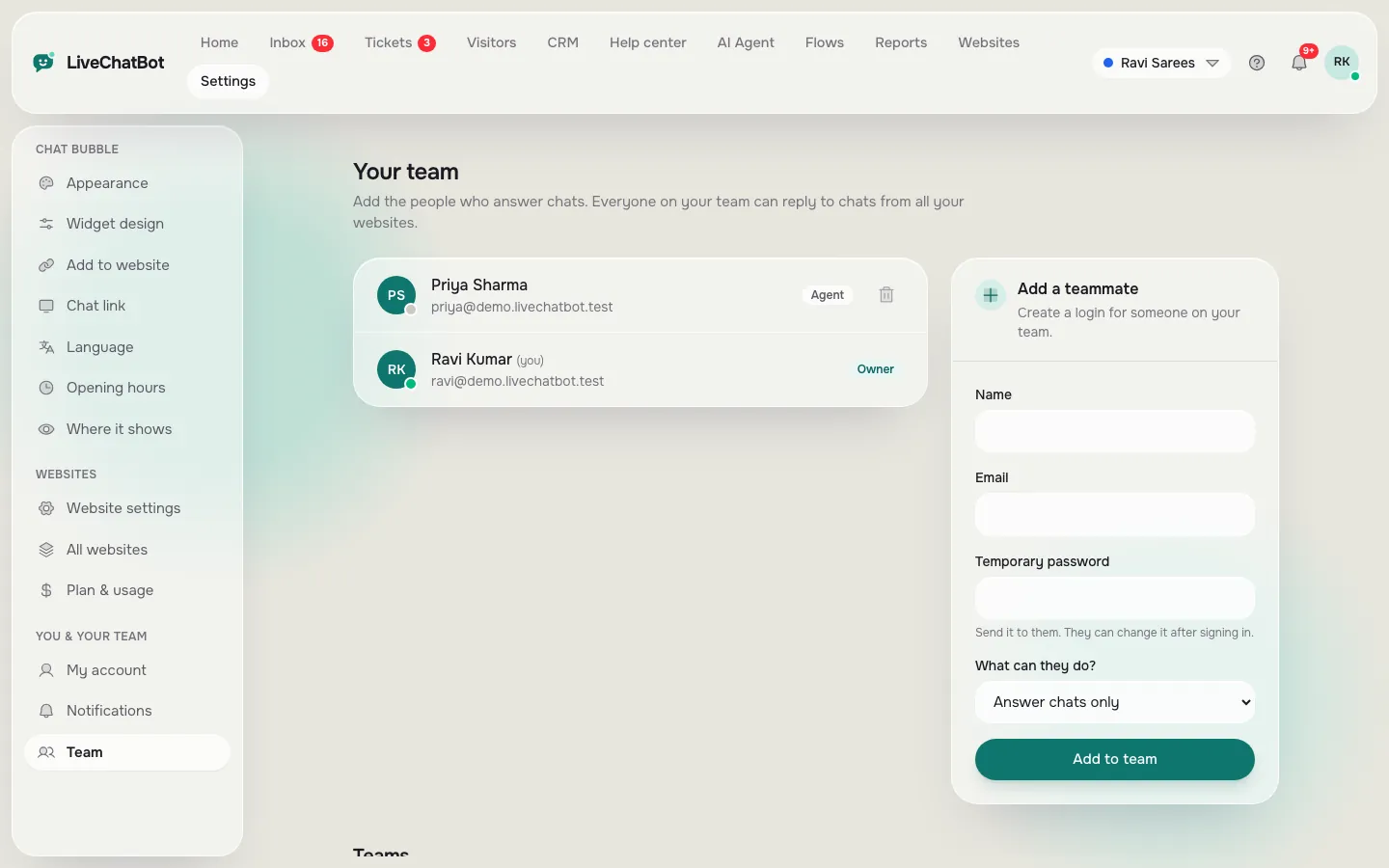
- Add staff as agents. LiveChatBot has no per-seat charges, so extra people cost nothing.
- Write down who replies and when, or the chat will sit unread.
The three jobs
Three jobs hide inside the best free live chat plugin for WordPress
Installing a plugin takes a few minutes, and it is the easy part. What follows is a long-running job that people forget to assign.
The installer
This person has WordPress admin access. They add the plugin, connect the site and check the chat appears. It might be you, a developer, a hosting support agent or a web agency.
The answerer
This is whoever replies when a customer writes. In a small business it is usually the owner or a receptionist, often from a phone. They need an inbox login, not WordPress access.
The account owner
This person holds the billing details and the main login. If the installer leaves, the owner must still be able to get in. Many small businesses learn this the hard way when a former freelancer holds the only account.
Keep these jobs separate on paper, even if one person does all three today.
Account first
Why the account should be in the owner’s name
The most common mistake is a freelancer creating the chat account with their own email “to get it set up quickly”. Months later the freelancer moves on, the bell notifications go to an inbox nobody reads, and the owner cannot reset the password.
Do it the other way round. The owner signs up at livechatbot.in with a business email and a phone number. The installer connects the site using the owner’s login, and staff are added as agents, so the owner stays in control.
On the free plan you get two websites per account. If an agency manages several clients, each client should have their own account rather than sharing one, because visitor counts, tones and labels belong to the account. Our guide to the WordPress live chat plugin shows the install itself.
Real screens
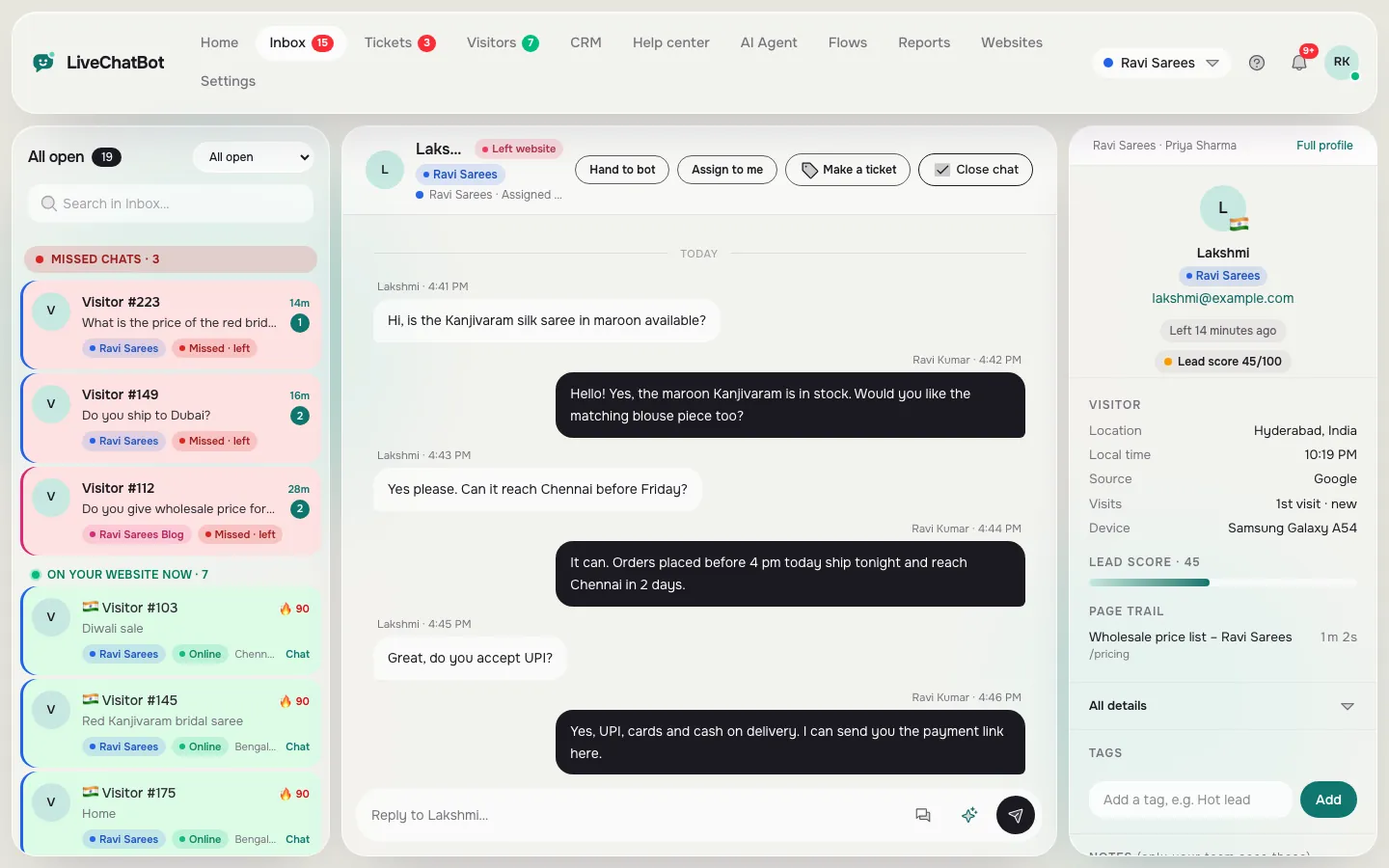
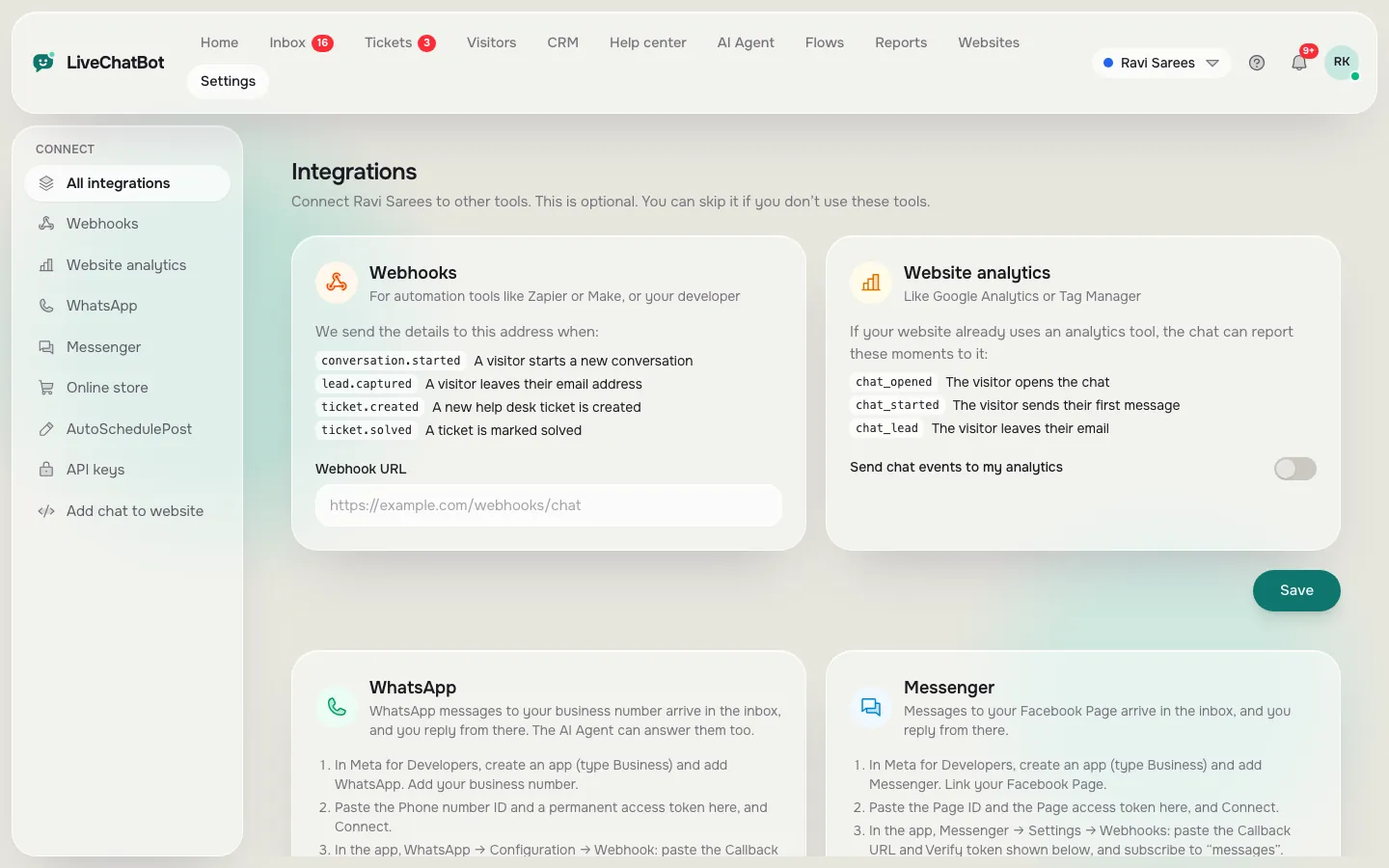
Agents, the shared inbox and the integrations page
Real screens from the LiveChatBot panel, shown with sample data. Click any picture to see it full size.
The answerers
Setting up the people who answer
Once the plugin is on, the work moves to the inbox. A few settings save a lot of confusion.
- Add every answerer as an agent. Each person gets their own login and can use the Android app or a browser.
- Use Assign to me. When someone picks up a chat, they assign it to themselves. The Unassigned and Mine folders then show what is still waiting. Assignment is manual, not automatic.
- Use teams if you have departments. Chats can be routed to a team, such as sales or support, which appears in a My teams folder.
- Set a tone per website. If one person looks after two sites, different alert sounds tell them which site is calling.
- Write saved replies together. Agree wording for the ten most common questions, so customers hear one voice.
Because there are no per-seat charges, adding a second or third person does not change what you pay.
Try it
Copy-ready messages for each person
Tabs for the owner, the developer and the answerer. Copy a line, change the names and send it.
Free limits
What the best free live chat plugin for WordPress setup includes, and where it stops
The free plan covers two websites and 100 visitors per website each month. It includes the shared inbox, the Android app, Flows, tickets, saved replies, a free keyword bot and AI replies with a monthly allowance.
If you outgrow it, Starter is ₹299 a month (about 3 to 4 US dollars, check today’s rate) with 750 visitors shared across two sites. Growth is ₹699 a month with 2,500 visitors across five. Prepaid, no automatic charges, no per-seat fees. See pricing.
The gaps are plain: “Powered by LiveChatBot” stays on all plans, there is no iOS team app and there is no role-based permission builder or audit log. All agents see the same inbox, so give logins only to people you trust. If you want to compare choices first, see the best free chatbot plugin for WordPress guide.
Handover
A handover routine for when someone leaves
People change jobs. Plan for it before it happens.
- Remove their agent login the day they leave.
- Move their open chats by assigning them to someone else.
- Change the owner password if the leaver ever had it.
- Check the plugin screen in WordPress to see who else has admin access.
- Update the alert phone if the leaver’s number was the lead alert contact.
A five-minute routine like this keeps the chat running through staff changes. For a wider view of support tools on WordPress, see our WordPress customer support plugin guide and the main free live chat page. To judge any plugin page before you install, read how to decode a plugin page.
Frequently asked questions
What is the best free live chat plugin for WordPress for a team?
The best free live chat plugin for WordPress for a team has a shared inbox, a phone app and no per-seat charges, so everyone who answers can have a login.
Who should create the chat account?
The business owner, with a business email and phone number, so the account survives staff changes.
Can several people answer from their own phones?
Yes. Each agent can use the Android app or a browser. There is no iOS team app.
Can I limit what each agent sees?
No. There is no role-based permission builder, so give logins only to people you trust.
Does adding agents cost extra?
No. LiveChatBot has no per-seat charges.
Keep reading
Related guides
Best Free Live Chat for WordPress Is One You Can Undo: A 30-Minute Trial on a Copy of Your Site Before Anything Goes Live (Free Trial Checklist)
Best Free Live Chat Apps for Android: Two Different Apps Hide Behind the Search, and You Need to Pick the Right One (Free Decision Tree)
Best Free Chatbot Plugin for WordPress: Read the Fine Print on What Free Really Means (Free Scorecard)
Agree who owns the chat
Start free on livechatbot.in in the owner’s name, then invite your developer and your answerers.