Best WordPress Live Chat Plugin Free: Read the Plugin Page Like a Buyer, with Fourteen Terms Decoded Before You Click Install (Free Searchable Glossary)
Best WordPress live chat plugin free is a search that sends you to plugin pages full of small, confusing labels: tested up to, active installations, external services, support threads. Each one tells you something useful if you know how to read it. This guide decodes fourteen of them in plain words, with a searchable glossary, so you can judge a free chat plugin in five minutes instead of guessing.
⚡ In short
- A plugin page is a free source of evidence: how recent, how tested, how supported.
- Most free chat plugins connect to an outside service, so check where your visitors’ data goes.
- Look for three things together: recent updates, replied support threads and clear limits.
- No single number decides it. Read the page as a whole, then test on a copy of your site.
Why read the page
Why the best WordPress live chat plugin free is chosen from the small print
Most people choose by the star rating and the first screenshot. Stars are a blunt tool. A plugin can have five stars from a handful of friendly reviews, or four stars from thousands of people with very different sites.
The fields around the stars say much more. They tell you whether the author keeps up with WordPress, whether people who ask for help get answers and whether the free version is a real product or a teaser for a paid one.
Why this matters for chat
A chat plugin is different from, say, a gallery plugin. It loads on every page, it talks to your visitors and it usually connects to an outside service where the conversations live. A neglected chat plugin can slow your site, break after an update or leave visitors typing into a box nobody answers.
Spend five minutes on the page before you spend an hour on the install.
Four quick checks
Four quick checks before you read anything else
1. How recently was it updated?
A plugin untouched for a year or more may still work, but you are on your own if it stops. A recent update is a sign someone is looking after it.
2. Which WordPress version was it tested with?
If the tested version is far behind the current WordPress release, installation is a gamble. Test on a copy, never on the live site.
3. Are support questions answered?
Open the support tab. Count how many recent threads have a reply from the author. Unanswered threads mean you will be waiting too.
4. Does it need an outside account?
Almost every chat plugin does, because chats must go to an inbox somewhere. With LiveChatBot you create a free account at livechatbot.in, then connect the site. Our WordPress live chat plugin page shows the steps.
Try it
Look up any term on a plugin page
Type a word such as tested, installs or external into the box. Each entry explains what it tells you and what to do about it.
Real screens
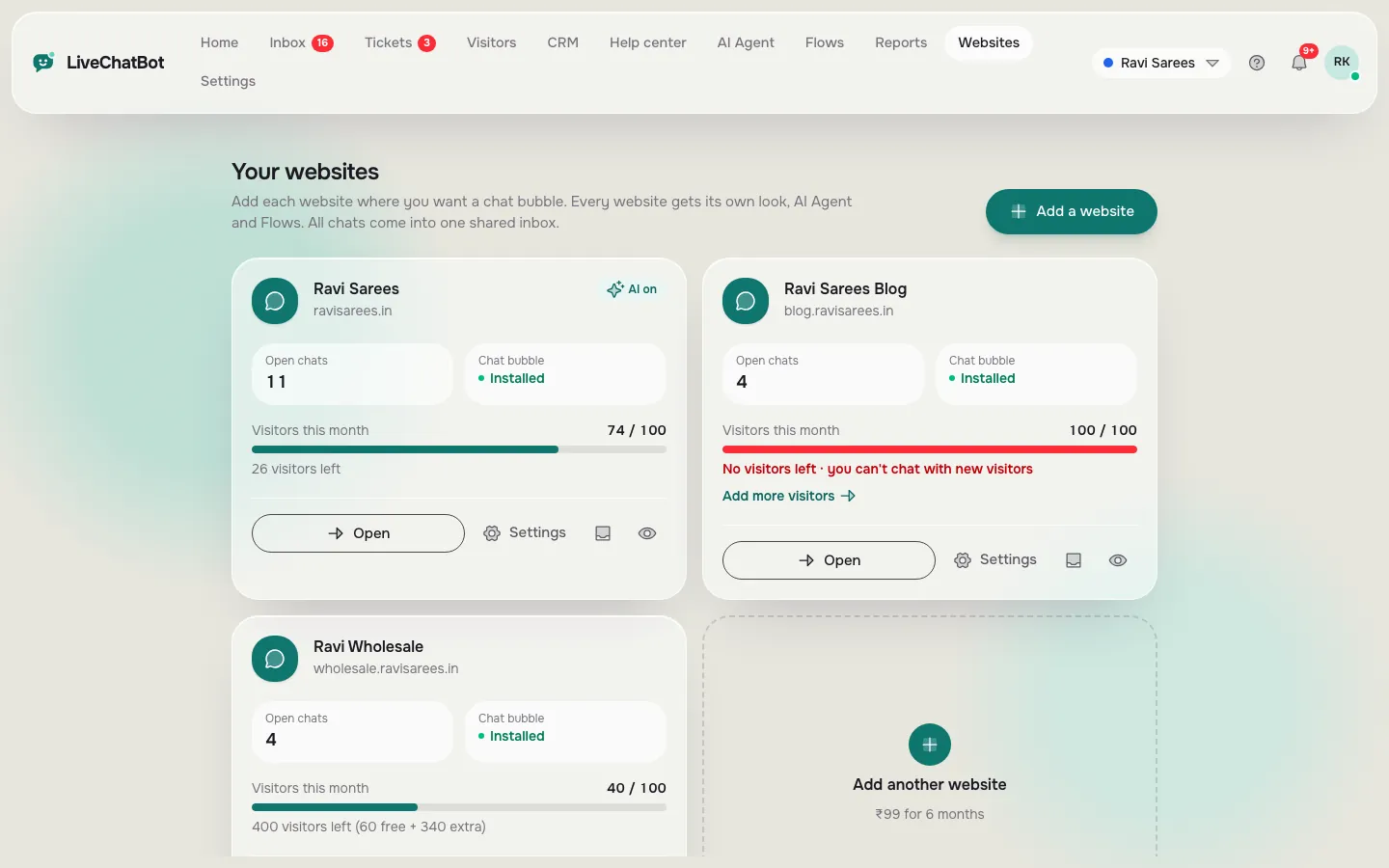
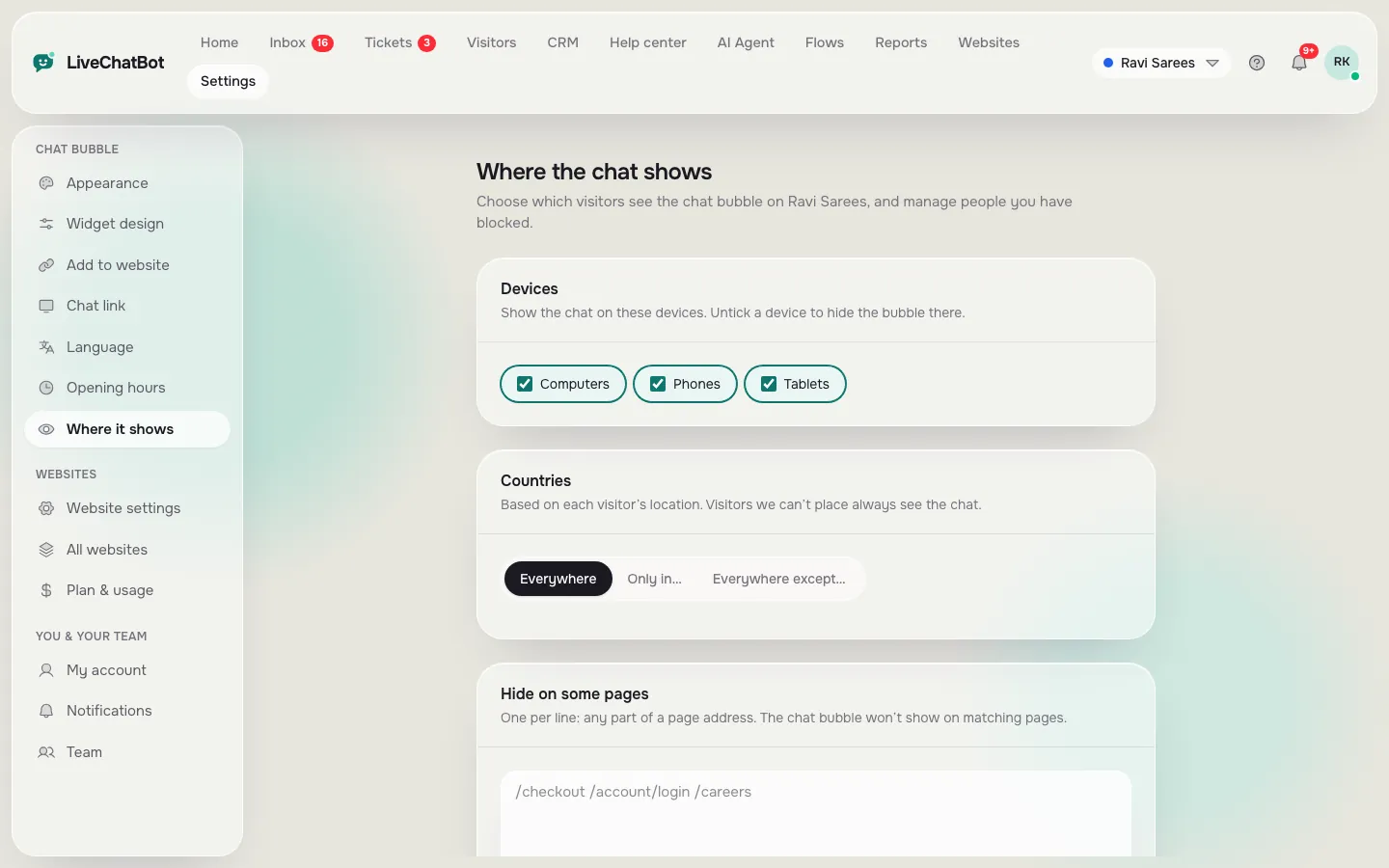
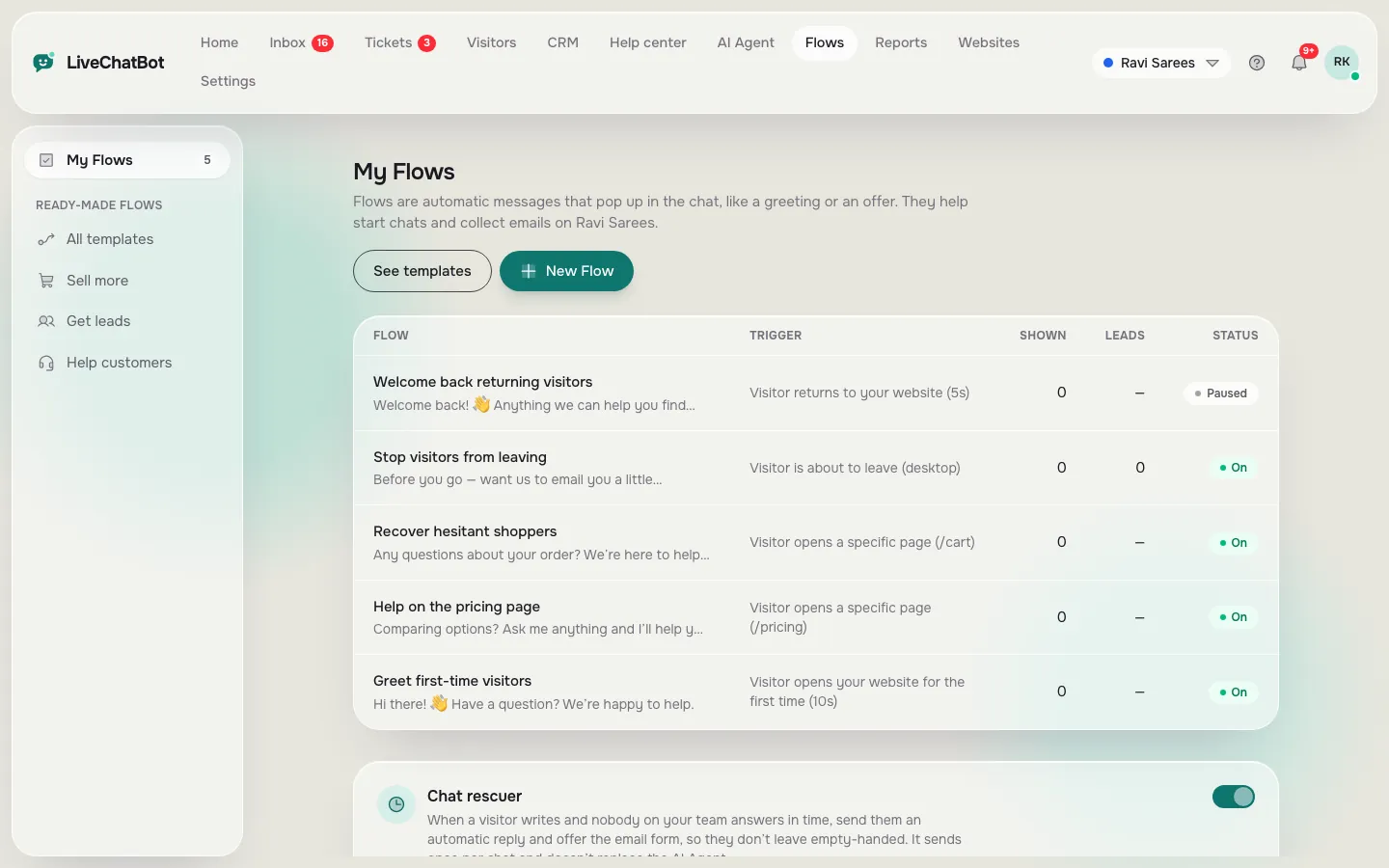
Websites, where the chat shows and Flows, all inside one account
Real screens from the LiveChatBot panel, shown with sample data. Click any picture to see it full size.
Free means a deal
What the best WordPress live chat plugin free offers actually trade
Free is a deal, and the plugin page should show you its shape. The usual trades are a visitor limit, a branding line, fewer websites or a paid upgrade for AI and automation.
The LiveChatBot free plan covers two websites and 100 visitors per website each month. It includes the shared inbox, Android app, Flows, tickets, saved replies, a free keyword bot and AI replies with a monthly allowance. Starter is ₹299 a month (about 3 to 4 US dollars, check today’s rate) and Growth is ₹699 a month, both prepaid with no automatic charges. See pricing.
The gaps: the badge stays, there is no iOS team app and no voice. If those matter, you now know before you install.
Chat red flags
Five red flags that only matter for chat plugins
Some warning signs are specific to live chat. Watch for them as you read.
- No mention of mobile. Half your visitors are on phones. If the page shows only desktop screenshots, test the phone view yourself.
- No way to answer from a phone. If replying needs a laptop, enquiries will wait until you are at your desk.
- Vague pricing. “Free” with no stated limit usually means a limit appears later. Ask what happens at the cap.
- No after-hours option. A chat with nobody online should still collect an email or phone number. LiveChatBot’s away form and chat rescuer do this.
- No exit. Check you can export or keep your conversations if you leave.
Any one flag is a question to ask, not a verdict. Two or three together are a reason to look elsewhere.
Put it together
Turn the terms into a decision about the best WordPress live chat plugin free for you
After reading the page, give each plugin a plain verdict.
- Green: updated recently, tested with a current WordPress, support replies, limits stated.
- Amber: one weak area, such as slow support. Test carefully.
- Red: two or more weak areas, or hidden costs. Move on.
Then run a real test. Our best free live chat plugin for WordPress guide covers who should own and install it, and the free live chat overview shows the wider picture of what free chat includes.
Frequently asked questions
How do I find the best WordPress live chat plugin free?
Shortlist three plugins, read each plugin page for update dates, support replies and limits, then test the best two on a copy of your site.
Does a high install count mean a plugin is better?
Not always. It means more people use it. Check update dates and support answers too.
Why does a free chat plugin need an account?
Chats need an inbox outside your site so your team can reply from a phone or browser. The plugin connects your site to that account.
Is LiveChatBot free for WordPress?
Yes. The free plan covers two websites with 100 visitors per website each month, and has no per-seat charges.
Can I remove the Powered by LiveChatBot credit?
No. It stays on every plan.
Keep reading
Related guides
Best WordPress Chatbot Plugin Listings: How to Read Ratings, Update Dates and Support Threads Before You Install (Free Listing Checklist)
More to read
More guides on this topic
WooCommerce ChatGPT Plugin: What the Phrase Really Means for a Shop, and 16 Terms to Know Before You Install One (Free Glossary)
Read the page, then test it
Start free on livechatbot.in and see for yourself how the plugin connects to your site.