Best Chatbot Plugin for WordPress, Site Type by Site Type: What a Blog, a Shop, a Local Business and an Agency Site Each Need (Free Site-Type Quiz)
Best chatbot plugin for WordPress is not one name on a list. A food blog, a WooCommerce shop and a plumber’s website need very different things from the same chat box. This guide describes four common site types, says what each should demand from a plugin, and ends with a short quiz that points you to the right setup.
⚡ In short
- Decide by site type first, then by feature list. A shop needs order answers; a blog needs lead capture.
- Whatever the type, ask for answers from your own facts, a handover to a person and an after-hours form.
- Check what the plugin leaves out before you install it, not after.
- The quiz below matches your site type to the features worth switching on.
Start here
Why one best chatbot plugin for WordPress does not exist
Roundups rank plugins as if every WordPress site wanted the same thing. They do not. A blog wants to turn readers into subscribers. A shop wants fewer abandoned carts. A local business wants phone calls. An agency wants enquiries it can quote on.
So the useful question is not “which plugin wins?” but “which jobs does my site need a chat to do?” Once you know the jobs, most of the choice makes itself, and plugins that cannot do your top two jobs drop off the list quickly.
If you want the wider picture first, our WordPress live chat plugin guide explains how chat plugins work. Come back here when you are ready to pick.
Once you have a shortlist, our guide to reading a plugin listing for update dates, reviews and support threads shows how to judge how well each one is looked after.
A simple order of questions
Ask these in order. First, what is the main job of the chat? Second, who answers when the bot cannot? Third, what happens outside working hours? Fourth, what does it cost when traffic grows? Write the answers down before you open any plugin page, because feature lists are written to impress, not to match your site. A plugin that answers all four clearly is already ahead of most.
Type one
A blog or content site: turn readers into contacts
Visitors on a blog read one article and leave. The chat has one realistic job: catch the few who want something more, such as a newsletter, a course or a quote.
What to demand
- Proactive messages on chosen pages. A short greeting only on your top articles, not everywhere.
- Lead capture that asks for email and phone. Chat rescuer does this when nobody replies in seconds.
- Answers from your articles. The AI Agent can learn from a copied web page, so your best posts become answers.
What to skip
Order tracking, deal pipelines and heavy workflows. A blog does not need them, and each one adds settings to maintain.
Type two
A WooCommerce shop: answer the pre-sale doubt
Shop visitors ask about delivery, returns, sizes and stock. They ask while a cart is open, which makes a fast answer worth real money.
What to demand
- Store connection. LiveChatBot connects to WooCommerce, shows the cart to your agent and detects purchases, with sales in Reports.
- Policy answers loaded once. Put delivery times and return rules into Knowledge so the bot never guesses.
- Human handover. Anything about a damaged order should reach a person quickly.
What to check
Ask any plugin what it does when a customer is angry. A friendly bot that cannot step aside loses more orders than it saves. See also our WooCommerce live chat guide.
Types three and four
A local business or agency site: calls and quotes
A clinic, salon or repair shop wants appointments and phone numbers. An agency wants scoped enquiries. Both care about the hours when nobody is at the desk.
What to demand
- Opening hours with an away form that collects email or phone, so a 10 pm message becomes a morning call.
- WhatsApp button card. Many local customers prefer WhatsApp; the card sends them to your number. WhatsApp and Messenger messages also arrive in the same inbox once connected through Meta.
- Form leads. The plugin catches Contact Form 7, WPForms, Elementor Pro, Gravity, Fluent and Ninja form submissions as leads, with an instant alert.
- Tickets for anything that needs follow-up.
An agency can keep several client sites in one account, though the free plan covers two websites.
Real screens
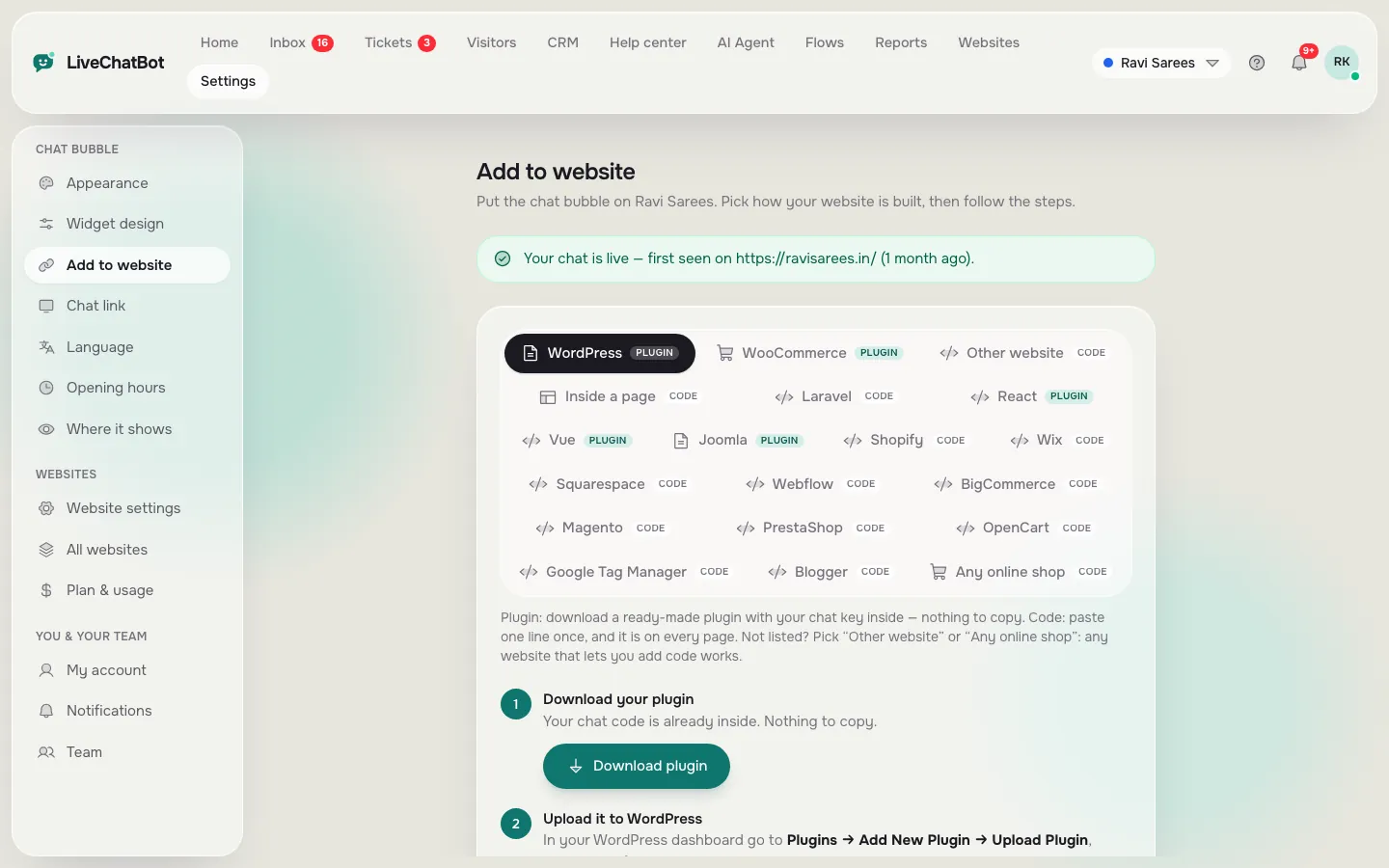
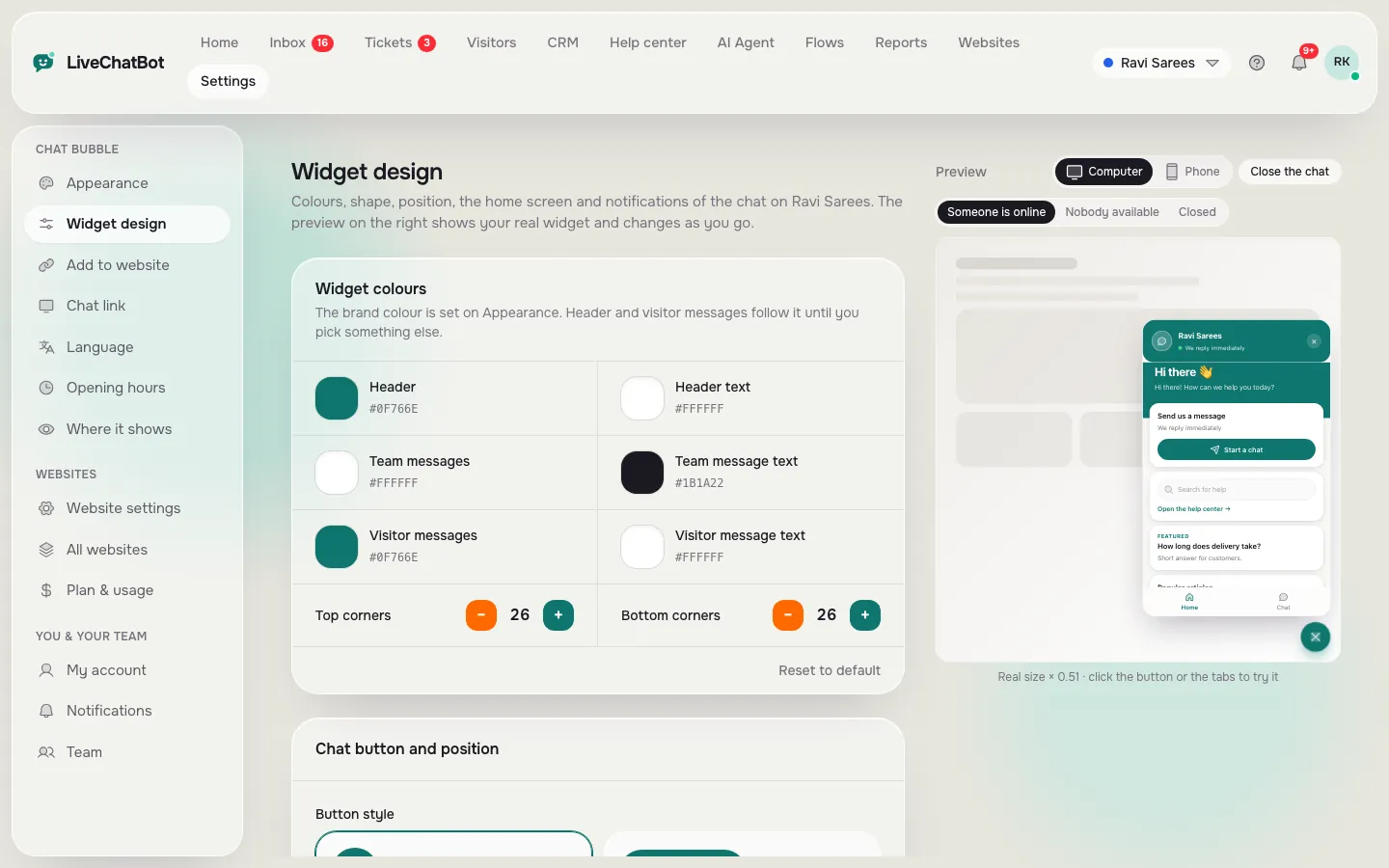
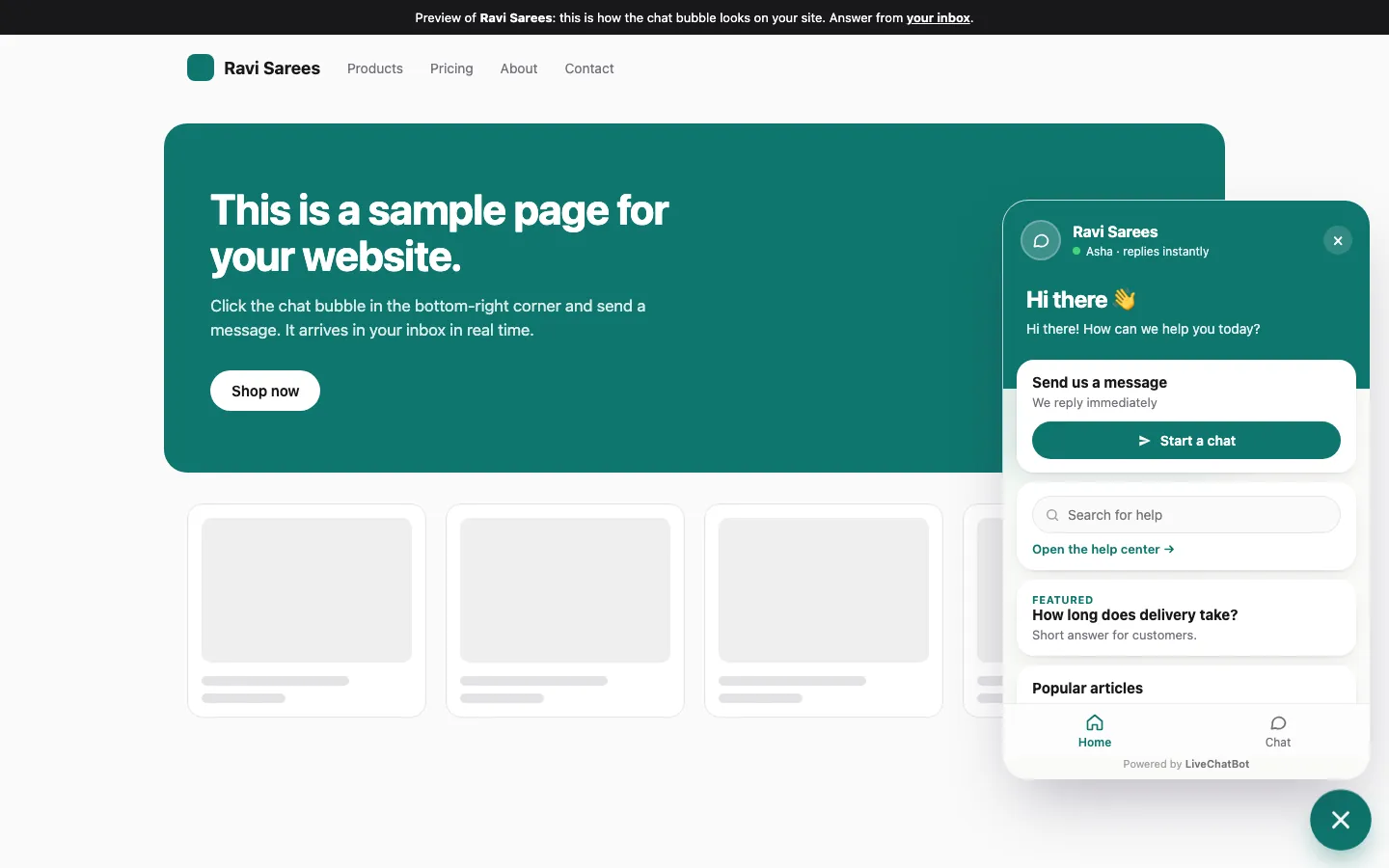
What you will see in LiveChatBot
Real screens from the LiveChatBot panel, shown with sample data. Click any picture to see it full size.
Try it
Which setup fits your WordPress site?
Answer three questions. The most common answer decides your verdict.
Nothing is saved or sent; it runs in your browser.
The shared minimum
Four things the best chatbot plugin for WordPress must do on every site
Whatever your type, a plugin that misses these four is not worth installing.
- Answers from your facts. Test with a question you never taught it. It should say it is unsure, not invent.
- A route to a person. Type “talk to someone” and see whether your phone is alerted.
- After-hours capture. Set hours that end in five minutes and send a message.
- Predictable limits. Find out what happens at the visitor limit. On LiveChatBot, tracking continues and chat pauses for new over-limit visitors; nothing is charged automatically.
Teach the AI Agent with twenty real questions and it passes the first test. For a longer comparison approach, see the best live chat plugin for WordPress fit finder.
Honest gaps
What this plugin does not do
A fair guide names the gaps. LiveChatBot has no white-label option, so “Powered by LiveChatBot” stays on every plan. It has an Android app for agents but no iOS team app. There is no voice input or output, no sentiment scoring and no single sign-on. You also cannot choose the AI model or bring your own API key.
Native Slack, HubSpot or Calendly connections are not included either. Zapier, webhooks (ticket.created and ticket.solved) and a REST API can bridge many of them.
If one of these is a must-have for your site type, cross it off your list now.
Getting started
Install, teach, test: a one-afternoon plan
Sign up on the free plan, add the WordPress plugin or paste the widget code, and match colours to your theme. Load your answers, set hours, install the Android app and run the four tests above. Our WordPress chatbot installation guide covers the steps.
Pick the best chatbot plugin for WordPress that you can test for free first. Free gives you 2 websites and 100 visitors per website a month. Starter is ₹299 a month for 750 shared visitors and Growth is ₹699 for 2,500. Plans are prepaid, with no auto-renew and no per-seat charges. See pricing, and for the full background return to the WordPress live chat plugin guide.
Frequently asked questions
What is the best chatbot plugin for WordPress for a small shop?
The one that connects to your store, answers delivery and return questions from your own facts and hands angry customers to a person. Test those three before anything else.
Do I need a separate plugin for each website?
No. One account can hold two websites on the free plan, and each site gets its own widget code or plugin connection.
Does the plugin catch my contact form submissions?
Yes. Submissions from Contact Form 7, WPForms, Elementor Pro, Gravity, Fluent and Ninja forms arrive as leads with an instant alert.
Can I remove the Powered by badge?
No. It stays on all plans, so choose differently if a badge-free widget is essential.
Is the free plan enough to start?
For most small sites, yes. You get the inbox, Android app, Flows and tickets, and you pay only when traffic passes the visitor limit.
More to read
More guides on this topic
Best Chatbot Subscription for Website Owners: Match the Billing Model to Your Business Type, Because the Best Plan for a Shop Is Wrong for an Agency (Free Billing Quiz)
Try it on your own site
Free plan for two websites, no per-seat charges, prepaid plans with no auto-renew. Start free on livechatbot.in.