15 Ready-to-Paste Messages for a Free Chatbot for WhatsApp: Greetings, Prices, Hours and Handover
Chatbot for WhatsApp free is easy to switch on and hard to write for. The tool takes ten minutes; the words take the time. This guide gives you fifteen short messages you can copy, change and save as replies, grouped by what the customer is asking, plus the rules that keep a bot’s WhatsApp answers honest. Fill in your own facts, and your first day is already covered.
Short answer: You can start a WhatsApp bot for free by writing fifteen short replies first: a greeting, prices, hours, handover and thanks. LiveChatBot’s free plan gives you two websites, a WhatsApp button card, saved replies and a shared inbox. Meta runs WhatsApp itself and sets its own rules and charges.
⚡ In short
- The software is the quick part. The wording of your first fifteen replies decides whether customers trust the bot.
- Write each message once, save it as a reply with {name}, and reuse it in the inbox and the keyword bot.
- Keep every message short, with one question or one next step, because WhatsApp is read on a phone.
- Never promise what you have not checked: prices, stock and delivery dates belong in your facts, not in guesses.
Words first
Why the messages matter more than the tool in a chatbot for WhatsApp free of charge
Because the words decide whether customers trust the bot, write them before you pick any tool. Most people compare tools for a week and then paste one line, “Hello, how can I help?”, as their whole script. Customers then ask about price or hours and get nothing useful.
A better order is to write the answers first. Open your own WhatsApp and scroll through the last fifty customer messages. You will find the same ten questions again and again. Those ten, plus a greeting, an after-hours note, a handover line and a thank-you, are your fifteen messages.
The pack below is a starting point. Every line has a gap you must fill with your own facts. If you do not know the answer to a gap, that is a sign the customer cannot find it either, and it belongs on your website too.
If you are still deciding what part of WhatsApp is free, read our guide to the best free chatbot for WhatsApp first, then come back here to write the words.
The rules
Five rules for WhatsApp-sized messages
Keep each message to one idea and one next step. WhatsApp is a chat app, not an email client. These rules keep your messages short enough to read on a bus.
1. One idea per message
If a reply covers price and delivery, split it or offer a menu.
2. End with a next step
Finish with a question or an action: “Which size do you need?” or “Reply 1 for prices, 2 for hours.”
3. Use the name when you have it
A saved reply with the customer’s name feels personal without extra effort. LiveChatBot saved replies support {name}.
4. Say when a person will reply
“Our team replies between 10 am and 7 pm” is honest and calm. “Soon” is not.
5. Admit when you do not know
A bot that says “I am not sure, let me ask the team” keeps trust. A guess about a price does not.
Try it
The 15-message pack
Switch between the tabs, copy a line, and replace the words in square brackets with your own facts.
Our own numbers
Original data: what the pack costs you in time, with the maths shown
Writing the pack once costs less time than answering the same questions by hand, and the sum is easy to check.
LiveChatBot facts that matter here
- Free plan: 2 websites, 100 visitors per website a month, no per-seat charges.
- Spam brake: visitor chat messages are limited to 20 per minute per IP address, built in.
- Chat rescuer: if nobody replies within seconds, it asks the visitor for an email and phone so the lead is not lost.
A worked example (illustrative, use your own counts)
Suppose 10 customers a day ask for prices and hours, and a typed answer takes 90 seconds. That is 10 x 90 = 900 seconds, or 15 minutes a day. Over 26 days it is 15 x 26 = 390 minutes, or 6.5 hours a month. Writing the fifteen messages takes roughly one hour. If saved replies and the bot take over even half of that, you recover about 3 hours a month after the first.
Real screens
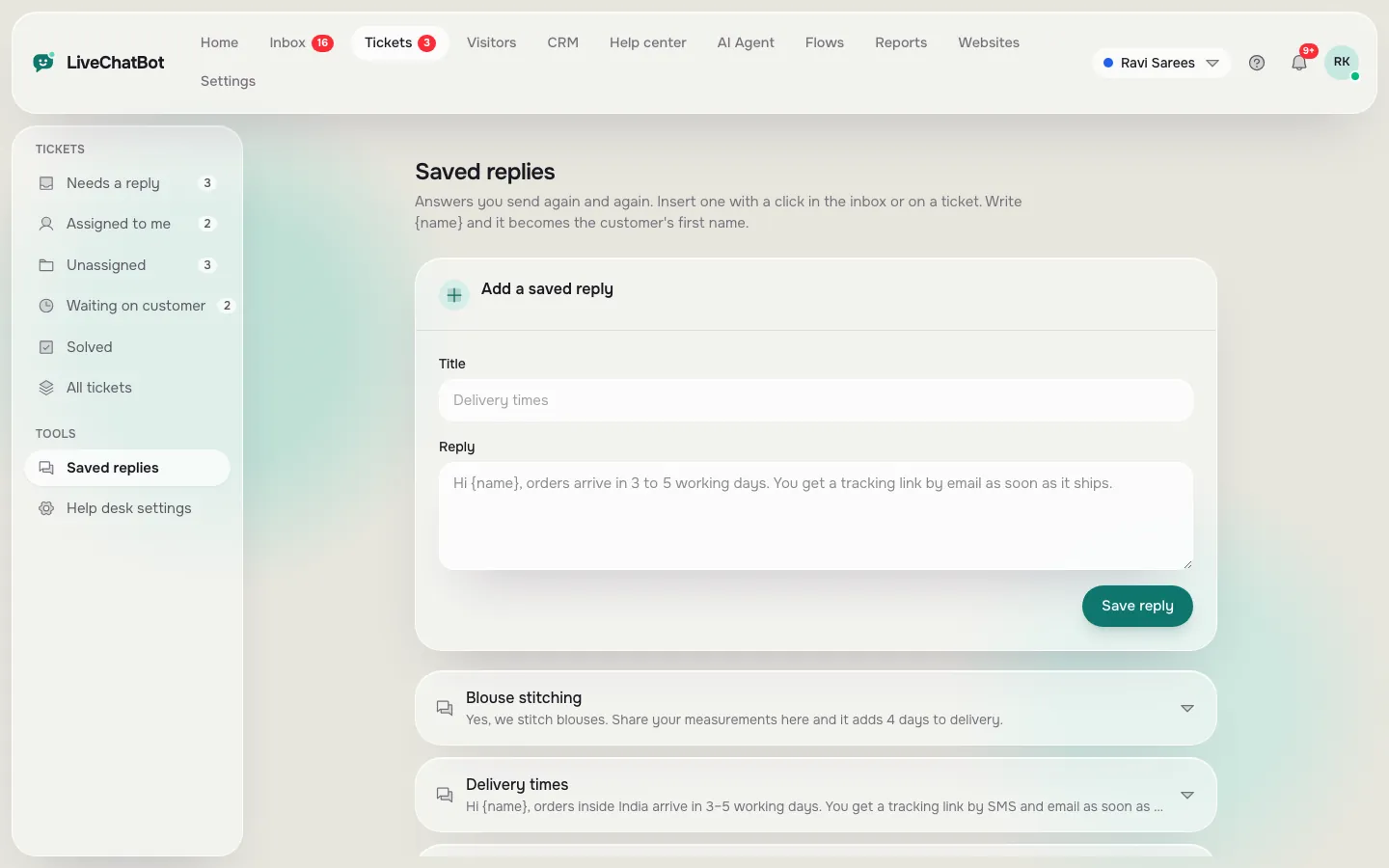
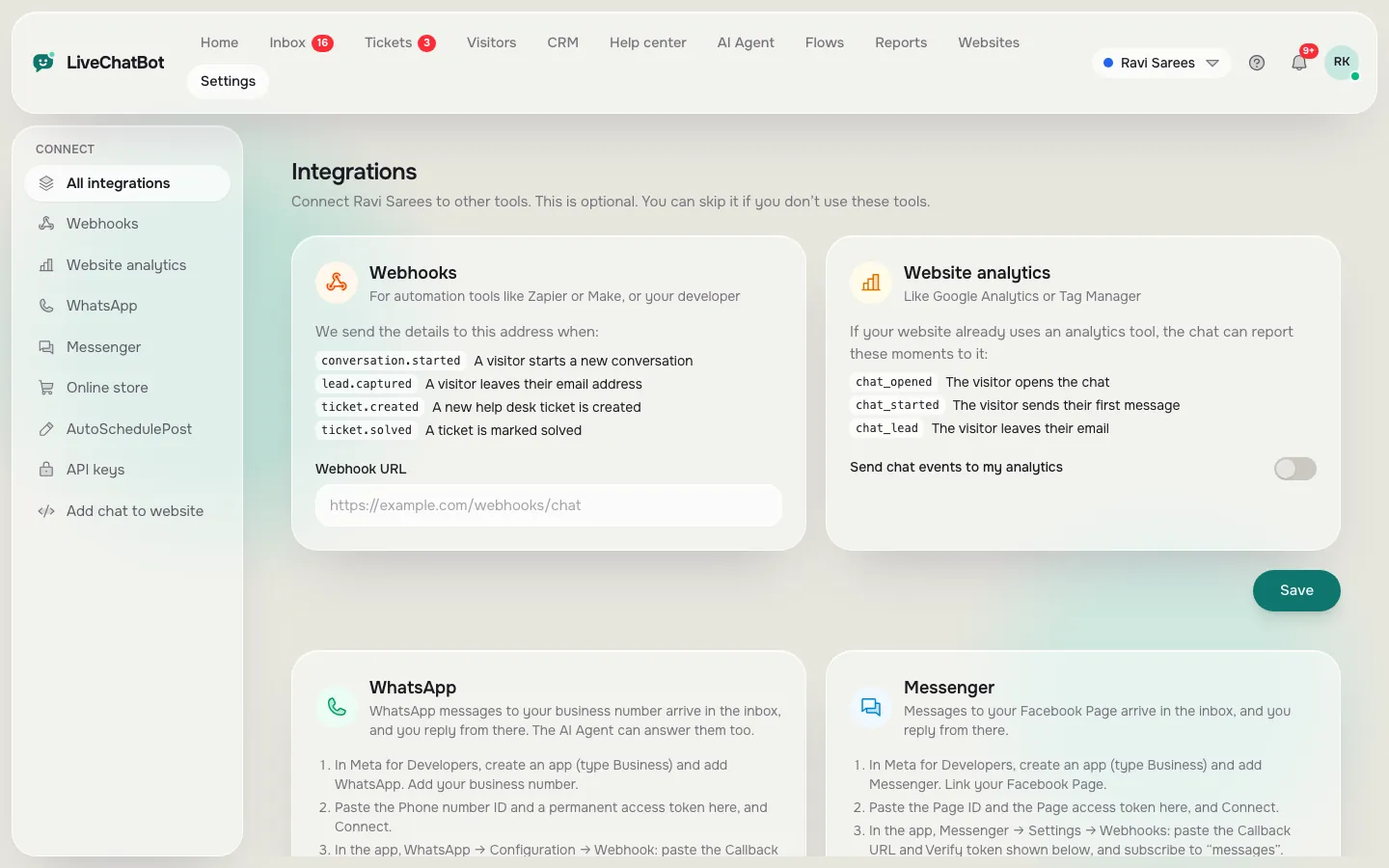
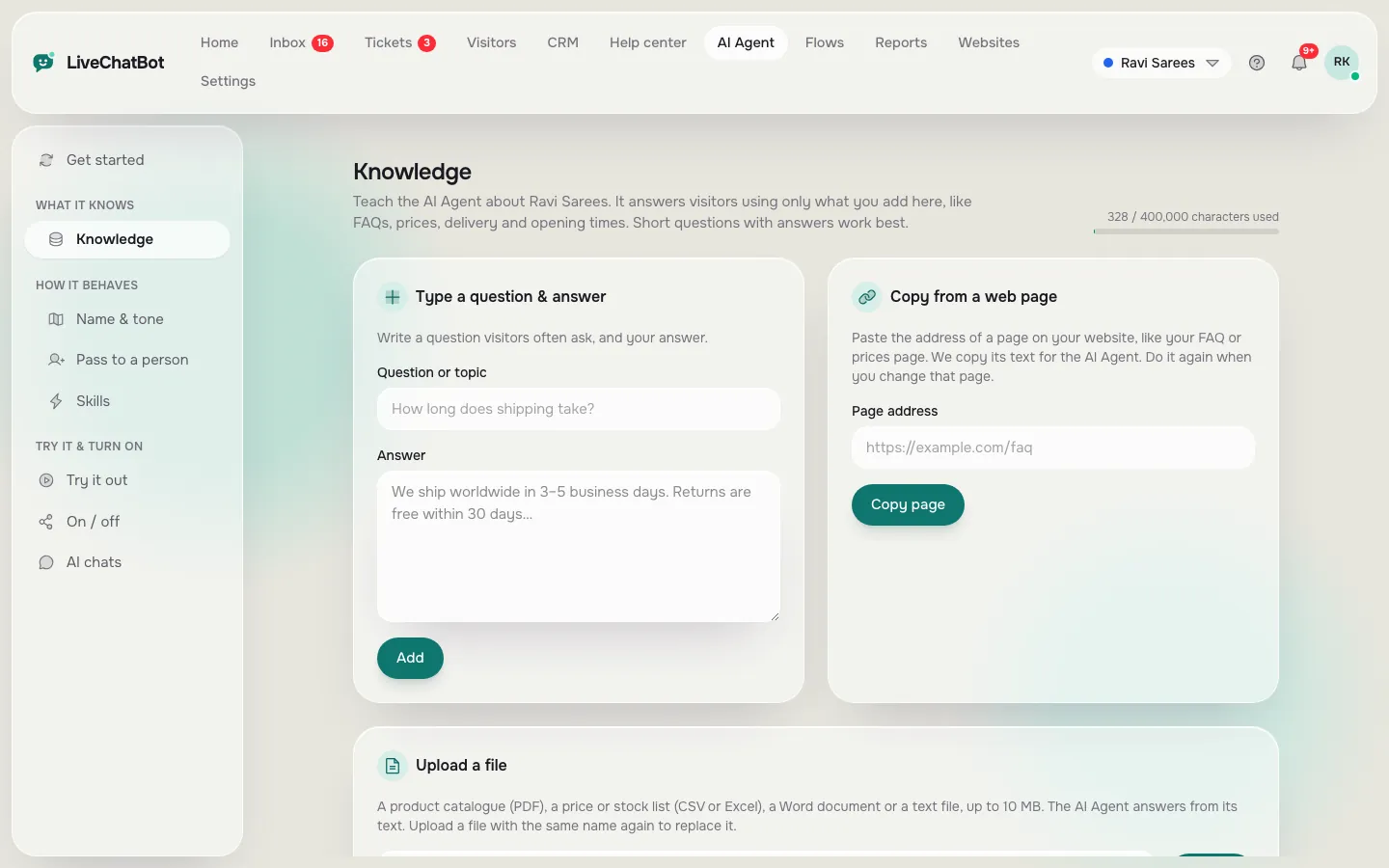
Where the pack lives: saved replies, the WhatsApp connection and the knowledge your bot answers from
Real screens from the LiveChatBot panel, shown with sample data. Click any picture to see it full size.
Set up
Where each message goes in LiveChatBot
Each message has one home in LiveChatBot, depending on whether a person or the bot sends it. Saved replies hold the lines your team sends by hand: greeting, handover and thanks. Type a short code, pick the reply and the name fills in. Our guide to canned responses shows how to organise them.
AI Agent knowledge holds the facts: prices, hours, delivery areas and policies. You can type answers, copy a web page or upload a file such as a PDF, Word, Excel, CSV or text file. The AI Agent writes replies from these facts and hands over when it cannot answer. Behaviour rules, such as “never promise delivery dates”, go in the Rules box, not in the knowledge.
The keyword bot is the free fallback. When AI replies are used up, it answers from your saved replies, so the same pack keeps working.
The WhatsApp button card on your website widget sends visitors to your number. See where to put a WhatsApp button for placements that get taps.
WhatsApp and Facebook Messenger messages also arrive in the same LiveChatBot inbox once you connect them through Meta. For a fuller look at that route, read about chatbot with WhatsApp integration.
Check
Test your chatbot for WhatsApp free of cost with five customer questions
Send five real questions from your own phone before you tell a single customer. Before you tell customers about it, send these five messages from your own phone and read what comes back.
- “Hi”: does the greeting ask something useful?
- “How much is [your best seller]?”: is the price right and does it end with a next step?
- “Are you open on Sunday?”: does it match your real hours?
- A question you never taught it: does it admit it does not know and offer a person?
- “I want to talk to someone”: do you get an alert on your phone, and how quickly?
Fix any answer that made you wince, then test again. Repeat monthly, because prices and hours change.
A note on cost
LiveChatBot’s free plan covers two websites and 100 visitors per website per month, with no per-seat charges. WhatsApp itself is run by Meta, which sets its own rules and may charge for some business message types. Check Meta’s current terms before you promise anything is free forever.
What most guides miss
Our rule: the 10-second test for every message
Most guides judge a bot message by whether it is correct. We judge it by whether a stranger can act on it in ten seconds.
Read each of your fifteen messages aloud once. If you run out of breath, or you cannot say what the customer should do next, cut it in half. A correct message that ends without a next step is a dead end, and dead ends are where chats stop.
How to run the test
Hand your phone to a friend who has never seen your business. Show them one message at a time and ask, “What would you do now?” If they hesitate, rewrite that line. Do it for the three messages that matter most: the greeting, the price reply and the handover.
Next step
From a chatbot for WhatsApp free of charge to a steady lead source
Once the fifteen messages work, reuse them everywhere customers meet you. Put the same words in other places. put the same words in other places. Use the greeting as the welcome text of your website chat. Use the after-hours line in your away form so late visitors leave a number. Use the handover line when the chat rescuer asks for an email and phone.
Then track what happens. The reports show which pages bring people to chat and which ones lose them, so you know where a WhatsApp button earns its place. Our pillar guide on the WhatsApp chat button covers how to place it, word it and measure it. If you want one plan with limits spelled out, see pricing and sign up at livechatbot.in.
A small business that answers in a minute, in clear words, with the right next step, beats a bigger one with a fancier bot.
Frequently asked questions
Is there really a chatbot for WhatsApp free to start?
LiveChatBot’s free plan covers two websites with 100 visitors per website each month, a WhatsApp button card and a shared inbox. WhatsApp itself is run by Meta, who set their own rules and may charge for some business messages.
Can I use the same messages on my website chat?
Yes. Save them as replies, use them for the keyword bot and for your team, and copy the greeting into the widget’s welcome text.
Will the bot make up prices?
It answers from the facts you give it, and your Rules box can tell it never to promise delivery dates. Test with a question you never taught it to see how it behaves.
Do I pay per agent?
No. LiveChatBot has no per-seat charges, so adding a team member does not change your price.
Can I remove the Powered by LiveChatBot badge?
No. The badge stays on every plan, including the free one.
Keep reading
Related guides
Chatbot for My Website: Five Worries Every Owner Has Before Adding One, Answered Honestly (Free Worry Check Quiz)
Chatbot for WordPress Free, Month Two Onwards: A Ten-Minute Monthly Upkeep Routine That Keeps Chat Useful (Free Upkeep Checklist)
Chatbot for WordPress Website Owners: Pick the One Job It Should Do First, Then Add the Rest (Free First-Job Quiz)
Write the words, then switch it on
Free plan for two websites, a WhatsApp button card and a shared inbox. Start free on livechatbot.in.