Best Free Chatbot for WhatsApp: Button, Inbox or Bot? Know Which Part Is Free Before You Connect Anything
Best free chatbot for WhatsApp is a confusing search because three different things hide behind it: a chat button on your website, a shared inbox for WhatsApp messages, and a bot that answers by itself. They have different costs and different set-up work. This guide separates them, shows what LiveChatBot offers for each, and gives you a checklist to follow before you connect anything.
⚡ In short
- Three things are called a WhatsApp chatbot: a website button, a shared inbox, and an automatic bot. Decide which you need.
- LiveChatBot has a WhatsApp button card on the widget, and WhatsApp messages arrive in the same inbox as website chat, connected through Meta.
- Meta sets its own rules and prices for business messaging, so check them before you promise anything.
- Follow the checklist below to go live without surprises.
Three meanings
What people mean when they search for the best free chatbot for WhatsApp
Read ten vendor pages and you will meet the same phrase used for three different products.
A button that opens WhatsApp
A visitor taps a green button on your site and lands in WhatsApp with your number ready. It is the simplest option, needs no approval, and works on any plan. The chat itself happens in your normal WhatsApp.
A shared inbox
Messages sent to your business WhatsApp number show up in a team inbox, so several people can reply, assign chats and keep notes. This is a connection through Meta, and Meta decides the rules.
An automatic bot
A bot replies on its own, from facts you provide, and hands over when it is unsure. This is the most useful and the one most easily oversold, so test it with questions you never taught it.
Knowing which of the three you want saves hours. If you are still weighing your options, our guide to the WhatsApp chat button explains the first one in depth.
What LiveChatBot does
What LiveChatBot gives you for a free WhatsApp setup today
Here is a plain account, with no stretching.
- WhatsApp button card. Add a card to the widget that sends visitors to your WhatsApp number. Included on the free plan.
- One inbox. WhatsApp messages arrive in the same inbox as website chat, connected through Meta. Facebook Messenger arrives there too, as covered in our guide to the best free chatbot for Facebook Messenger.
- Team tools. Shared inbox, Assign to me, Unassigned and Mine folders, Teams, saved replies and tickets. No per-seat charges.
- Website AI Agent. Answers from the knowledge you give it, typed, copied from a web page, or uploaded as PDF, Word, Excel, CSV or text.
- Chat rescuer. If nobody replies within seconds, the chat asks for email and phone so the lead is not lost.
Not included: Instagram DMs, native Slack, Telegram, HubSpot or Zoho bridges, an iOS team app, and removal of the “Powered by LiveChatBot” badge.
Real screens
The widget your visitor sees, and the inbox your team replies from
Real screens from the LiveChatBot panel, shown with sample data. Click any picture to see it full size.
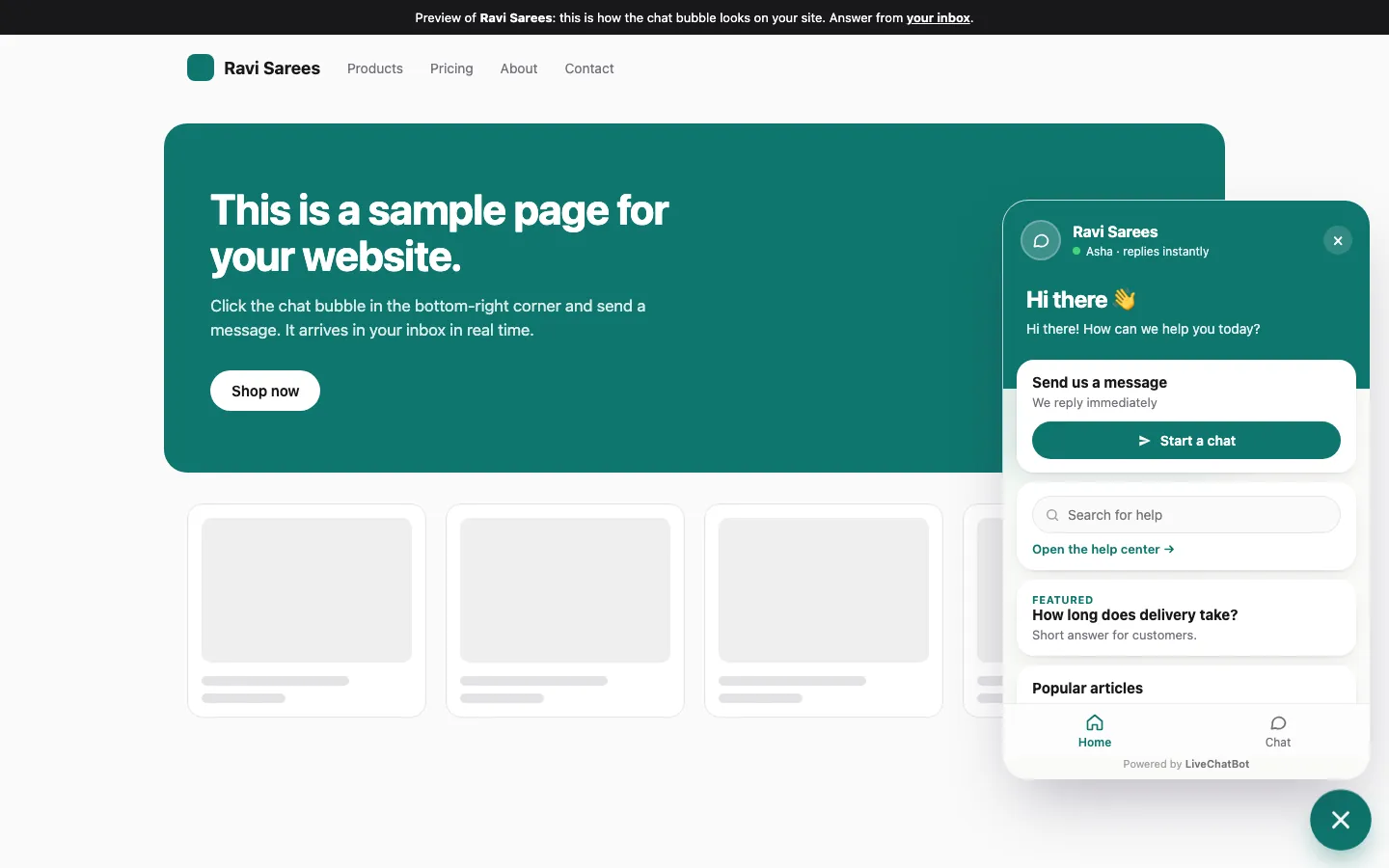
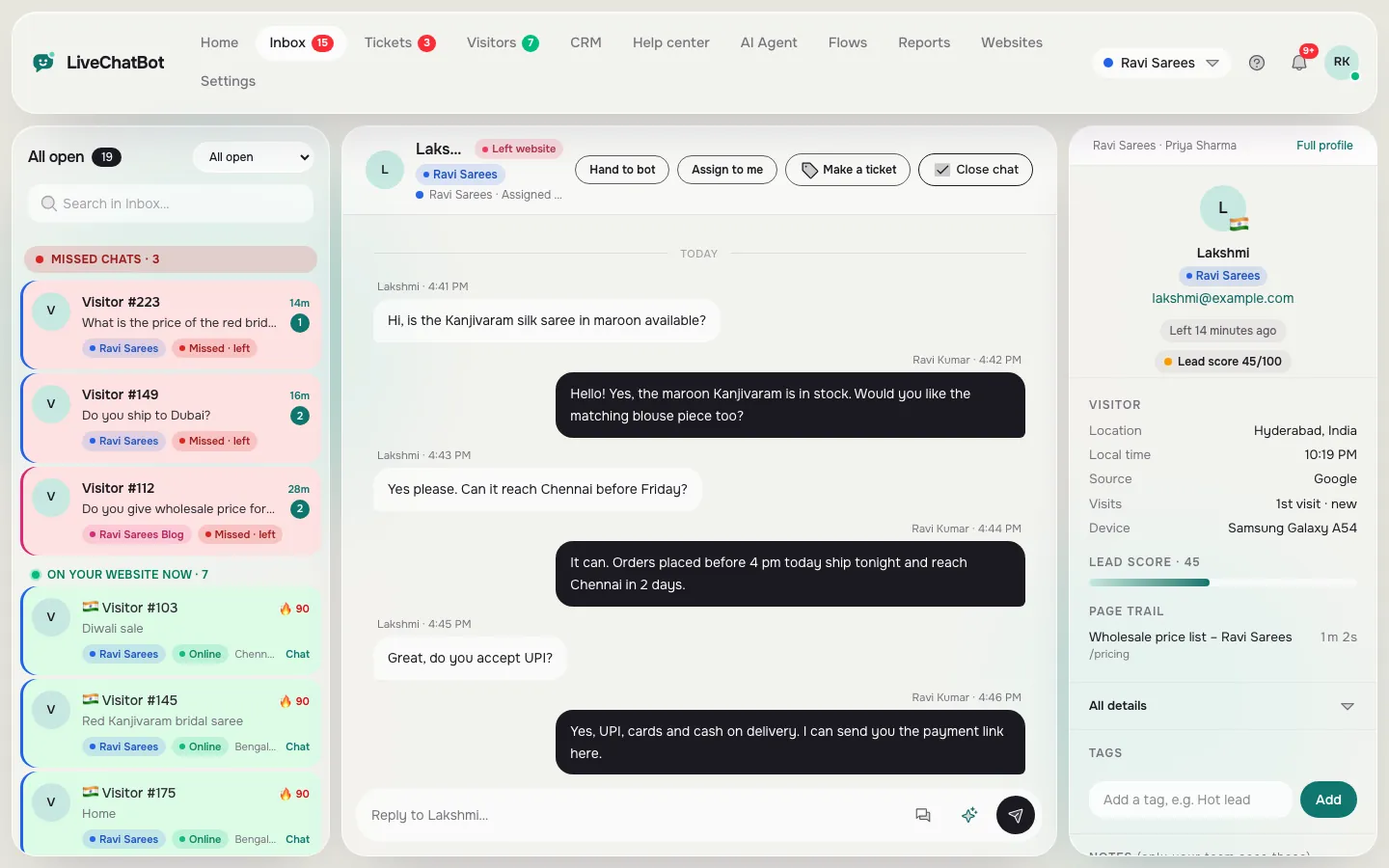
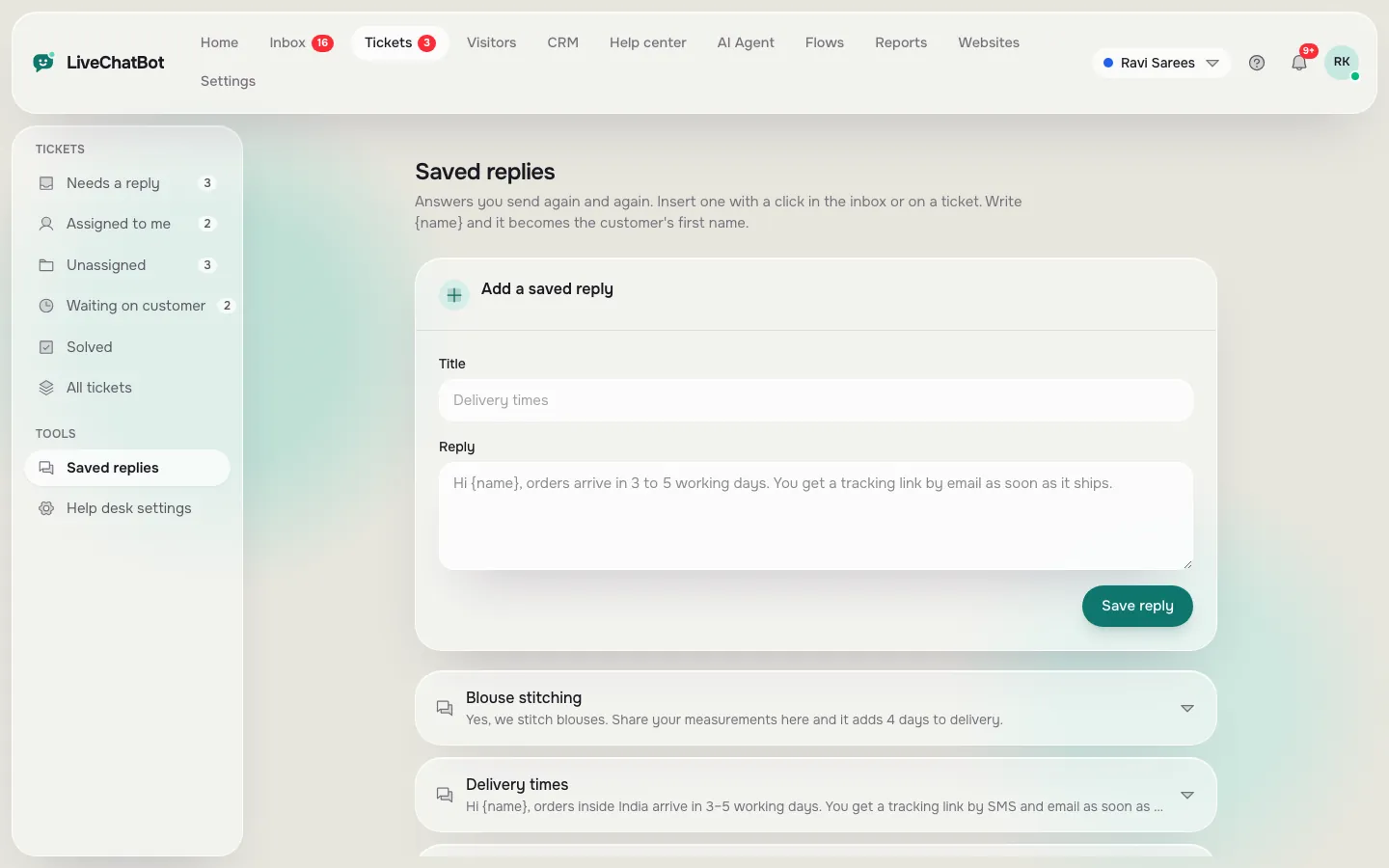
The money question
Where free ends and costs begin for the best free chatbot for WhatsApp
Free has layers, and it helps to name them.
LiveChatBot’s side. The free plan is ₹0 for 2 websites with 100 visitors per website each month. Starter is ₹299 a month (750 visitors shared across 2 websites) and Growth is ₹699 a month (2,500 visitors shared across 5 websites). Everything is prepaid and there are no automatic charges.
Meta’s side. WhatsApp business messaging runs on Meta’s platform, and Meta can charge for some kinds of business conversation. Those rules change, so read Meta’s current pricing before you plan a campaign. Replying to a customer who messaged you first is the usual low-cost case, but check it for your country.
Your time. The cheapest tool still needs an hour or two to load answers. That cost is real, and our free live chat guide shows where the hours usually go.
Keeping these three apart stops a nasty surprise at the end of the month. A simple rule: budget for your time first, Meta’s charges second, and LiveChatBot’s plan last, because the plan is the smallest and most predictable of the three.
If your traffic grows past the free limit, tracking and alerts carry on and chat pauses only for new over-limit visitors until you upgrade or the month resets.
Before you connect
WhatsApp go-live checklist
Tick each step as you finish it. The progress bar runs in your browser and saves nothing.
Testing honesty
How to test the best free chatbot for WhatsApp claims
Any vendor can write “AI WhatsApp bot” on a page. Test the claim yourself with five messages from a spare phone.
- A question the bot knows. It should answer correctly and briefly.
- A question it was never taught. It should say it is not sure and offer a person.
- “Can I talk to someone?” Time how long your team’s phone takes to ring.
- A message at night. You should see the away behaviour you set.
- A message in another language, if your customers use one.
Write down how each tool behaves, not what its marketing says. Repeat the same five messages on every tool you try, so the comparison is fair, and keep the screenshots. Two weeks later, when you cannot remember which one handled the night-time message well, the notes settle the argument. If you also run a WordPress site, see our free chatbot plugin guide for the website side of the same test.
Frequently asked questions
What is the best free chatbot for WhatsApp?
It depends which of the three you mean: a button, a shared inbox or an automatic bot. LiveChatBot offers a WhatsApp button card on the free plan and brings WhatsApp messages into the same inbox as website chat.
Is WhatsApp on LiveChatBot completely free?
The LiveChatBot free plan costs ₹0, but WhatsApp business messaging runs on Meta’s platform, and Meta can charge for some conversations. Check Meta’s current pricing.
Do WhatsApp messages arrive in the same inbox as website chat?
Yes. WhatsApp and Facebook Messenger messages arrive in the LiveChatBot inbox, connected through Meta.
Does LiveChatBot work with Instagram DMs?
No, Instagram DMs are not connected.
Can several people reply to WhatsApp chats?
Yes. The inbox is shared, with Assign to me, Teams and no per-seat charges.
Keep reading
Related guides
Best Free Chatbot for Website Owners Is the One You Can Fill in One Afternoon: A Starter Pack of Copy-and-Paste Lines (Free Starter Pack)
Best Free Chatbot for Facebook Messenger: Keep Page Messages and Website Chats in One Inbox
Best Free Chatbot Plugin for WordPress: Read the Fine Print on What Free Really Means (Free Scorecard)
More to read
More guides on this topic
Free Chatbot Alternative or Keep Paying? Audit Which Paid Features You Actually Used Last Quarter Before You Downgrade (Free Usage Audit)
Start with the button, grow into the inbox
Free plan for two websites, a WhatsApp button card and no per-seat charges. Start free on livechatbot.in.