Best Free Chatbot for Facebook Messenger With One Shared Inbox for Page and Website Chats
Best free chatbot for Facebook Messenger searches usually come from owners whose customers write on a Facebook Page and on a website, and who are tired of checking two places. This guide explains what to ask of a free tool, how LiveChatBot brings Messenger messages into the same inbox as website chat, and what it does not do, so you can decide in one sitting.
⚡ In short
- The real problem is split attention: Messenger on one screen, website chat on another, and replies that arrive late.
- LiveChatBot lets Facebook Messenger messages arrive in the same inbox as website chat, connected through Meta.
- Your team shares one inbox, uses saved replies, and can assign chats to a person.
- Not included: Instagram DMs, a Slack or Telegram bridge, or an iOS team app.
The real problem
Why a free Messenger chatbot is mostly an inbox question
Most small businesses do not have a bot problem on Facebook. They have a where did that message go problem. A customer asks about a price on your Page at 9 pm, another asks the same thing on your website at 9:05, and by morning each channel has its own half-finished thread.
A tool that fixes this does three jobs. It collects messages from each place into one list. It lets any teammate answer from that list. And it keeps the history, so you can see what a person asked before.
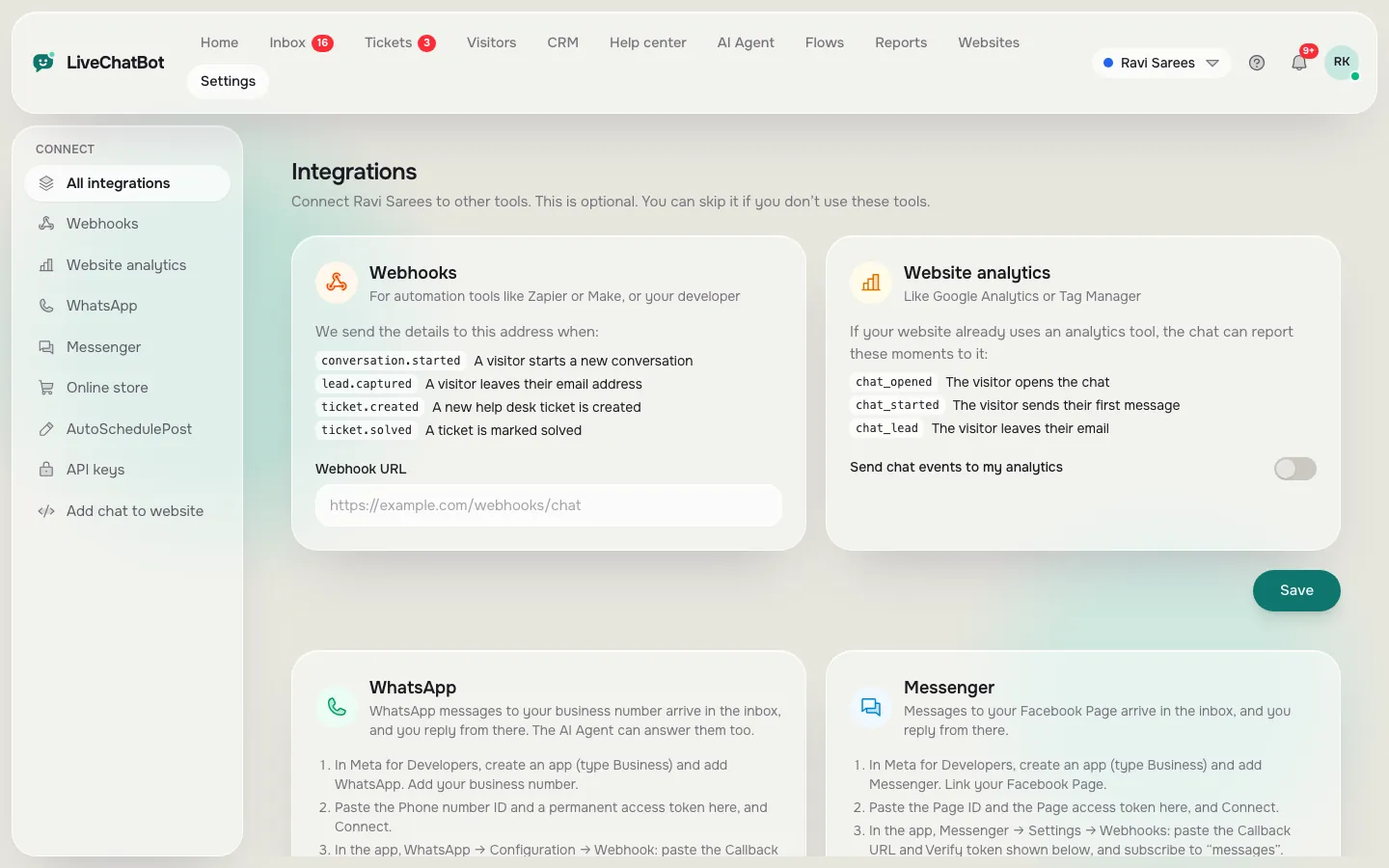
That is why we start with the inbox rather than the bot. Customers do not care which tool you use; they care that someone answers the first time, with the right fact, quickly. A chatbot that answers on Messenger but hides the thread from your team just moves the pain. If you are comparing options, the integrations page shows which channels connect today. The same one-inbox idea applies to WhatsApp, which also arrives in the same inbox; see the best free chatbot for WhatsApp guide.
What you get
What LiveChatBot does with Facebook Messenger
Here is the honest, short list of what LiveChatBot offers if you are looking for the best free chatbot for Facebook Messenger.
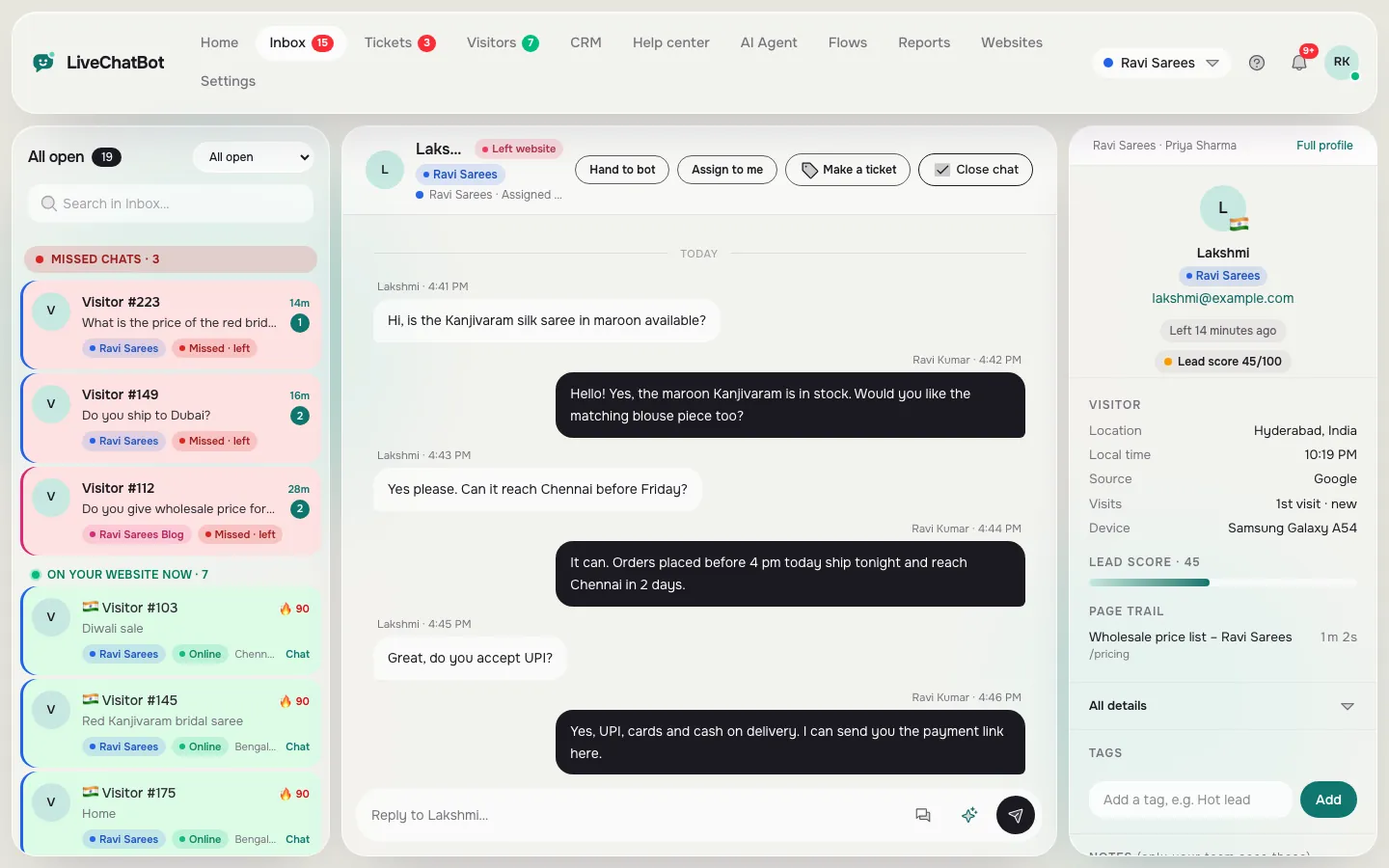
- One inbox. Facebook Messenger messages arrive in the same LiveChatBot inbox as your website chats. The connection is made through Meta.
- Shared team work. Several people can use the inbox. Use Assign to me, the Unassigned and Mine folders, and Teams to route chats to the right group.
- Saved replies. Write your common answers once and insert them in a click, on Messenger as well as on the website.
- Context. Visitor profiles and the CRM (deals, companies, activities) keep notes beside the chat.
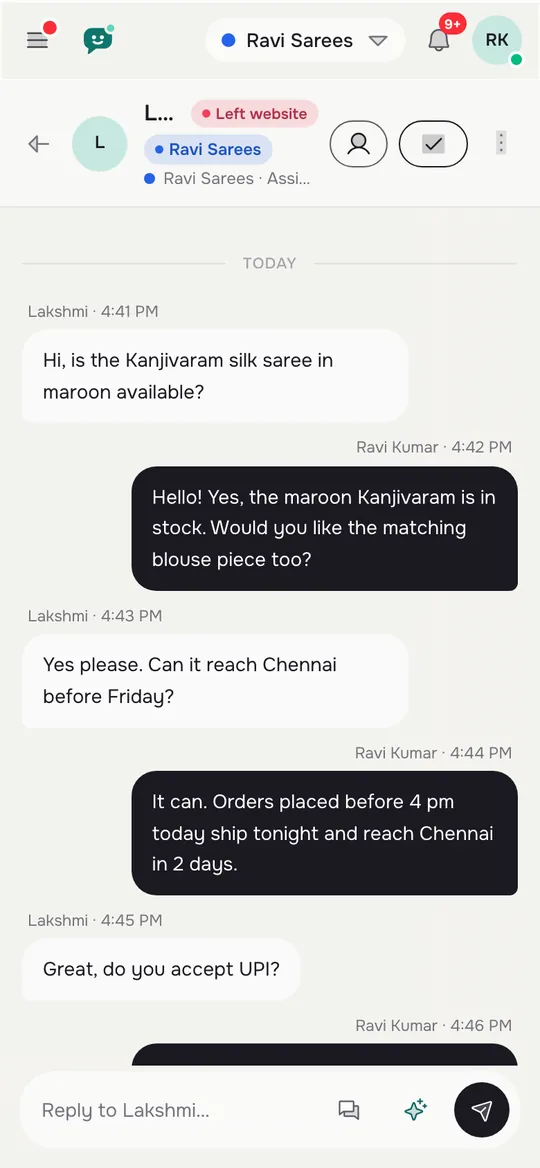
- Phone alerts. The Android app tells your team when something arrives.
What it does not do: Instagram DMs are not connected, there is no native Slack, Telegram or Teams bridge, and there is no iOS team app (iPhone users answer from a browser). Zapier and webhooks can pass data to some other tools.
Plans are prepaid with no auto-renew, so nothing is charged automatically. Free is ₹0 for 2 websites; Starter is ₹299 a month and Growth ₹699 a month.
Real screens
One inbox on a computer, and the same chats on a phone
Real screens from the LiveChatBot panel, shown with sample data. Click any picture to see it full size.
Judging a tool
Five questions to ask before picking the best free chatbot for Facebook Messenger
Marketing pages blur the answers. Ask these directly, write down what you hear, and compare the notes side by side. A tool that answers all five clearly is rarer than you would expect.
1. Who can see the conversation?
If only the Facebook app shows it, your team cannot share the load. Look for a shared inbox with owners.
2. Is the bot answering from my facts?
A bot that improvises prices will cost you a sale. Answers should come from knowledge you provide, and when unsure it should hand over.
3. What happens outside office hours?
Messenger customers expect fast replies. Check for opening hours, an away message and a way to collect a phone number.
4. What are the limits?
Count websites, visitors and any conversation caps. Find the busiest month you have had and test the plan against it.
5. What does Meta charge?
The connection runs through Meta, and Meta sets its own rules and prices for business messaging. Check Meta’s current terms before promising anything to your team.
Quick check
Which setup fits your business?
Answer four questions. The quiz suggests where to start; it runs in your browser and saves nothing.
First week
A simple first week with Messenger and website chat together
You do not need a project plan. Seven days is enough to see whether this works for you, and the free plan costs nothing while you find out. Treat the first week as a test of your own questions, not of the software’s features.
- Day 1. Create an account at livechatbot.in, add the widget to your site and connect Messenger through Meta.
- Day 2. Write your fifteen most common answers as knowledge for the AI Agent. You can type them, copy a page of your site, or upload a PDF or Word file.
- Day 3. Write ten saved replies for the questions that need a person, such as quotes or complaints.
- Day 4. Set opening hours and an away form so late messages leave a phone number.
- Days 5-7. Read every conversation, from both channels, and fix the answers that missed.
If your main goal is a fuller list of free options, read our overview of the best free AI chatbot options, and for a widget-only angle see free live chat software.
When it is not the right fit
When the best free chatbot for Facebook Messenger is not the right fit
Be fair to yourself and to the tool. LiveChatBot is a good fit for owners who want one inbox, shared replies and a website widget. It is not the right tool if you need Instagram DMs in the same place, a native bridge into Slack or HubSpot, or a team app on iPhone. It also keeps “Powered by LiveChatBot” on the widget on every plan.
If none of that blocks you, start on the free plan and let real conversations tell you what to improve. The full picture of what free includes is in our free live chat guide.
Frequently asked questions
What is the best free chatbot for Facebook Messenger?
The best one for a small business is the tool that puts Messenger and website chats in one shared inbox, answers from your own facts, and hands over to a person when unsure. LiveChatBot does this, connected through Meta.
Do Messenger messages arrive in the same inbox as website chat?
Yes. Facebook Messenger messages arrive in the LiveChatBot inbox beside your website chats, so your team replies from one place.
Does LiveChatBot connect Instagram DMs?
No. Instagram DMs are not connected. Website chat, Facebook Messenger and WhatsApp messages are.
Can several people answer Messenger chats?
Yes. The inbox is shared, with Assign to me, Unassigned and Mine folders and Teams. There are no per-seat charges.
Is there an app for my team?
There is an Android app for agents. There is no iOS team app, but iPhone users can answer from a browser.
Keep reading
Related guides
Best Free Chatbot for Website Owners Is the One You Can Fill in One Afternoon: A Starter Pack of Copy-and-Paste Lines (Free Starter Pack)
Best Free Chat Software Costs Time, Not Money: Where the Hours Go in Setup, Upkeep and Replies
Best Free Chatbot for WhatsApp: Button, Inbox or Bot? Know Which Part Is Free Before You Connect Anything
One inbox, two doors
Free plan for two websites and no per-seat charges. Start free on livechatbot.in.