Best Free Live Chat Software Changes With Team Size: What a Team of One, Three and Ten Each Need From the Same Tool (Free Which-Setup Quiz)
Best free live chat software is a different answer for a solo founder than for a ten-person support team. The solo founder needs alerts on a phone and an after-hours form. The larger team needs shared ownership, hand-offs and fair routing. This guide shows what each size needs from the same tool, where free tools usually run out, and a short quiz that tells you which setup fits.
⚡ In short
- Team size changes what matters: alerts for one person, ownership for three, routing for ten.
- Per-seat pricing is the hidden cost that punishes growing teams. Check it first.
- Free tools usually run out on visitors or websites, so work out your numbers early.
- Take the quiz to see which setup suits your team today.
Why size matters
Why the best free live chat software for one person is not the best for ten
Reviews compare features as if every buyer were the same. They are not. A feature that saves a ten-person team an hour a day is invisible to a founder who answers alone, and the reverse is also true.
Think about three things that change as a team grows:
- Who sees the chat. One person sees everything. Ten people need to know who has picked what up.
- When chats arrive. One person covers office hours and misses the rest. A team can share the day.
- What it costs. If the tool charges per seat, every new hire adds to the bill.
Start by being honest about where you are. A tool that fits you today but stops you growing is a trap, and a tool built for ten when you are one is just clutter. The best free live chat software is the one that fits now and does not punish you for adding people.
Team of one
A team of one: speed and safety nets
If you answer alone, your biggest enemy is missing a chat while you do something else.
- Alerts on your phone. Install the Android app and choose a distinct tone, so you know a chat from a message.
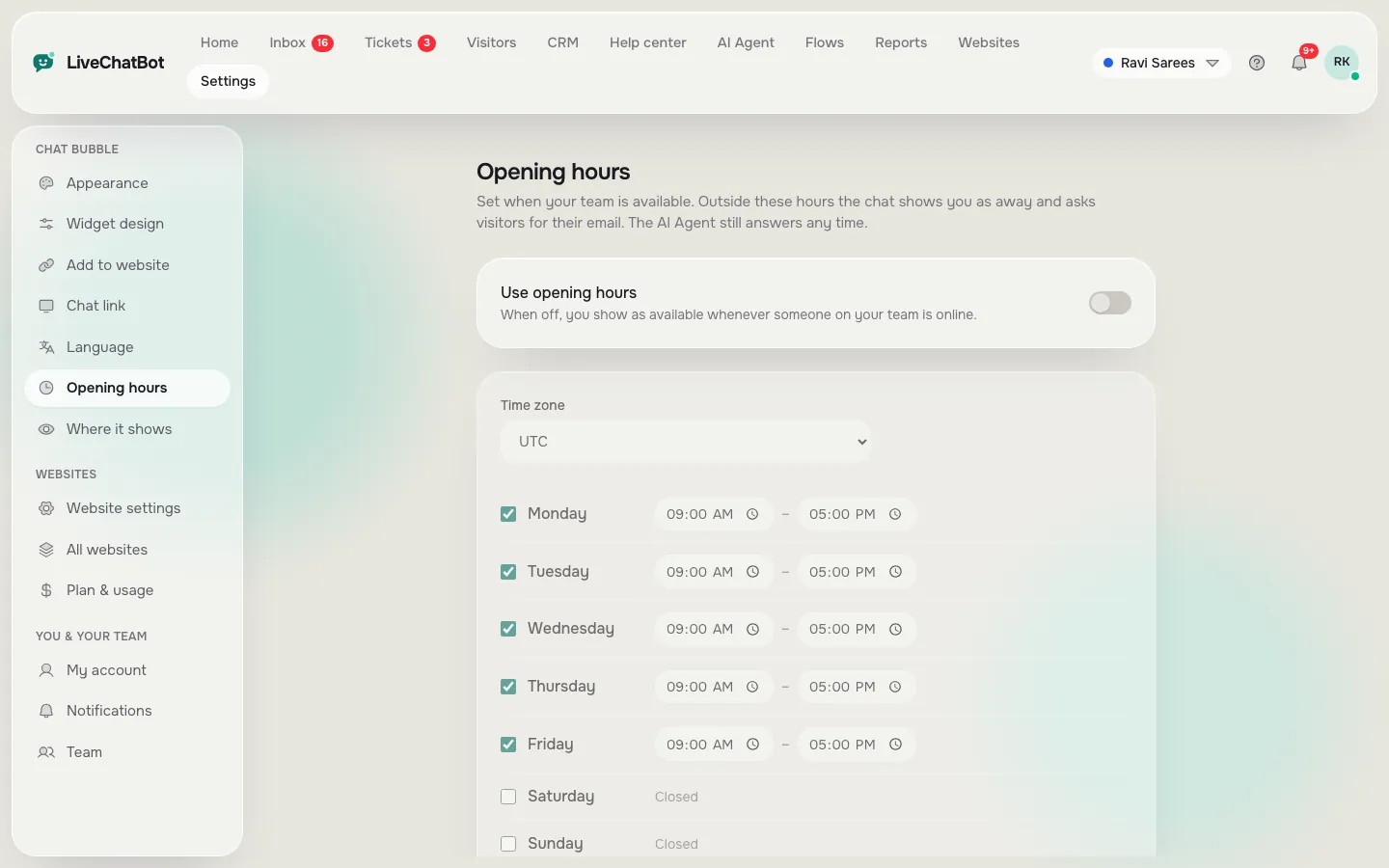
- Opening hours and an away form. When you are offline, the chat collects email or phone, so late enquiries are not lost.
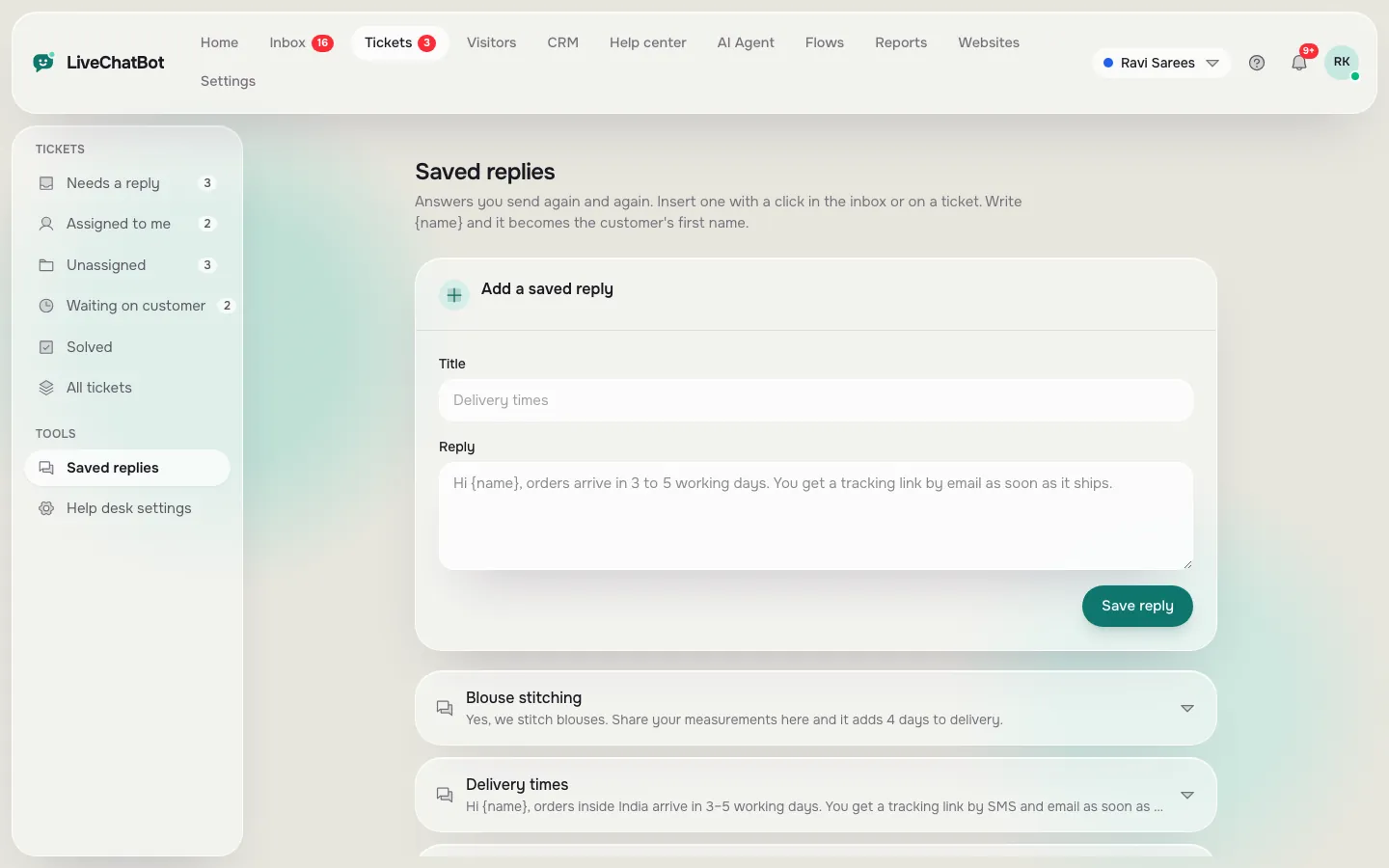
- Saved replies. Write answers to your ten most common questions once. LiveChatBot lets you insert them with a name token such as {name}.
- A bot for the gaps. The free keyword bot answers from saved replies, and the AI Agent can answer from knowledge you give it, within the plan’s monthly allowance.
You do not need complex routing. You need to never miss a lead. If you want a daily routine for this, our founder’s guide to free live chat for startups fits well.
Team of three
A team of three: shared inbox and clear ownership
With three people, the new problem is two people replying to the same customer, or nobody replying because each assumes someone else did.
- Use the shared inbox. Everyone sees the same list of chats.
- Press Assign to me. Whoever picks up a chat claims it. The Unassigned folder shows what is still waiting and Mine shows your own. Assignment is manual, so agree the habit.
- Use tickets for slow questions. An unanswered chat or offline message can become a ticket with an owner, so it does not vanish.
- Check who is online. Opening hours can match your real shifts.
Pricing matters here. On LiveChatBot there are no per-seat charges, so a third person costs nothing extra. Read about the shared inbox to see how the pieces fit.
Team of ten
A team of ten: teams, routing and reports
At ten people, you need structure.
- Teams. Route chats to a team, such as sales or support. Members find them in the My teams folder.
- Flows with conditions. Show a different proactive message by page, country, device or number of visits.
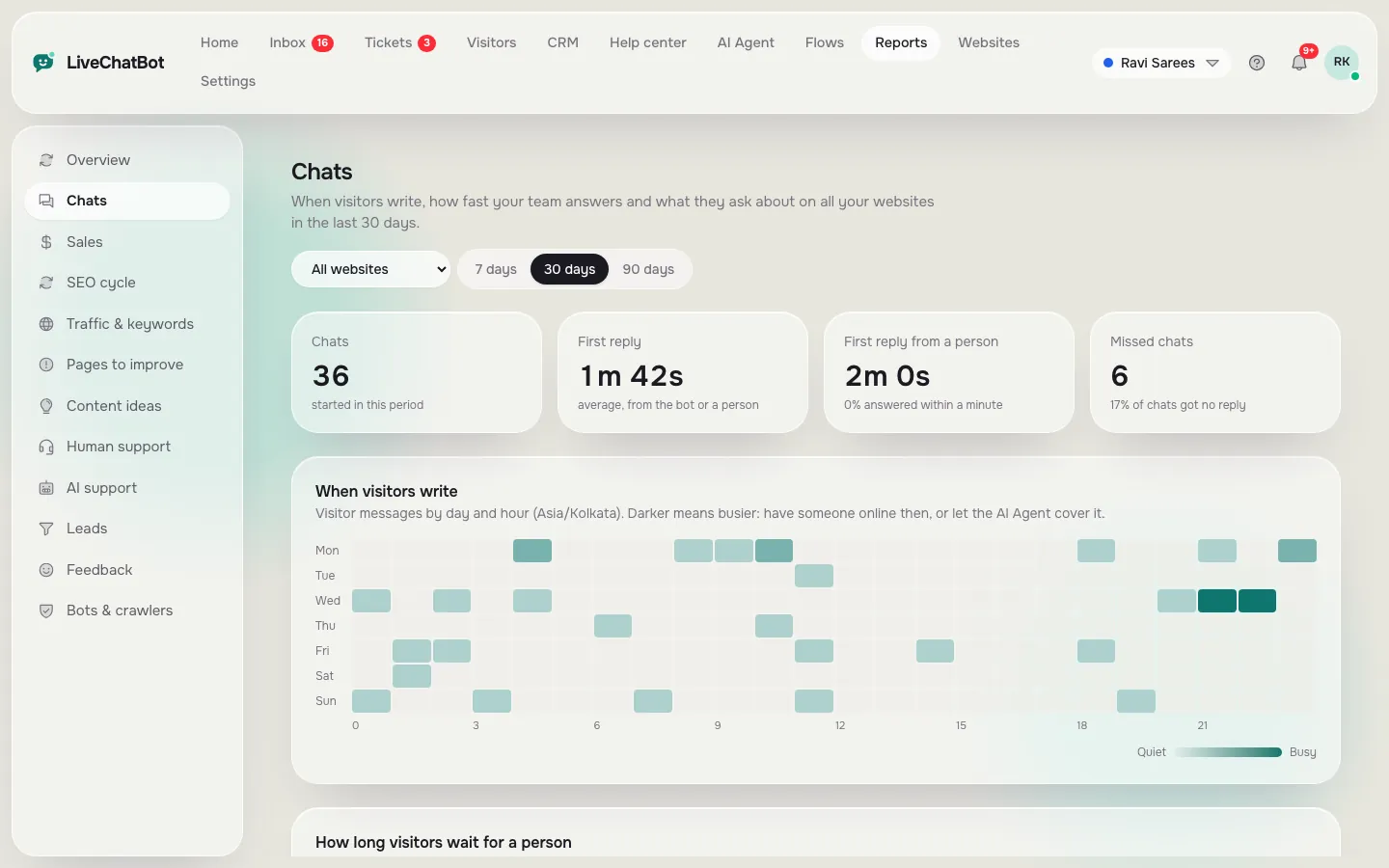
- Reports. Check response time, the busy-hour heatmap and the By agent table, so you see where help is needed.
- Saved replies as a shared library. One voice across ten agents.
Know the gaps too. There is no automatic round-robin routing, no role-based permission builder and no audit log. Everyone with a login sees the same inbox. If you need those, a free tool is probably not enough. For a wider comparison, see the best live chat software guide.
Try it
Which setup fits your team?
Answer four quick questions. The most common answer decides the result.
Real screens
Chat reports, saved replies and opening hours
Real screens from the LiveChatBot panel, shown with sample data. Click any picture to see it full size.
Growing
Moving up a size without changing tools
The cleanest path is to pick a tool that handles all three sizes, so growth means switching on features rather than switching software.
From one to three
Add your colleagues as agents, agree who presses Assign to me, and share your saved replies. Nothing else changes, and the bill stays the same.
From three to ten
Create teams, add Flows for the pages that matter most, and start reading Reports every week. Look at first response time and the By agent table to see who needs help.
Habits that scale
- Reply within a stated time, and tell visitors what it is.
- Never leave a chat unassigned overnight without an away message.
- Review saved replies monthly so they stay accurate.
Small habits keep a free tool working well as the team doubles.
Where free runs out
Where free usually stops, whatever your size
Free plans seldom stop at team size. They stop at websites and visitors.
The LiveChatBot free plan covers two websites with 100 visitors per website each month, plus the inbox, Android app, Flows, tickets, saved replies and a free keyword bot. Starter is ₹299 a month (about 3 to 4 US dollars, check today’s rate) with 750 visitors shared across two websites. Growth is ₹699 a month with 2,500 visitors across five. Prepaid, no auto-renew, no per-seat fees. See pricing.
Three plain gaps: “Powered by LiveChatBot” stays on every plan, there is no iOS team app and there is no voice. Our wider free live chat guide covers the rest.
Frequently asked questions
What is the best free live chat software for a small team?
The best free live chat software for a small team has a shared inbox, a phone app, saved replies and no per-seat charges. LiveChatBot includes all four on its free plan.
Do I pay for each person who answers chats?
Not on LiveChatBot. There are no per-seat charges.
Can chats be sent to a particular team?
Yes. Chats can be routed to a team and found in the My teams folder. Agents can also press Assign to me.
Is there automatic round-robin routing?
No. Assignment is manual, so agree a habit with your team.
When should I move off the free plan?
When you pass the visitor limit or need more than two websites. Plans are prepaid, with no automatic charges.
Keep reading
Related guides
Best Free Live Chat Plugin for WordPress When Several People Run Your Site: Who Installs It, Who Answers It and Who Gets the Login (Free Copy-Ready Messages)
Best Free Live Chat for WordPress Is One You Can Undo: A 30-Minute Trial on a Copy of Your Site Before Anything Goes Live (Free Trial Checklist)
Best Free Live Chat Apps for Android: Two Different Apps Hide Behind the Search, and You Need to Pick the Right One (Free Decision Tree)
Start at your size
Start free on livechatbot.in as one person and add teammates later at no extra seat cost.