Free Chatbot for Facebook Messenger: The 24-Hour Reply Window Counted in Hours, and a Check-Time Plan for Small Teams
Free chatbot for Facebook Messenger tools solve the cost problem, but not the clock problem. Facebook lets a business reply freely only for a limited time after a customer’s last message, so a late reply can fail even when the bot is free. This guide counts that window in hours, shows which team check-times keep every chat inside it, and explains how LiveChatBot’s free plan fits.
Short answer
A free chatbot for Facebook Messenger works if two things are free: the tool and the connection. LiveChatBot’s free plan costs ₹0 and brings Page messages into one inbox, with the AI Agent or your team replying. Then plan your check-times so every chat is answered inside Meta’s 24-hour window.
The clock
A free chatbot for Facebook Messenger still runs against Meta’s 24-hour reply window
Meta’s standard messaging rule gives a business a 24-hour window to reply after a customer’s last message; after that, only limited message types are allowed. Always confirm the current rule in Meta’s own documentation, because platform policies change.
Most guides about a free Messenger bot talk about price and setup. Few talk about this clock, yet it is the reason a “free” bot sometimes seems to stop working. The bot did not break. The window closed.
LiveChatBot connects your Facebook Page through Meta, so Page messages land in the same inbox as your website chats. If you have not connected yet, our integrations guide lists every channel and how it connects, and the step-by-step Messenger setup counts each field. This page is about what happens after you connect: how fast you must answer, and how to make that cheap.
The maths
The window is 24 hours, but your real deadline depends on when you check
The window is 24 hours long, yet a human only looks at the inbox a few times a day, so the working number is the longest gap between checks. Here is the worked example behind our check-time plan. It is arithmetic, not a survey.
Two checks a day (9 am and 6 pm). A customer writes at 6:05 pm. The next check is 9 am, so the reply goes out after 14 hours 55 minutes. That leaves 9 hours of slack inside the window.
Two checks, but none on Sunday evening. A message at 6:05 pm Saturday waits until Monday 9 am: 38 hours 55 minutes. That is 14 hours 55 minutes past the window. Weekend gaps, not weeknights, are what break the 24-hour rule.
Three checks (9 am, 1 pm, 6 pm), seven days. The longest gap is still the night, 15 hours, but the slack is the same 9 hours on every day of the week.
The lesson is simple: a free bot can hold the conversation, but your check-times decide whether a human reply is still allowed when it arrives.
Timeline
One customer message, hour by hour
This is an illustrative timeline of a single Messenger chat. The hours are examples; the 24-hour rule is Meta’s.
Someone asks your Page for a price at 6:05 pm. The window opens.
If the AI Agent has your facts, it replies at once. Otherwise the chat waits for a person.
Any chat still unanswered by a person is now half-way to closing. This is the moment to look.
You open the inbox at 9 am and reply. Nine hours of slack remain.
Replies after this point are limited by Meta’s rules, so a late answer may not reach the customer.
What most guides miss
Our rule: count windows, not messages
Most inbox advice says “reply fast”. That is too vague to act on. Here is a sharper rule we suggest, which we call the half-window rule.
Your last check of the day should look only for chats older than 12 hours. Do not read everything. Sort or scan for the oldest unanswered Messenger chat, and answer that one first. Anything older than 12 hours at your last check will be older than 24 hours by your next one.
Why this works: the oldest chat is the only one at risk. Ten fresh chats waiting 14 hours are safe; one chat that arrived 13 hours ago is not. Looking at age instead of volume turns a tired evening check into a 2-minute job.
You can use the same rule on a weekend. If nobody will open the inbox until Monday, the Friday evening check is really a “Friday to Monday” check, so clear everything, and let the AI Agent handle the common questions in between.
Real screens
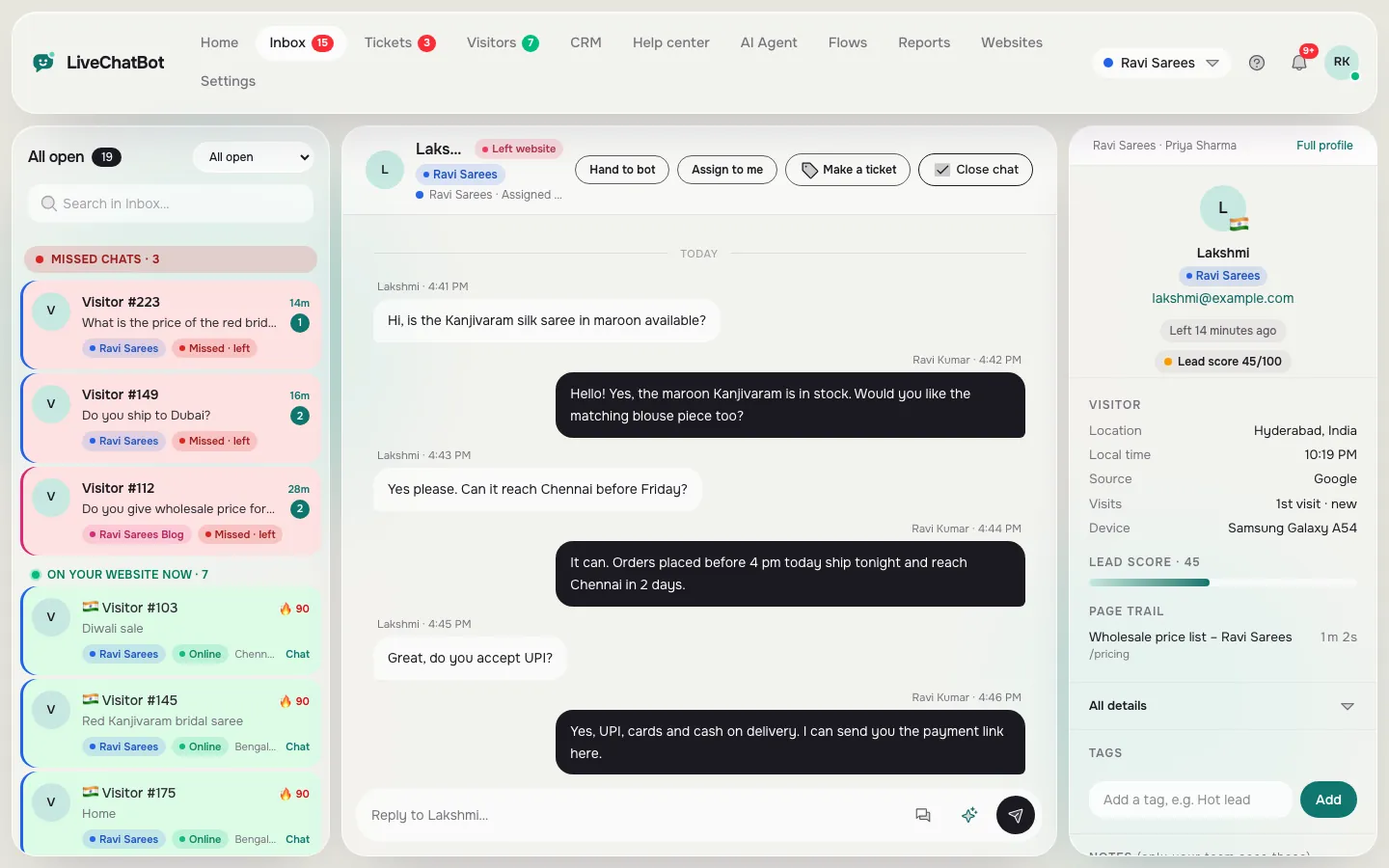
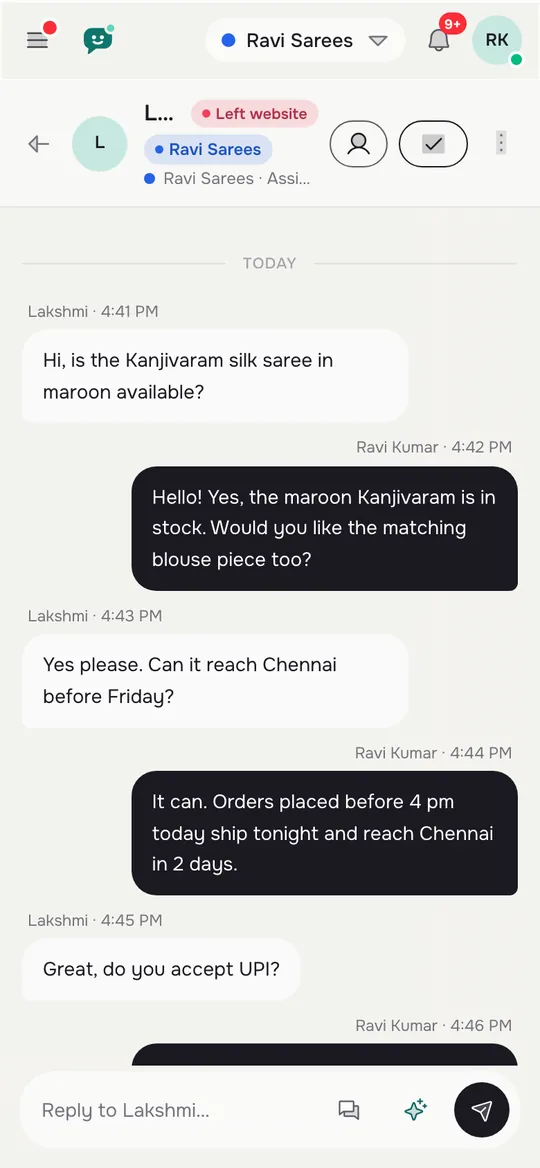
The shared inbox, the Android app view and the alert settings that keep you inside the window
Real screens from the LiveChatBot panel, shown with sample data. Click any picture to see it full size.

The free part
What a free chatbot for Facebook Messenger gives you while the clock runs
LiveChatBot’s free plan costs ₹0 and gives you what the clock needs: one inbox, phone alerts and an AI Agent that can answer at any hour.
- One inbox. Messenger chats sit beside website chats. Use Assign to me, and the Unassigned and Mine folders, so an old chat does not belong to nobody.
- Phone alerts. The Android app tells you when a message arrives. There is no iOS team app, so iPhone users answer from a browser.
- AI Agent. It answers from knowledge you give it: typed answers, a copied web page or an uploaded file (PDF, Word, Excel, CSV or TXT). AI replies come with every plan, with a monthly allowance shown in the dashboard.
- Saved replies. Write the price, delivery and opening-hours answers once and insert them in a click. Our saved replies guide shows how.
- No per-seat charges. A second person can cover the evening check without changing the price.
Not included: Instagram DMs, a way to remove “Powered by LiveChatBot”, and any control over Meta’s rules. Read the pricing page for visitor limits before you promote the Page widely.
Cost of a miss
A missed window costs the enquiry, so price it in rupees
A free tool is only free if it does not lose you sales. Here is an illustrative calculation with made-up numbers, not a measured result.
Say your Page gets 10 Messenger enquiries a week, and a weekend gap makes you miss the window on 2 of them. If 1 in 4 enquiries would have turned into a ₹1,500 order, then missed enquiries cost about 2 × 0.25 × ₹1,500 = ₹750 a week, or around ₹3,000 a month.
Compare that with the cost of fixing it: a Sunday 6 pm check of about 5 minutes a week. Time is cheaper than the lost orders. If you cannot do the check yourself, a second teammate is free on LiveChatBot because there are no per-seat charges.
Try your own numbers: enquiries a week, how many you miss, the order value and the share that buys. If the result is more than a few hundred rupees a month, fix the check-times before you change tools.
Try it
Find the check-times that keep you inside the window
Pick the check-times you really keep. The grid shows each day, with who answers at each time of day. Person means a human reply is likely, Bot + email means the AI Agent replies and you follow up, Bot only means gaps.
| Mon | Tue | Wed | Thu | Fri | Sat | Sun | |
|---|---|---|---|---|---|---|---|
| 9 am | Person | Person | Person | Person | Person | Person | Bot only |
| 1 pm | Bot + email | Bot + email | Bot + email | Bot + email | Bot + email | Person | Bot only |
| 6 pm | Person | Person | Person | Person | Person | Bot + email | Bot + email |
| Night | Bot only | Bot only | Bot only | Bot only | Bot only | Bot only | Bot only |
Weekend plan
Cover the weekend with one extra check and an AI Agent
Weekend gaps are where windows close, so give them their own plan.
- Load your five most-asked answers into the AI Agent, so common questions get a reply at any hour.
- Put a Sunday evening check in the calendar for whoever is free, 5 minutes only, using the half-window rule.
- Turn on phone alerts for the Page, so an urgent message reaches you on Saturday.
- Before you leave on a long weekend, tell a teammate to take the Unassigned folder.
If the Page is also a sales channel, add a Flows rule on your website so visitors who prefer to chat are not pushed to Messenger on days when nobody can answer.
Frequently asked questions
Is there really a free chatbot for Facebook Messenger?
Yes. LiveChatBot’s free plan costs ₹0 and brings Page messages into a shared inbox. Meta does not charge for the connection, though you must create and approve it once.
What is the 24-hour window?
It is Meta’s standard rule that a business may reply freely for 24 hours after a customer’s last message. Check Meta’s current documentation, as policies can change.
Can the AI Agent answer Messenger messages?
Yes, from the knowledge you give it. AI replies come with every plan with a monthly allowance shown in the dashboard.
Does LiveChatBot connect Instagram DMs?
No. Facebook Messenger and WhatsApp messages arrive in the inbox, but Instagram DMs are not connected.
Do I pay for each team member?
No. There are no per-seat charges, so a second person can cover the evening check at no extra cost.
Keep reading
Related guides
Free Chatbot for Facebook: The Six Doors Customers Use, the Two LiveChatBot Covers, and a Sign for the Rest (Free Door Finder)
Free Chatbot for HTML Website Owners: Add Chat to Plain Pages and Keep It on Every File
Free Chatbot Builder Flow Check: Find Dead Ends, Broken Buttons and Missing Exits Before You Publish (Free Flow Map Checker)
Keep every chat inside the window
Free plan for two websites, one inbox for Messenger and your site, and no per-seat charges. Start free on livechatbot.in.