Free AI Chatbot API: Brain or Plumbing? Know Which One You Are Asking For Before You Build
Free AI chatbot API searches mean two different things: a text-generating “brain” you send questions to, or “plumbing” that lets your own code read chats, tickets and leads. LiveChatBot gives you the plumbing, free on every plan, while the AI Agent does the answering inside the chat widget. This guide shows how to tell the two apart and what the free plumbing really does.
A free AI chatbot API is either a brain API, where you send text and get an AI answer back, or a plumbing API, where your code reads and writes chats, tickets and leads. LiveChatBot offers the second kind: a REST API with 14 actions and 120 calls a minute per key. Its AI Agent answers inside the widget.
⚡ In short
- Brain API: text in, answer out. Plumbing API: your code reads chats, sends replies, creates tickets and leads.
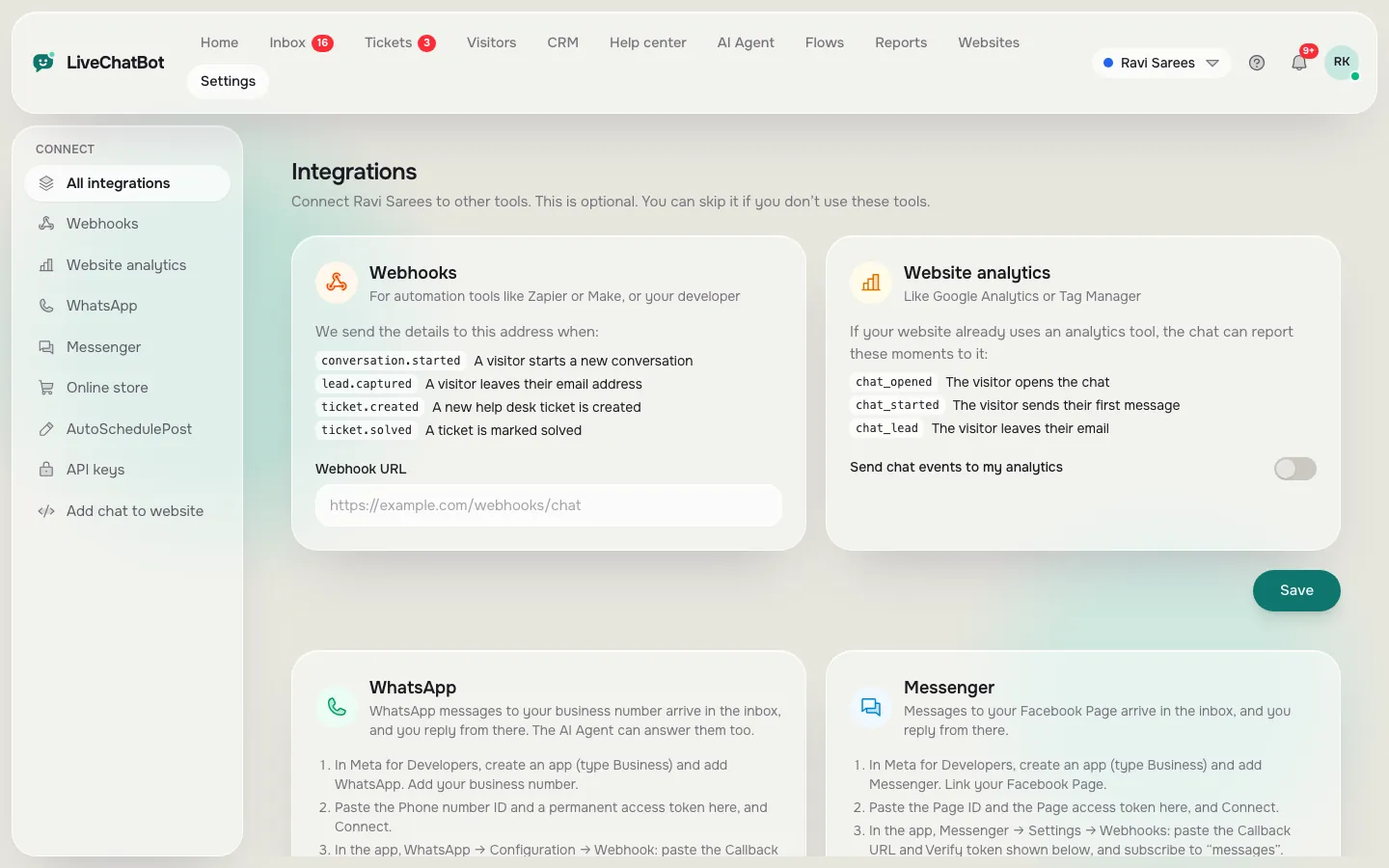
- LiveChatBot’s REST API is plumbing. Keys come from Integrations → API and are sent as a Bearer header.
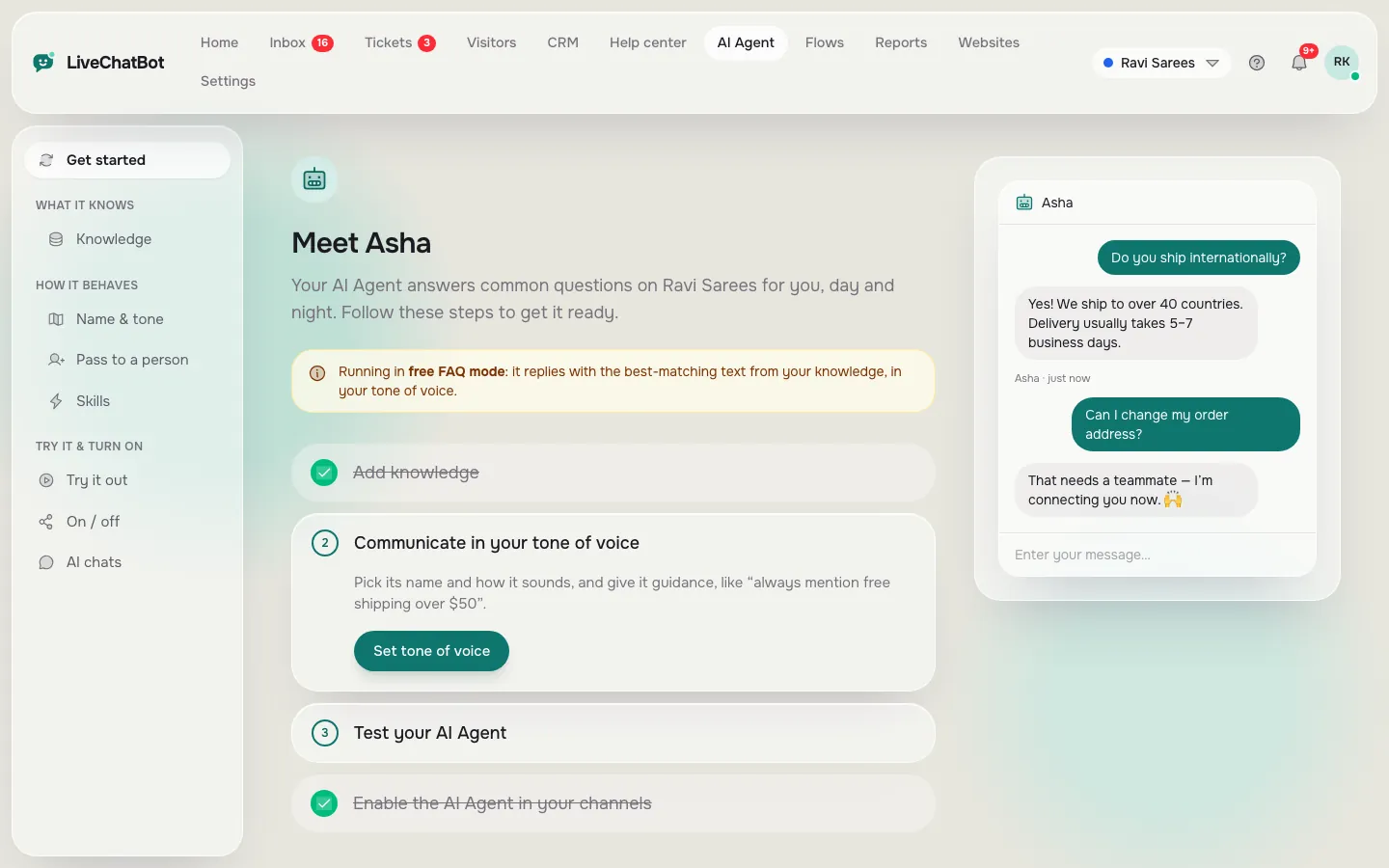
- The AI Agent answers visitors inside the chat widget, from the knowledge you give it. You cannot pick the model or bring your own key.
- Most small websites need the plumbing and a trained AI Agent, not their own text-generation API.
The big split
A free AI chatbot API is one of two very different things
The phrase covers two products, and most disappointment comes from mixing them up.
Brain API
You send a question as text and get a written answer back. You build the chat window, the memory, the hand-over to a person and the knowledge yourself. The “free” part is usually a small trial allowance that ends, so it suits experiments and developers, not a shop that needs answers every day.
Plumbing API
Your code talks to a chat product that already works. It can list conversations, post a reply, open a ticket, push a lead from your own form or read a visitor profile. Nothing here generates text, because the chat product has already done that part.
Search results for this keyword mix both. If you want a chatbot API to build on, read what is free and what is capped. If you want a chat on your site that answers well, you want the plumbing and a trained assistant, and the rest of this guide is for you.
What LiveChatBot gives you
LiveChatBot’s free API is plumbing: 14 actions, counted from the real routes
LiveChatBot’s REST API lets your own code work with chats, tickets, visitors and leads using a key from Integrations → API.
The key goes in an “Authorization: Bearer” header. A missing or wrong key gets a 401 message. A suspended account gets a 403.
The 14 actions
I counted these from the API’s route list, so they are the real set, not a marketing number:
- 8 reads: your account, your websites, conversations (list and one), visitors (list and one), tickets (list and one).
- 4 writes: reply to a conversation, create a ticket, reply to a ticket, push leads.
- 2 updates: change a conversation, change a ticket.
Leads can be sent up to 200 in one call, each tagged with a website. If you have more than one website, say which one by its number or its domain.
There is no action that returns an AI-written answer for a question you send. That is the brain, and it stays inside the widget. To see the setup for the answering side, read the AI Agent page.
Real screens
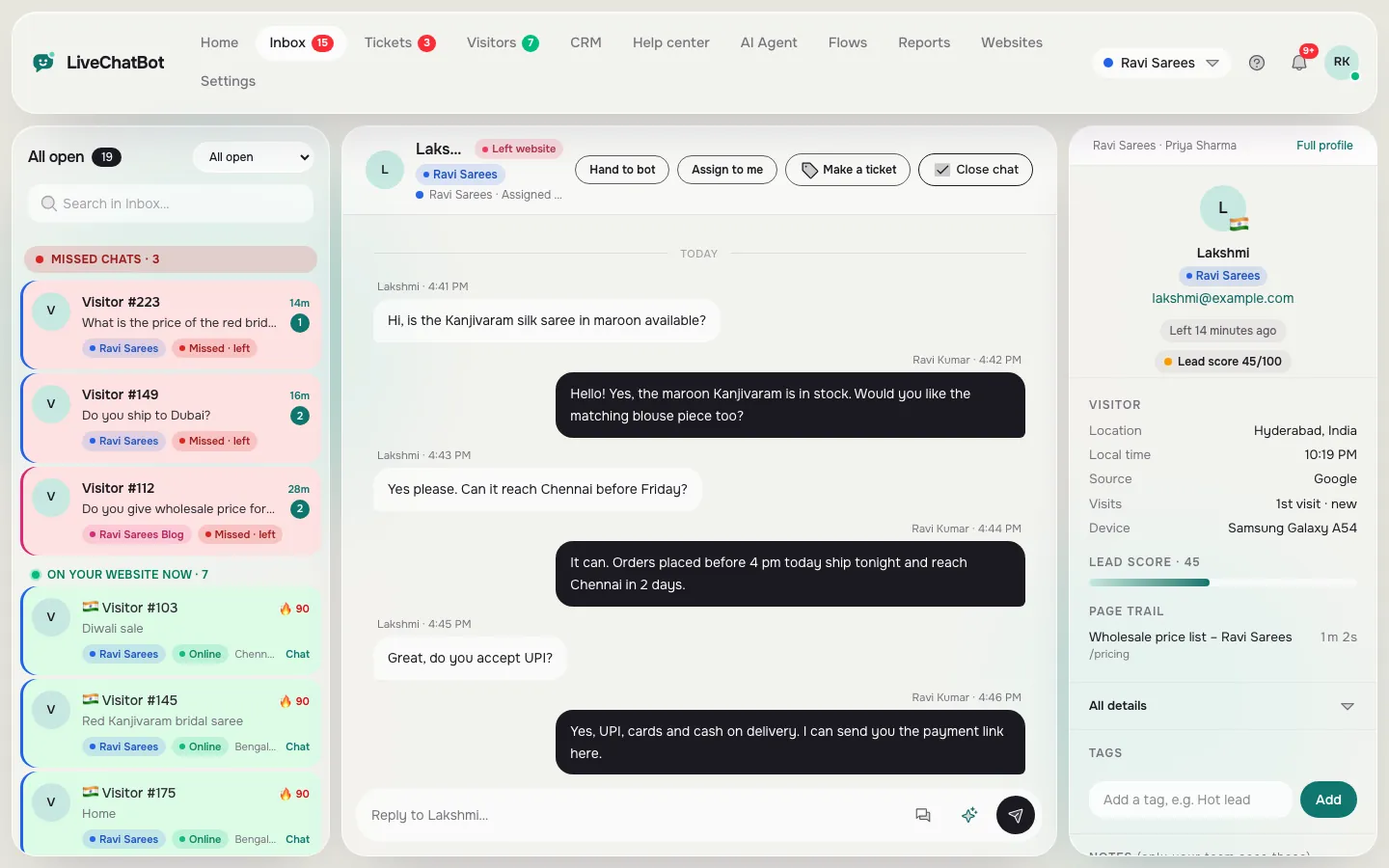
Where the API key lives, where the answers come from, and where replies land
Real screens from the LiveChatBot panel, shown with sample data. Click any picture to see it full size.
Limits you can plan around
The API’s limits, with the maths for a real website
The REST API allows 120 calls a minute per key. The chat widget itself has separate limits: 20 visitor messages a minute per visitor address and 240 widget calls a minute per address. These are fixed, not settings.
Worked example: a small shop’s helpdesk screen
Say you build a tiny dashboard that checks for new conversations.
- You ask for the conversation list every 30 seconds: 2 calls a minute.
- A teammate has it open all day: 2 × 60 × 10 working hours = 1,200 calls.
- Ten teammates: 12,000 calls a day, still only 20 calls a minute at the same moment.
Your budget is 120 a minute, so ten open screens use about one sixth of it. The same dashboard polling every second would need 60 a minute each, and just two screens would use the whole allowance.
Rule of thumb: divide 120 by the calls each screen makes a minute. That is how many screens one key can feed. Better still, use a separate key for each tool, because the limit counts per key.
Try it
Which route do you actually need?
Follow the tree from your goal. It ends on the simplest route that works, not the most impressive one.
Something most guides miss
What most guides miss: test the direction before the price
Our rule: ask which way the data flows, then ask what it costs.
Most guides compare free tiers by price and limits. That skips the question that decides everything: does your text go into the API and an answer come out, or does your business data go into a product that answers for you?
Try the five-minute direction test on any vendor:
- Find the first example in their docs.
- If it sends a visitor’s question and returns a sentence, it is a brain API. You build the rest.
- If it lists chats or creates tickets, it is plumbing. The answers come from the product.
- Count the pieces you would have to build: chat window, memory, hand-over, away form, inbox. Each is days of work.
- Only then compare the free limits.
For a small website, step four usually settles it. The plumbing route has everything but the code you actually want to write.
Honest gaps
What the free API does not do
The free API does not generate text, let you pick an AI model or accept your own OpenAI, Anthropic or Gemini key. The provider is set by LiveChatBot on the server.
It also does not replace the widget. Visitors still chat through the widget, and the keyword bot answers when the AI allowance has run out. The REST API offers no captcha or spam scoring either, so protect any form you connect.
For notifications, use webhooks: ticket.created, ticket.solved and lead.captured. A webhook route pushes events to you, so you do not need to poll the list again and again. Zapier covers the no-code cases; the Zapier guide shows the steps.
Single sign-on, audit logs and role builders are not available. If your IT team needs them, say so before you build.
Your first call
Make your first call safely in four steps
A first call proves your key works before you build anything on it.
- Open Integrations → API and create a key. Copy it once and store it in a server setting, never in a web page.
- Send a GET request to the “me” action with the Bearer header. A reply with your account name proves the key.
- Call the websites action and note each website number. You need it for leads.
- Make one small write: send a single test lead to your own website, then look at Contacts. A new-lead alert should arrive.
If you see a 401, the key is wrong or missing. If you see a 422 on leads, you did not say which website. If 429, you passed the 120-a-minute limit, so slow your polling.
Ask our team for developer documentation if you need field names. Answers still come from the trained AI Agent, not from the API. For the wider picture of what the API is for, the one-request-at-a-time guide explains requests and costs.
Free means what
What a free AI chatbot API costs in plain rupees
Creating a key for the API costs nothing. The free plan has 2 websites and 100 visitors per website a month. Starter is ₹299 a month for 2 websites and 750 visitors shared; Growth is ₹699 for 5 websites and 2,500 shared. Yearly plans pay for 10 months and give 12. There is no auto-renew and no per-seat charge.
The API does not add a fee per call. What costs money is visitors. If your code pushes leads or reads chats, the visitor count is unaffected. If your site sends more visitors than your plan, chat pauses for new ones, but the API still works on the data you already have.
For a closer look at how the allowances behave, see pricing.
Frequently asked questions
Is there a free AI chatbot API on LiveChatBot?
Yes, in the plumbing sense. A free account can create an API key and use the REST API’s 14 actions. It does not offer a text-generation endpoint.
Can I use my own OpenAI key with it?
No. The AI provider is set by LiveChatBot on the server, and you cannot choose the model or add your own key.
How many calls can I make?
Each key gets 120 calls a minute. The chat widget has its own, separate limits, such as 20 visitor messages a minute per address.
Do I need the API to get AI answers on my site?
No. Train the AI Agent with your own facts and add the chat code. The API is only for connecting your own tools.
What can I use if I do not write code?
Zapier and the webhook events cover most no-code cases, such as sending new tickets to a sheet or alerting your team.
Keep reading
Related guides
Free Chat API for Website Owners: Pick the Smallest Layer That Does the Job, From One Pasted Line to the REST API
More to read
More guides on this topic
Free Chatbot Alternative or Keep Paying? Audit Which Paid Features You Actually Used Last Quarter Before You Downgrade (Free Usage Audit)
Chatbot With Zapier Integration: Which Zap to Build First, Five Ideas That Pay Back Fast, and the Limits to Know Before You Rely on One (Free Zap Picker Quiz)
Start with the plumbing
Free plan, API key included, no per-seat charges. Create your account at livechatbot.in.