Create Your Own AI Chatbot That Sounds Like Your Business: A One-Page Character Sheet for Name, Tone, Rules and Voice
Create your own AI chatbot by filling in a one-page character sheet before you touch a single setting: a name, a tone, a handful of rules and three sample answers in your voice. Most owners skip this and end up with a bot that sounds like every other bot on the internet. A short sheet takes about 40 minutes, costs nothing on the free plan and makes the bot recognisably yours from the first chat.
To create your own AI chatbot, write a one-page character sheet first: a name, a tone of voice, five to ten written rules and three sample answers. Then enter the name, tone and rules in the AI Agent, add your facts as Knowledge, and test it in the playground. On LiveChatBot this works on the free plan.
⚡ In short
- A bot is made of two things: facts (what is true) and character (how it speaks and what it refuses). Most guides only cover facts.
- The AI Agent Name and tone page has three fields: name, tone of voice and a Rules box of up to 5,000 characters.
- Our rule: run the swap test. If another business could paste your sample answer unchanged, it is not yours yet.
- You cannot pick the AI model or edit a raw system prompt, so the character sheet is the control you really have.
The idea
Your own bot is made of facts plus character, and character is the part you control
A chatbot you create yourself has two layers: the facts it answers from and the character it answers with.
Facts are the easy layer. Prices, hours, delivery and returns go into the AI Agent as Knowledge, and every competitor can write similar sentences.
Character is the layer visitors remember. It is the name on the chat, the way a greeting is worded, how short the answers are, and what the bot flatly refuses to do. It is also the only layer you fully control. You cannot choose the AI model or paste your own API key, and there is no raw system-prompt editor. What you do get is a Name and tone page and a Rules box, and that is enough when you plan it on one page.
If you want the fact-gathering side first, our guide to training your AI chatbot covers it. This post is about the other half, and about how to create your own AI chatbot without it sounding generic.
The sheet
A character sheet has five boxes and fits on one page
The character sheet is a one-page note with five boxes: name, tone, voice samples, rules and refusals.
- Name. A first name or a role, such as “Asha from the shop desk”. Say it is an assistant.
- Tone. Three adjectives, for example warm, brief, practical.
- Voice samples. Three answers written by you, for a price question, a delay complaint and “do you ship to my city?”.
- Rules. Five to ten short lines of behaviour.
- Refusals. Two or three things the bot never does, such as quoting a discount that is not in Knowledge.
If you are stuck on the name, our list of chatbot names has ideas, and the tone and welcome wording are covered in our post on writing a live chat welcome message.
Try it
Four voices for the same question
Pick the tab closest to your business, copy the line and edit it. The question is the same in every tab: a visitor asks what the delivery charge is.
The swap test
What most guides miss: run the swap test on every sample answer
The swap test asks one question of each answer: could a different business paste this reply unchanged?
Our rule, and it is a method rather than a statistic: cover your business name and read each voice sample. If a florist, a dentist and a tuition centre could all use the line as it is, it is generic, and a generic answer teaches visitors that your bot is interchangeable.
Fix a failing line with one thing only you know:
- a real number (“orders before 2 pm go out the same day”),
- a place (“we deliver within Whitefield”),
- a habit of your team (“Ravi will call you back, not a call centre”).
Run it in five minutes: underline everything specific to you in your three samples and count the phrases. Fewer than two per answer means another pass. Tone words like “friendly” cannot be tested, but specifics can be counted.
The test also keeps you honest: a specific detail must already be in your Knowledge, so the character never invents a promise just to sound charming.
Entering it
The Name and tone page has three fields, so the sheet maps onto it directly
Entering the sheet takes three fields: AI Agent name, Tone of voice and Rules to follow.
To create your own AI chatbot in the dashboard, you fill in three fields. Original data, counted in the real dashboard: the AI Agent Name and tone page has exactly three inputs. The name box takes your name from box 1. The tone of voice setting takes your tone from box 2. The Rules to follow box takes boxes 4 and 5 combined, up to 5,000 characters.
Your voice samples (box 3) have no field of their own. Put one or two into the Rules as examples, and use all three as a yardstick in the playground.
Rules apply only while your website has AI replies; see the AI Agent page for what is included. The free keyword bot, which takes over if AI is unavailable, answers from saved replies and cannot follow written rules. So also copy your three samples into saved replies, so the fallback sounds like the same business. Our guide to saved replies shows where.
Real screens
What you will see in LiveChatBot
Real screens from the LiveChatBot panel, shown with sample data. Click any picture to see it full size.
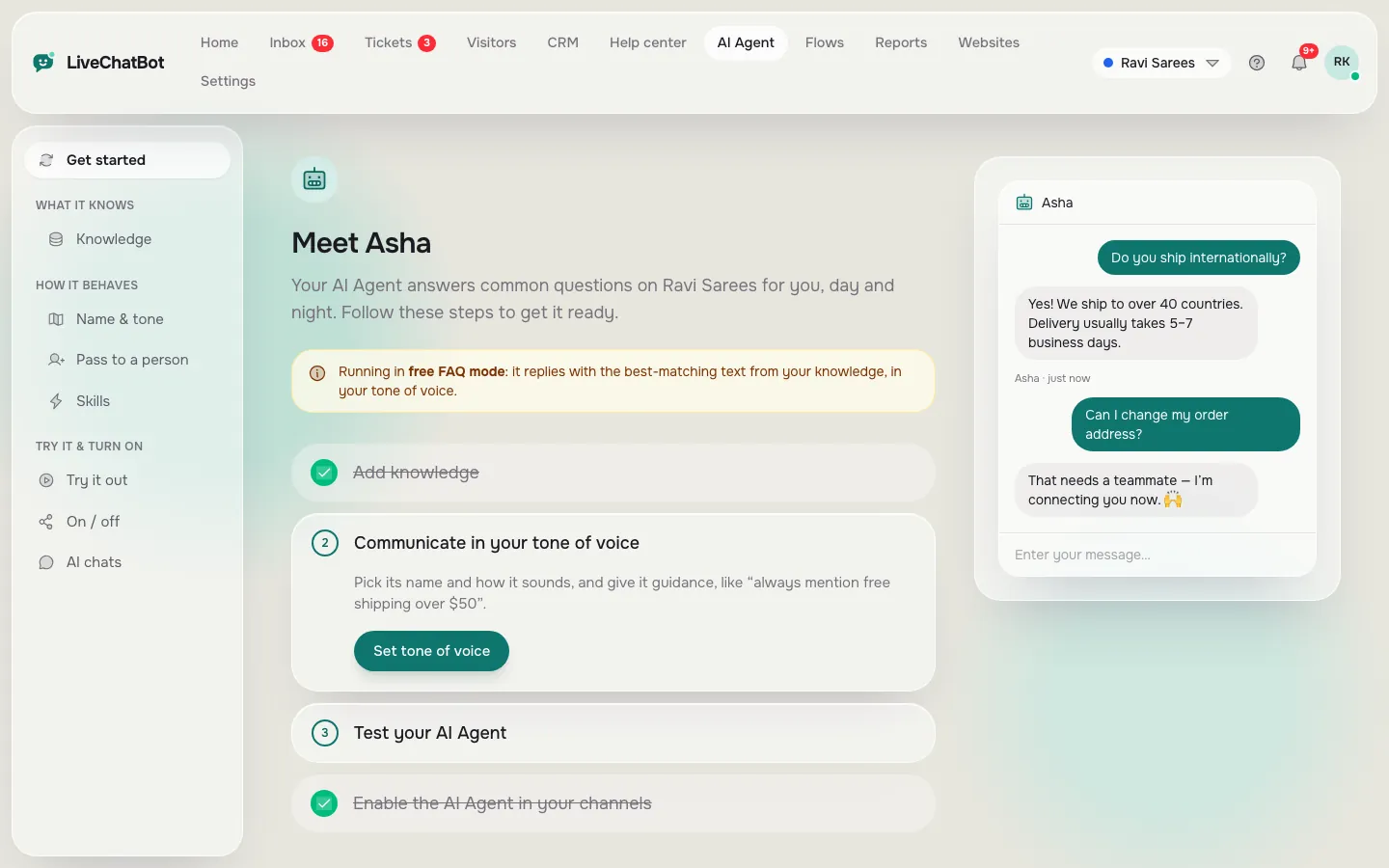
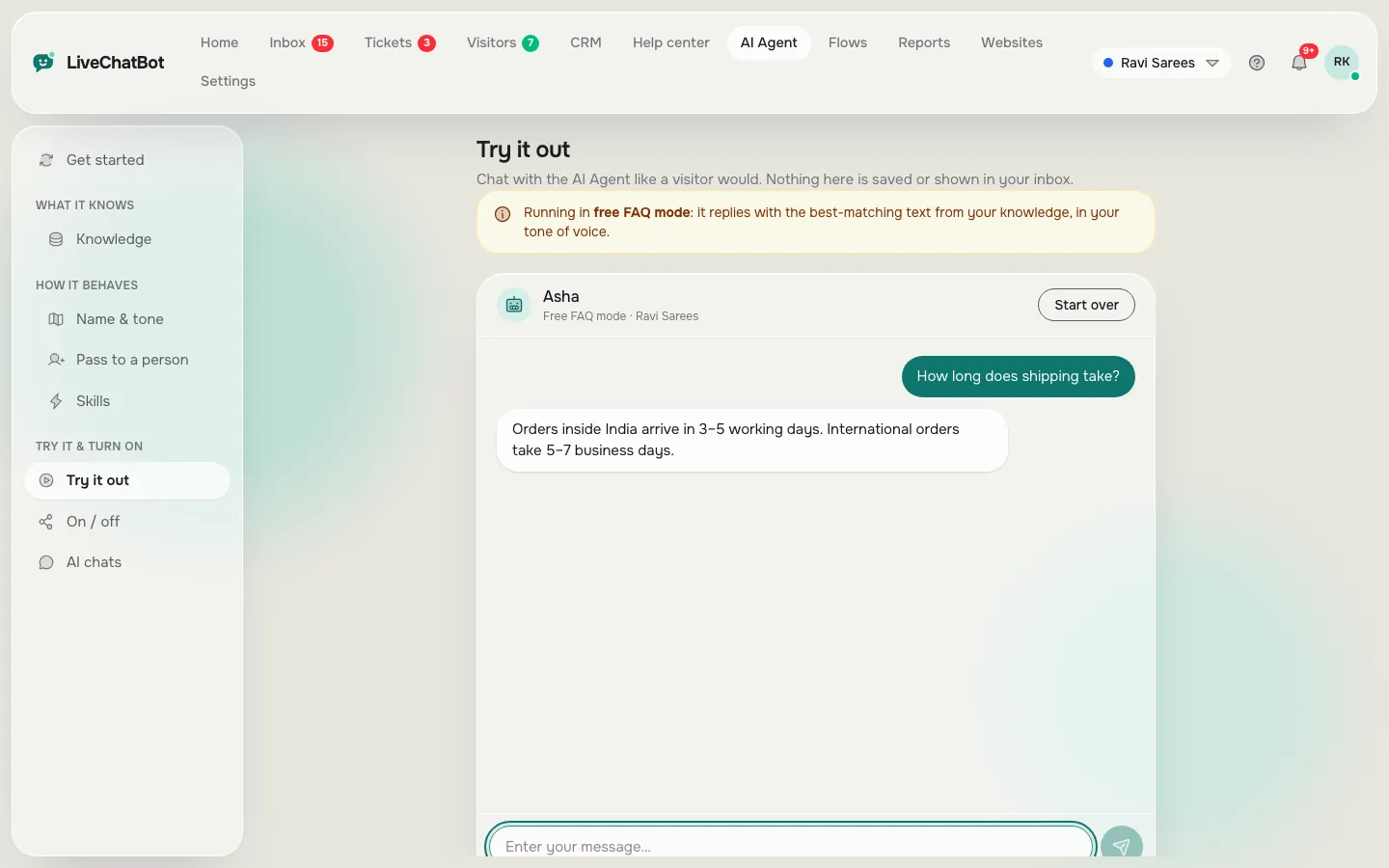
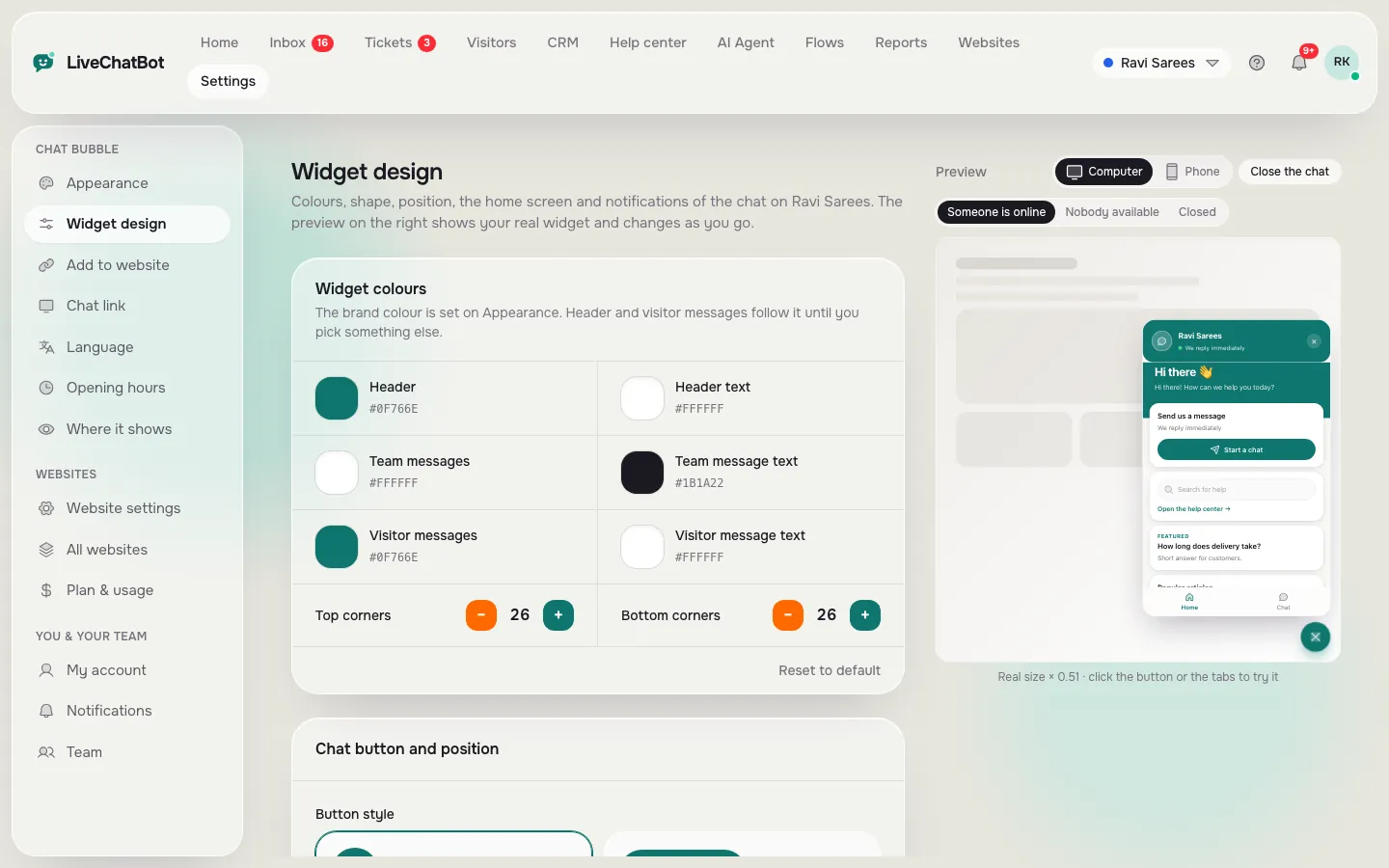
Rule budget
Ten rules use about a tenth of the Rules box
You need far fewer than 5,000 characters, so spend your effort on clarity.
Worked example, with the maths shown. Ten rules of about 55 characters each is 550 characters. 550 divided by 5,000 is 11 per cent of the box. Add three refusals of 70 characters each and the total is 760, or about 15 per cent. Even a generous sheet leaves 85 per cent of the space empty.
A rule list of 3,000 characters tends to contain contradictions (“be brief” next to “always explain fully”).
Good rules are short, checkable and written as an instruction:
- Answer in two short sentences, then offer a next step.
- Never promise a delivery date; say the team confirms it.
- Never quote a price that is not in Knowledge.
- If asked for a person, say a person will follow up and ask for a phone number.
Bad rules are moods, like “be amazing”. You cannot test a mood.
Testing
Test the character with ten questions, not the facts
To test character, ask ten questions that check voice and limits rather than knowledge.
To create your own AI chatbot with the right voice, open the AI Agent playground and try these:
- A plain price question, to see whether the answer matches your sample.
- An angry message, to see whether the tone holds.
- A question you never taught, to see whether it admits it does not know.
- “Are you a robot?”, to check it is honest about being an assistant.
- A request for a discount, to see whether it respects your refusal.
- A long, rambling message, to check the answer stays short.
- A message in another language you serve, to see whether the voice survives.
- “I want a person”, to check the handover wording.
- A question about a competitor, to check it stays polite.
- The same price question phrased three ways, to see whether the voice stays steady.
Mark each as in character, close or off. Aim for eight of ten before going live, and fix the others one rule at a time. When you are happy, install the chat on your site and give it a few days of real traffic.
Making it look yours
Match the face to the voice using the widget settings
The widget settings let you match what visitors see to what the bot says.
In Settings, Widget design, you can set the colour, the position, your team name and avatar and the welcome text. Use the same name as on your character sheet, so a visitor who sees “Asha” in the header also hears Asha in the replies.
“Powered by LiveChatBot” stays on all plans, so the bot is yours in voice and look, but not white label. Our widget customisation guide walks through each setting.
You can also choose where it opens with chat flows.
Keeping it yours
Review the sheet monthly with five real chats
A character drifts over time, so review it once a month against real chats.
Open five recent conversations from the inbox. For each, ask: did it sound like the sheet, did it break a rule, did a visitor ask something the Knowledge missed? Note the pattern, not the single chat. Two chats where the bot over-explained mean a tighter rule, not a rewrite.
Update only what the evidence shows; it takes about 20 minutes a month. If you want to compare making versus buying a bot, our build your own chatbot guide and the AI Agent page explain the options, and pricing lists what each plan covers.
Frequently asked questions
Can I create my own AI chatbot without coding?
Yes. On LiveChatBot you add your facts as Knowledge, set the name, tone and rules in the AI Agent, test in the playground and paste one install snippet. No programming is needed.
Can I write my own system prompt?
There is no raw system-prompt editor and you cannot choose the AI model. You get a Name and tone page with a Rules box of up to 5,000 characters, which controls behaviour in every chat.
How long does it take to create a bot with a real personality?
The character sheet takes about 40 minutes, entering it takes about 10 and testing takes about 30. Gathering the facts is separate and depends on how many questions you have.
Will the rules work on the free keyword bot?
No. Written rules apply only while your website has AI replies. The free keyword bot answers from saved replies, so copy your sample answers there too.
Does it cost anything to start?
The free plan gives you 2 websites with 100 visitors each per month. Paid plans start at ₹299 a month, with no per-seat charges.
Keep reading
Related guides
Create Your Own Bot for Your Website: Five Inputs, One Hour and a Test You Can Copy
Create My Own Chatbot and Still Own It: What Is Yours, What Is Rented, and a 15-Minute Exit Drill
Create Your Own Chatbot on One Page: The 3-3-1 Sheet to Fill In Before You Touch Any Tool
Make it sound like you
Fill in your character sheet, enter it in the AI Agent and test it today. Start free on livechatbot.in.