Chatbots Android Alerts That Actually Arrive: Fix Battery Savers, Notification Settings and Brand Quirks So You Never Miss a Bot Handover (Free Phone Settings Finder)
Chatbots Android owners rely on have one weak point that has nothing to do with the bot. The bot answers the easy questions, hands the tricky ones to a person, and sends that person an alert. If the phone is asleep, in battery saver, or made by a brand that closes background apps aggressively, the alert arrives late or not at all. The visitor waits, gives up and leaves. This guide shows why Android phones delay alerts, the exact settings to change for Samsung, Xiaomi, OnePlus, Oppo, Realme, Vivo and others, and how to test it properly. A free tool gives you the settings for your phone.
⚡ In short
- Most missed chat alerts on Android are caused by the phone, not the chat app: battery optimisation, autostart limits and Do Not Disturb.
- Each brand hides these settings in a different place. Change them once and alerts become reliable.
- Keep only the alert categories you need, so the important ones don’t get lost in noise.
- Always test with the phone locked for 10 minutes. A test with the app open proves nothing.
Why it happens
Android saves battery by putting apps to sleep
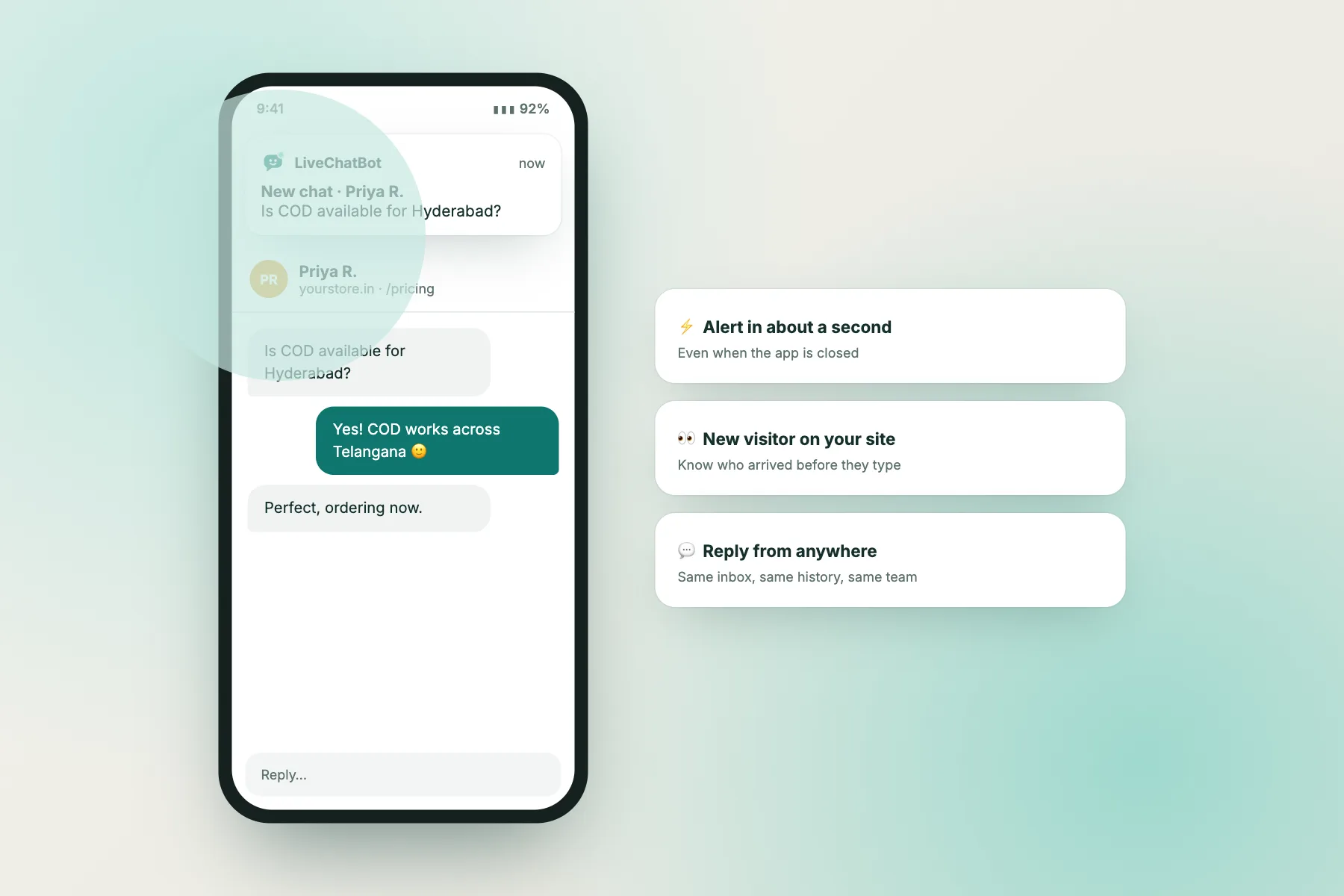
When your website bot hands a chat to a person, the handover only helps if that person notices. On a laptop, a browser tab can play a sound. On the go, the alert has to reach your Android phone, and that’s where things can quietly fail.
Android tries hard to save battery. When the screen is off for a while, the phone enters a low-power state and limits what apps can do in the background. That’s the standard behaviour from Google. On top of it, many phone makers add their own, stricter battery managers. Some close apps you haven’t opened recently, stop them from starting on their own after a restart, or delay their notifications until you unlock the phone.
For most apps that’s fine. Nobody minds if a shopping app’s offer arrives an hour late. For a chat app, it’s the difference between answering a customer in one minute and finding their message the next morning.
The tricky part is that it doesn’t fail every time. You test with the app open, the alert arrives instantly, and you assume all is well. Then on a busy afternoon with the phone in your pocket, three chats arrive silently. Because the failure is intermittent, people often blame the chat app or the network, when the fix is a couple of switches in the phone’s settings.
The good news: once those switches are set, they stay set. A few minutes per phone, plus a proper test, and your team’s alerts become dependable. If you’re still choosing an app to reply from, our phone app field trial shows how to compare them in an evening.
The three culprits
Three settings that silence chatbots Android owners depend on
Battery optimisation
The phone limits background activity for apps it thinks you don’t need. Setting the chat app to Unrestricted or Not optimised fixes most delays.
Autostart and app killers
Xiaomi, Oppo, Realme and Vivo phones may stop apps starting on their own or close them when you clear recent apps. Allow autostart and lock the app.
Notification permission and quiet modes
Android 13 and newer asks before an app can notify you. Do Not Disturb and Bedtime mode can also hold alerts back.
Step by step
Set up one phone in five minutes
Do this on every phone that should receive chat alerts, including your own. The order matters: permission first, then battery, then which alerts you want.
1. Allow notifications
On Android 13 and newer, the app asks for permission to send notifications the first time it opens. If anyone tapped “Don’t allow”, nothing will arrive. Go to Settings → Apps → LiveChatBot → Notifications and turn them on.
2. Remove battery restrictions
Open Settings → Apps → LiveChatBot → Battery (the exact name varies) and choose Unrestricted. On near-stock phones such as Pixel and Motorola, that’s usually enough. On other brands there are extra steps, which the tool below lists.
3. Allow autostart and lock the app
On Xiaomi, Oppo, Realme and Vivo phones, find Autostart in the app’s settings and turn it on. Then open the recent apps screen and lock the LiveChatBot card so cleaning up doesn’t close it.
4. Pick your alert categories
The LiveChatBot Android app groups alerts into categories, such as Visitor chat request, Visitor chat, Missed visitor chat, Help desk tickets, Hot leads and page alerts, and Visitor arrived. Keep the ones that need action on; turn off the ones that are just for information if they’re too noisy. A switched-off category is muted too.
5. Test with the phone locked
Lock the phone, wait 10 minutes, then start a chat on your website from another phone. If the alert arrives within seconds, you’re done. Our guide on using the Android app covers the rest of the app.
Free tool
Chatbots Android settings finder
Pick your phone brand, Android version and role. You’ll get the settings to change, in order, plus which alerts to keep.
Tell us about the phone that should get chat alerts. You’ll get the settings to change, in order.
Runs only in your browser; nothing is sent or saved. Menu names change between software versions: if you can’t find one, search for the word in bold in your phone’s Settings search bar.
Brand by brand
Where each phone maker hides the settings
Phone makers rename and move these menus with almost every software update, so treat the paths below as a guide. If you can’t find a menu, type the key word, such as “battery”, “autostart” or “background”, into the search bar at the top of Settings.
Samsung
Set the app’s battery to Unrestricted, then check Settings → Battery → Background usage limits. Samsung can put apps into “sleeping” or “deep sleeping” lists automatically. Make sure LiveChatBot is in Never sleeping apps instead.
Xiaomi, Redmi and POCO
These phones are known for strict battery management. Turn on Autostart for the app, set its battery saver to No restrictions, and lock it in recent apps.
OnePlus
Set battery usage to Unrestricted or allow background activity, and check advanced battery settings for options that freeze apps you haven’t opened recently.
Oppo and Realme
In the app’s battery usage screen, allow background activity and auto launch. Lock the app in recent apps.
Vivo and iQOO
Look under Battery → Background power consumption management and allow high background power use for the app. Turn on Autostart too.
Pixel, Motorola, Nokia and near-stock phones
Usually the simplest: set App battery usage to Unrestricted and check that battery optimisation lists the app as “Not optimised”.
If your team uses several brands, set each phone up separately. Don’t assume a setting that worked on your Samsung covers a colleague’s Redmi.
Quick reference
Settings by brand
| Brand | Battery | Autostart | Lock in recents | Extra |
|---|---|---|---|---|
| Samsung | Unrestricted | Not usually needed | Optional | Add to Never sleeping apps |
| Xiaomi / Redmi / POCO | No restrictions | Turn on | Yes | Check after every update |
| OnePlus | Unrestricted | Allow background activity | Yes | Turn off deep optimisation |
| Oppo / Realme | Allow background activity | Allow auto launch | Yes | Check battery optimisation list |
| Vivo / iQOO | Allow high background power | Turn on | Yes | Also check app permissions |
| Pixel / Motorola / Nokia | Unrestricted | Not needed | Not needed | Battery optimisation: Not optimised |
Menu names vary between software versions. Use the Settings search bar if a path doesn’t match your phone.
Fewer, better alerts
Choose alerts by role so the important ones stand out
Fixing delivery is half the job. The other half is making sure the alerts that arrive are the ones that need you. If your phone buzzes for every visitor who lands on the home page, you’ll start ignoring it, and then you’ll ignore the chat request too.
Think about what each person on your team needs to act on:
- Owner handling everything: Visitor chat request, Visitor chat, Missed visitor chat and Help desk tickets. Visitor arrived is interesting but noisy on a busy site.
- Sales person: chat requests and chats, plus Hot leads and page alerts and Returning visitor, which point to people close to buying.
- Support person: chat requests, chats, missed chats and help desk tickets.
If you look after several websites, give each one its own tone. In the LiveChatBot dashboard, each team member can choose a tone per website under Settings → Notifications. When the phone rings, you know which site the chat came from before you even look.
Missed visitor chat alerts deserve special attention. They tell you someone gave up waiting. If you see them often, the fix is usually upstream: clearer opening hours, an away form that collects an email or phone number, or a bot that answers more of the common questions. Our guides on opening hours and chat coverage planning help you decide who answers every hour of the week.
Common situations
Symptom and fix
Beyond your phone
If you were looking for chatbot apps to talk to
Some people searching for chatbots on Android want something different: an AI assistant app to chat with on their own phone. That’s a separate topic from running a business chat, but a word of caution applies to both.
Install apps only from sources you trust, check the developer name carefully, and look at what permissions an app asks for. Many fake “AI chat” apps copy famous names and push expensive subscriptions. Our AI chatbot download safety check walks through spotting them.
For a business, the more useful question is how your own website bot and your team work together from a phone. The bot answers the routine questions on your site; the Android app tells you when a person is needed and lets you reply from anywhere. That’s what our bot chat app guide covers, and it’s what all the settings above protect.
Whether you came looking for chatbots Android owners run for business or a personal assistant app, the principle is the same: an alert you never see is the same as no alert. Spend five minutes on settings, ten on a locked-phone test, and repeat the test after every major phone update, because updates sometimes reset battery choices.
Checklist
One phone, fully set up
Getting started
Set up your phone today
Pick your brand in the settings finder, work through the steps and run the locked-phone test with a colleague. Then do the same on every phone in the team. It’s the cheapest reliability fix you’ll ever make.
LiveChatBot’s free plan includes the Android app, the chat widget, a team inbox, Flows, opening hours with an away form, tickets and an AI Agent with a small free monthly allowance, for two websites with 100 visitors per website each month. There’s no iOS team app, so iPhone users reply from the browser dashboard. See pricing and start at livechatbot.in.
Frequently asked questions
Why do alerts from chatbots Android users install arrive late?
Usually because the phone’s battery manager restricts the app in the background. Setting the app’s battery use to Unrestricted, allowing autostart and locking it in recent apps fixes most delays.
Do I need to change these settings after every update?
Not usually, but major phone updates sometimes reset battery choices. Re-run the 10-minute locked test after each big update.
Which alert categories should I keep on?
Keep the ones that need action: chat requests, chats, missed chats and tickets. Visitor arrived and returning visitor alerts are useful for sales but noisy for most people.
Is there a LiveChatBot app for iPhone?
Not for the team. iPhone users reply from the dashboard in the browser. Visitors on any phone can chat on your website without installing anything.
Does the settings finder collect anything about my phone?
No. It runs entirely in your browser and nothing is sent or saved.
Keep reading
Related guides
Chatbot WordPress Content Map: Which Pages, Posts and WooCommerce Products Your Bot Should Learn From, and Which to Leave Out (Free Page Sorter)
Chatbot Web Testing Across Phones, Browsers and In-App Browsers: Check Your Bot Where Visitors Really Open It (Free Test Matrix Builder)
Chatbots in Artificial Intelligence: How Much AI Is Really Inside? A 6-Level Scale and a Free Behaviour Test
Never miss the chat your bot hands over
Let the AI Agent answer routine questions and get a reliable alert on Android when a person is needed. Start free on livechatbot.in.