Chatbot With Visitor Segmentation: Which of Your Six Flow Conditions Should Define Your First Segment? (Free Segment Picker Quiz)
Chatbot with visitor segmentation means showing different visitors different messages, instead of the same greeting to everyone. LiveChatBot does this through Flow conditions: page, source, country, device, browser language, number of visits, lead score and whether contact details are known. Most owners try to build ten segments on day one and finish none. This guide helps you pick one, build it, and check it works.
⚡ In short
- A segment is just a group of visitors who share something you can see: the page, the source, the country, the device, the language, how often they came or what you know about them.
- Start with one segment. Build it, watch it for two weeks, then add a second.
- Your first segment should be the one where a different message clearly makes sense, usually a high-intent page or a returning visitor.
- Take the quiz to see which condition to build first.
The idea
What segmentation means for a small website
In big marketing tools, segmentation involves databases and dashboards. On a small business website it is simpler. You decide that some visitors should see one message and others another, and you use a condition to tell them apart.
A cake shop in Pune might greet visitors on the wedding cakes page differently from visitors on the birthday page. A tutor might greet someone arriving from a Google search for “maths tuition” differently from a returning parent.
Why one greeting for all falls short
A generic “Hi, how can we help?” works as a baseline, but it ignores what you already know. A visitor on your pricing page for the third time is not the same as a first-time reader of a blog post.
What you need to know first
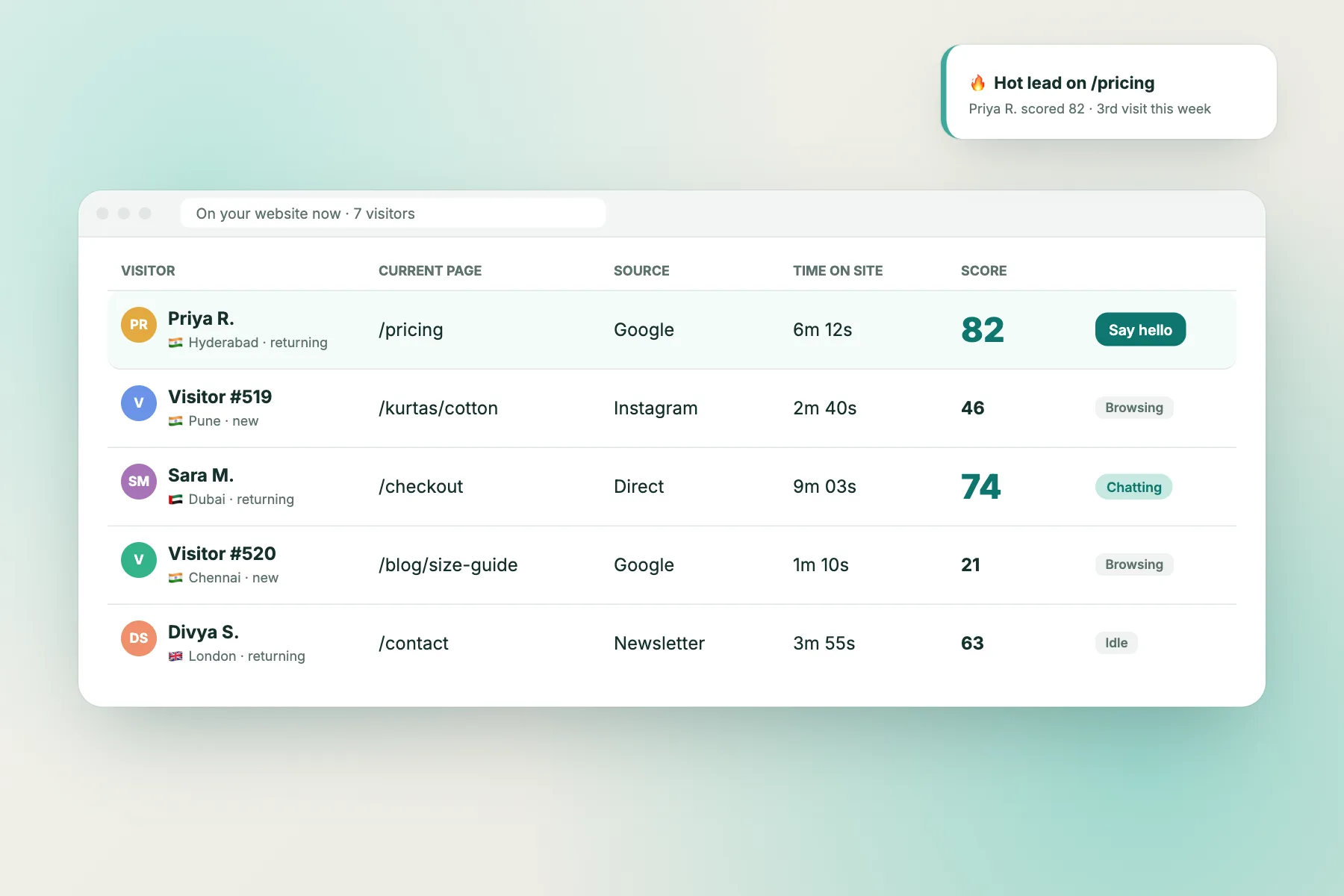
You need a clear idea of who is on your site and what each group wants. If you do not, the visitor tracking view shows pages, sources and countries in real time and is a good place to look.
The conditions
The conditions a chatbot with visitor segmentation can use
LiveChatBot Flows can use these conditions, and you can combine up to six in one Flow.
What the visitor is looking at
- Page. Show a message only on pricing, a product or a contact page.
- Traffic source. Tell ad clicks, search visitors and direct visitors apart.
Who the visitor is
- Country. Useful if you serve certain regions or run offers by country.
- Device. Phone visitors can get a shorter message than desktop ones.
- Browser language. Greet people in the language their browser uses.
What you already know
- Number of visits. First-timers, second-timers and regulars behave differently.
- Lead score. A signal of how warm the visitor looks.
- Has contact details. Skip asking for an email you already have.
Our Flow-building guide shows where each condition sits in the builder.
Try it
Free segment picker: which condition should you build first?
Answer four questions about your site. The quiz points to the single condition most likely to pay off first.
Build one
Build your first segment in six steps
- Pick the group from the quiz and write its name down, for example “Pricing page visitors”.
- Write one message for that group. One line, one question.
- Create a Flow in the dashboard and add the single condition. Keep the rest empty.
- Test it yourself. Open the page in a private window and check the message appears. Open another page and check it does not.
- Watch it for two weeks. Count chats that came from the Flow.
- Only then add a second condition or a second segment.
Keep each segment honest
If a segment is so narrow that three people a month match it, it is not worth maintaining. Prefer groups big enough to see a pattern. If two segments often overlap, combine them into one message.
For the full range of proactive options, read our proactive chat guide.
Examples
Three illustrative segments for a chatbot with visitor segmentation
These are made-up examples to show the shape of a segment, not results from real businesses.
A tuition centre
Segment: parents on the fees page, second visit or later. Message: “Want the batch timings for your child’s class?” They have come back to the fees page, so they are close to enquiring.
A furniture shop
Segment: visitors from a paid ad landing on the sofa page, on a phone. Message: “Looking at this sofa? Ask about size, colour or delivery.” Short, on-topic and easy to read on a small screen.
A clinic
Segment: visitors whose browser language is Hindi, on the appointments page. Message in Hindi offering help to book. Keep the wording about booking only, and never ask for health details in chat.
Each example uses one or two conditions and one clear message.
Combining
When to combine two conditions, and when to leave it
A single condition gets you most of the benefit. Combine two when one alone sends the message to the wrong people.
Good pairs:
- Page plus visits. Pricing page, second visit or more. The visitor has come back to think.
- Source plus page. Visitors from an ad landing on the matching product page.
- Device plus page. A short message on a phone checkout page.
- Visits plus no contact details. Returning visitor whose email you do not have yet.
Pairs to avoid: stacking five conditions so tightly that nobody matches. If you cannot say in one sentence who sees the Flow, simplify it.
What not to segment on
Do not target by anything sensitive, such as guessed health, income or religion. Segment by behaviour and context you can explain in a privacy notice.
Honest limits
What chatbot with visitor segmentation on LiveChatBot doesn’t include
Know the boundaries before you plan.
- Segments are built from Flow conditions on the live visitor. There is no separate audience builder or saved segment list.
- There is no native CRM sync. To pass chat data to other tools use Zapier, webhooks (ticket.created and ticket.solved) or the REST API.
- Visitor data your own site knows, such as a customer’s name and email, can be passed with the JS API call setVisitor.
- There is no pre-chat form, and “Powered by LiveChatBot” stays on every plan.
If you need a full marketing database with hundreds of saved audiences, a marketing platform is a better home. For a small site that wants the right line at the right moment, Flows are enough. See pricing for the free plan limits.
Frequently asked questions
What is a chatbot with visitor segmentation?
A chatbot that shows different messages to different groups of visitors, based on things like the page, source, country, device, language or number of visits.
How many conditions can I combine on LiveChatBot?
Up to six in one Flow. Most sites do well with one or two.
Do I need a developer to segment visitors?
No. Conditions are chosen in the Flow builder. A developer is only needed if you want to pass your own customer data with the JS API.
Does segmentation cost extra?
No. Flows are included on the free plan, which covers two websites and 100 free visitors per site each month.
Can I save a segment and reuse it across websites?
Not as a shared audience. You set the conditions in each Flow.
Keep reading
Related guides
Chatbot With Exit Intent Popup: What It Is, Why LiveChatBot Doesn’t Have One, and Four Ways to Catch Leaving Visitors Instead (Free Decision Tree)
Chatbot With Email Capture: The Right Moment to Ask, the Exact Words to Use and Where the Address Ends Up (Free Copy-Ready Ask Lines)
Chatbot With Brand Customization: Seven Places Your Brand Shows Up in a Chat, Off-Brand Versus On-Brand (Free Side-by-Side Examples)
More to read
More guides on this topic
AI Bot for Website Jobs: Which Job Should Your First Bot Do? Answering, Capturing Leads, Guiding Visitors or Booking (Free Job Picker Quiz)
Chatbot With Zapier Integration: Which Zap to Build First, Five Ideas That Pay Back Fast, and the Limits to Know Before You Rely on One (Free Zap Picker Quiz)
Say the right thing to the right visitor
Flows with up to six conditions, a free plan for two websites and no per-seat charges. Start free on livechatbot.in.