Which Job Should the First AI Bot for Your Website Do? Answering, Capturing Leads, Guiding Visitors or Booking (Free Job Picker Quiz)
AI bot for website visitors can do four different jobs: answer questions, capture leads, guide people to the right page, and take booking requests. New owners try to do all four on day one, and the bot does none of them well. This guide helps you pick one job to start with, shows how to set it up in LiveChatBot, and says what to add next.
⚡ In short
- An AI bot for website visitors works best when it has one clear first job.
- The four common jobs are answering questions, capturing leads, guiding visitors and taking booking requests.
- Start with the job that loses you the most enquiries today, then add the next one after a month.
- Use the quiz to pick, then follow the matching setup steps.
Four jobs
The four jobs an AI bot for website visitors can do
Job one: answer questions
The bot replies from the facts you give it: prices, hours, delivery areas, policies. It works best when the same twenty questions keep arriving. In LiveChatBot this is the AI Agent, which answers from your knowledge and hands over to a person when it is unsure.
Job two: capture leads
The bot asks for a name, email and phone number, then passes the lead to you. In LiveChatBot, the chat rescuer asks for email and phone when nobody replies in seconds, and form submissions on your site can arrive as leads with an instant “New lead” alert.
Job three: guide visitors
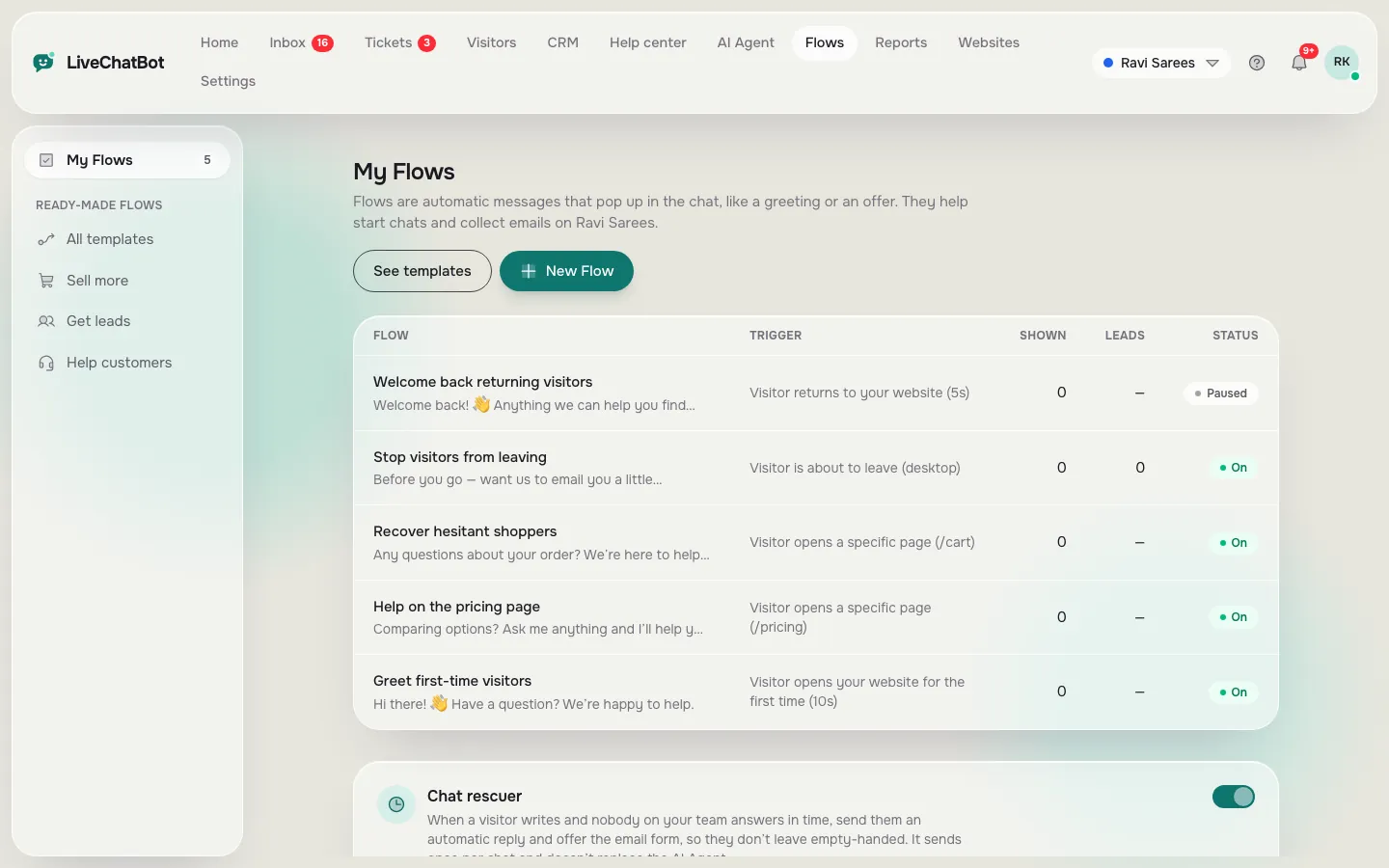
The bot points people to the right page: a pricing page, a size guide, a course. Flows can show proactive messages on chosen pages, based on source, country, device or number of visits.
Job four: take booking requests
The bot collects the date, the service and a phone number so a person can confirm. It does not book into a calendar, because there is no native calendar integration.
Try it
Which job should your AI bot do first?
Answer four questions about where you lose visitors today. The result names the job to start with.
Real screens
What you will see in LiveChatBot
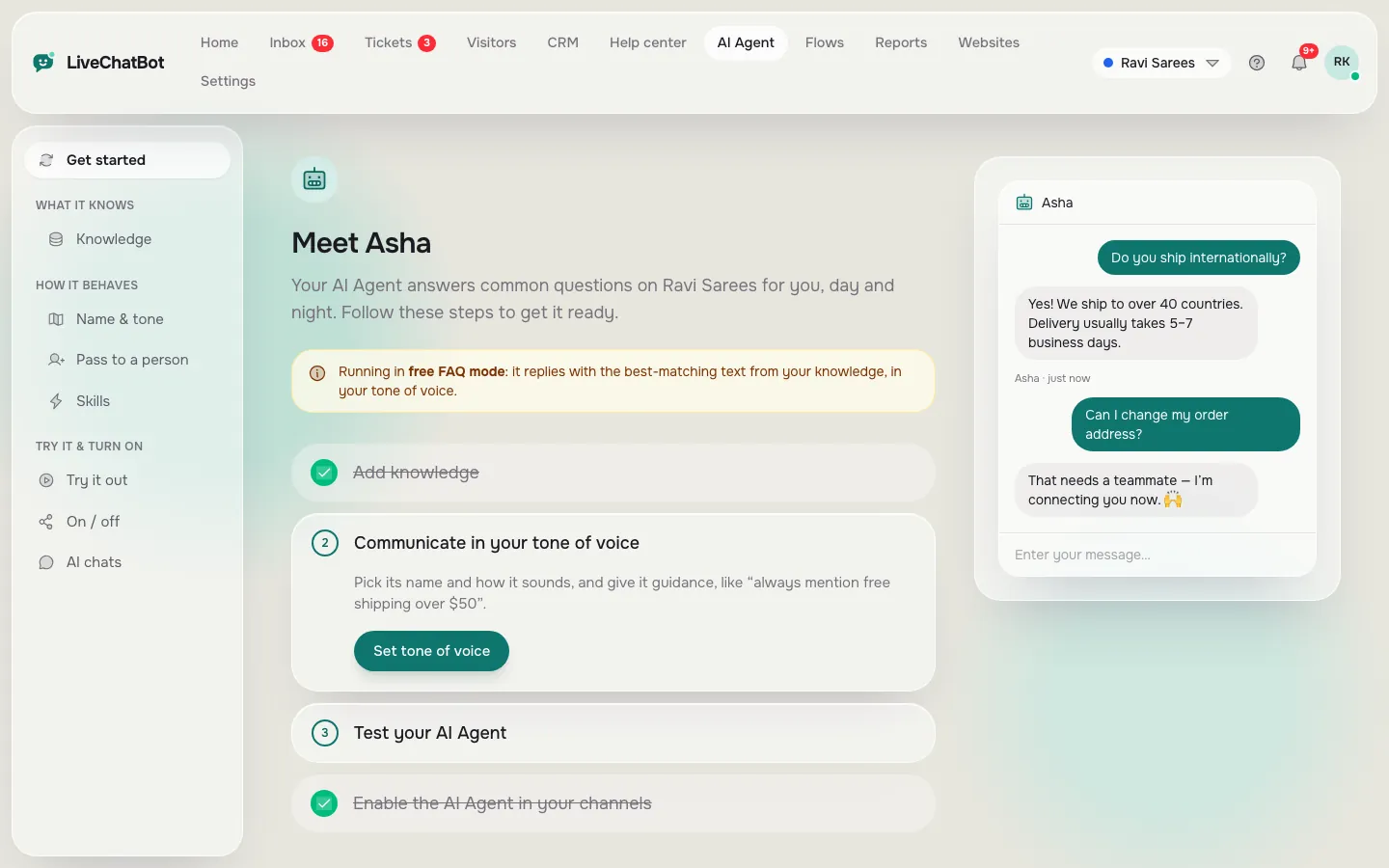
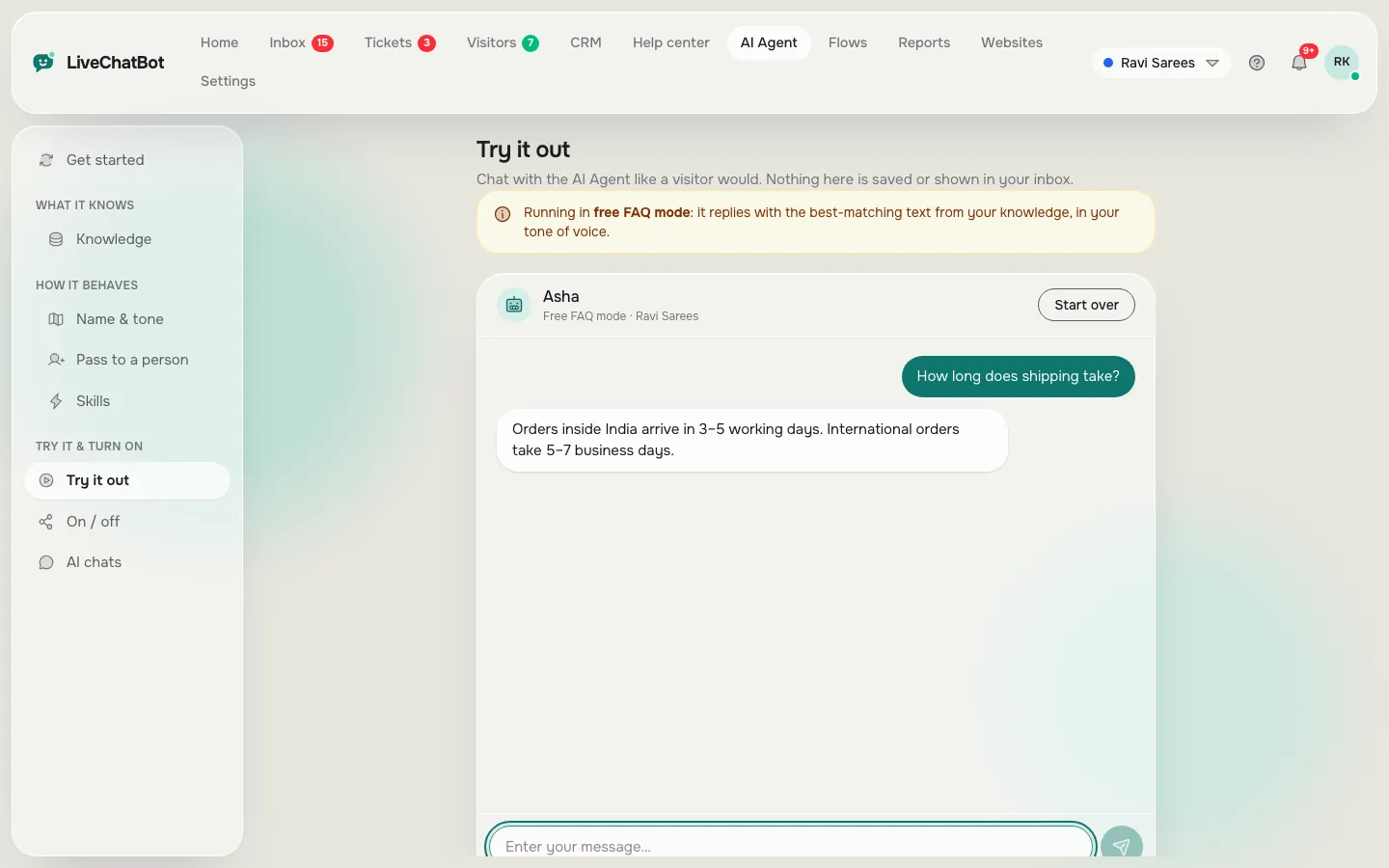
Real screens from the LiveChatBot panel, shown with sample data. Click any picture to see it full size.
Teaching it
Set up your AI bot for website questions in an hour
If the quiz said “answering”, here is the one-hour plan.
- Write the facts. Open a document and list prices, hours, areas, returns and booking steps in plain sentences.
- Add them to Knowledge. You can type answers, copy a web page, or upload a PDF, Word, Excel, CSV or text file.
- Set the name and tone. On the Name and tone page, give the AI Agent a name and a tone of voice, then write up to five thousand characters of Rules.
- Test it in the playground. Ask real questions and one you never taught it. The unknown one should get an honest “I’m not sure”, plus a handover.
- Turn it on. Watch the first twenty chats and fix gaps.
Our how to train your AI chatbot guide goes deeper. Remember you cannot choose the AI model or bring your own API key, because LiveChatBot sets the provider on the server.
How it differs
How this guide differs from a features list
Many guides list features. This one picks a job, because a bot with a job is testable. You can say “Did it answer delivery questions correctly this week?” You cannot say that about “a bot that helps”.
For a look at a different angle, our post on AI bot website accessibility covers making the chat usable by keyboard and screen reader, which is worth doing once the job is chosen. For the bigger picture, read the AI Agent overview.
When you pick a job, also decide what the bot must never do. Examples: promise delivery dates, quote custom prices, give medical or legal advice. Put these in the Rules box. A bot with limits earns more trust than one that tries to answer everything. ### What to measure for each job
Pick one number per job so you know it works. For answering, count chats resolved without a person. For leads, count phone numbers and emails collected each week. For guiding, count visitors who clicked through to the page you suggested. For bookings, count requests you confirmed. Write the number down on day one and again after a month. If it has not moved, change the message or the facts before you add a second job.
Common first-month surprises
Expect odd questions you never planned for, such as “do you have a branch near the station?” Add each one to Knowledge as you meet it. Expect visitors to type in Hinglish or in short fragments; the bot copes better when your facts use simple words. And expect a few chats that only a person should handle, which is exactly why the handover matters.
Month two
Adding the second job
After four weeks, open the Reports page. Look at resolution rate, the share of chats the AI Agent resolved with no human needed, and first response time. If resolution is good, add the next job from the list.
A common order is answering, then capturing leads, then guiding visitors, then booking requests. Each job builds on the last because the same knowledge feeds all four.
Free allowances matter here. The free plan covers two websites with 100 free visitors per website each month, and AI replies come with every plan, with a monthly allowance shown in the dashboard. When it runs out, the keyword bot answers from saved replies. There are no per-seat charges.
Honest limits: “Powered by LiveChatBot” stays on all plans, there is no iOS team app, and native Slack, HubSpot and calendar integrations are not available, though Zapier and webhooks can bridge some.
Frequently asked questions
What can an AI bot for website visitors do?
It can answer questions from your facts, capture leads, guide visitors to the right page and collect booking requests. Pick one job first.
Do I need to code to add an AI bot to my website?
No. You add one line of code or the WordPress plugin, then teach the bot in the dashboard.
Can the AI make things up?
It answers from the knowledge you give it and the Rules you write, and should hand over when unsure. Test it with a question you never taught it.
Can I upload a PDF for the AI to learn from?
Yes. You can upload PDF, Word DOCX, Excel XLSX, CSV and TXT files, copy a web page, or type answers.
Does the AI bot cost extra?
AI replies come with every plan, with a monthly allowance. The free plan covers two websites, and there are no per-seat charges.
Keep reading
Related guides
AI Bot Chat Online Safety: What Never to Type Into a Website Chat, and a Checker That Masks It
AI Based Chatbot Project for Students: A Scoped Plan, Tested Python Code and an Evaluation That Earns Marks
AI Bot Software Requirements: Write a One-Page Spec Before You Compare a Single Tool
Give your bot one good job
Teach the AI Agent your facts, set your Rules and start free on livechatbot.in.