Chat Platform for Website Owners: Start From Your Biggest Daily Problem, Not a Feature List (Free Problem-to-Platform Tree)
Chat platform for website shopping usually starts with a long feature table, and ends with a headache. A better start is the one problem that costs you most each week: missed night chats, the same ten questions, lost leads, or a shop where buyers ask about delivery. This guide matches each problem to the parts of a platform that fix it, and ends with a tree that points you to the right setup.
⚡ In short
- Name your biggest weekly problem before you open any feature list.
- Each problem maps to a few parts of a platform: inbox, bot, rules, away form, tickets.
- Ignore the parts that do not touch your problem. They are a distraction and often a cost.
- Use the tree below and then test your pick with real questions on a free plan.
Why this works
Feature lists hide the one thing you came to fix
Every platform page lists dozens of features. Most are real, and most will never matter to you. A small online shop and a tutoring business need different parts of the same platform.
When you begin with the problem, your search narrows fast. Instead of asking whether the platform has analytics, you ask whether it can catch the enquiry that arrives at 11 pm. Instead of asking about integrations, you ask where the new lead will land on Monday morning.
This also protects you from paying for extras. A good chat platform for website visitors does a few things well. The rest is optional. For the wider picture of how chat fits a business, see our live chat pillar guide, then come back to choose your first setup.
Four problems
Match your problem to the parts that fix it
Problem 1: I miss chats when the team is away
You need opening hours, an away form that collects an email or phone, and a way to turn unanswered messages into tickets. A chat rescuer asks for contact details if nobody replies in seconds.
Problem 2: We answer the same questions all day
You need an AI Agent that answers from facts you give it, with a keyword bot behind it, plus saved replies for your team.
Problem 3: Visitors browse and leave without a word
You need proactive messages on chosen pages, with conditions such as the page or number of visits, and a lead alert when someone fills a form.
Problem 4: Shoppers ask about carts and delivery
You need to see the visitor’s cart, receive WhatsApp or Messenger messages in one inbox, and get alerts on your phone.
Real screens
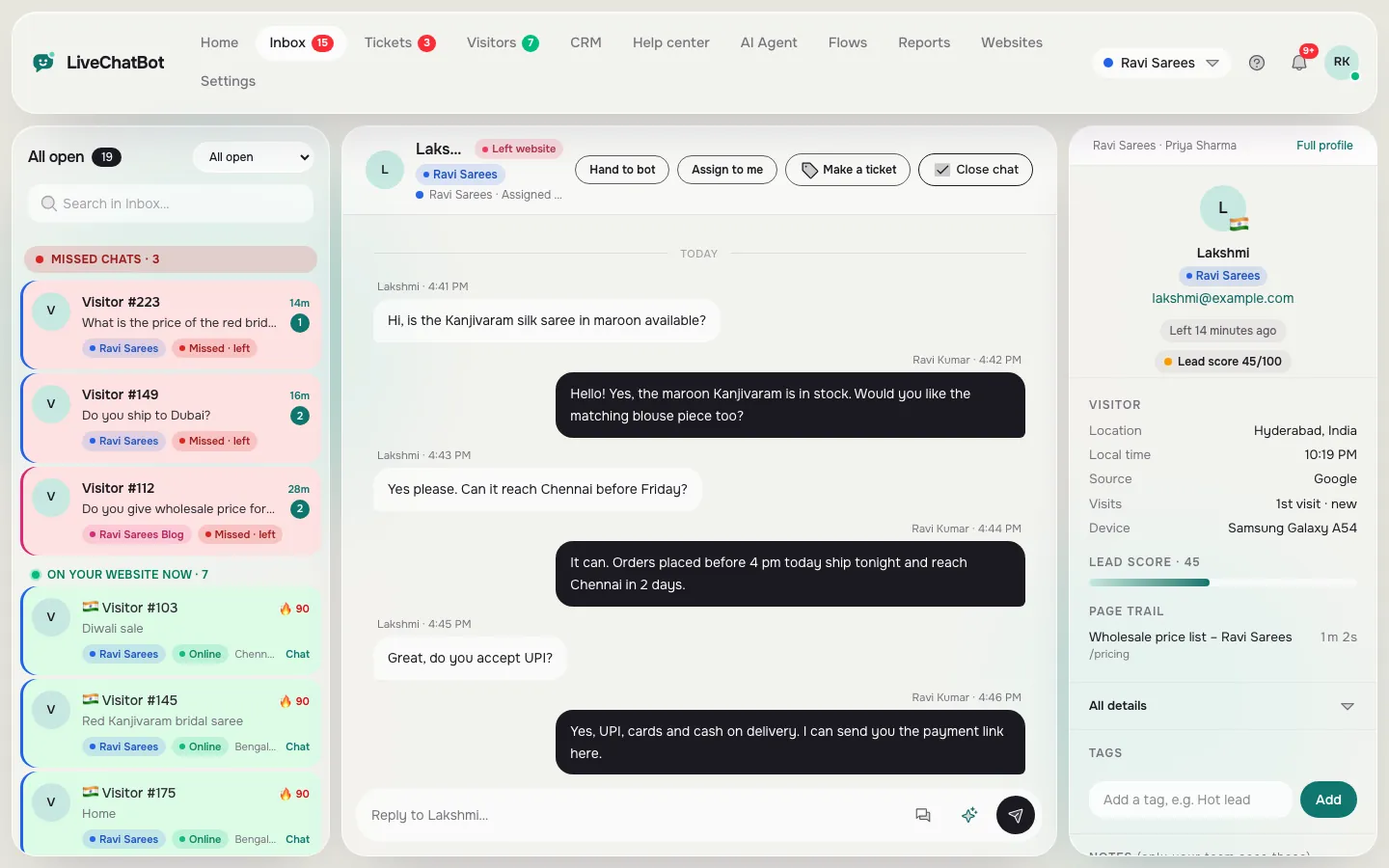
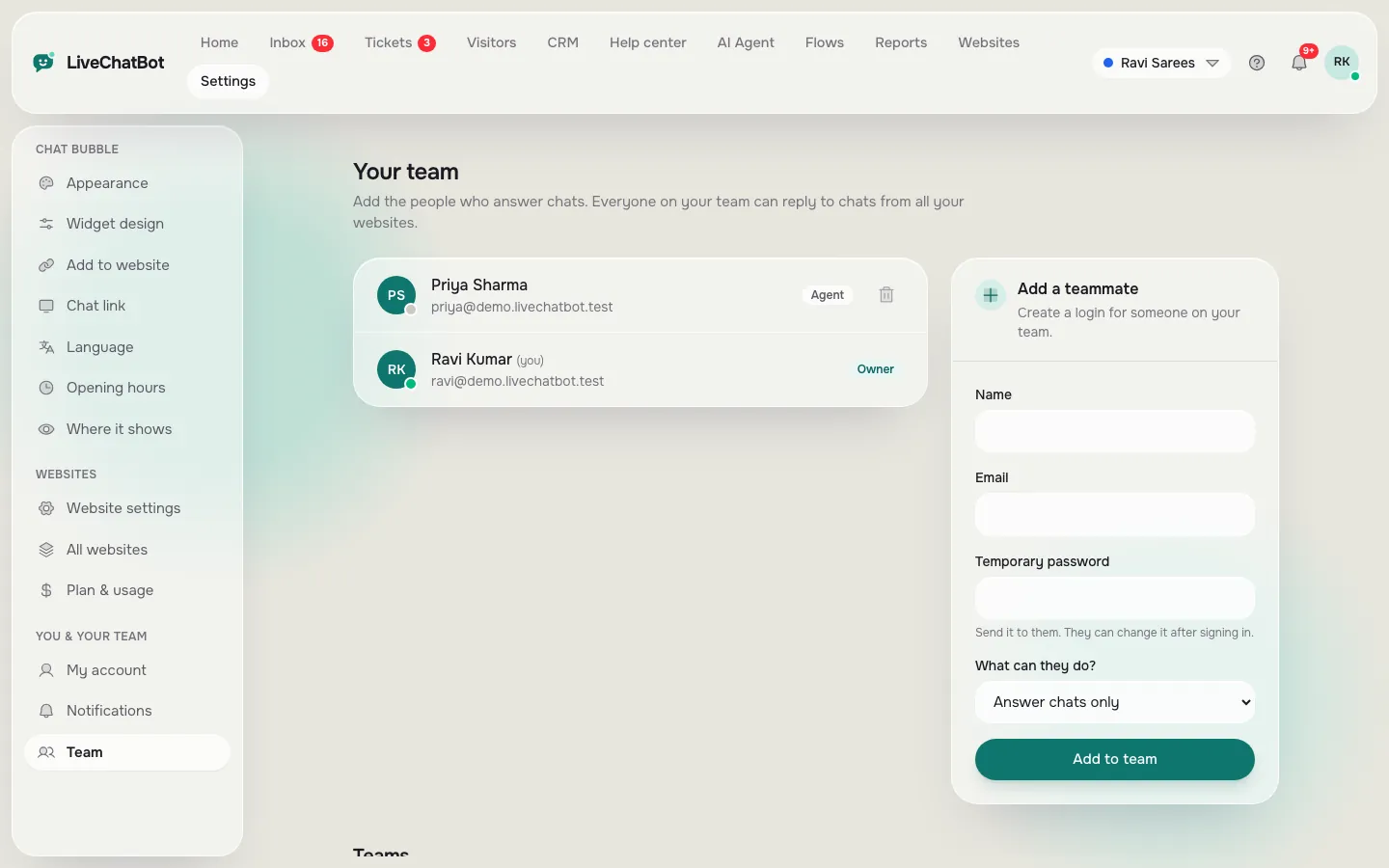
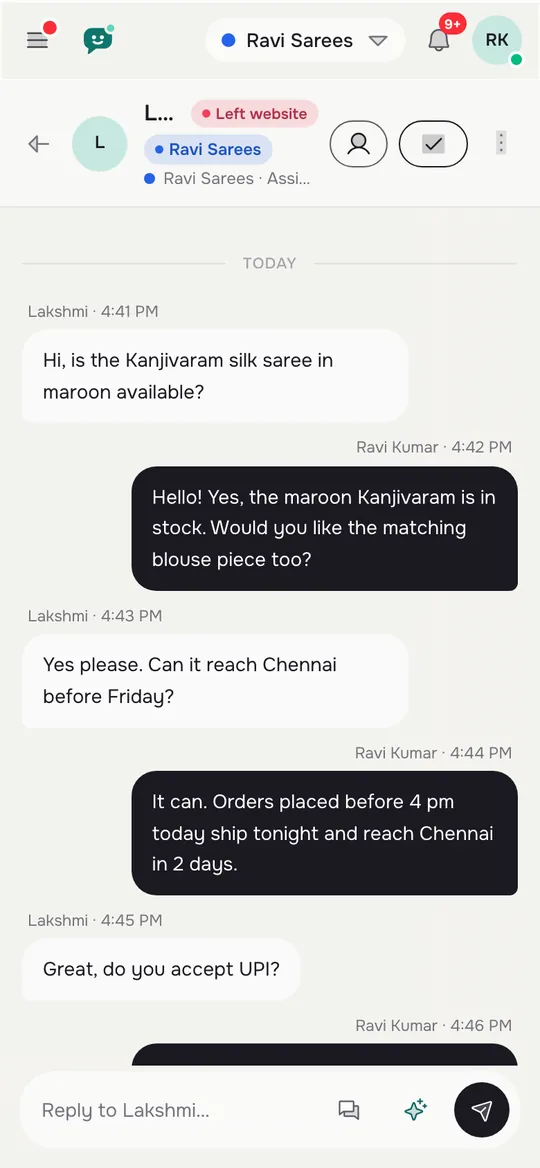
The shared inbox, the team page and the inbox on a phone
Real screens from the LiveChatBot panel, shown with sample data. Click any picture to see it full size.
Platform parts
The parts of a platform and which problem each one touches
- Widget. The bubble on your pages. It touches every problem, but it is the least interesting part.
- Inbox. Where chats from the site, WhatsApp and Messenger arrive, with Assign to me, Unassigned and Mine folders, plus teams.
- AI Agent and keyword bot. Problem 2 first of all. Facts go in Knowledge; behaviour goes in the Rules box.
- Flows. Problem 3. Proactive messages with up to six conditions.
- Opening hours, away form and tickets. Problem 1.
- Reports. Chats, reply times and a busy-hour heatmap, so you can plan who is online when.
- CRM. A pipeline of deals and companies, if sales is your focus.
Our chat platforms overview lists more words you will meet, and chat flows explains the rules in detail.
Try it
Find your chat platform for website setup
Follow the branch that matches your biggest problem. The last box is the setup to build first.
Testing
Test your pick with ten real questions
Before you commit, take ten questions from your real inbox or phone log. Type each into the chat as a visitor.
Count three results: how many the bot answered correctly, how many it handed to a person, and how many it got wrong. A low wrong count matters more than a high correct count. A bot that says it does not know and offers a person is a safe bot.
Then test the human side. Reply from the Android app, assign a chat to yourself, turn the chat into a ticket, and set a saved reply. Ten minutes of this tells you more than an hour of reading a feature page.
Finally, check the limits. The free plan gives 100 visitors per website per month. Paid plans share visitors across your websites: Starter at ₹299 a month covers 750 and Growth at ₹699 covers 2,500. There are no per-seat charges.
Common traps
Three traps when you pick a chat platform for website projects
Buying for next year. You may never need the enterprise parts. Buy for the problem you have today and move up when it grows.
Counting seats instead of chats. Some tools charge per agent. If your team grows, so does the bill. Check this early.
Trusting a demo. Demos use perfect questions. Use your own, including the awkward ones, and read the pricing page to see how limits apply to your traffic.
Also keep your expectations honest. LiveChatBot has no SSO, audit logs, role builder, voice or white label, and the Powered by LiveChatBot badge stays on all plans. If you need any of those, say so before you start.
A last check is the exit. Ask what happens to your data if you leave: can you export contacts, and can you keep your saved replies and knowledge text in your own files? Keep a copy of your answers in a document you own, so moving later takes an afternoon, not a month. The same habit makes it easier to train a new team member, because the answers are written down in one place and not only in someone’s head.
Next step
Build the smallest setup that solves the problem
Pick the branch that matched, build only that, and run it for two weeks. Sign up at livechatbot.in, install the chat and use the setup from the tree. Read our live chat guide for the wider context. When the problem is solved, choose the next one. A chat platform for website visitors grows best one problem at a time.
Frequently asked questions
How do I choose a chat platform for my website?
Name your biggest weekly problem, match it to the parts that fix it, then test the platform with ten real customer questions on a free plan.
Do I need a bot or a person?
Most small businesses need both: a bot for repeated questions and a person for the rest, with a clear handover between them.
Can one platform handle WhatsApp and website chat?
LiveChatBot receives WhatsApp and Facebook Messenger messages in the same inbox, connected through Meta, alongside website chat.
What does a chat platform cost?
LiveChatBot has a free plan, Starter at ₹299 a month and Growth at ₹699 a month. Yearly plans pay for ten months and give twelve.
Is there a limit on team members?
No. There are no per-seat charges, so adding staff does not change the price.
Keep reading
Related guides
Chat Option in Website Layouts: Bubble, Pill, Grabber Card, Inline Box or Full Page? Pick the Right One for Each Page (Free Layout Quiz)
Chat Integration in Website Projects: Two Layers to Get Right, the Install and the Connections (Free Verification Checklist)
Start with the problem
Free plan for two websites, no per-seat charges. Start free on livechatbot.in and fix one problem first.