Chat Bots for Customer Service: The 60 Seconds After the Bot Gives Up, With Handoff Lines You Can Copy
Chat bots for customer service are judged less by what they answer than by what they do when they cannot. The moment a bot gives up is the moment a customer decides whether your support is any good. Done well, it feels like a polite handover to a colleague. Done badly, it feels like a dead end. This guide covers the first 60 seconds after the bot gives up, with lines you can copy and the settings that make them work.
⚡ In short
- Every bot fails sometimes. Customers forgive that if the handover is quick and honest.
- Plan four handoffs: unsure, upset, urgent, and after hours. Each needs its own line.
- Never make the customer repeat themselves. Pass the chat on with the history intact.
- In LiveChatBot, the chat rescuer and away form catch contacts when nobody replies.
The moment
Why the handoff matters more than the answer in chat bots for customer service
Most guides to chat bots for customer service describe what the bot can answer. Customers remember something else: what happened when it could not.
A bot that answers 70 percent of questions well and fumbles the other 30 will still be judged on the 30. Those are often the hardest, most emotional questions, such as a late order, a double charge or a damaged item. A customer in that state wants proof that a person is paying attention.
So treat the handoff as a designed experience. It has four parts: say honestly that the bot cannot help, tell the customer what happens next, tell them how long it will take, and keep what they already said. If you want a rulebook for the wider question of who answers what, see our customer service chatbot rules. The rest of this page is about the exit.
Example
A worked example: a late-order chat, start to finish
Here is an illustrative chat from a made-up online shop. A customer writes, “My order is 6 days late and nobody replies to my emails.”
The bot recognises the tone and a topic it does not own. It replies: “I am sorry about the delay. I am asking a team member to take over now so you do not have to explain it again. Could you confirm your phone number?” It stops answering and flags the chat in the inbox.
The agent opens the chat, sees the full history, and starts with a saved reply: “Hi {name}, I have your details. Let me check with the courier and come back within the hour.” The customer never repeated the order number. The whole handover took under a minute, and the customer felt heard.
Compare that with a bot that replies with delivery policy text three times. Same facts, very different result. This is what a good set of live chat for customer service habits adds to a bot.
Copy these
Handoff lines for four situations
Pick a tab, copy a line, and edit the details to match your hours and promises.
Settings
Make the handoff real: the settings behind the lines
Words alone do not hand anything over. Check these settings.
Alerts that reach a phone
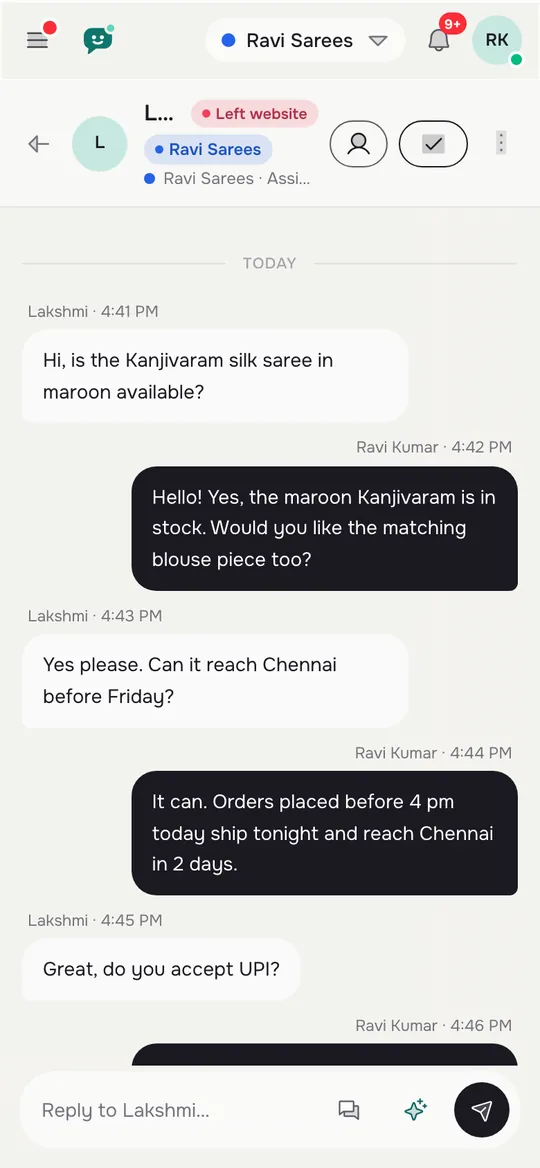
Install the Android app on the phone of whoever covers support, and test an alert before launch. A line promising a person is worthless if nobody sees it. Teams can be set up so chats go to a group, and agents can Assign to me to claim one.
The chat rescuer
If nobody replies within seconds, the chat rescuer asks the visitor for an email and phone so the lead is not lost. It is useful on busy days.
Hours and the away form
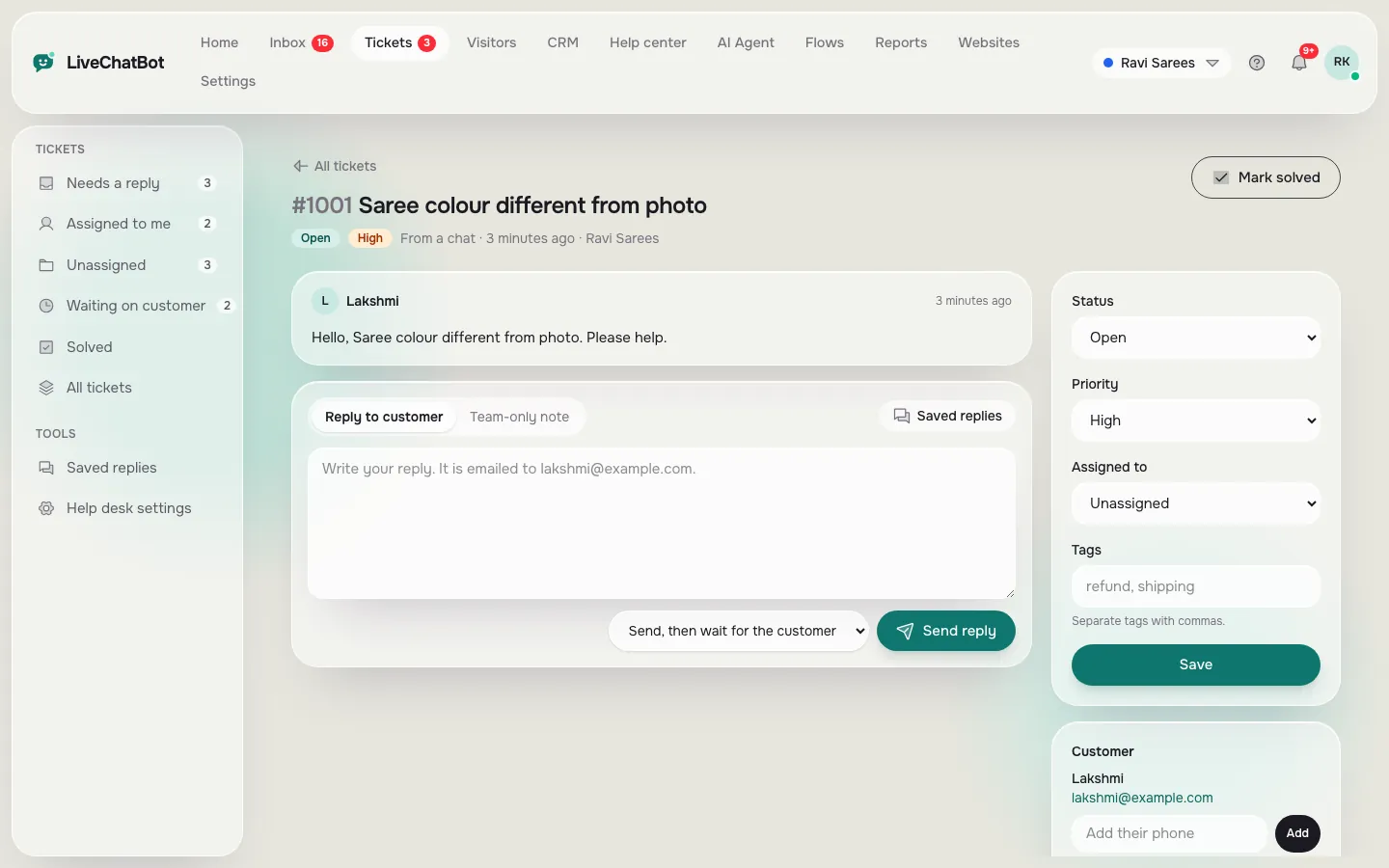
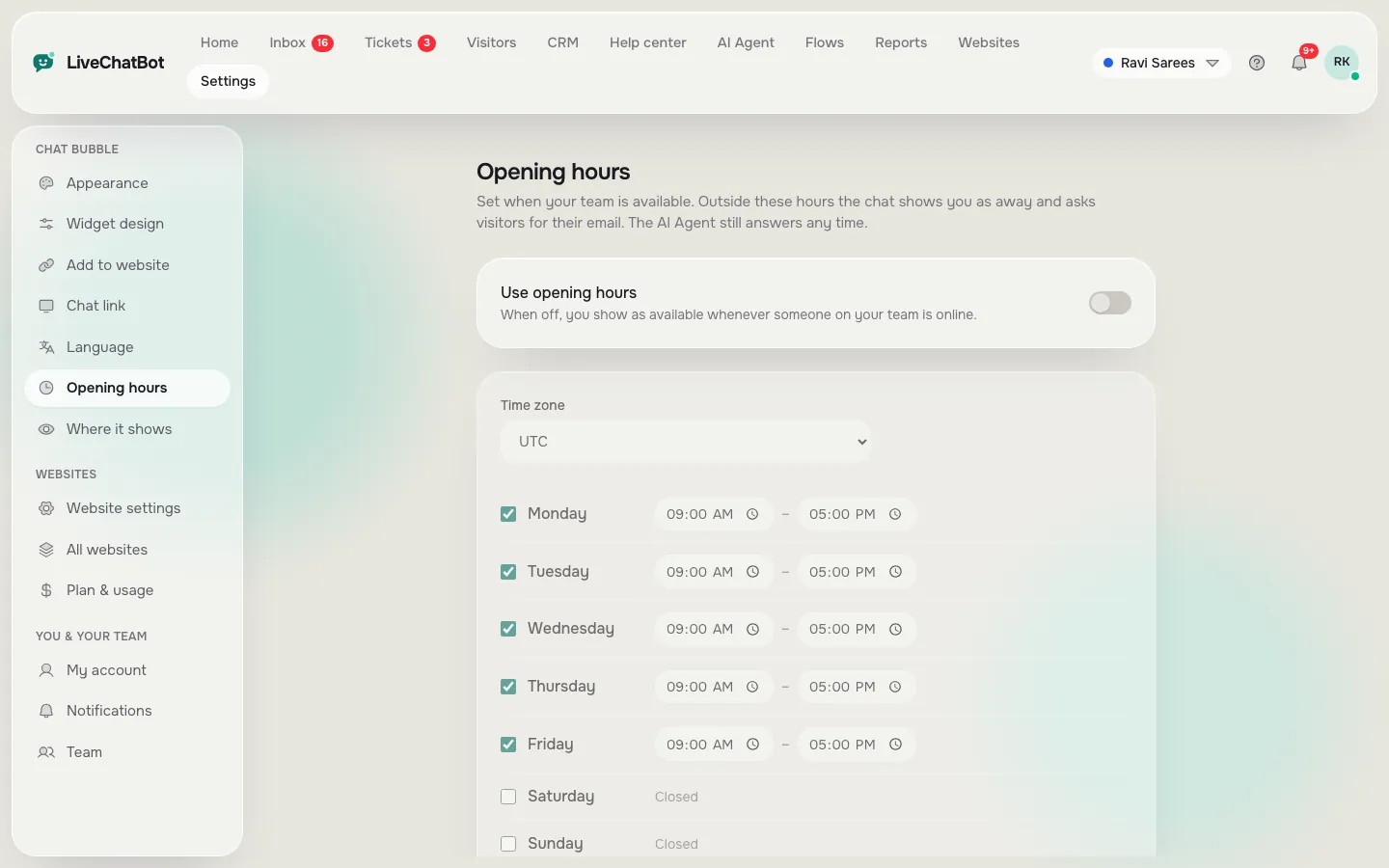
Set opening hours so the bot tells the truth about when a person will answer. Outside them, the away form collects an email or phone, and offline messages can become tickets. See how to turn a chat into a support ticket for the steps.
Real screens
Real screens for the handoff
Real screens from the LiveChatBot panel, shown with sample data. Click any picture to see it full size.
Mistakes
Five handoff mistakes that annoy customers
Spot these in your own bot with a quick test chat.
- Looping. The bot asks the same clarifying question three times. After two misses, hand over.
- Hiding the human. There is no visible way to reach a person. Offer it early for sensitive topics.
- Restarting. The person who takes over asks for the order number again. Read the chat first.
- False promises. “Someone will reply in 2 minutes” at midnight. Match the line to opening hours.
- Pretending. A bot posing as a named human. Be clear who is speaking; trust follows.
You can write the bot’s behaviour rules in the AI Agent’s Rules box, such as “After two unclear answers, offer to bring in a person.” This works while the website has AI replies; the free keyword bot answers from saved replies and cannot follow written rules.
Measure
Checking that your chat bots for customer service are handing over well
Look at three things each week. Read the chats that ended with a handover and ask whether the customer got what they needed. Check first response time in the Chats report to see how fast a person replied. Compare the share resolved by the AI Agent with the share handed on; a rising handoff rate on one topic means a missing fact.
You can add a thumbs up or down rating after a reply and read the comments. Ratings are simple: there is no sentiment scoring and no survey builder. Use saved replies for the human side, so your team’s first message after a handoff is quick and consistent. Our live chat for customer service guide shows how a team can set this up end to end.
Frequently asked questions
What are chat bots for customer service?
They are bots on a website or messaging channel that answer common support questions and pass harder ones to a person.
When should a bot hand over to a person?
After two unclear answers, when a customer is upset, for anything urgent or sensitive, and whenever the customer asks for a person.
Can the customer avoid repeating themselves?
Yes, if your team reads the chat before replying. The history stays in the inbox, and tickets keep notes in one place.
What if nobody is online?
Set opening hours and the away form, so the visitor can leave an email or phone number. The chat rescuer also asks for contact details.
Does it cost extra for more agents?
No. There are no per-seat charges. Plans are Free ₹0, Starter ₹299 a month and Growth ₹699 a month.
Keep reading
Related guides
Chat Box WordPress Plugin on Every Kind of Page: Decide Where the Box Shows, Hides or Changes (Free Page Rules Quiz)
Chat Client for Website Teams: The App Your Staff Reply From, and the Eighteen Inbox Words You Will Meet on Day One (Free Searchable Glossary)
Design the handoff first
Start free on livechatbot.in and set up alerts, hours and the away form before you switch the bot on.