Best Web Chat Software Is Decided by Where a Chat Ends: Ticket, WhatsApp, Phone Call or Sale (Free Decision Tree)
Best web chat software is not the one with the longest feature list, it is the one that carries a chat to the right ending: a solved question, a ticket, a WhatsApp follow-up, a phone call or a sale. This guide names the five endings, shows which tools in LiveChatBot lead to each, and gives you a decision tree to pick yours.
⚡ In short
- Every chat should end somewhere on purpose: answered, ticketed, moved to WhatsApp, booked as a call, or sold.
- Software that only starts chats leaves the ending to luck. Software that handles endings keeps leads.
- LiveChatBot covers all five with the AI Agent, tickets, the WhatsApp card and inbox, the CRM pipeline and store connections.
- Use the decision tree to find which ending matters most for your business.
A different question
Stop asking how a chat starts, ask how it ends
Reviews of web chat tools spend most of their words on the beginning: the bubble, the colours, the proactive message. Those matter, but a chat that starts well and ends nowhere is wasted. The visitor asked something, a person or bot replied, and then the thread went quiet.
Choosing the best web chat software starts with a look back. Think of any enquiry you handled last month. How did it finish? Maybe the question was simple and one answer closed it. Maybe it needed a refund check, so it became a ticket. Maybe the customer preferred WhatsApp. Maybe a quote call was booked. Maybe an order followed.
Each ending needs something from your software. The live chat basics are the same everywhere, but the endings differ by business, and that is where tools actually differ. A salon, a school and an online shop need different endings, so they need different best web chat software.
The five endings
What each ending needs from your software
A bot or person gives the answer. Needs the AI Agent with your facts, saved replies and a quick handover.
The issue needs work behind the scenes. Needs tickets with owners and a customer ticket page.
The customer prefers it. Needs the WhatsApp button card, or WhatsApp in the shared inbox via Meta.
The best next step is a phone conversation. Needs phone capture, the chat rescuer and the away form.
The chat leads to an order or deal. Needs the pipeline, store connection and Reports, Sales.
Endings 1 and 2
Answered and ticketed
Answered
Most chats should end here and cost you nothing. That depends on the facts you give the AI Agent. Type answers, copy a page, or upload a PDF, Word, Excel, CSV or text file. Add saved replies so the free keyword bot has a fallback if the AI allowance runs out. Our AI Agent page shows how it works.
Ticketed
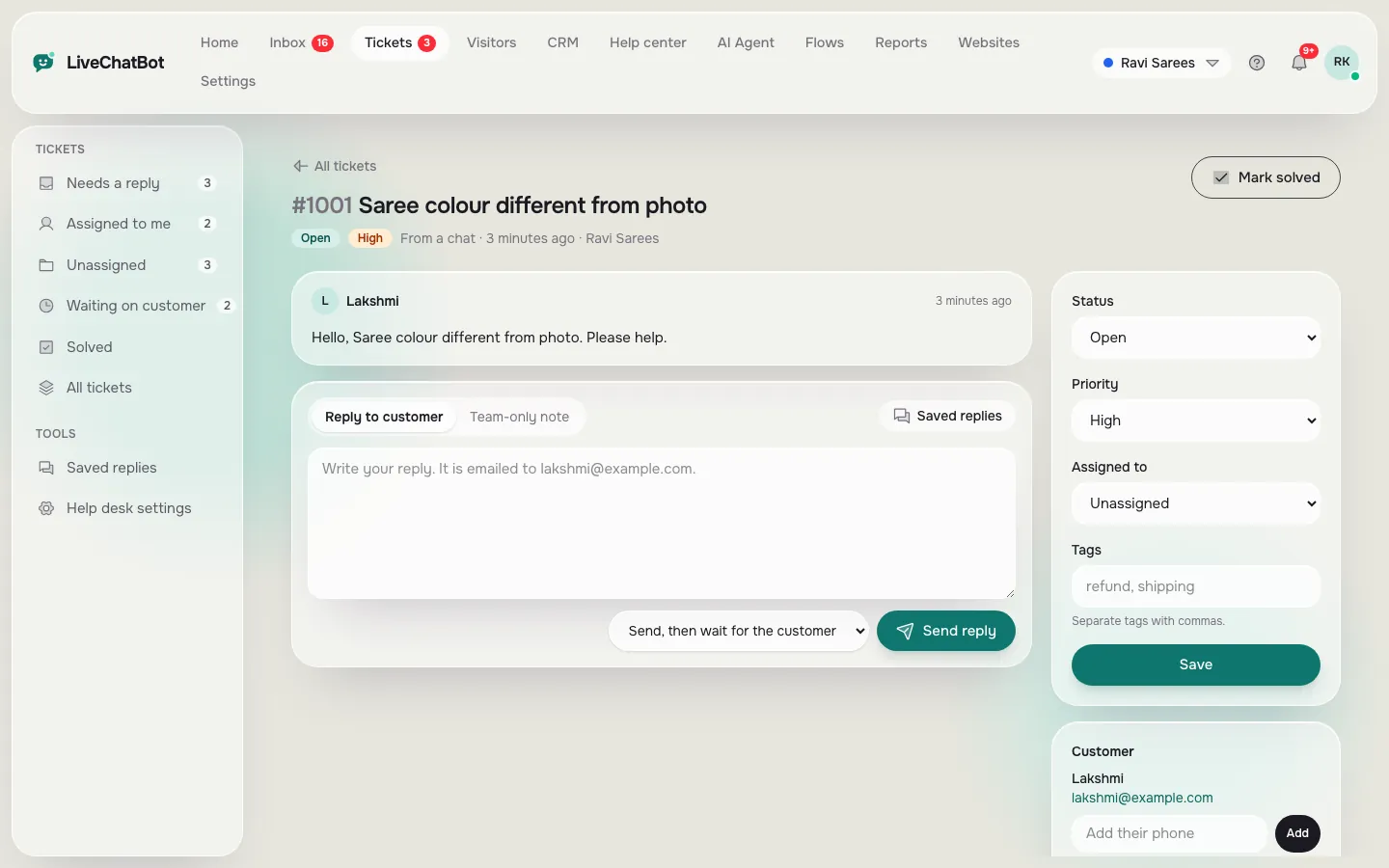
Some questions cannot be answered in the chat. A damaged parcel, a wrong invoice, a booking change. The honest ending is a ticket. In LiveChatBot a chat can become a ticket with an owner, and an offline message can too. The customer gets a ticket page without a login, and you see open, pending and solved counts. See how to turn a chat into a support ticket.
If your tool cannot do this, agents copy details into a spreadsheet, and things slip.
Why endings are cheaper than restarts
A chat that ends with an owner and a next step never has to be re-asked. The customer does not repeat their order number, and the next agent sees the whole thread. Over a month that saves real minutes, and it is the quiet reason small teams with a tidy inbox seem to reply faster than larger ones.
Endings 3 to 5
WhatsApp, phone and sale
Moved to WhatsApp
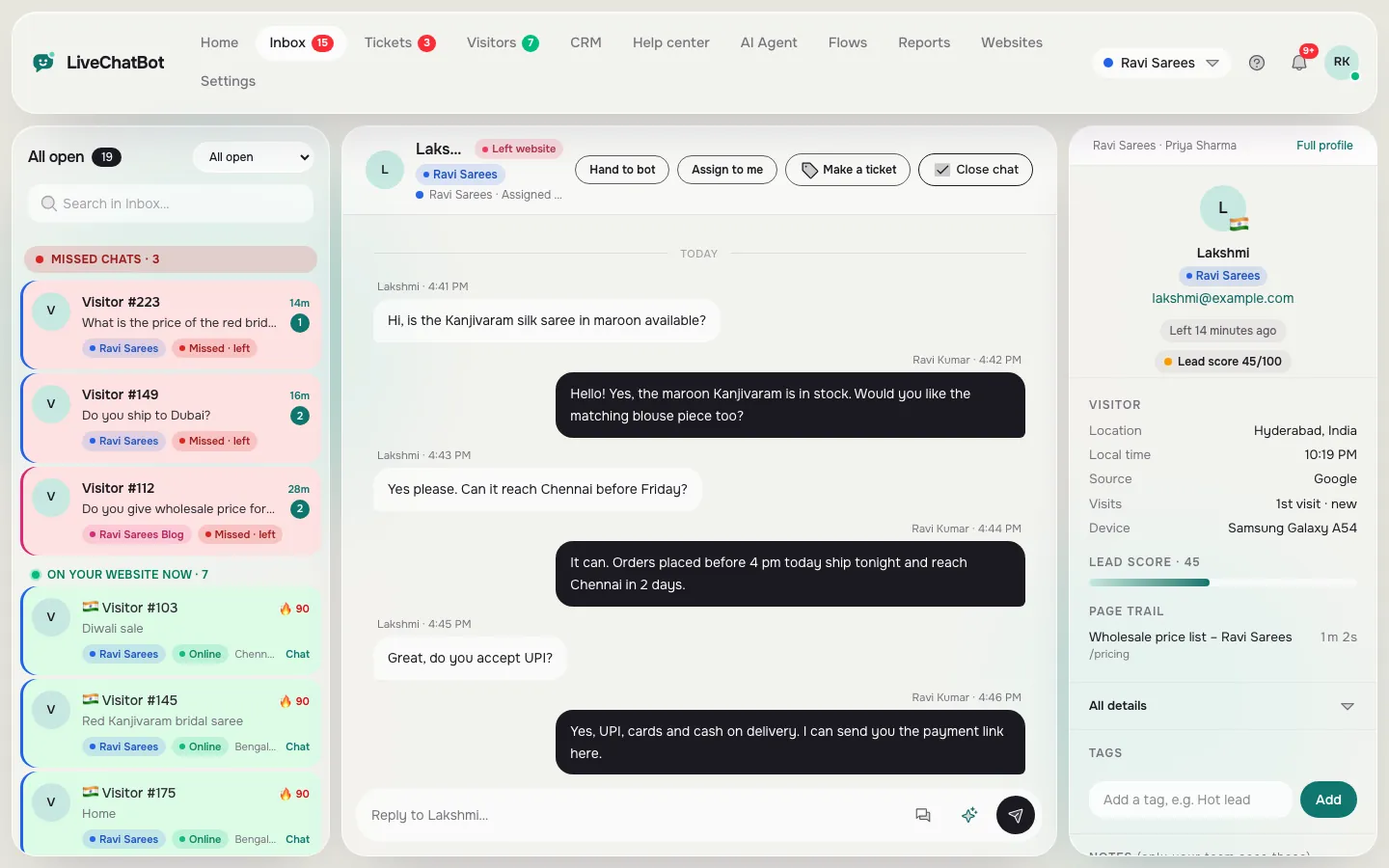
In India many customers prefer WhatsApp. The widget has a WhatsApp button card, and WhatsApp and Messenger messages can arrive in the same inbox once connected through Meta. Agents see one thread list. Our WhatsApp chat button guide covers the card.
Called
When a customer wants a quote or a callback, you need their number. The chat rescuer asks for email and phone if nobody replies in seconds, and the away form does the same after hours. Form submissions from popular WordPress form plugins arrive as leads with a New lead alert.
Sold
For shops, connect WooCommerce or Shopify so agents see the cart and purchases are detected. Deals can sit in the pipeline with companies and activities, and Reports, Sales shows the result. Shopify is connect-and-paste, since there is no Shopify App Store app.
Real screens
Three endings in the panel: ticket, pipeline and shared inbox
Real screens from the LiveChatBot panel, shown with sample data. Click any picture to see it full size.

Try it
Where should your chats end?
Follow the first question into the branch that fits your business.
Checking a vendor
How to test an ending before you buy
For each ending that matters to you, run it as a test in the trial.
- Answered: ask three real questions and one unknown one.
- Ticketed: send a complaint and turn it into a ticket. Find out who owns it and what the customer sees.
- WhatsApp: tap the button on your phone and see what arrives.
- Called: leave your number after hours and see how fast you are alerted.
- Sold: place a test order if you run a store and see what the agent sees.
Write down the minutes each step takes, then repeat the test with a second person on your team to see whether it still works when you are not the one clicking. The best web chat software makes every step short and visible. If any of your chosen endings needs a developer or a second tool, add that to the cost.
Honest gaps: no native Slack, Teams, Telegram, Instagram DM, HubSpot or Salesforce links; Zapier and webhooks (ticket.created, ticket.solved) can bridge some. “Powered by LiveChatBot” stays on all plans, and there is no iOS team app. Read the live chat guide for the wider picture and see pricing.
Frequently asked questions
What is the best web chat software for a small team?
One that finishes chats well: it answers from your facts, creates tickets, supports WhatsApp and does not charge per agent.
Can one chat have more than one ending?
Yes. A chat can be answered, then a ticket opened, then a deal added to the pipeline.
Does LiveChatBot have a WhatsApp inbox?
WhatsApp and Messenger messages arrive in the shared inbox once connected through Meta, and the widget also has a WhatsApp button card.
Can I send leads to another CRM?
Not natively. Use Zapier, webhooks or the REST API.
Is there a free plan?
Yes. Two websites and 100 visitors per website each month, with no card needed to start.
Keep reading
Related guides
Best Web Chat Apps Seen From the Visitor’s Side: Eight Things That Make People Close the Chat Window (and the Fix for Each)
Best Shopify Chat App Listings Decoded: Theme Files, App Embeds, Checkout Limits and Other Words You Need Before You Install (Free Shopify Glossary)
Best Website Chat Plugin Bake-Off: Try Two Candidates on One Test Page and Score Them the Same Afternoon (Free Scorecard)
Choose your endings, then your tool
Tickets, WhatsApp, a pipeline and no per-seat charges on a free plan. Start free on livechatbot.in.