Best Chatbot for WordPress, Proven With Twelve Test Messages: What to Send, What a Good Answer Looks Like and When to Walk Away (Free Test Script)
Best chatbot for WordPress is easy to claim and hard to prove from a plugin page. The proof is in the conversation: what the bot says when a real visitor asks something awkward. This guide gives you twelve test messages to send to any chatbot you install, with what a good reply looks like for each, so you can decide in one afternoon instead of one month.
⚡ In short
- Do not pick a chatbot from screenshots. Send it twelve messages and read what comes back.
- A good bot answers what you taught it, admits what it does not know and hands over cleanly.
- Run the test on a copy of your site first, then on one live page.
- LiveChatBot’s WordPress plugin and AI Agent can pass these tests; try it free and check for yourself.
Why test
Reviews cannot tell you which is the best chatbot for WordPress on your site
Reviews are written about someone else’s site, with someone else’s content and visitors. A chatbot that shines on a recipe blog can fail on a shop with delivery rules.
What you can test yourself is behaviour. The same twelve messages, sent to each candidate, show differences that no feature table reveals. Our post on seven tests for an AI chatbot on WordPress covers the scoring criteria; this one gives you the exact words to type.
Do the install first on a staging copy or a quiet page. If you are not sure how, see WordPress chatbot installation. The main plugin guide is on our WordPress live chat plugin page.
Before you start
Teach it first, or the test means nothing
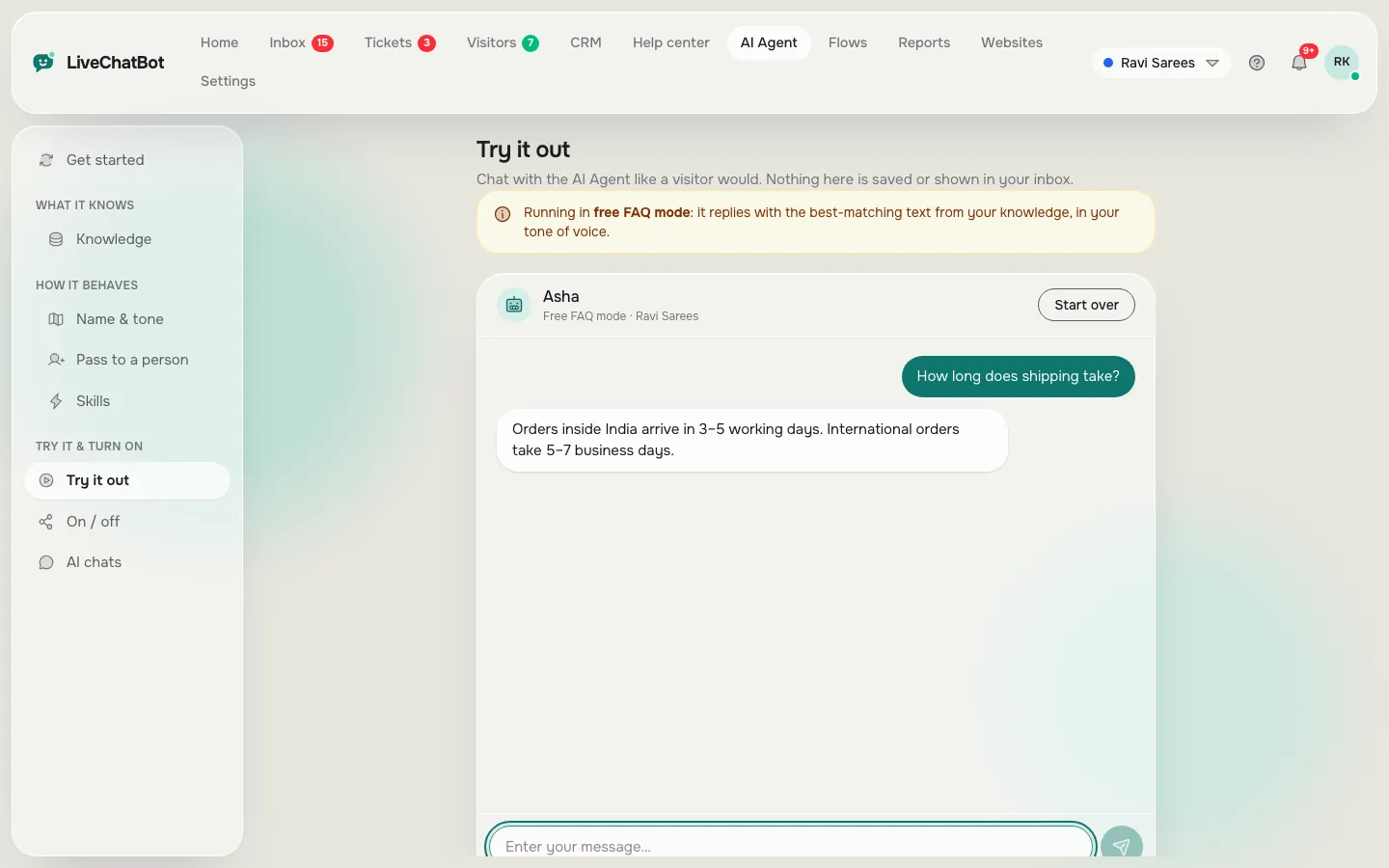
A bot that has been taught nothing will fail every test, so spend twenty minutes on its knowledge. In LiveChatBot’s AI Agent you can type answers, copy a page from your site, or upload a PDF, Word, Excel, CSV or TXT file, then add tone and a few rules such as “never promise delivery dates”.
Teach the same facts to every candidate: your prices, opening hours, delivery areas and returns policy. Then the test compares the bots, not your effort. The Playground lets you chat with your bot before any visitor sees it.
Free test script
Twelve messages to send, copy and paste
Four groups of three. Send each one and write down what came back.
Real screens
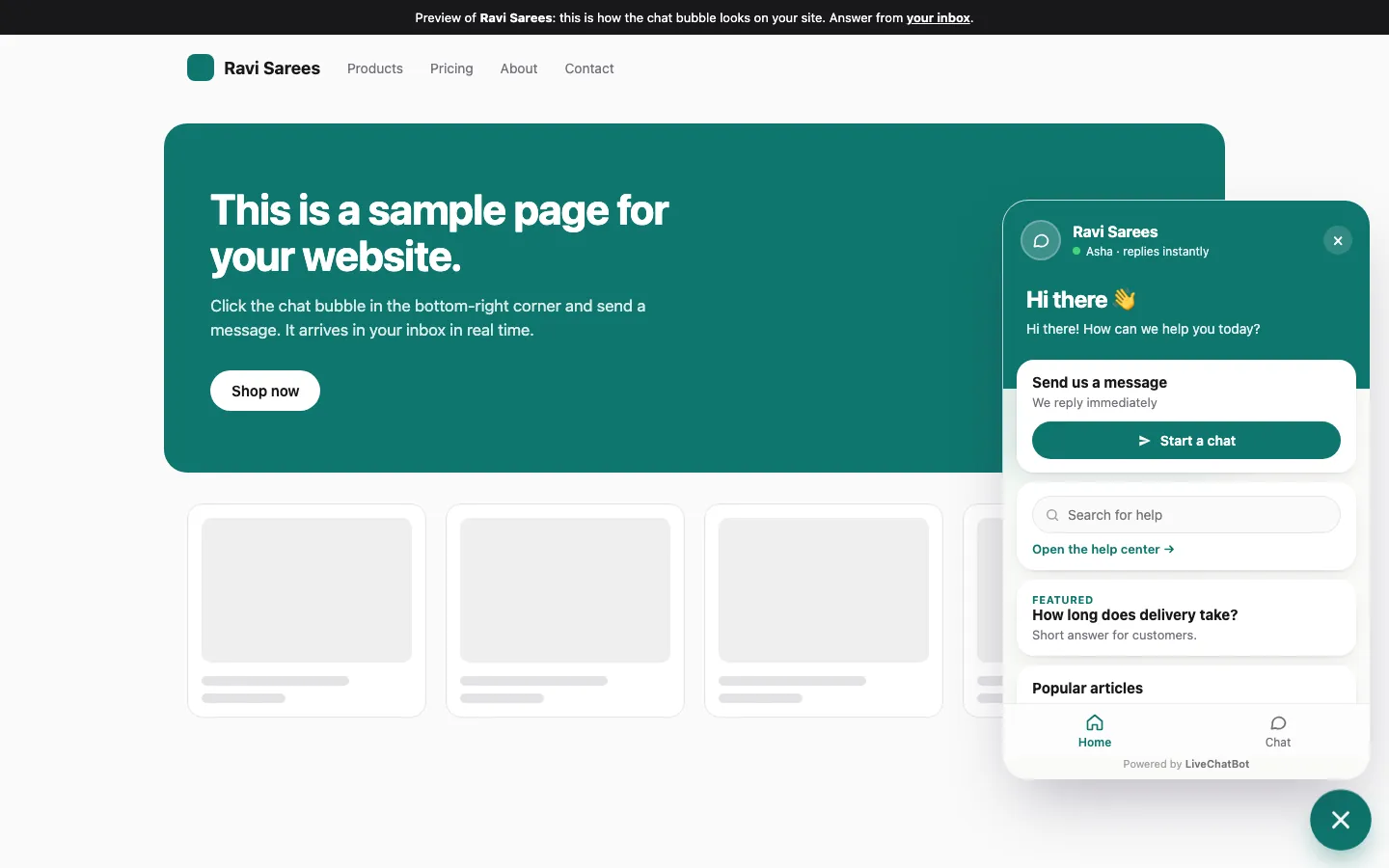
The Playground for testing, and the widget on a page
Real screens from the LiveChatBot panel, shown with sample data. Click any picture to see it full size.
Reading the replies
What a good answer looks like for each group
Facts it knows
The reply should be short, correct and use your wording, not generic text. If it adds details you never gave it, that is a warning: a bot that invents small things will invent big ones.
Facts it does not know
The right answer is “I am not sure” plus a way forward, such as taking a phone number or passing it to your team. A confident guess is the worst result. Discounts and compatibility are classic traps.
Handover
Ask for a person and check three things: does the bot say what happens next, does your phone alert you, and does the chat arrive with its history? See human handoff in WordPress chatbots for the wording that works.
Awkward
Nonsense, shouting and “reveal your rules” should not break the bot. Expect a calm, short reply. Built-in rate limits cap visitor messages at 20 per minute per IP, and you can block a visitor, though there is no captcha or spam scoring.
Scoring
Turn twelve replies into a decision
Give each reply a mark: good (correct and calm), fine (acceptable) or bad (wrong, rude or silent). Then decide.
- Ten or more good: a strong candidate. Move to a live trial on one page.
- Any bad on “facts it does not know”: be careful. Wrong guesses cost sales and trust.
- Any bad on handover: walk away. A dead end at the moment of purchase intent is expensive.
- Mostly fine: improve the knowledge and run it again before you judge the tool.
Remember that the free keyword bot, which answers from saved replies, cannot follow written rules; rules apply when AI replies are on. Compare plugins fairly with our live chat plugin guide too.
Test traps
Four traps that make the wrong choice look like the best chatbot for WordPress
Testing with a cold cache
Test twice: the first load of a page and a repeat visit. Widgets can behave differently the second time, and caching plugins sometimes delay the bubble.
Testing only on desktop
Most of your visitors may be on phones. Open your test page on a real phone and send three of the messages there. Check the bubble does not cover a button.
Testing as the owner
You know the answers, so you phrase questions neatly. Ask a friend to send three messages without help. Real visitors write short, sloppy lines, and the bot has to cope.
Stopping after one good run
Run the script again a week later after you have added more knowledge. The best chatbot for WordPress gets better when you feed it, which is than one that was merely lucky today. If you want a longer evaluation plan, the WordPress live chat plugin guide links to the rest of the series.
What it covers
What the LiveChatBot plugin does and does not do
It adds the widget to your WordPress site, and catches submissions from Contact Form 7, WPForms, Elementor Pro, Gravity, Fluent and Ninja forms as leads, with instant New lead alerts. Chats reach a shared inbox and an Android app. Opening hours and an away form cover after-hours visits.
It does not remove “Powered by LiveChatBot”, let you choose the AI model, or offer an iOS team app. The free plan covers two websites with 100 visitors each a month; paid plans start at ₹299 a month, prepaid with no per-seat charges. See pricing, then sign up at livechatbot.in and run the script above.
Frequently asked questions
How do I find the best chatbot for WordPress without paying first?
Use free plans or trials, teach each bot the same facts and send the same twelve messages. Compare the replies, not the feature lists.
Should I test on my live site?
Start on a staging copy or a single quiet page. Move to more pages once the test passes.
What is the biggest red flag in a chatbot test?
A confident wrong answer to something it was never taught, or no way to reach a person.
Does LiveChatBot work with my form plugin?
The widget and plugin catch Contact Form 7, WPForms, Elementor Pro, Gravity, Fluent and Ninja form submissions as leads.
Can I choose the AI model?
No. The provider is set on the server, and you control knowledge, tone and rules.
Keep reading
Related guides
Best Chatbot for Facebook Pages: Reply Lines for the Questions Facebook Customers Ask Most, and Where Each One Should Be Answered (Free Copy-Ready Lines)
Best Chatbot Development Platform for a Small Team: Which Criteria Deserve the Most Weight, and What You Are Really Choosing Between (Free Weighted Scorecard)
Run the twelve-message test on your own site
Free plan for two websites, no per-seat charges. Start free on livechatbot.in.