No Code Chatbot Builder Glossary: 18 Terms You’ll Meet, in Plain English, and Where Each One Lives (Searchable)
No code chatbot builder tools promise that anyone can build a bot, and then greet you with words like trigger, intent, fallback and handover. The ideas are simple, but the jargon is not. This glossary explains the eighteen terms you will really meet, and points to where each one lives in LiveChatBot, so you can read any builder’s menu with confidence.
⚡ In short
- A no-code builder means you configure a bot with menus and text, not programming.
- Most jargon boils down to four ideas: what starts a message, what the bot knows, what it says, and when a person takes over.
- Use the searchable glossary below, then match each term to a setting in your own dashboard.
- Know what a no-code tool cannot do, so you do not buy the wrong one.
Why it matters
What a no code chatbot builder really is
A no code chatbot builder is a dashboard where you set up a bot by typing answers, choosing options and switching features on. You never write programs. The builder turns your choices into a chat widget on your site.
That sounds easy, and it mostly is. The difficulty is vocabulary. One tool says trigger, another says rule, another says flow. One says knowledge base, another says training data. If you don’t know the words, you can’t compare tools or follow help articles.
There are really two kinds of bot behind most builders. A rule bot follows steps you design. An AI bot writes answers from facts you give it. LiveChatBot has both: the AI Agent answers from your knowledge, and a free keyword bot answers from saved replies when AI is not available. Our AI Agent page explains the AI side, and what is a chatbot gives the basics.
Searchable glossary
18 terms for a no code chatbot builder
Type a word in the box, or scroll. Each entry says what the term means and where to find the matching feature.
Four ideas
The four ideas behind every term
Once you sort the words, any builder is easier to read.
- When does it speak? Triggers, conditions and flows.
- What does it know? Knowledge base, training and saved replies.
- How does it behave? Rules, tone of voice and fallback.
- Who takes over? Handover, the inbox and the app.
If a vendor’s page uses a term you don’t know, ask which of the four it belongs to. That usually unlocks it. Then ask to see the setting in a demo or free trial, not a slide.
For a practical build, our create an AI chatbot in one evening plan puts these ideas in a timed order, and how to create a chat flow covers the rule side.
Real screens
Three screens where the terms become settings
Real screens from the LiveChatBot panel, shown with sample data. Click any picture to see it full size.
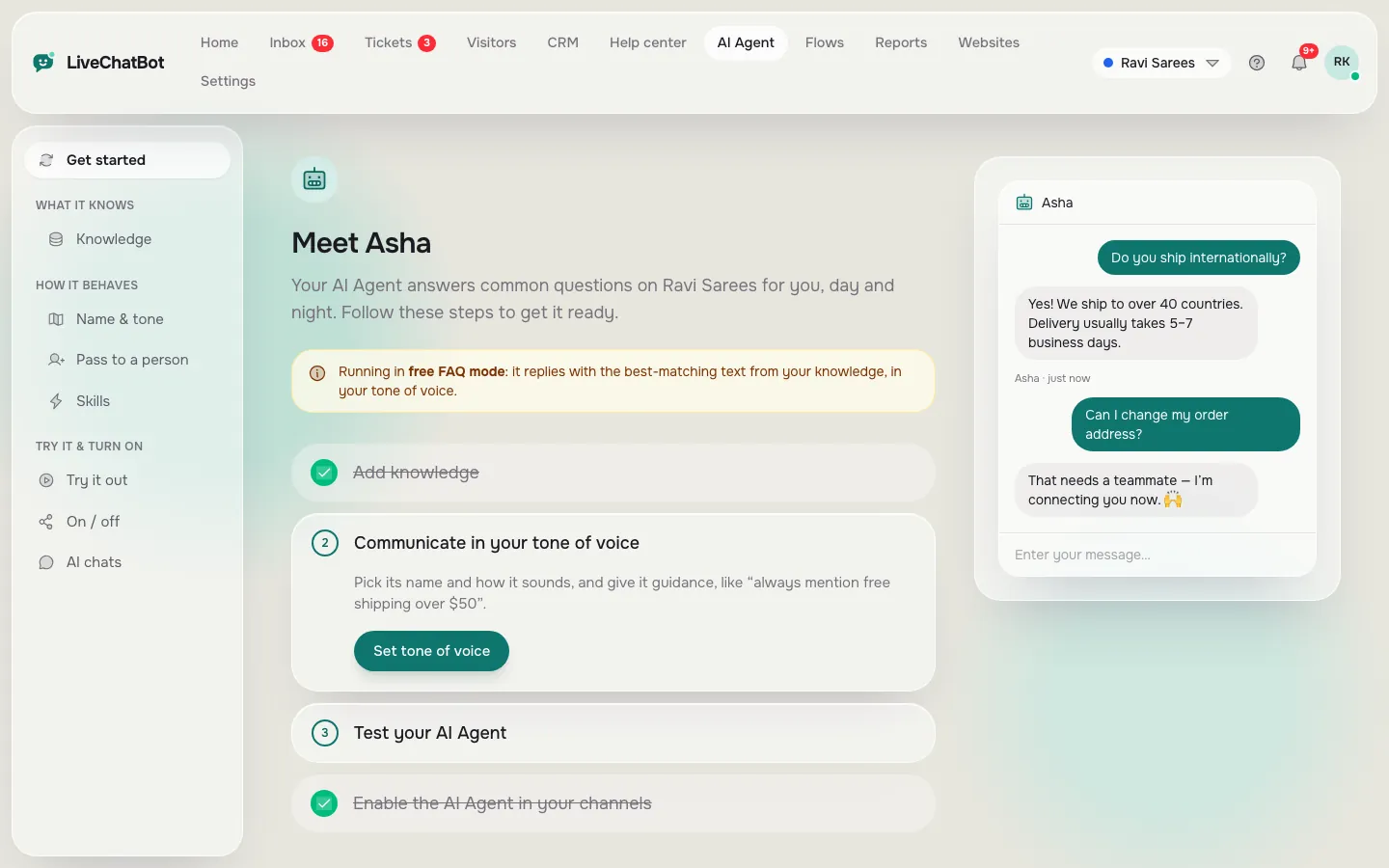
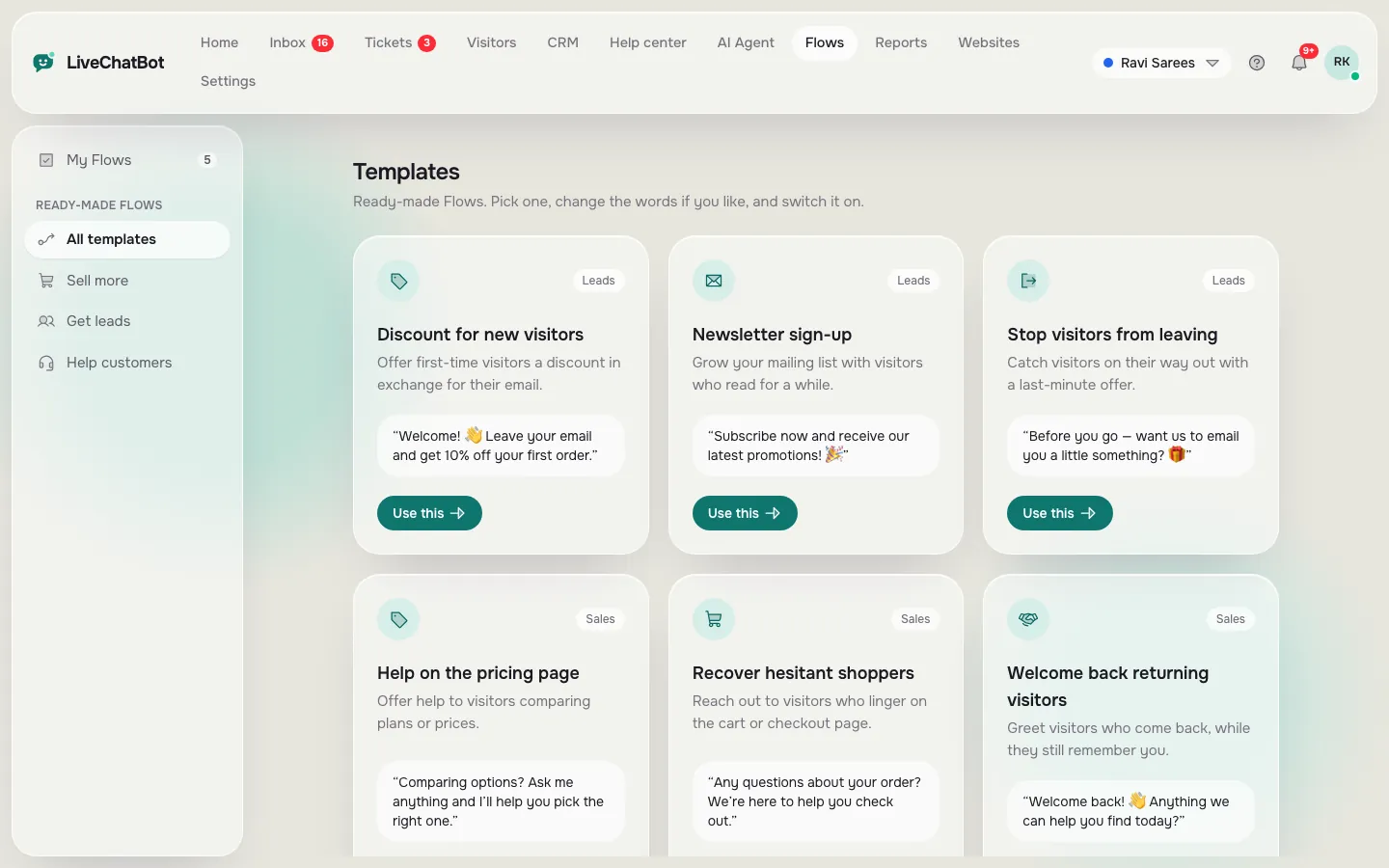
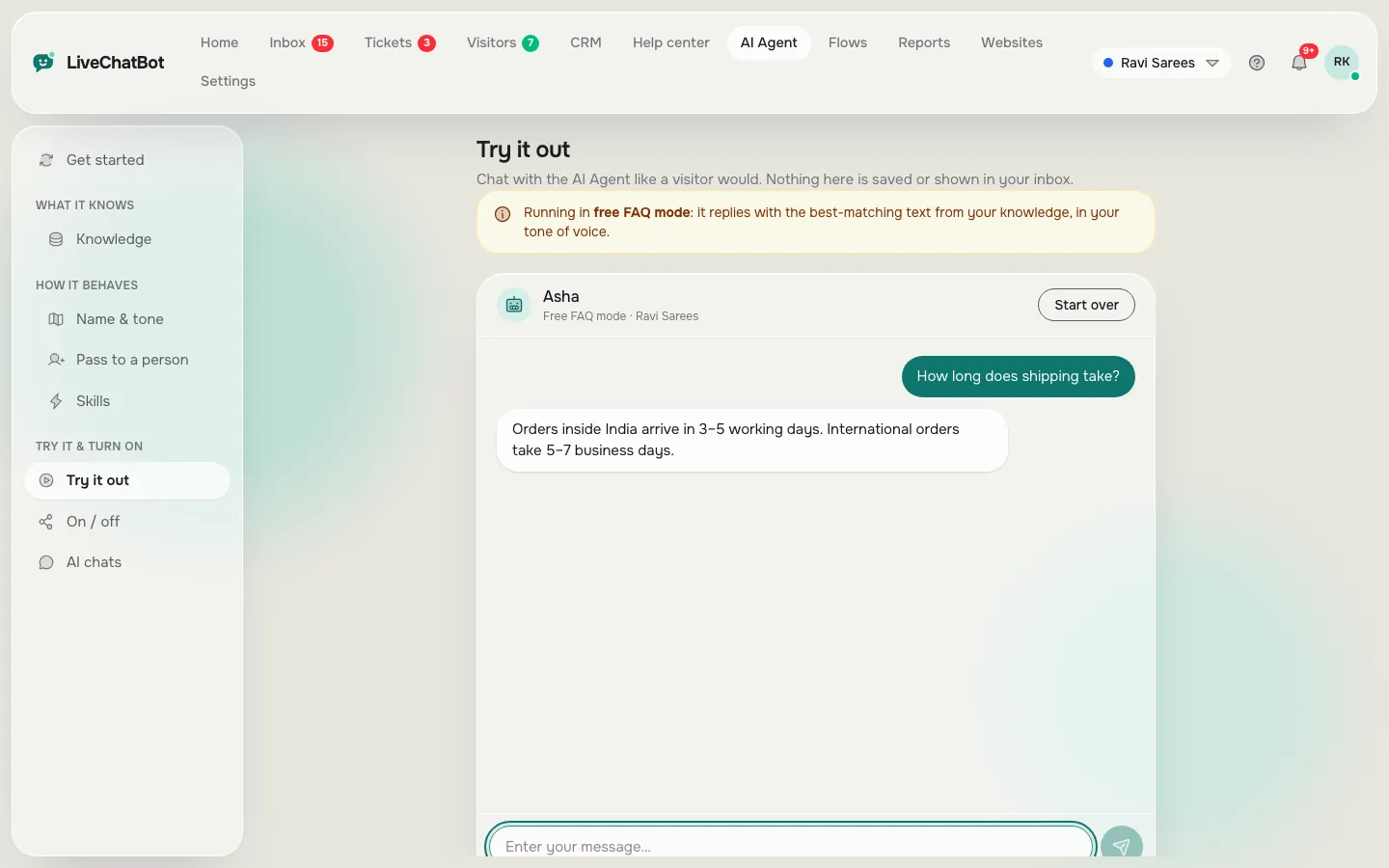
Limits
What a no code chatbot builder cannot do for you
No-code is real, but it has edges. Be honest with yourself about three.
It cannot fix missing facts
The bot is only as good as the knowledge you write. If your delivery rules are vague in your head, they will be vague in the bot.
It cannot do everything a developer can
LiveChatBot does not let you choose the AI model, bring your own API key, or edit a raw system prompt, though the Rules box covers most behaviour. There is no voice, no sentiment scoring and no iOS team app, and Powered by LiveChatBot stays on all plans.
It cannot connect to every tool natively
There are no native HubSpot, Salesforce, Slack or Calendly connections. Zapier, webhooks and the REST API can bridge many of them. Read integrations before you commit.
Next steps
How to pick one in an afternoon
Make a short list of three things your bot must do, for example answer prices, take a phone number after hours, and hand over to a person. Then open each builder’s free plan and check that you can do all three without asking support.
On LiveChatBot the free plan covers two websites with 100 visitors each per month, with the inbox, Flows, tickets and AI replies included, so you can test every term above before paying. Paid plans, Starter at ₹299 and Growth at ₹699 a month, matter only when traffic grows. See pricing, then sign up at livechatbot.in. If you want to see how the bot ties into your whole site, the AI Agent guide is the best next read.
Frequently asked questions
What is a no code chatbot builder?
It is a dashboard where you build a bot by typing answers and switching options on, with no programming. The builder puts the chat on your site for you.
Is a no-code bot as good as a coded one?
For answering common questions and capturing leads, yes. Custom logic, special integrations and voice may need a developer.
Do I need to understand intents?
Not in LiveChatBot. The AI works out what a visitor wants from their wording, and you give it facts and rules.
Can I test the bot before visitors see it?
Yes. The AI Agent has a playground for testing.
Is the free plan really free?
Yes. It covers two websites with 100 visitors each per month, and nothing is charged automatically.
Keep reading
Related guides
Names of Chatbots, Decoded: 30 Famous Bots From ELIZA to Le Chat, Who Made Them and What Their Names Mean (Free Searchable List)
Names for Chatbots, Shortlisted and Tested: Five Checks to Pick a Bot Name Customers Can Say, Type and Trust (Free Name Tester)
Online Chat Software Trial Plan: 16 Tasks to Run in Your First Week, and a Scorecard to Pick the Winner (Free Trial Scorer)
Learn the words by using them
Open a free dashboard on livechatbot.in and find each term in a real setting.