Create an AI Chatbot in One Evening: A Timed 90-Minute Plan From Empty Dashboard to Live Chat
Create an AI chatbot without a developer by giving yourself one evening and a clock. Most people stall because the job feels open-ended. This plan cuts it into six timed blocks, from a blank dashboard to a bot that is live on your website, answering from your own facts and handing over to you when it is unsure.
⚡ In short
- Set a timer. Six blocks of 5 to 25 minutes beat a vague weekend of tinkering.
- Spend the most time on the facts you give the bot, not on its looks.
- Test with questions you never taught it, and make sure it hands over to a person.
- Go live on one page first, then widen once real chats show what is missing.
Before you start
Why a clock helps when you create an AI chatbot
The biggest risk when you try to create an AI chatbot is not a technical one. It is perfectionism. You tweak colours for an hour, then run out of energy before you add a single answer.
A bot that answers ten questions well beats a beautiful one that answers none. So this plan is ordered by what visitors feel first: the facts, then the handover, then the look.
Before the timer starts, have your website address, ten real customer questions copied from WhatsApp or email, and an Android phone for alerts.
Our AI Agent page shows what the bot can do, and what is a chatbot covers the theory. Otherwise, start the clock.
The plan
Six blocks, one evening
Each block has one job and one finish line. Don’t move on until the finish line is true.
Register at livechatbot.in, add your site, and keep the dashboard open. Finish line: your website appears in the website picker.
Write ten to twenty answers in the AI Agent’s Knowledge area, or paste a web page or upload a PDF, Word, Excel, CSV or TXT file. Finish line: prices, hours, delivery and returns are covered.
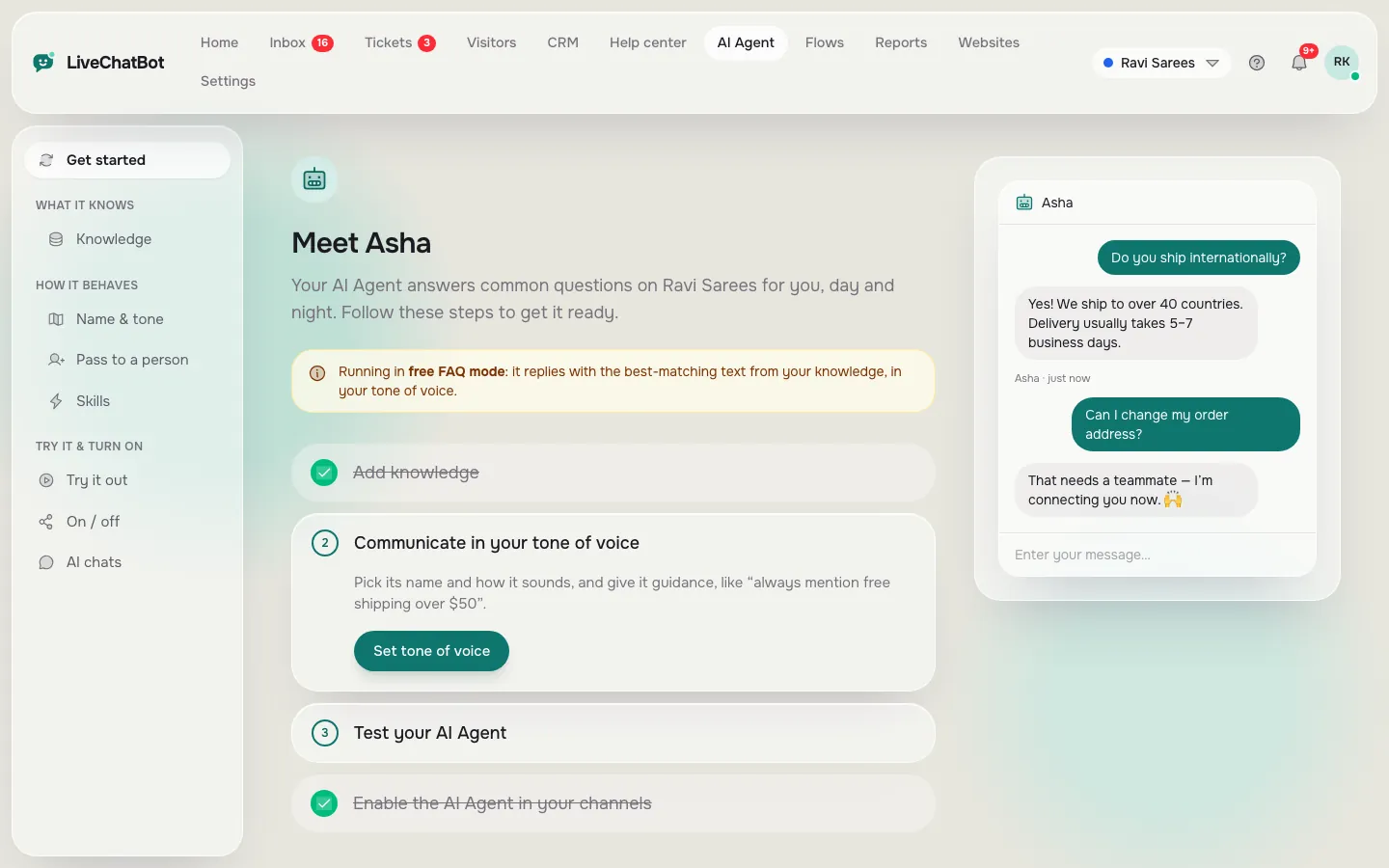
Give the AI Agent a name and tone, then add a few Rules to follow, such as never promising delivery dates. Finish line: five rules at most, each one sentence.
Set opening hours, switch on the away form, and write three saved replies for the free keyword bot. Finish line: a message sent after hours leaves you a phone or email.
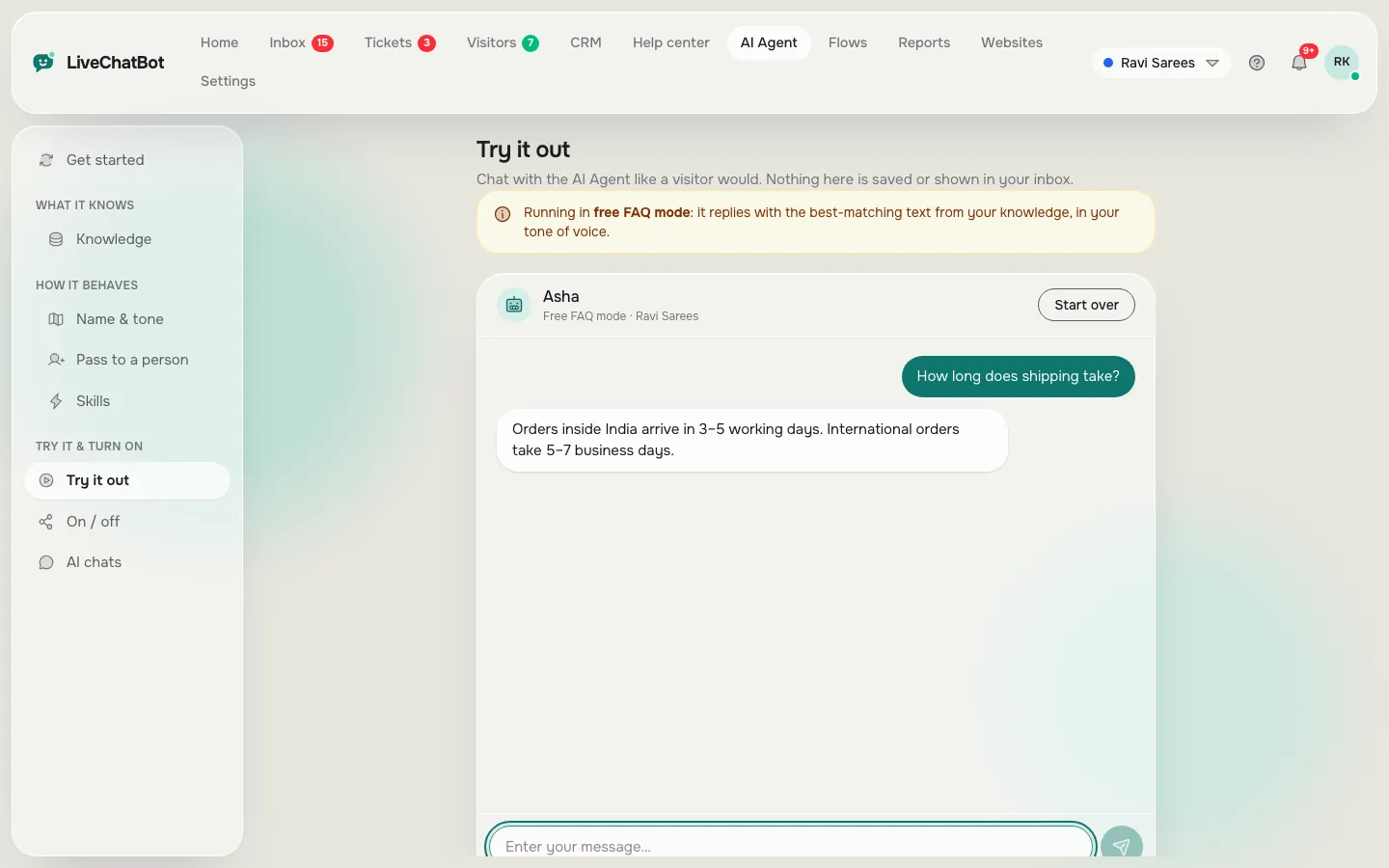
Ask three taught questions, two untaught ones and one ‘can I talk to a person?’. Finish line: no invented answers.
Paste the code before the closing body tag, or use the WordPress plugin. Finish line: the chat bubble shows on your site and your phone buzzes.
Block two
Where the quality comes from: your facts
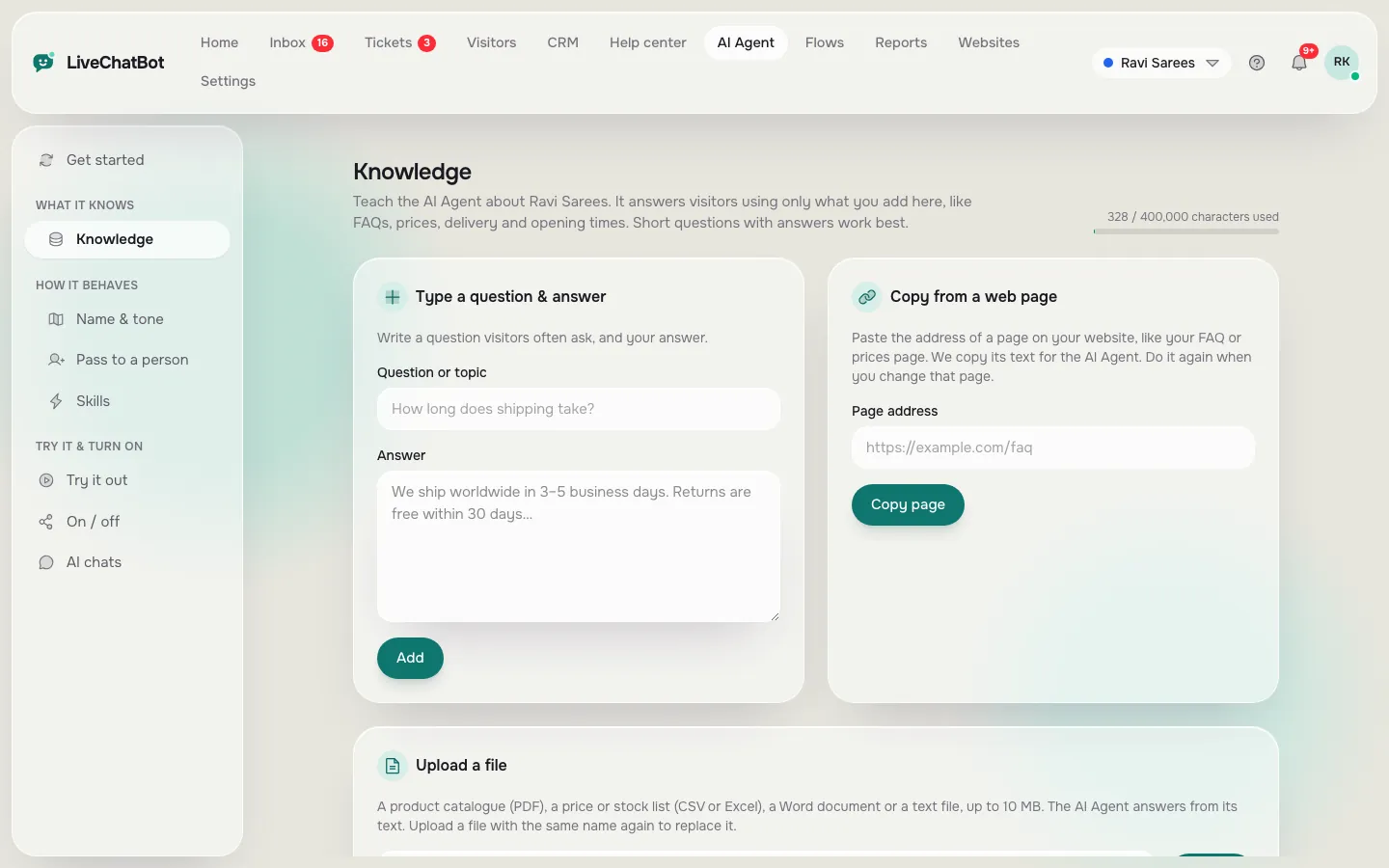
Everything good about a bot comes from the knowledge you give it. In the AI Agent’s Knowledge area you can type answers, copy a web page, or upload a file. Mix all three.
Start with price, hours, location, delivery or booking time, and refunds.
How to write each answer
Write it the way you’d say it to a customer on the phone. Include the number, the condition and the next step. “Delivery is 3 to 5 working days inside India. Order before 2 pm for dispatch the same day” works. “Fast delivery available” does not.
Facts go in Knowledge. Behaviour goes in Rules. A fact is “We close at 7 pm”. A rule is “Never promise a delivery date”. For a deeper walk-through of training, read how to train your AI chatbot.
Real screens
The three screens you use to create an AI chatbot here
Real screens from the LiveChatBot panel, shown with sample data. Click any picture to see it full size.
Block four
The safety net most first bots skip
Every bot meets a question it cannot answer. What matters is the next step, so build it before you go live.
Opening hours and the away form
Set your opening hours. Outside them, the widget can show an away form that collects an email or phone number, so a 10 pm enquiry becomes a morning call. Our guide to setting live chat opening hours has the click path.
Saved replies for the keyword bot
AI replies come with a monthly allowance. When it is used up, a free keyword bot answers from your saved replies. Write three now: greeting, pricing and contact. The guide to saved replies shows how to add the customer’s name.
A person on call
Install the Android app on the phone of whoever answers. Chats that need a human reach the shared inbox, and you can use Assign to me so two people don’t answer the same visitor. See the Android app guide.
Block five
Test it like a customer, not like the builder
You wrote the answers, so you will ask the questions the bot already knows. Borrow someone else’s phone, or ask a friend, and try these six messages.
- A taught question in your own words, not the words you wrote.
- A taught question with a spelling mistake.
- A question about something you never taught, such as a product you don’t sell.
- A question about a price in the middle of a longer sentence.
- “Can I talk to someone?”
- A message after hours, if you can wait or change the hours for the test.
Pass means: correct answers for 1, 2 and 4, an honest “I’m not sure” for 3, and a handover or contact capture for 5 and 6. If the bot guesses at number 3, add a Rule: “If the answer is not in the knowledge, say you will pass the question to the team.” Then test again.
Write each failed question down. They become next week’s new answers.
Try it
Quick check: are you ready to go live?
Tick each item as it becomes true. You are ready when the bar is full.
Block six
Going live without a big bang
Paste the snippet from the install page before the closing body tag, or use the WordPress live chat plugin. Shopify, Wix and Squarespace take the pasted code too.
Don’t show the bot everywhere on day one. Use the visibility settings to show it on your pricing, contact and top product pages first. Add other pages as you read real chats.
For the first week, read every chat each morning and add one answer for each question the bot missed. Then decide whether to add Flows on high-intent pages. Limits to know: no voice, no choosing the AI model, no iOS team app, and Powered by LiveChatBot stays on. See pricing when traffic grows, and the AI Agent page for more.
Frequently asked questions
Can I really create an AI chatbot in 90 minutes?
Yes, if your facts are ready. The plan works because most time goes into answers, and the install itself takes minutes. Complex shops with hundreds of products may need a second evening.
Do I need to know how to code?
No. You paste one snippet or install a plugin. Everything else happens in the dashboard.
What does it cost to start?
The free plan costs nothing and covers two websites with 100 visitors each per month. Paid plans start at ₹299 a month when you need more visitors.
What if the bot gives a wrong answer?
Fix the fact in Knowledge or add a Rule, then retest. Keep a list of failed questions from each week.
Can a person take over from the bot?
Yes. Chats reach the shared inbox and the Android app, and agents can use Assign to me.
Keep reading
Related guides
Create Your Own Chatbot Free From a One-Page Fact Sheet: Write the Facts, Generate the Answers, Test Them Tonight (Free Starter Bot Writer)
Custom AI Chatbot on Your Own Business Knowledge: How It Finds the Right Paragraph, and How to Write Knowledge It Can Find (Free Chunk Finder)
Custom Chatbot or Off-the-Shelf Sounding? Find the Stock Phrases That Make Your Bot Feel Generic and Rewrite Them (Free Custom Score)
Start your evening build
Open livechatbot.in, add your website and teach the bot ten answers tonight. Free plan, no card needed.