How to Spot Fake Website Traffic: 7 Signs in Your Numbers and What to Do About Each One
How to spot fake website traffic is a question most owners ask only after a strange spike: hundreds of visits, no enquiries, and a vague feeling that something is off. This guide gives you seven signs to look for in the numbers you already have, a simple way to test each one, and what to do next. It also shows how bots, crawlers and real people end up in the same chart, and how to keep them apart.
⚡ In short
- Learning how to spot fake website traffic starts with one idea: it is visits that no person made: crawlers, scripts, scanners, and sometimes paid fake clicks.
- The clearest signs are a sudden spike, one country or page taking everything, and visits with no mouse, scroll or touch.
- Not every bot is bad. Googlebot is useful. The goal is to stop counting machines as customers.
- Judge traffic by what people do (chat, call, WhatsApp, form), not by how many visits you got.
The basics
What fake website traffic actually is
Fake traffic is any visit to your site that was not a person with a real interest in what you sell. It comes in four kinds, and they need different handling.
Helpful machines
Search crawlers such as Googlebot and Bingbot read your pages so people can find you. You want them. They just should not appear in your visitor count, because they will never buy anything.
Neutral machines
Link preview bots, uptime monitors, SEO tools and AI crawlers fetch pages for their own reasons. They are not harmful, but they inflate numbers and, on some tools, your bill.
Harmful machines
Scrapers copy your content. Scanners probe for weak spots in plugins. Spam bots fill forms. Some pretend to be Googlebot so you will not block them.
Paid fake clicks
If you run ads, some clicks come from click farms or scripts. These reach the site like real visits, but no one is there.
The first three are easy to explain: a machine requested a page. The last one is the hardest, because the visit may look normal at first glance. That is why you check several signs rather than one.
Sign 1 to 3
How to spot fake website traffic in your charts
Start with three signs that show up in any analytics chart. They take two minutes to check.
1. A spike with no reason
Open the last 30 days. If one day shows three or ten times the usual visits and you did not post, send a message or run an ad, treat it as suspect. Real spikes have a cause you can name. Fake ones rarely do.
2. One country or one page takes almost everything
A shop that sells in India and suddenly gets 80 per cent of its visits from a country it has never served is worth a closer look. The same goes for one deep page, often a login or search page, collecting thousands of hits.
3. Visits that last 0 seconds, or exactly the same time
Real people differ: some leave in five seconds, some stay three minutes. A large block of visits with identical duration, or a bounce rate near 100 per cent on one source, usually means a script.
Write down what you find. If two of these three show up on the same day, move on to the next four signs.
Quick check
Run the seven-sign test
Tick each sign you can see in your own numbers. Two or more ticked means your traffic needs cleaning before you trust it.
Sign 4 to 7
Four deeper signs that confirm how to spot fake website traffic
The first three signs tell you something is odd. These four tell you what.
4. Visits come from data centres
Real customers browse from home broadband and mobile networks. A crowd arriving from cloud hosting ranges is almost certainly scripts, or people behind a VPN who have not yet shown they are human.
5. Odd user agents
Every visit carries a label naming the browser. Labels that name a tool or “headless” browser, or an ancient browser version no one uses, point to automation.
6. Many visits, zero actions
This is the sign that matters most. If a thousand visits produce no chat, no call, no WhatsApp tap and no form, the traffic is either fake or irrelevant. Both need action.
7. Hits on pages you never linked
Scanners ask for addresses such as wp-login, xmlrpc or backup files. No customer goes there. A cluster of requests to those paths is probing, not interest.
If three or more signs match the same group of visits, you have found fake traffic. Next, work out which kind it is, because the fix for a harmless crawler is different from the fix for a scraper.
Sorting it
Good bots, bad bots and fake Googlebots
Not all machine traffic should be blocked. Use this order.
- Verify the famous crawlers. Googlebot and Bingbot publish IP ranges. A visit that claims to be Googlebot from outside those ranges is fake, and often a scraper using a famous name as a disguise. Google explains how to verify its crawler in the Search Central documentation.
- Keep helpful crawlers, but out of your counts. They should be able to read your site, while your visitor total only includes people.
- Watch the repeat offenders. One source making hundreds of requests in a few minutes is not a customer, and you may want to block it on your server.
- Check paid clicks separately. If you run ads, compare ad clicks with the visits you see. A big gap, or clicks that never act, is worth raising with the ad platform.
The important idea is separation. Machines will always visit. The problem is not that they come; it is that they distort the numbers you use to make decisions, such as which page to improve or whether an ad is working.
What it costs you
Why learning how to spot fake website traffic pays off
Fake visits cost you in three ways.
Wrong decisions
If bots make one page look popular, you may spend a week improving it while the pages real people use stay untouched. Clean numbers point you to the right fix.
Wasted money
Paid clicks that never act are direct waste. Tools that bill by visitor count can also charge you for machines, so ask any vendor whether crawlers are counted.
Slower, noisier site
Heavy scraping can slow pages for real visitors and fill your inbox with spam submissions. That is a customer experience issue, not only a reporting one.
There is also a quiet cost: false confidence. A chart that climbs while sales stay flat makes owners think the problem is conversion, when the real problem is that the visitors were never people. Our guide to raising your website conversion rate only helps once you know the traffic is real.
The fix
What to do once you find it
Take the smallest action that solves the problem.
If it is a spike from one source
Note the source and date. If it is a referrer you do not know, exclude it in your analytics, and watch whether it returns.
If it is scanners and scrapers
Block the offending IP ranges at your server or with your host’s firewall. Keep your WordPress, plugins and themes updated so probing finds nothing to use.
If it is spam submissions
Block the visitor or IP at the chat level. In LiveChatBot you can block a visitor from inside the inbox, and the widget limits how fast any one address can send messages.
If it is fake ad clicks
Collect dates, campaigns and IP details, and report them to the ad platform. Pause the campaign meanwhile.
If you are unsure
Do nothing drastic. Keep watching for a week. Blocking a real customer is worse than letting a harmless bot through.
Where LiveChatBot helps
Keeping machines out of your visitor numbers
If you use LiveChatBot, bots are handled in the product so you do not have to sort them by hand. Named crawlers, including Googlebot, Bingbot, AI crawlers and SEO tools, are never counted or billed as visitors. Googlebot and Bingbot are checked against their published IP ranges, and a bot that claims to be Googlebot from somewhere else is marked as fake.
The Reports area has a Bots and crawlers page listing each crawler, whether it is verified, and which pages it reads. The bot filter for each website is set to Strict by default, which also holds back data-centre and VPN visitors until they behave like a person: mouse, touch, keys, scroll, or a chat message. You can release any held visitor with the “It is a person” button. You are also alerted when one bot makes 300 or more hits in ten minutes, and you get a copy-ready block of rules for your server file if you decide to block fake crawlers. LiveChatBot only gives you the rules; it does not block traffic on your server for you.
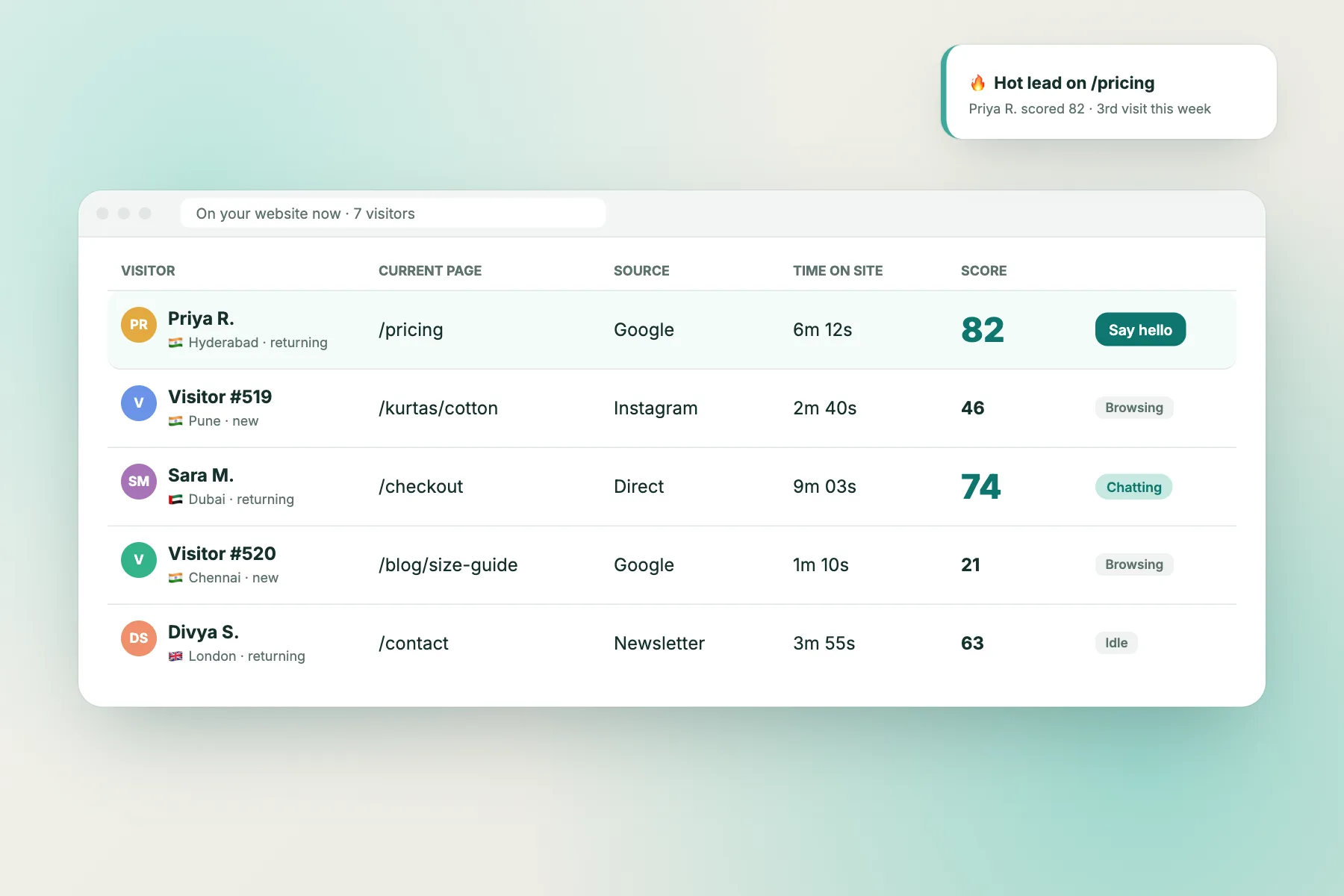
This is separate from visitor tracking, which shows who is on your pages right now, and from the AI Agent that answers the people who do arrive. Sign up free at livechatbot.in to see which of your visits are people.
Mistakes
Common mistakes when cleaning traffic
- Blocking all bots. You will block Googlebot and vanish from search results.
- Trusting a single sign. Many real visits are short, and many real people use a VPN. Look for three signs together.
- Fixing the chart, not the cause. Filtering a spike out of a report does not stop the scanner. Block it where it enters.
- Ignoring paid traffic. Owners check organic visits and forget that ad clicks can be fake too.
- Never rechecking. New bots appear all the time. Repeat the seven-sign test once a month.
Frequently asked questions
Does knowing how to spot fake website traffic help SEO?
Mostly it distorts your own reports rather than hurting rankings. Heavy scraping can slow your site, and a slow site hurts people. Keep search crawlers able to read your pages.
How can I tell if a visit is a person?
People move a mouse, scroll, tap or type, and they come from ordinary home or mobile networks. Machines usually do none of these. Judge by actions, not only by the visit.
Does LiveChatBot count Googlebot as a visitor?
No. Named crawlers are never counted or billed as visitors, and a fake Googlebot is marked as fake.
What if my bounce rate is high but nothing is fake?
Then the page itself may need work. Use real actions such as chats and form entries to find which pages visitors leave without acting.
Can I do all of this for free?
Yes. The seven-sign test needs only the numbers you already have, and LiveChatBot’s bot filter is part of the free plan.
Keep reading
Related guides
Bot Traffic Detection for Your Website: Spot Googlebot, AI Crawlers and Fakes Without Paying for Them as Visitors
How to Check if Googlebot Visited My Site: Four Methods, From Search Console to Server Logs, and How to Tell a Fake
See which visits are people
Free for two websites. LiveChatBot keeps crawlers out of your visitor count. Start free on livechatbot.in.