Free Chatbot With Custom Branding: Copy-Ready Team Names, Welcome Lines and Grabber Cards in Your Brand’s Voice (Free Copy Bank)
Free chatbot with custom branding is mostly a writing job, not a design job. Colours take two minutes; the words visitors read decide whether the chat feels like your business. This guide gives you a bank of copy-ready team names, welcome lines, grabber cards and away messages in four brand voices, shows how to adapt them, and is upfront that the small “Powered by LiveChatBot” line stays on every plan.
⚡ In short
- Your brand shows up in the widget colour, but mostly in the words: team name, welcome text and grabber card.
- Pick one voice (warm, crisp, playful or formal) and use it everywhere, including the away message.
- Copy a line from the bank, change two words to fit your business, and paste it into the widget settings.
- The “Powered by LiveChatBot” line stays on all plans; everything else here is yours to change.
What is yours
What custom branding means on the free plan
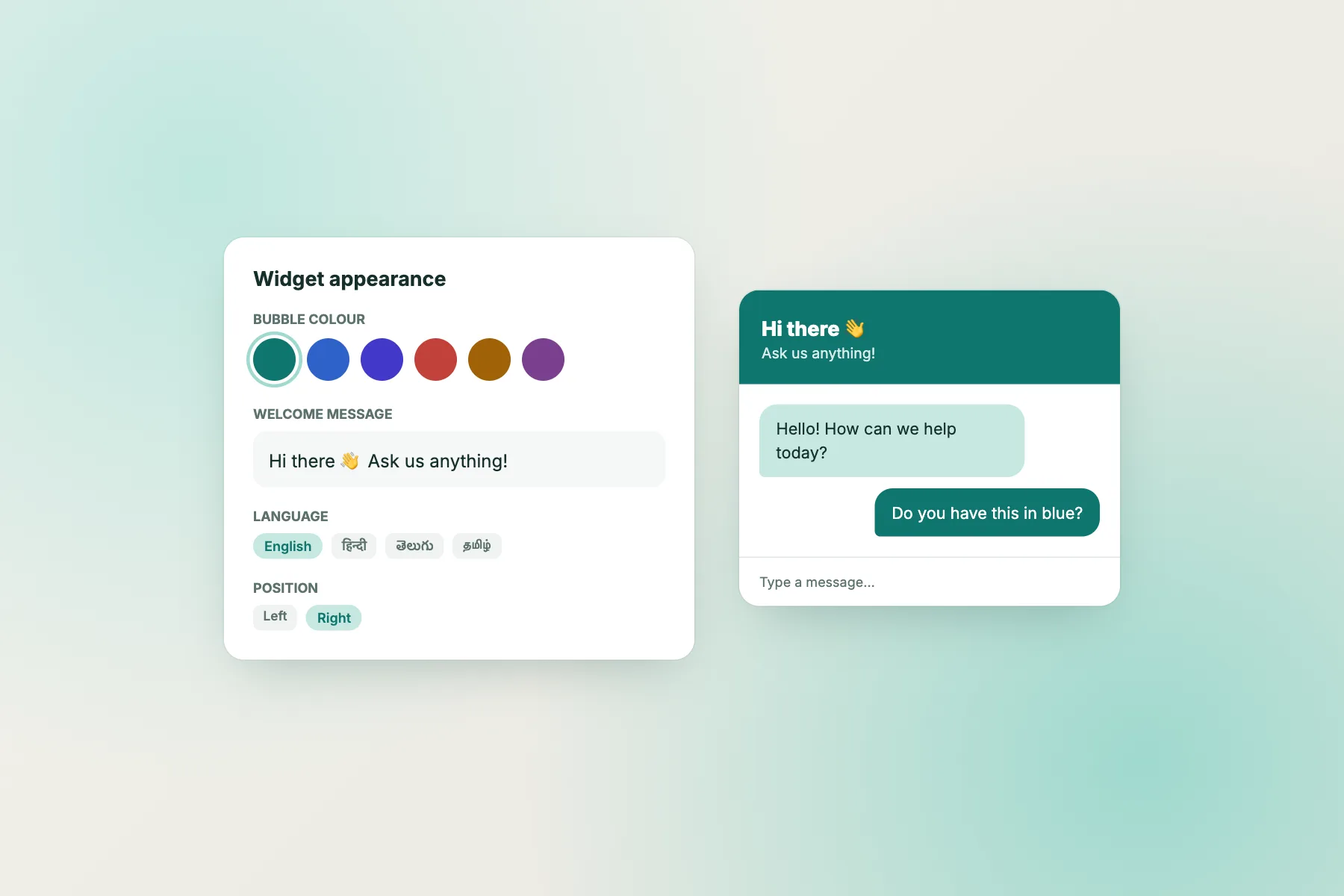
You can set five things without paying: the widget colour, its position on the screen, the team name, the avatar and the welcome text. On top of that, an attention-grabber card can invite visitors on pages you choose, and opening hours with an away form let you control what people see after closing time.
What you cannot do is hide the vendor credit. We cover that fully in our post on a free chatbot without watermark, so this guide stays on the part you can change.
Two quick design rules help before any writing. Pick a header colour with enough contrast against white text, and use a square avatar with a plain background. Both read well even at small sizes on a phone.
Choose a voice
Four voices a business can sound like
Pick one and keep it.
Warm
Short, friendly, first names. Good for shops, studios, clinics and tutors.
Crisp
Plain, quick, no exclamation marks. Good for software, finance and B2B.
Playful
A little humour and emoji. Good for cafes, creative brands and young audiences.
Formal
Full sentences, courteous titles. Good for law, healthcare and education.
A mismatch is worse than a plain line. A playful greeting on a legal page, or a stiff one on a bakery site, makes visitors feel they have landed in the wrong place. If you are unsure, start warm and trim.
Try it
Brand-voice copy bank
Open a tab, press Copy on a line, and paste it into the matching widget setting. Replace the words in your own business details.
Adapt each line
Make a free chatbot with custom branding sound like you
Copying a line is the start, not the end. Three small edits turn a template into your own words.
- Swap in your specifics. Replace “orders or delivery” with the real topics your visitors ask about, such as “fittings” or “appointments”.
- Match your site’s punctuation. If your headings never use exclamation marks, remove the one in the greeting.
- Read it aloud. If you would not say it across a counter, rewrite it.
Keep the welcome text to two short sentences. Long greetings push the actual message box down on a phone. Our guide to writing a live chat welcome message has more examples and a few lines to avoid.
Set it live
Where to paste each line
Everything lives in the widget settings in your dashboard.
- Team name and avatar: the visible identity in the chat header.
- Welcome text: the first message when the window opens.
- Grabber card: the small invitation above the bubble. Limit it to your busiest pages.
- Away message: shown after hours, with the form that collects an email or phone number.
After saving, open your site on a phone and on a laptop. Check that the card does not hide a cookie banner and that the avatar looks clear. The full list of settings is in how to customise your chat widget.
Mistakes
Five mistakes that waste a free chatbot with custom branding
Most branding problems come from small habits, not big decisions.
Using a generic team name
“Support” tells visitors nothing. A person’s first name or your shop name feels like a real reply is coming.
Copying a template unchanged
Visitors can tell. If your welcome line could sit on any website, it is not doing a branding job.
Mixing voices
A formal greeting followed by a joking away message feels jarring. Read all four lines together.
Hiding the message box
A long welcome pushes the box out of view on a phone. Cut it to two sentences.
Forgetting the wording after launch
Opening hours and offers change. Put a quarterly reminder in your calendar to reread every line, since a wrong promise in the widget is worse than a plain one.
Keep it consistent
Carry your free chatbot with custom branding voice into replies and Flows
Branding does not stop at the widget. Visitors judge you on the first reply, too.
Write your saved replies in the same voice, so a chat that starts with the keyword bot or AI Agent and finishes with a person does not change personality halfway. If you use Flows to greet visitors on specific pages, keep the wording of those messages close to your welcome text, and keep each one short.
Finally, review your lines every quarter. Prices, hours and offers change, and stale wording quietly harms trust more than a slightly plain tone ever will.
Test it
A five-minute first-impression test
Ask someone who has never seen your site to open it on their phone and tell you three things without prompting: who they think is behind the chat, what they think it can help with, and whether they would type a message.
If they cannot name the business, change the team name or avatar. If they cannot say what the chat does, rewrite the welcome line to mention the one or two topics people ask about most. If they would not type, check that the grabber card is not blocking anything and that the first line invites a short question.
Make one change at a time and test again with another person. Within an hour you will have a widget that reads clearly, and you will know which words are doing the work.
Frequently asked questions
Can I get a free chatbot with custom branding on LiveChatBot?
Yes for colour, position, team name, avatar and welcome text. The small “Powered by LiveChatBot” line stays on all plans.
Can I use my logo?
Yes. Upload it as the avatar, ideally as a square image with a plain background.
Does the AI Agent follow my brand voice?
It answers from the knowledge you give it, so write that knowledge in the tone you want.
How long should a welcome message be?
Two short sentences. Anything longer pushes the message box off the first screen on a phone.
Can I change the wording later?
Yes, at any time from the dashboard, and visitors see it on their next visit.
Keep reading
Related guides
Free Live Chat Without Branding: Weigh a Free Plan With a Credit Line Against Paying to Remove It, With Your Own Priorities
Free Chatbot With Lead Capture: What Happens in the First 24 Hours After a Lead Arrives (Free Follow-Up Timeline)
Free Chatbot Without Branding: A Plain-English Glossary of Every Brand Element in a Chat Widget, and Which Ones You Control
Give your chat window your own voice
Free plan for two websites with your colours, name and words. Start free on livechatbot.in.