Free Chatbot Without Branding: A Plain-English Glossary of Every Brand Element in a Chat Widget, and Which Ones You Control
Free chatbot without branding can mean five different things, and vendors use the words loosely. This glossary defines each brand element in a chat widget in plain English, from the launcher bubble to the transcript email, and marks which ones you can set yourself on LiveChatBot’s free plan and which ones stay fixed. Use it to read any pricing page with confidence and to decide what you really need.
⚡ In short
- “Branding” is not one thing. It covers colours, names, images, wording and the vendor’s own mark.
- On LiveChatBot you control colour, position, team name, avatar, welcome text and a grabber card.
- The “Powered by LiveChatBot” line stays on all plans; it is the one element you can’t change.
- Search the glossary for any word you meet on a pricing page.
Why words matter
Why “branding” is a slippery word on pricing pages
Two vendors can both promise a free chatbot without branding and mean opposite things. One means you can use your own colours. The other means the vendor’s logo is gone entirely.
The first is common and often free. The second is rare and often paid. If you only read the headline, you may buy one while expecting the other.
A simple habit helps: whenever a page says “branding”, ask two questions. Whose brand? And where does it appear? Your brand in the widget is customisation. The vendor’s brand in the widget is attribution. Different words, different prices.
The glossary below keeps the two apart so you can compare offers fairly.
Try it
Brand-element glossary
Type a word such as badge, avatar or transcript to filter the list.
What you control
What a free chatbot without branding still lets you style
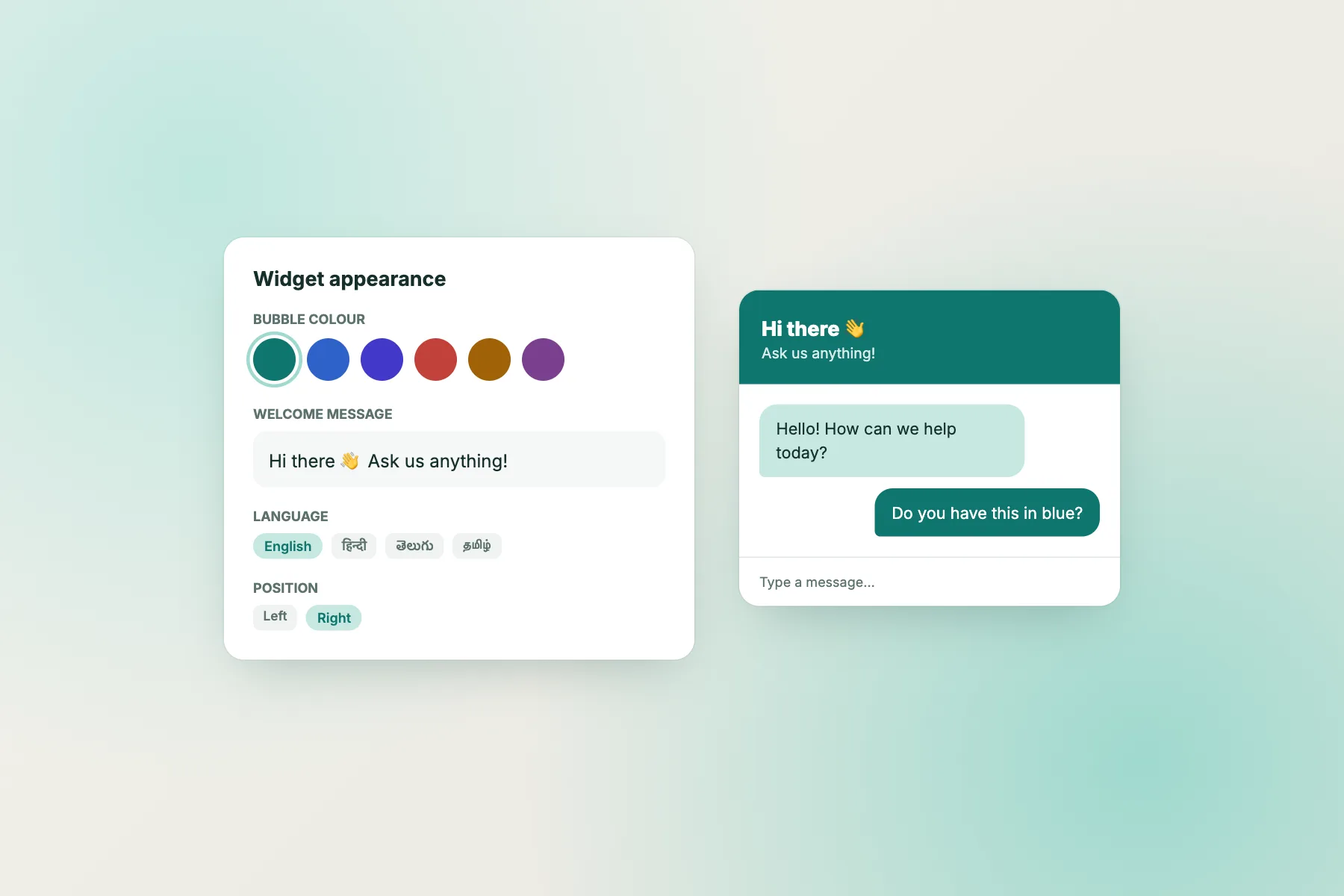
Take the first nine terms in the glossary and you can make a widget that looks native to your site.
Colour and position
Match the header colour to your main button. Keep the bubble on the side where your site has the fewest other floating items, such as cookie banners.
Name and picture
A real name beats “Support”. Visitors reply more readily to “Meera from the studio” than to a generic label. Use a clear square image, since avatars display small.
Words
Your welcome text and grabber card carry most of your brand voice. Short, specific and friendly wins. Our guide to customising your chat widget lists every setting in one place.
What stays
The one element that does not change
“Powered by LiveChatBot” stays on all plans. We say that clearly because it is the term most likely to disappoint someone who finds this page through a search for a free chatbot without branding.
It is a small credit line, not a large logo. It does not change your colours, your name or your text. It also stays regardless of how many visitor packs you buy, so there is no paid way around it.
If a client contract or a design standard demands zero vendor marks, choose a tool that sells full white labelling and check the claim using the steps in our guide to a free chatbot without watermark. If you are fine with a credit line, the rest of the widget is yours to shape.
Read a pricing page
How to read a pricing page with these terms
Take any vendor’s plan table and sort each line into one of three piles.
- Customisation: colours, names, images and wording. Expect these on every plan, including free.
- Attribution: the vendor’s own mark. Expect this on free plans, and sometimes on paid ones.
- White label: removal everywhere, including emails and ticket pages. Expect a high price or an agency tier.
Then look for the quiet exceptions. A plan that removes the badge in the widget may still put a link in the transcript email. A trial that removes it may bring it back on day 15. Ask support to confirm each place in writing, and save the reply.
Finally, price what you need, not what the headline says. If you only need your own colours and name, a plan that charges extra for white label is charging you for something you will never use.
Check before launch
A last look before you go live
Open your site in a private window, on a laptop and on a phone, and read the chat window top to bottom as a stranger would. Does the name make sense? Is the picture sharp? Does the welcome line sound like your business, and does it say what the chat can help with?
Send yourself an offline message and check the notification you receive. Open the ticket page link if one is created. These small checks catch the spots where a brand mismatch usually hides, and they take less than ten minutes.
Ask a colleague or friend for their first impression, too. People who have never seen your site notice clashing colours and unclear names immediately, and their reaction is worth more than your own settings review.
Set it up
A 15-minute branding setup for a new widget
- Open the widget settings and pick the colour from your site’s main button.
- Choose the corner that does not clash with other floating buttons.
- Enter your team name and upload a square avatar.
- Write a welcome line of two short sentences.
- Add a grabber card for your most visited page only.
- Open your site on a phone and check that nothing overlaps.
If you also want a quick route to WhatsApp, a card can link to your own number; see the WhatsApp chat button guide. A website chat widget overview shows how the pieces fit together.
Frequently asked questions
Can I get a free chatbot without branding on LiveChatBot?
You can fully style colours, names, avatar and wording. The small “Powered by LiveChatBot” line stays on all plans.
What is the difference between branding and white label?
Branding is your own look in the widget. White label removes the vendor’s name altogether, which LiveChatBot does not offer.
Does a transcript email show the vendor name?
Always check a sample email during your trial, since footers vary by product.
Can I use my logo as the avatar?
Yes. Use a square image so it stays readable at small sizes.
Will custom colours cost extra?
No. Colour, position, name, avatar and welcome text are included free.
Keep reading
Related guides
Free Chatbot Without Watermark: How to Test a Vendor’s Claim Before You Install, and What to Do If the Badge Stays
Free Live Chat With AI: Who Answers Which Message When People, AI and a Keyword Bot Share One Chat Window
Free Chatbot With Lead Capture: What Happens in the First 24 Hours After a Lead Arrives (Free Follow-Up Timeline)
Make the chat look like your site
Free plan for two websites with your own colours, name and words. Start free on livechatbot.in.