Chatbot With Proactive Messages: Which Visits Deserve a Message First and Which Should Be Left Alone (Free Decision Tree)
Chatbot with proactive messages means the chat speaks first. Done well, it rescues a visitor who is stuck. Done badly, it interrupts someone who was about to buy. This guide gives you a simple decision tree for which visits deserve a message, shows the signals LiveChatBot Flows can use, and lists the places where silence is the better choice.
⚡ In short
- Send a proactive message only when you have a reason: a stuck visitor, a returning visitor or a high-intent page.
- Flows can use page, source, country, device, browser language, number of visits, lead score and whether contact details exist.
- Stay quiet on checkout, login and payment pages.
- Start with one message per visit, then read the chats before adding more.
The core idea
A proactive message is an offer, not an interruption
A shop assistant who walks up to every customer the moment they enter is annoying. One who notices someone staring at a shelf for two minutes and asks “Looking for a size?” is helpful.
A chatbot with proactive messages works the same way. The skill is not writing the message. It is choosing whom to send it to, and when.
Three questions decide it:
- Is there a sign of need? Time on a page, repeat visits or a high-intent page.
- Can you help right now? If nobody can reply and no bot can answer, an offer sets a trap.
- Is it a bad moment? Payment, login and form pages are bad moments.
If the answer to the first two is yes and the third is no, send it.
Try it
Should this visit get a proactive message?
Follow a branch from the top. The end of each branch says what to do.
The signals
What a chatbot with proactive messages can see on LiveChatBot
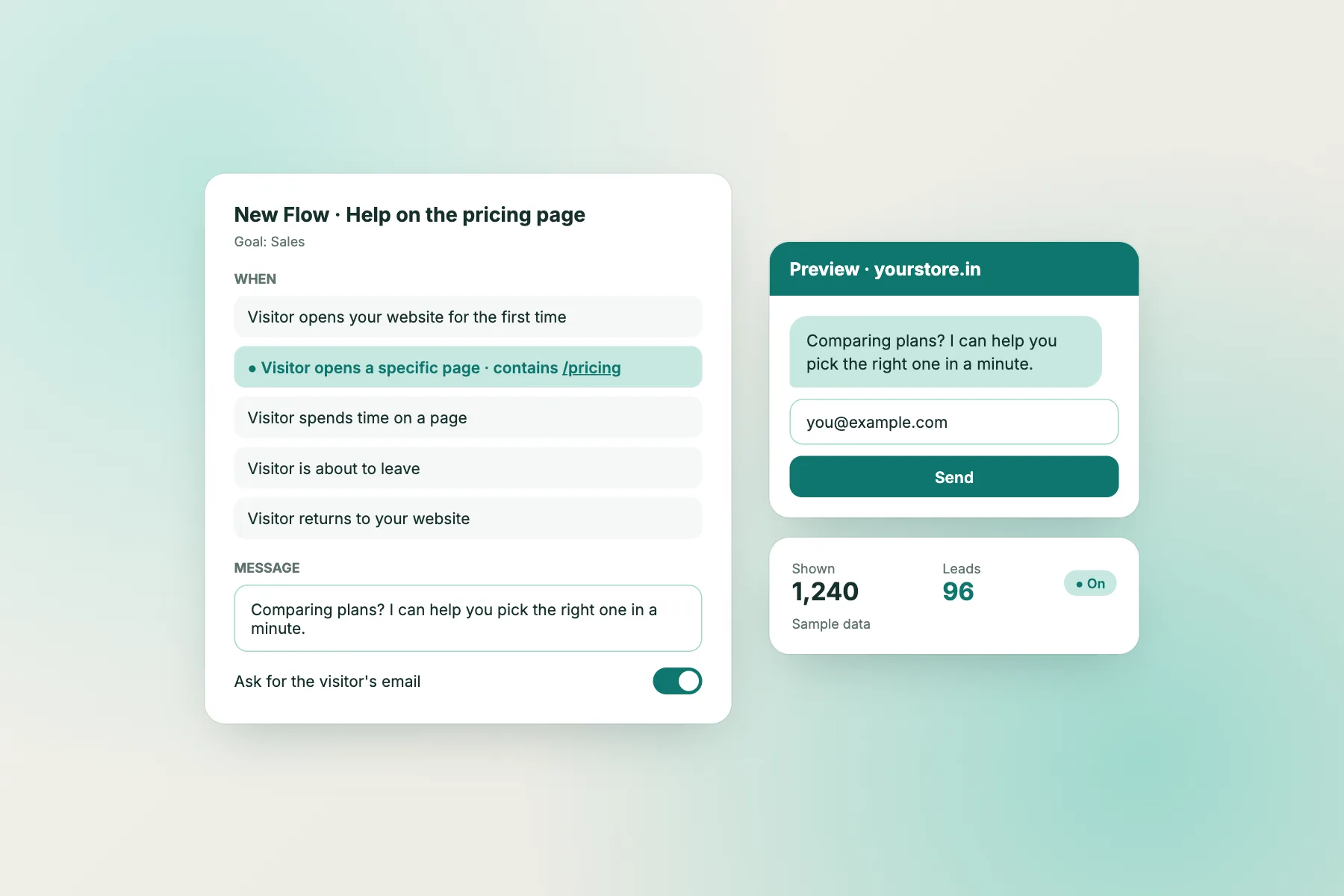
Flows in LiveChatBot decide when a message appears, using up to six conditions together.
- Page, so a message on the delivery page talks about delivery.
- Source, such as a search, a social link or an ad.
- Country, for local offers or language.
- Device, since phones need shorter messages.
- Browser language, to match the greeting.
- Number of visits, to separate newcomers from returners.
- Lead score and has contact details, to avoid asking for what you already know.
You can add a follow-up message and a chat rescuer, which tries to catch someone about to leave. The how-to is in how to create a chat flow, and our overview of chat flows lists the options.
Good messages
Four proactive messages that help instead of nag
The stuck-visitor offer
On a long product page: “Not sure about the size? Tell us your height and we will suggest one.” It is specific and easy to answer.
The returning-visitor welcome
For a third visit: “Welcome back. Want help picking, or just browsing?” It respects their choice to say no.
The after-hours capture
When nobody is online: “We are away until 10 am. Leave a number and we will call.” It sets honest expectations.
The source-aware line
For a visitor from a pricing search: “Looking at costs? Ask us anything about plans.” The message matches why they came.
All four are short, give a reason and make replying easy. Our proactive customer service guide has more ideas.
Bad moments
Where a chatbot with proactive messages should stay silent
Silence is a feature. Keep proactive messages away from these places.
- Checkout and payment. A pop-up here can lose a sale.
- Login and password pages. Visitors are already frustrated.
- The first second on any page. Let people look first.
- Pages with an open form. Do not cover what they are typing.
- Mobile screens already full of banners. Cookie notices and app prompts come first.
Use the “where it shows” settings to hide the chat on sensitive pages. Details are in showing chat on specific pages. Also add a limit: one proactive message per visit, and none if the visitor has closed it once.
Timing
How long to wait before the message appears
Timing changes how a message feels more than its wording does.
Too early
A message in the first second reads as a pop-up ad. Visitors close it before they read it, and some never open the chat again.
About right
Wait until the visitor has shown interest: a scroll, a pause on a product, a second page view. Try a delay of 20 to 40 seconds on content pages, and test from there. Treat these numbers as a starting guess, not a rule.
Too late
A message after the visitor starts leaving is the job of the chat rescuer. Keep its wording gentle: “Before you go, want a quick answer?” Nothing more.
Read the chats and adjust the delay by a few seconds at a time.
Make it work
Test, read and tune your proactive messages
Start small. Build one Flow for your most important page and let it run for a week.
What to read
Open the chats it started. Did people reply? Were the replies angry or interested? How many just closed it? A message that gets few replies and many closes needs better words or a better page.
What to change
Change one thing at a time: the page, the delay or the wording. Note the date so you can compare.
When to add more
Add a second Flow only after the first one works. For lead-focused ideas, see live chat lead generation. The goal is a few well-aimed messages, not a message on every page.
Honest limits
What a chatbot with proactive messages cannot promise
Be honest with yourself about what to expect.
- Messages do not create need. They help people who already want something.
- Visitor limits still apply. The free plan includes 100 new visitors per website each month; visitor packs start at ₹99 for 100 visitors and never expire. A new visitor counts once a month, however many messages you send.
- Powered by LiveChatBot stays on every plan.
- There is no pre-chat form, so collect contact details inside the chat.
If a Flow fires too often, tighten the conditions rather than adding more messages.
Frequently asked questions
What is a chatbot with proactive messages?
A chat that speaks first, based on what a visitor is doing, such as the page, the number of visits or where they came from.
Are proactive messages free on LiveChatBot?
Yes. Flows, with up to six conditions, a follow-up message and a chat rescuer, are included on the free plan.
Will proactive messages annoy my visitors?
They can if they appear everywhere. Keep them page-specific, limit them to one per visit and avoid checkout pages.
Can I show a proactive message only on some pages?
Yes. Use the page condition in a Flow, and the where-it-shows settings to hide the chat on others.
How many proactive messages should I start with?
One, on your most important page. Read the replies for a week, then decide whether to add more.
Keep reading
Related guides
Chatbot With Custom Welcome Message: Four Layers of Greeting, From the Card Beside the Bubble to the Follow-Up (Free Greeting Timeline)
Chatbot With Exit Intent Popup: What It Is, Why LiveChatBot Doesn’t Have One, and Four Ways to Catch Leaving Visitors Instead (Free Decision Tree)
Chatbot With Custom Avatar: Real Face, Logo or Mascot? Pick the Picture That Builds Trust for Your Kind of Business (Free Avatar Quiz)
Speak first, only when it helps
Flows with six conditions, follow-ups and a chat rescuer on the free plan. Start free on livechatbot.in.