Chatbot With Custom Chat Design: Design the Widget for a Tired Visitor on a Small Phone, Then Check It Ten Ways (Free Design Checklist)
Chatbot with custom chat design usually means picking a colour and a corner. That is a start, but the chat only works if a tired visitor on a small phone can read it, find it and tap it. This guide shows which design choices LiveChatBot lets you change, which it does not, and ten checks to run before you leave the design alone.
⚡ In short
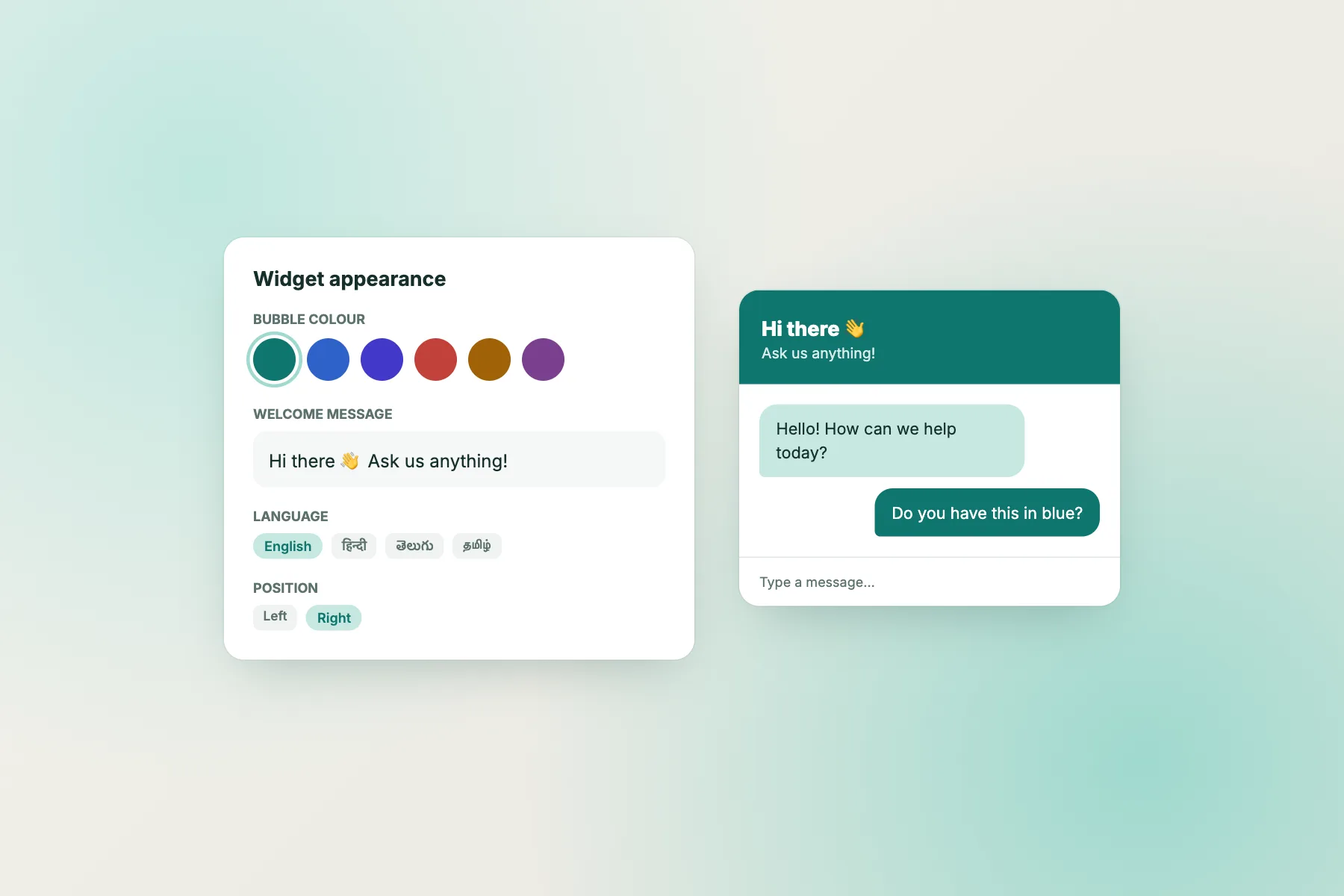
- You can change the widget colour, position, team name, team avatar and welcome text from the dashboard.
- Good design here means readable, easy to tap and quiet, not clever.
- Test on a real phone in sunlight, not only on your office monitor.
- Some things stay fixed, including the Powered by LiveChatBot credit on every plan.
Start with the visitor
Design for the worst case, not the best screen
Your design screen is a large monitor in a quiet office. Your visitor is on a mid-range phone, with the brightness low, one hand free and a bus about to arrive. If the chat works there, it works everywhere.
That changes what matters. Fancy gradients matter less. Three things matter most:
- Contrast. Can the text be read on the bubble colour in bright light?
- Reach. Can a thumb tap the bubble without hitting your page’s own buttons?
- Calm. Does it stay out of the way until someone needs it?
Most small businesses over-design the colour and under-design the words. A plain bubble with a clear welcome line beats a beautiful one that nobody understands.
A useful rule: change one thing at a time, then look at it on your phone. If you change colour, position and text together, you will not know which change helped or hurt.
What you control
What a chatbot with custom chat design lets you change on LiveChatBot
These settings live in your dashboard, and none of them need code.
Look and place
- Widget colour to match your brand.
- Position, so the bubble sits where your page leaves room.
- Inline mode, which puts the chat inside a page instead of floating.
People and words
- Team name and avatar, so visitors see who is answering.
- Welcome text, plus translations for other languages.
- Attention grabber card, a small message beside the bubble.
- Widget cards, including a WhatsApp button card that opens your WhatsApp number.
The step-by-step is in our guide to customising your chat widget. Everything here is on the free plan, and you can change any of it later without losing your chats.
Colour and contrast
Pick a colour that passes a real-world glance test
Brand colour is a good start, but check it against the white or dark text that sits on it. Pale yellow and light orange look cheerful and fail the glance test.
A quick way to test
Take a screenshot of your page with the chat open, make it small on your phone, and hold it at arm’s length. Can you still tell the bubble from the page? Can you read the first line?
If your brand colour is too light
Use a deeper shade of the same colour for the widget. Visitors will still link it to your brand, and the text will be easier to read. For a wider look at accessibility rules, the W3C’s WCAG guidelines are the standard reference for contrast.
Try it
Ten design checks before you call the design finished
Tick each one as you test it. The bar fills as you go.
Avatar and name
The team name and avatar do more than decoration
Visitors decide in seconds whether a real person is there. A team name and avatar help that decision.
Name
Use a team name in your brand’s voice. “Support at Green Leaf Clinic” feels more personal than “Chat”. If a named person answers, say so in the welcome line.
Avatar
Pick a clear face or your logo. If your logo has thin text, it will blur at chat size, so a simple mark works better. Do not use a stock photo that looks like a real employee you do not have. Visitors notice, and trust drops.
See our list of chatbot names for naming ideas, and read how to write a welcome message for the first line itself.
Placement
Put the bubble where it helps, and hide it where it hurts
The default corner is fine for most sites. Move it when it collides with something your visitors need.
- Sticky mobile bars. If you have a “Call now” bar at the bottom, move the chat up or to the other side.
- Cookie banners. Make sure the banner closes cleanly and the bubble is not trapped behind it.
- Checkout and payment pages. A chat bubble can distract from paying. Use the “where it shows” settings to hide it on those pages.
You can also choose which devices and countries see the chat. Details are in our guide to showing chat on specific pages. Good chatbot with custom chat design is as much about where it hides as where it shows.
Honest limits
What a chatbot with custom chat design cannot do on LiveChatBot
Be clear about the edges before you promise a client or a boss anything.
- Powered by LiveChatBot stays on every plan. You cannot remove it, so a fully white-label look is not possible. Our guide to free live chat without branding weighs this up.
- No pre-chat form sits in front of the chat, so you cannot design one.
- No promise of full restyling. The settings above are what we offer. Do not expect to restyle every element of the window with your own code.
Within those limits there is plenty of room. Colour, position, name, avatar, welcome words and the grabber card cover almost everything a small business needs. If you need the chat to look exactly like a custom-built app, you need a different route; read about the levels of customisation before deciding.
Frequently asked questions
Can I get a chatbot with custom chat design for free?
Yes. The free plan lets you change colour, position, team name, avatar and welcome text for your two websites, with no code.
Can I change the widget colour to match my brand?
Yes. Set the colour in the dashboard and check it still reads clearly on a phone in daylight.
Can I remove the Powered by LiveChatBot credit?
No. It stays on all plans, so plan your design around it.
Does a custom design slow my website?
A colour and avatar change adds almost nothing. Still, test the page on a slow connection after any change.
Can the design change by page or country?
You can choose which pages, devices and countries show the chat, and you can translate the welcome text.
Keep reading
Related guides
Chatbot With Embeddable Widget: Where the Code Goes on WordPress, Shopify, Wix and Plain HTML, and How to Prove It Works (Free Install Checklist)
Chatbot With JavaScript SDK: What an SDK Is, What LiveChatBot Gives You Instead, and the Eight Calls You Can Copy Today (Free Copy-Ready Calls)
Chatbot With REST API: Five Jobs a REST API Can Do for Your Business, and a Quick Quiz to Decide If You Need It Yet (Free Route Quiz)
Design a chat your visitors can use
Colour, position, team name, avatar and welcome text on the free plan. Start free on livechatbot.in.