Best Online Chat Platform for Where Your Business Will Be in a Year: A Month 1, Month 3, Month 12 Growth Timeline
Best online chat platform lists compare what a tool does today, but you will use it for a year, and what you need in month 12 is not what you need on day one. This guide walks through a year of website chat in four stages, shows what to switch on at each one, and flags the moments when a platform starts to feel small.
⚡ In short
- Month 1 is about being reachable: widget, welcome message, opening hours and a phone alert.
- Month 3 is about answers: knowledge for the AI Agent, saved replies and the first Flows.
- Month 6 is about follow-up: tickets, teams, form leads and the CRM pipeline.
- Month 12 is about proof: reports, traffic and sales. Pick a platform that has room for all four stages.
Why a timeline
Pick the best online chat platform for the year, not the demo
Most buyers pick a live chat platform by trying it for an afternoon. That tells you whether the widget looks nice. It does not tell you whether the same tool will cope when you hire a second person, add a second website or want to know which pages bring enquiries.
Switching later is possible, but it costs you saved replies, trained answers and a few weeks of habit. A cheaper way is to look one year ahead before you start. If the first stage works on the free plan and the later stages exist, you can grow into them without moving anything.
Below is a simple timeline. It is not a promise about your numbers; every business grows at its own pace. Treat it as a checklist of questions to ask any tool, including ours, and as a plain definition of the best online chat platform for you: the one with a place for every stage.
Four stages
What a year of website chat usually looks like
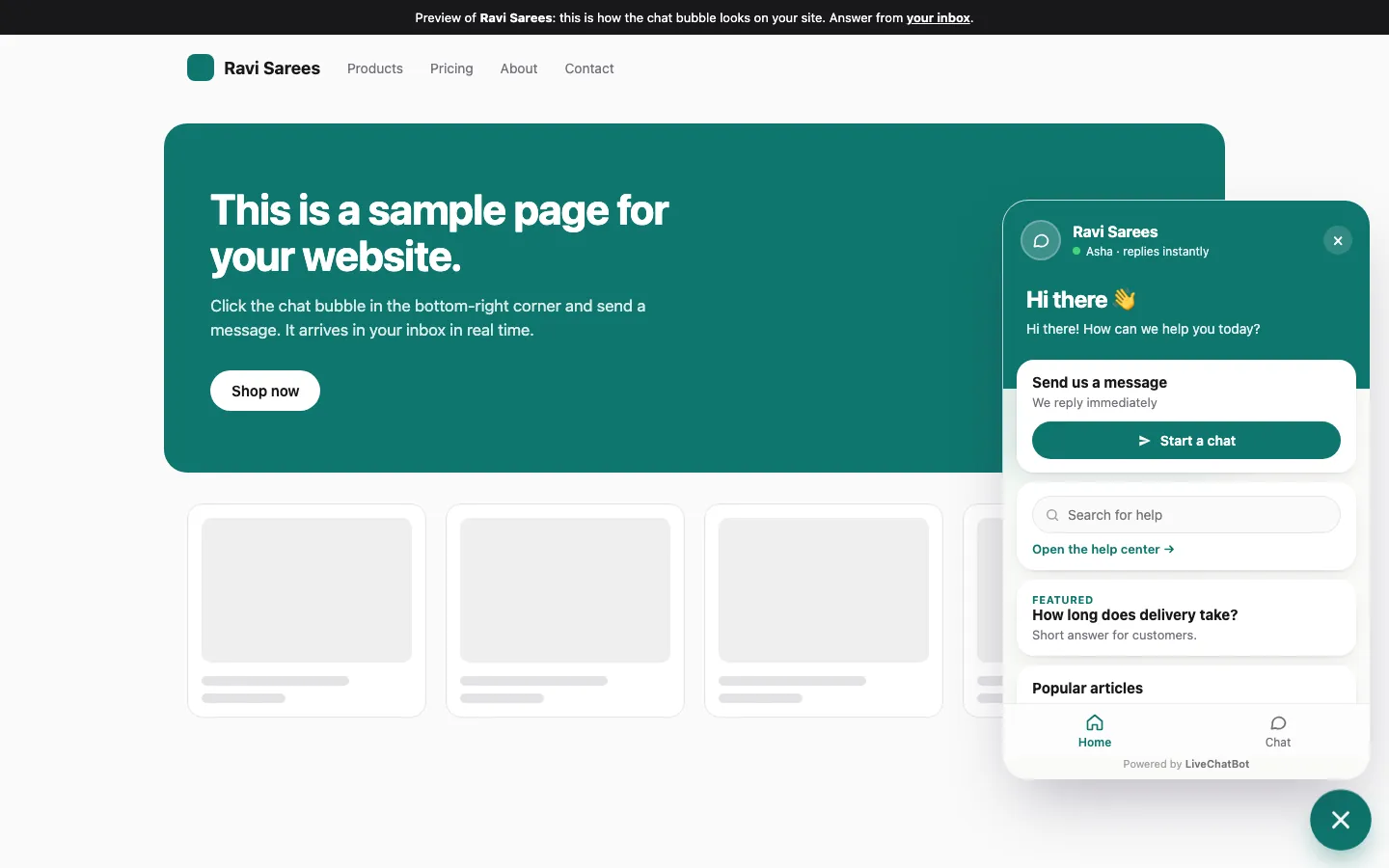
Install the widget, write a welcome message, set opening hours and install the Android app so a phone buzzes when someone writes.
Teach the AI Agent your real answers, add saved replies for the keyword bot and turn on one Flow on your busiest page.
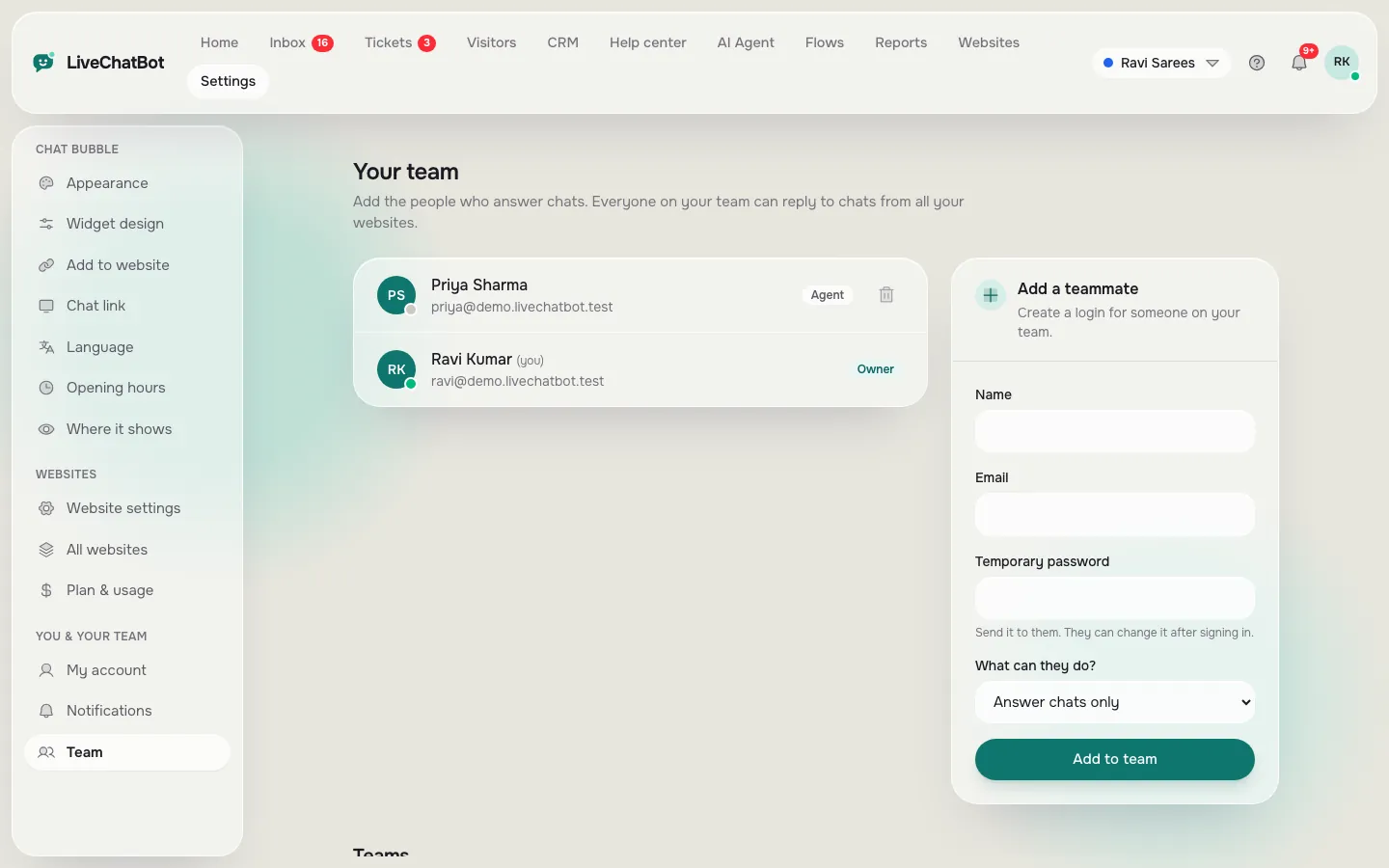
Turn missed chats into tickets, route chats to a team, catch contact-form leads and track deals in the pipeline.
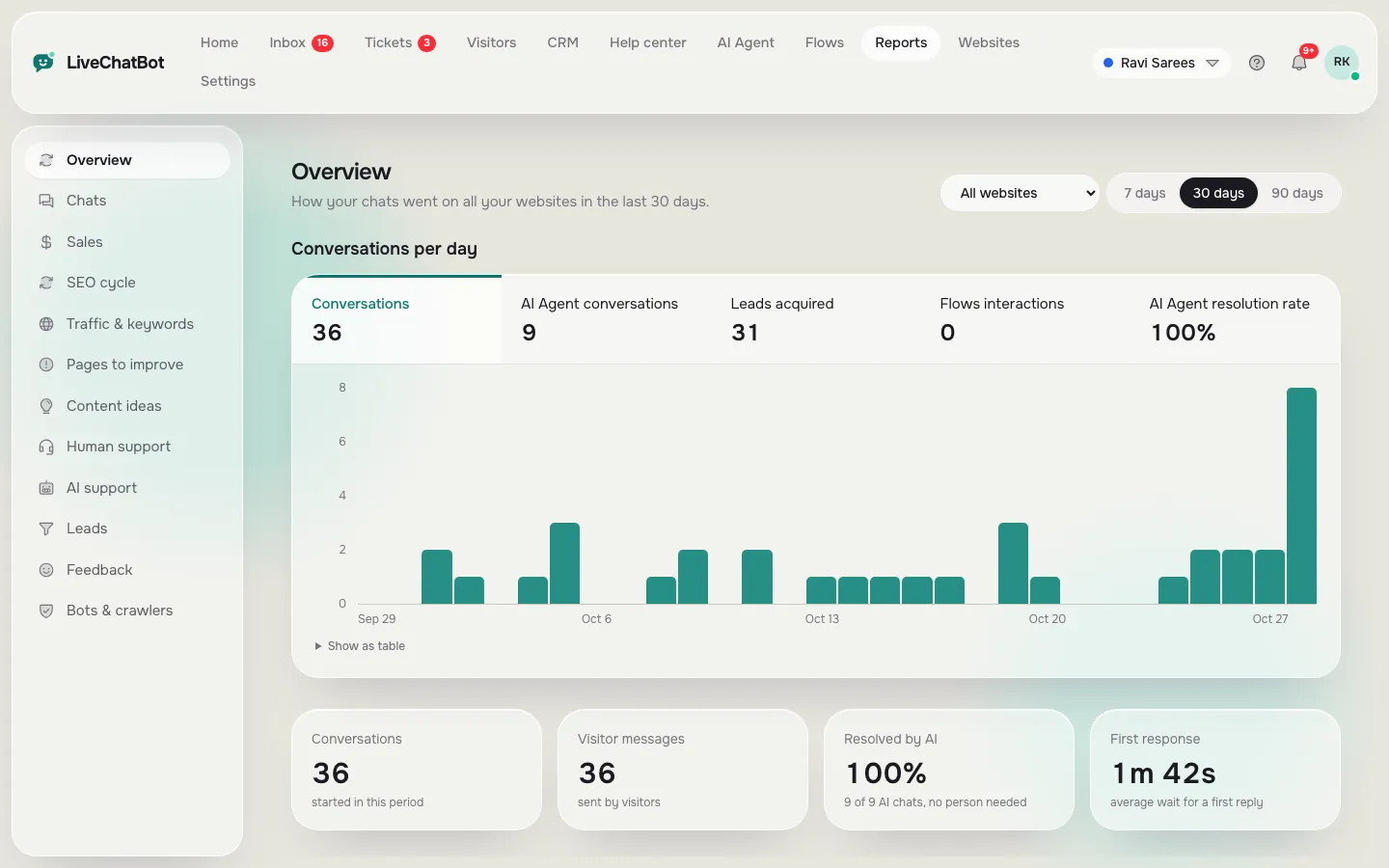
Read Reports to see which pages bring visitors, which chats became leads and which hours you were not covered.
Stage one
Month 1: be reachable before you are clever
In the first month the only goal is that a real visitor can reach a real person. Install the widget with a snippet or the WordPress plugin, set your colours and add a welcome message that says what people can ask. Our guide to how to set up live chat on your website covers the steps.
Opening hours first
Set your opening hours on day one. Outside them, the away form collects email or phone, so a late-night enquiry is not lost. Many owners skip this and wonder why the chat feels dead.
A phone that buzzes
Install the Android app for whoever answers. A chat platform nobody sees alerts from is just a decoration. Test it by sending yourself a message from another phone.
A platform that cannot do these three things on its free or cheapest plan is not a good starting point.
Stages two and three
Months 3 and 6: answers, then follow-up
Month 3: teach it your facts
By now you know the questions people repeat. Put the answers into the AI Agent’s knowledge by typing them, copying a page of your site or uploading a file such as a PDF or spreadsheet. Add a few saved replies for the keyword bot so something sensible answers if the AI allowance runs low. Then switch on one Flow, for example a friendly message on your pricing page. See how to create a chat flow.
Month 6: nothing falls through the cracks
Now the chats pile up, so structure matters. Offline messages can become tickets with an owner. Teams route chats to the right people. Form submissions from Contact Form 7, WPForms and similar plugins arrive as leads with an instant alert. Deals sit in a simple pipeline.
If your platform charges per seat, this is the stage where the bill jumps. LiveChatBot has no per-seat charges, so adding a second or third person changes nothing on the price.
Real screens
What stages one, three and four look like in the panel
Real screens from the LiveChatBot panel, shown with sample data. Click any picture to see it full size.
Stage four
Month 12: the best online chat platform shows its value in reports
After a year you should be able to answer simple questions. Which pages brought the most visitors who then chatted, called or left a form? Which hours had visitors but no reply? Did chat help sell anything?
LiveChatBot’s Reports area covers these with Overview, Chats (reply times and a busy-hour heatmap), Traffic and keywords, Pages to improve, Page insights and Sales for connected WooCommerce or Shopify stores. There is no custom report builder or emailed report, so if you need scheduled exports, plan to use the REST API or Zapier.
The test for any platform is whether it can tell you what to fix next. A number without an action is trivia. A page that gets visitors but no chats is an action: change its welcome message or add a Flow.
Try it
Which stage are you in, and what comes next?
Answer five quick questions and see which stage of the timeline fits today.
Honest limits
Where this platform will feel small
Every tool has edges. Know ours before you grow into them.
- There is no iOS team app, so iPhone users answer from a browser.
- WhatsApp and Messenger messages can arrive in the inbox, but Instagram DMs, Slack and Telegram have no native connection.
- “Powered by LiveChatBot” stays on all plans.
- There are no single sign-on, audit logs or a role builder.
- Native CRM links to HubSpot, Salesforce or Zoho do not exist; Zapier and webhooks can bridge some.
If two of these are deal-breakers for your year-twelve picture, say so now and choose a different tool. If not, you can grow here. Read the live chat guide once more, then the free live chat plan to see how the pieces fit.
Frequently asked questions
What is the best online chat platform for a small business?
The one that is simple in month one and still has room in month twelve. Check that opening hours, an app for your phone, answers from your own facts, tickets and reports all exist, and that adding staff does not raise the price.
Can I start free and upgrade later?
Yes. LiveChatBot’s free plan covers 2 websites and 100 visitors per website each month. Paid plans are prepaid with no auto-renew, and yearly billing means paying for ten months to get twelve.
Do I need to move my data if I outgrow the free plan?
No. You stay on the same account, and your saved replies, knowledge and Flows stay where they are.
Is a chat platform the same as a chatbot?
Not quite. A platform includes the inbox, rules, tickets and reports around the bot. See the [chatbot vs live chat](chatbot-vs-live-chat) guide for the difference.
How long should I trial a platform?
Two weeks is enough to test stage one and two. Stages three and four only show up with real traffic, so check that those features exist and ask how they work.
Keep reading
Related guides
Best Shopify Chat App Listings Decoded: Theme Files, App Embeds, Checkout Limits and Other Words You Need Before You Install (Free Shopify Glossary)
Start with stage one today
Free plan for two websites, no per-seat charges and room to grow. Start free on livechatbot.in.