Best Live Chat Services Are Judged by the Company Behind Them: A 12-Point Check of Support, Price Changes and Your Exit (Free Checklist)
Best live chat services all look alike on the surface: a chat box, an inbox, a pricing table. The difference shows up months later, when you need help, when the price changes or when you want to leave. This guide gives you twelve checks on the company behind the tool, so you choose a service you can live with, not just a feature list.
⚡ In short
- A chat tool is a service you rely on daily. Judge the company, not only the product.
- Check four areas: how you pay, how you get help, how safe your data is and how easy it is to leave.
- Ask for plain answers. A vendor who says “we do not do that” is easier to trust than one who dodges.
- Tick the twelve points in the checklist below and compare two or three services side by side.
Why the company matters
Why the best live chat services are about more than features
When you pick a chat tool, you are not buying software once. You are renting a service that sits on every page of your website and holds your customers’ messages. If it goes down, your shop loses enquiries. If the price jumps, your budget breaks. If support disappears, you are alone.
Yet most comparison pages only list features: widget colours, bots, integrations. These are easy to copy and rarely decide whether a service works out. What does decide it is boring and practical: how the vendor bills you, how quickly a person answers, and what happens to your data if you walk away.
You can check all of this in an hour, before you pay anything. Open the pricing page, read the terms and privacy pages, send a support question and see how long it takes to answer. The twelve checks below turn that hour into a score. Our live chat guide covers what any service should do at the chat end, so here we focus on the business end.
Money
Check one to four: how the service charges you
1. Is the price easy to understand?
You should be able to say in one sentence what you pay for. LiveChatBot’s is short: Free is ₹0 for 2 websites with 100 visitors per website each month, Starter is ₹299 a month for 2 websites and 750 visitors shared, and Growth is ₹699 a month for 5 websites and 2,500 visitors shared. Yearly means paying for 10 months and getting 12.
2. Are there per-seat charges?
Many services charge for each agent, so growth raises the bill. LiveChatBot has no per-seat charges.
3. Does it renew itself?
Auto-renewal catches people out. LiveChatBot is prepaid, with UPI and similar methods, no auto-renew and no automatic charges.
4. What happens at the limit?
Ask what happens when traffic spikes. Is chat switched off for everyone, or do you get an overage bill? See pricing for how LiveChatBot handles visitors.
Be careful with anything marked “unlimited”. It usually hides a fair-use rule.
Help
Check five to eight: support, uptime and honesty
5. Who answers a support question?
Send one before you buy, and note how long the reply takes and whether a human wrote it.
6. Are the limits written down?
A good vendor lists what it does not do. LiveChatBot does not have SSO, audit logs, a role-based permission builder, captcha, sentiment analysis, an iOS team app or white label. It says so, which lets you plan.
7. Can you answer chats from a phone?
For small teams this is vital. LiveChatBot has an Android app for agents. There is no iOS team app, so iPhone users reply from a browser. See mobile app.
8. What happens when nobody replies?
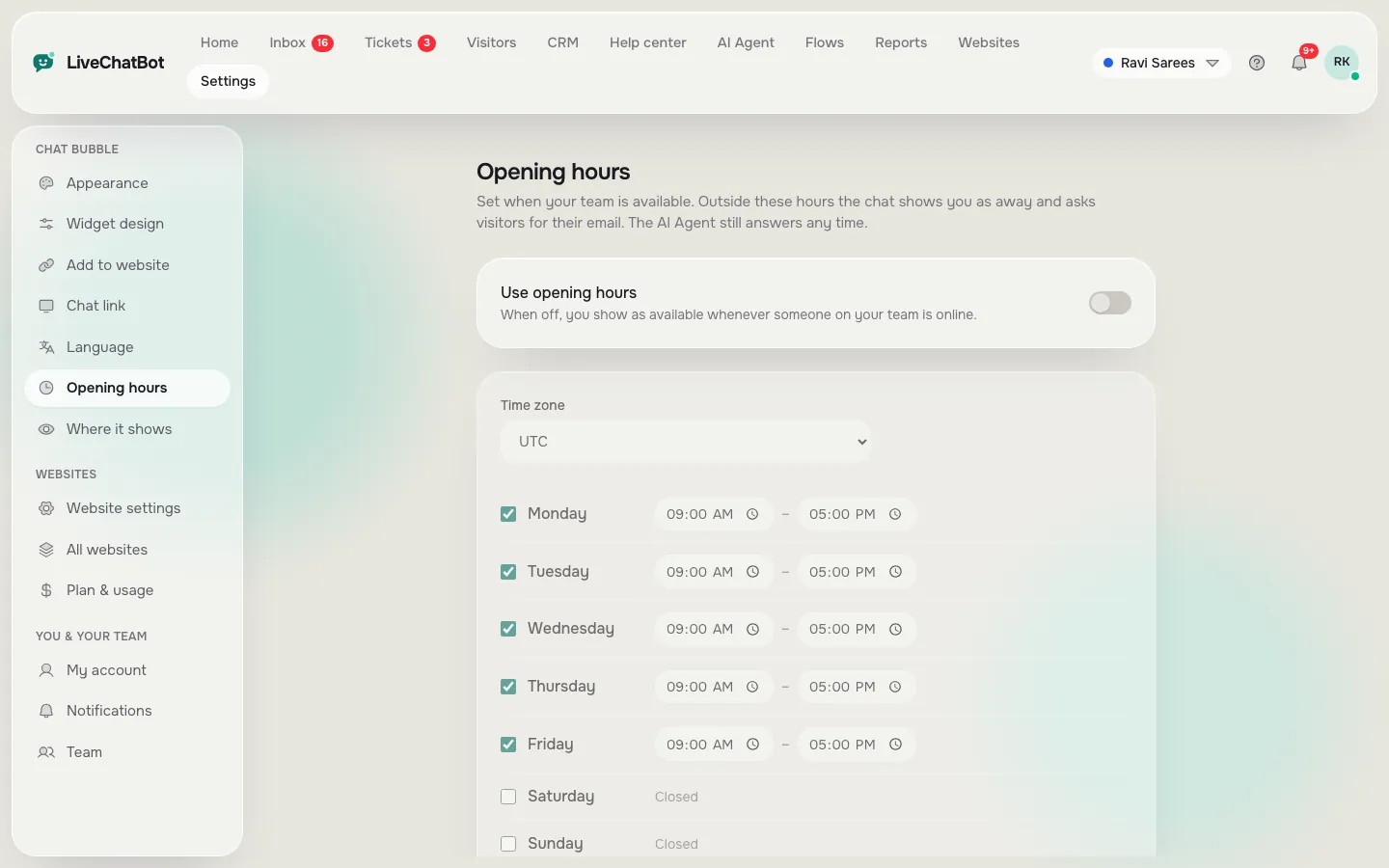
The service should have a safety net. LiveChatBot’s chat rescuer asks for email and phone if nobody replies in a few seconds, so the lead is kept. Opening hours and an away form cover the night.
Real screens
Real screens: alerts and opening hours
Real screens from the LiveChatBot panel, shown with sample data. Click any picture to see it full size.

Free checklist
Score the best live chat services in twelve ticks
Open two or three vendor pages and tick what you can confirm. Whatever cannot be confirmed in writing stays unticked.
Data and exit
Check nine to twelve: your data and your way out
Privacy
Read the privacy policy. It should say what is stored, who can see it and for how long. If you collect leads in India, the DPDP Act 2023 applies to how you treat personal data, so a vendor who is vague is a risk to you too.
Export and delete
Ask: “How do I export my contacts, and how do I delete them?” The answer should be a clear yes with steps. Hesitation is a bad sign.
Honest failure
Every service has bad days. What counts is whether the vendor tells you. Look for a status page or notices, and ask what happens to messages during an outage.
Leaving
A fair service lets you walk away. With LiveChatBot there is no auto-renew, so a plan simply ends. Remove the script or plugin, export your contacts, and you are done. Our ticketing system and help desk software pages show where your data lives while you stay.
Put it together
Choosing between the best live chat services in practice
Take your top two or three and put the scores side by side. Do not chase a perfect twelve. Instead, decide which unticked boxes you can live with. A missing iOS app may not matter if your team uses Android. A missing feature list may matter a lot if your business needs a specific one.
Then run a two-week trial on the free plan or a cheap month. Reply from your phone, check the reports and send one support question. The service that behaves well during the trial will usually keep behaving well. Sign up at livechatbot.in if you want to try ours.
Frequently asked questions
What are the best live chat services for small businesses?
The ones with clear prices, no per-seat charges, a phone app, a safety net for missed chats and an honest list of limits.
How do I compare live chat services fairly?
Use the same twelve checks for each one, in writing, and trial your top two for two weeks.
Does LiveChatBot renew automatically?
No. It is prepaid with no auto-renew and no automatic charges.
What does LiveChatBot not offer?
SSO, audit logs, role-based permission builders, captcha, sentiment analysis, an iOS team app and white label.
Can I leave without losing my contacts?
Ask any vendor how to export contacts before you sign. Make it a condition of choosing.
Keep reading
Related guides
Best Live Chat Plugin for WordPress Depends on Your Site: Match the Plugin Type to Your Hosting, Team and Shop (Free Fit Finder)
Best Live Chat Software for Your Business Is a Weighted Score: Set Your Weights, Rule Out Deal-Breakers and Check the Winner Holds (Free Weighted Picker)
Best Live Chat Plugin by Platform: Which Sites Get a Plugin, Which Paste a Code, and Which Need the API (Free Route Tree)
Choose a service you can trust
Clear prices, no per-seat charges, no auto-renew. Start free on livechatbot.in.