Best Conversational AI Chatbot: Ten Test Conversations to Run Before You Choose, Each Built to Expose a Weakness (Free Copy-Ready Test Script)
Best conversational AI chatbot claims are easy to make and hard to check from a demo. The quickest way to find the truth is to talk to the bot yourself, using questions designed to break it. This guide gives you ten test conversations in four groups, explains what a good and bad reply looks like, and provides a copy-ready script you can paste straight into any chat window.
⚡ In short
- A conversational bot is judged by how it handles the awkward message, not the easy one.
- Test facts, follow-ups, off-topic questions and handover. Four groups cover most failures.
- Use the same ten lines on every bot so the comparison is fair.
- Teach the bot your real facts first. A test on an empty bot proves nothing.
The idea
What makes a conversational AI chatbot good is how it fails
Every bot answers a simple question well. The difference shows when the visitor changes their mind mid-sentence, asks something you never covered, or writes in a hurry with typos.
A good conversational bot stays inside what it knows, remembers the thread, asks for clarity when a message is vague and hands over to a person when it should. A poor one invents, forgets what was said two messages ago or repeats the same sentence.
That is why a short, repeatable test beats a long feature list. Our conversational AI chatbot overview explains what the term means; this page is the practical exam. For the broader tool picture, see the AI Agent guide.
Before you test
Teach the bot, then ask
A bot with no facts will fail every test, so load some first. In LiveChatBot’s AI Agent, add twenty answers about hours, prices, delivery and policies. You can type them, copy a web page, or upload a file such as a PDF, Word document, Excel sheet, CSV or text file.
Set the behaviour
Use the Name and tone page to choose a name and tone of voice. The Rules box takes up to 5,000 characters of instructions, such as “Never promise delivery dates”. Rules work while the website has AI replies; facts belong in Knowledge, behaviour in Rules.
Then run the script
Use the playground or your own site widget. Keep a note of each reply and mark it pass, partial or fail. Run the same ten lines on every bot you compare.
Real screens
What you will see in LiveChatBot
Real screens from the LiveChatBot panel, shown with sample data. Click any picture to see it full size.
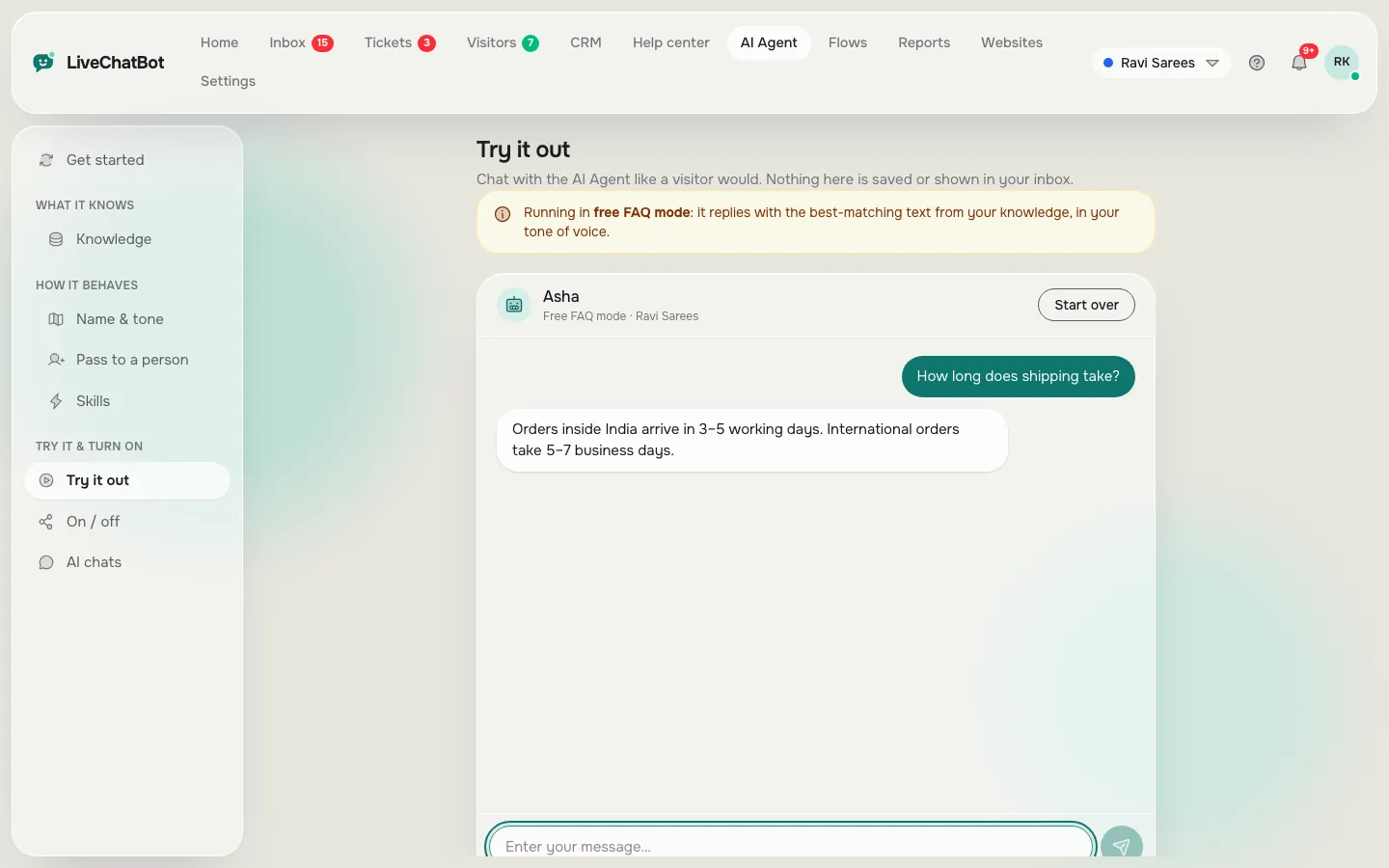
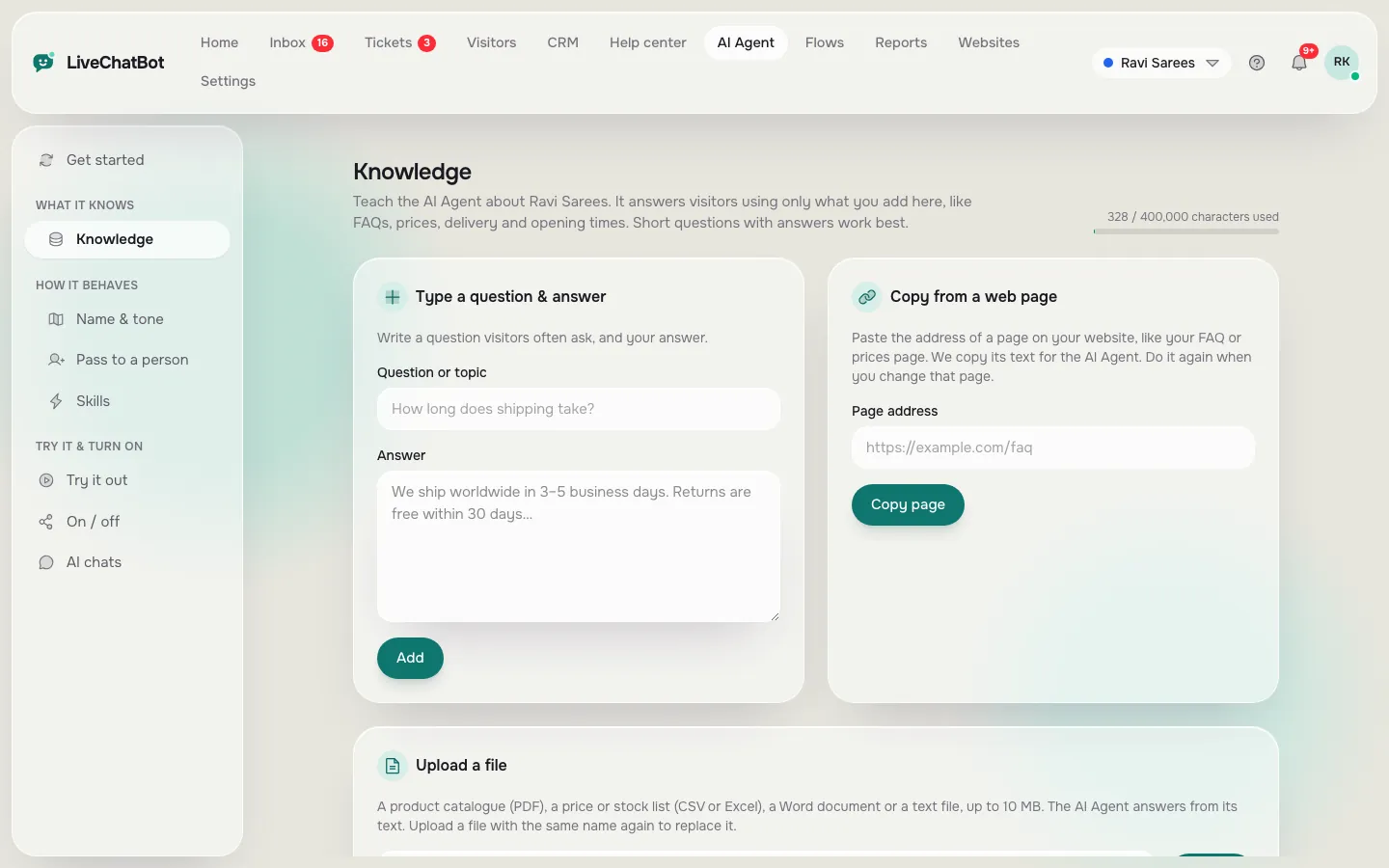
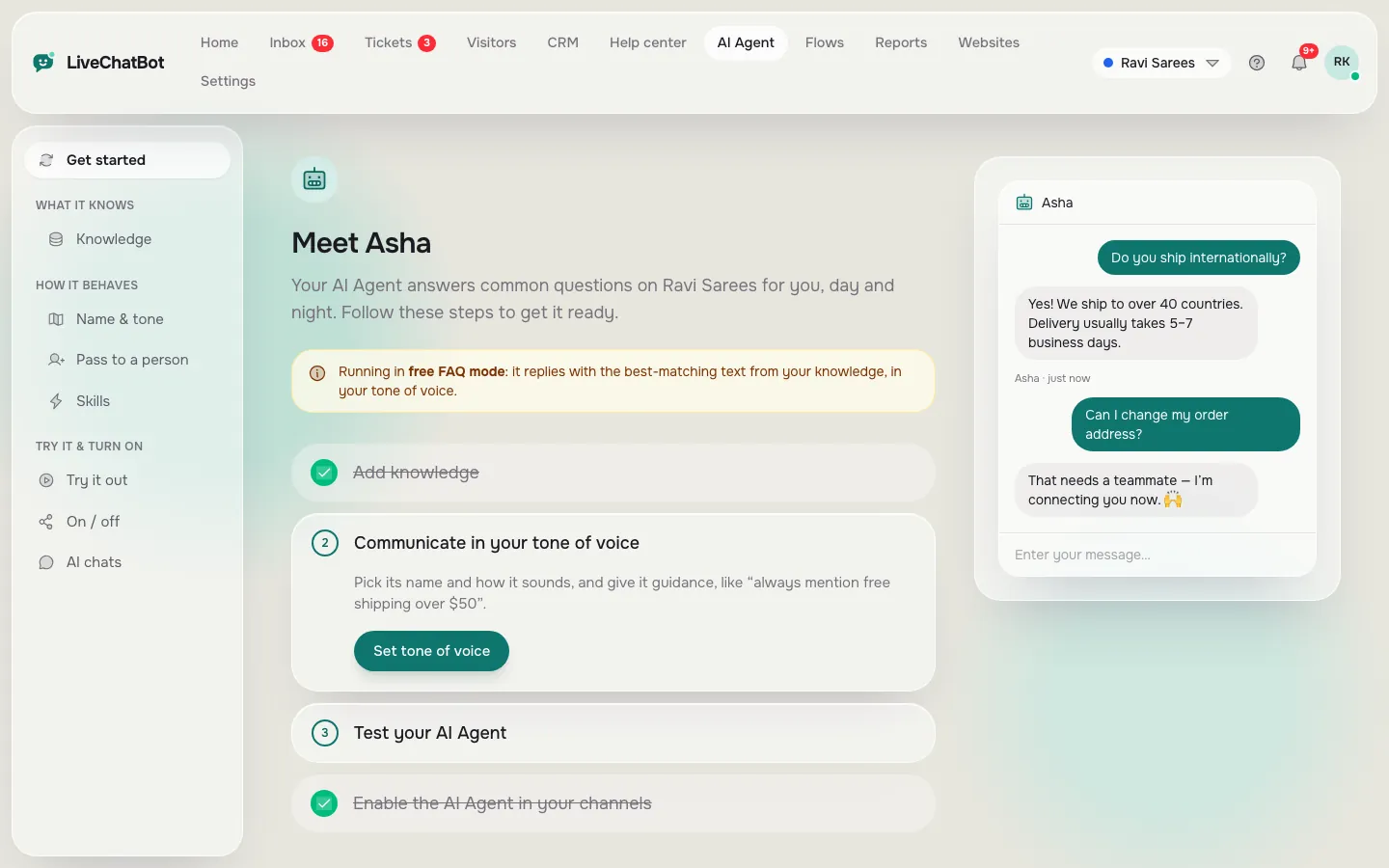
Try it
Ten test conversations, ready to paste
Pick a tab, copy a line into the chat, and compare the reply with the note beside the group name.
Reading the results
What a pass looks like in each group
Facts
The reply matches what you taught, in your tone, without extras. If it adds a number you never gave, mark it a fail, however polished it sounds.
Follow-ups
The bot should keep the thread. “And what about public holidays?” only makes sense if it remembers the question about Sundays. If it asks “what do you mean?” every time, the conversation will feel like filling in a form.
Out of scope
The right answer to the weather or a private address is a polite refusal and a pointer back to what the bot can help with. The wrong answer is a confident guess.
Handover
The chat should reach a person or take an email and phone number. On LiveChatBot an agent picks up with Assign to me, and the chat rescuer asks for email and phone if nobody replies in seconds.
Scoring
Turn the replies into a score for the best conversational AI chatbot
Give each reply 2 points for a pass, 1 for partial and 0 for a fail. Ten conversations give a score out of 20, and the groups show where a bot is weak.
- 16 to 20: strong. The bot stays within its facts, keeps the thread and steps aside when it should.
- 11 to 15: usable with care. Fix the weak group by teaching more facts or tightening the Rules.
- Under 11: keep looking, or keep a human on every chat.
Watch the pattern, not just the total
A bot that scores 18 but fails the handover test is riskier than one that scores 15 with a perfect handover. A wrong guess can be corrected by a person; a customer who cannot reach a person simply leaves. Weight handover and out-of-scope answers more heavily than polish.
Retest after changes
Whenever you change the facts or Rules, run the script again. Small edits can change behaviour in surprising places, and ten minutes of retesting is cheaper than a week of odd replies.
Beyond the script
Three more checks before you call it the best conversational AI chatbot
The script covers behaviour. Three practical checks cover everything around it.
- Languages. Ask in the language your customers use. The dashboard has several languages; replies depend on what you taught and how the AI handles that language, so test it.
- Typos and short messages. Write “delivry time??” and see whether it still understands.
- Limits. Find what happens when the AI allowance runs out. LiveChatBot’s AI replies come with every plan with a monthly allowance shown in the dashboard, and a free keyword bot answering from saved replies is the backup.
Our look at how to judge conversational AI software shows how to read the marketing phrases that surround these features.
Honest gaps
What the LiveChatBot AI Agent does not do
Test fairness works both ways. You cannot choose the AI model or bring your own API key, and there is no raw system-prompt editor, only the Rules box. There is no voice input or output, no sentiment scoring and no white label, because “Powered by LiveChatBot” stays on every plan. There is no iOS team app, though agents can use the Android app.
If one of those is essential for you, mark it before testing and move on. If none are, the best conversational AI chatbot for you may well be one you can try today: the free plan lets you run the whole script at no cost: 2 websites and 100 visitors per website a month. Paid plans start at ₹299 a month and are prepaid with no auto-renew. See pricing, and return to the AI Agent guide to set it up.
Frequently asked questions
How do I find the best conversational AI chatbot for my site?
Teach each candidate the same facts, then run the same ten test conversations and compare the replies side by side.
Why test with questions the bot was never taught?
It shows whether the bot admits ignorance or invents an answer. Inventing is the most costly failure for a business.
Can I control how the AI behaves in LiveChatBot?
Yes, through the Name and tone page and the Rules box, which takes up to 5,000 characters of instructions. Facts go in Knowledge.
What happens if the AI allowance runs out?
A free keyword bot answers from your saved replies, so the chat never goes silent.
Does LiveChatBot charge per agent?
No. There are no per-seat charges.
Keep reading
Related guides
Best Chatbots for Customer Service: Score Your Shortlist on Seven Service Criteria, Weighted to Your Own Support Load (Free Weighted Scorecard)
Run the script on your own bot
Free plan for two websites, no per-seat charges, prepaid plans with no auto-renew. Start free on livechatbot.in.