AI Customer Support Bot Lanes: Decide Which Messages the Bot Answers, Which Become Tickets and Which Go Straight to a Person
AI customer support bot setups work best when every message has a lane. Some questions the bot should answer alone. Some need a ticket with an owner and a status. A few must go straight to a person, fast. This guide shows how to sort your own messages into those three lanes, how to build each lane in LiveChatBot, and where the lanes honestly end.
⚡ In short
- Give every kind of message one lane: bot answers, ticket, or person.
- Bot lane: stable facts. Ticket lane: needs follow-up. Person lane: upset, high-value or unclear.
- Tickets have owners, open, pending and solved states, and a customer page with no login.
- Review the lanes monthly using what the bot could not answer.
Why lanes
Why an AI customer support bot needs lanes, not just answers
Most bot problems are routing problems. The bot answers something it should have passed on, or passes on something it could have answered in two lines. Either way the customer waits or gets a wrong reply.
Lanes fix this by deciding in advance. You do not guess in the moment; you write down which kind of message goes where. Then you teach the AI Agent the facts for lane one, set up tickets for lane two, and make the handover quick for lane three.
If you are still choosing what to automate, the question-scoring approach in our chatbot questions worth automating post pairs well with this lane method.
Decision tree
Which lane does this message belong to?
Start at the top with any customer message and follow the branch that fits.
Lane one
Lane 1: what your AI customer support bot answers on its own
These are questions with one right answer that rarely changes: opening times, delivery areas, return window, payment methods, how to book. Write each answer in plain words in Knowledge, which accepts typed text, a copied web page, or an uploaded PDF, Word, Excel, CSV or text file.
Add a Rules line for the edges
On the Name and tone page, the Rules box takes up to 5,000 characters. Use it for behaviour, such as “Never promise a refund date. If the customer asks about their order, offer to pass it to the team.” Rules work while the website has AI replies; the free keyword bot answers from saved replies instead and cannot follow written rules.
Keep facts current
An out-of-date price in Knowledge is worse than no answer. Put a monthly reminder in your calendar to re-read the list.
Lane two
Lane 2: messages that become tickets
Some messages cannot be settled in the chat: a damaged item, a wrong invoice, a repair, a refund that needs approval. Treat each as a ticket so nothing is lost.
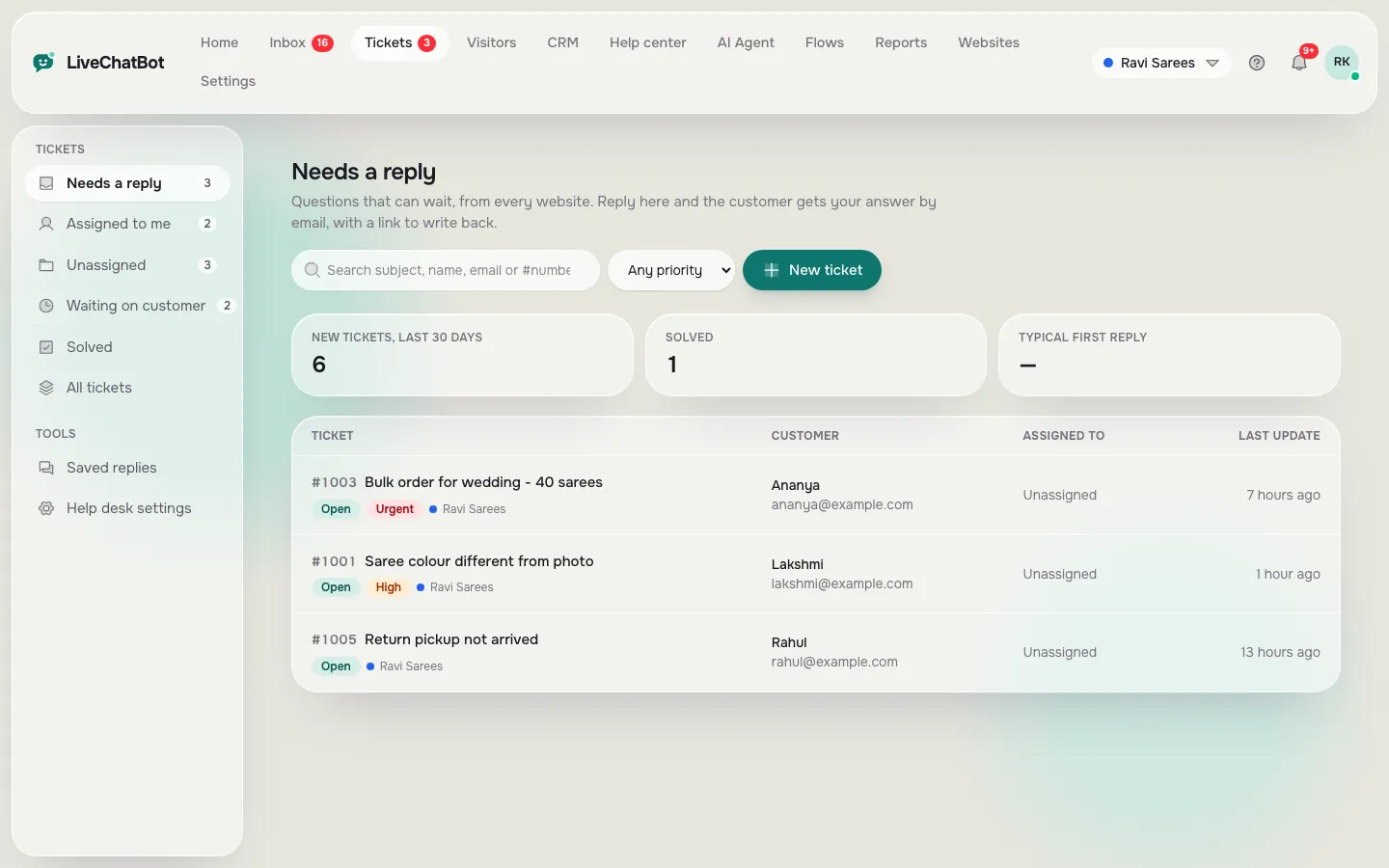
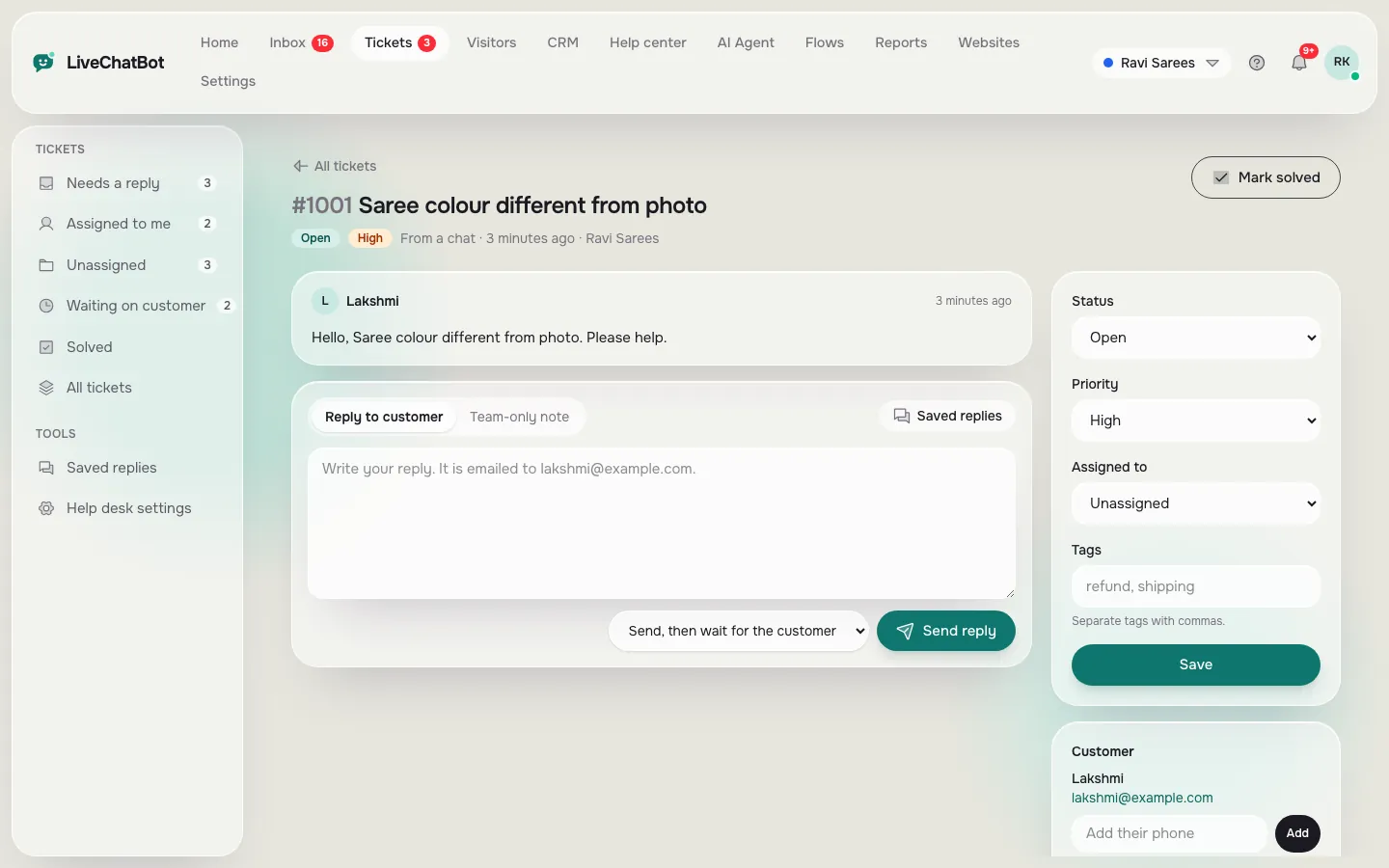
In LiveChatBot a chat can be turned into a ticket, and offline messages from the away form can become tickets too. Each ticket has a status (open, pending or solved), an owner, and a customer ticket page that needs no login, so the customer can see progress without writing again.
- Set the owner on the same day, so every ticket has a name next to it.
- Move to pending when you are waiting for the customer, and to solved when done.
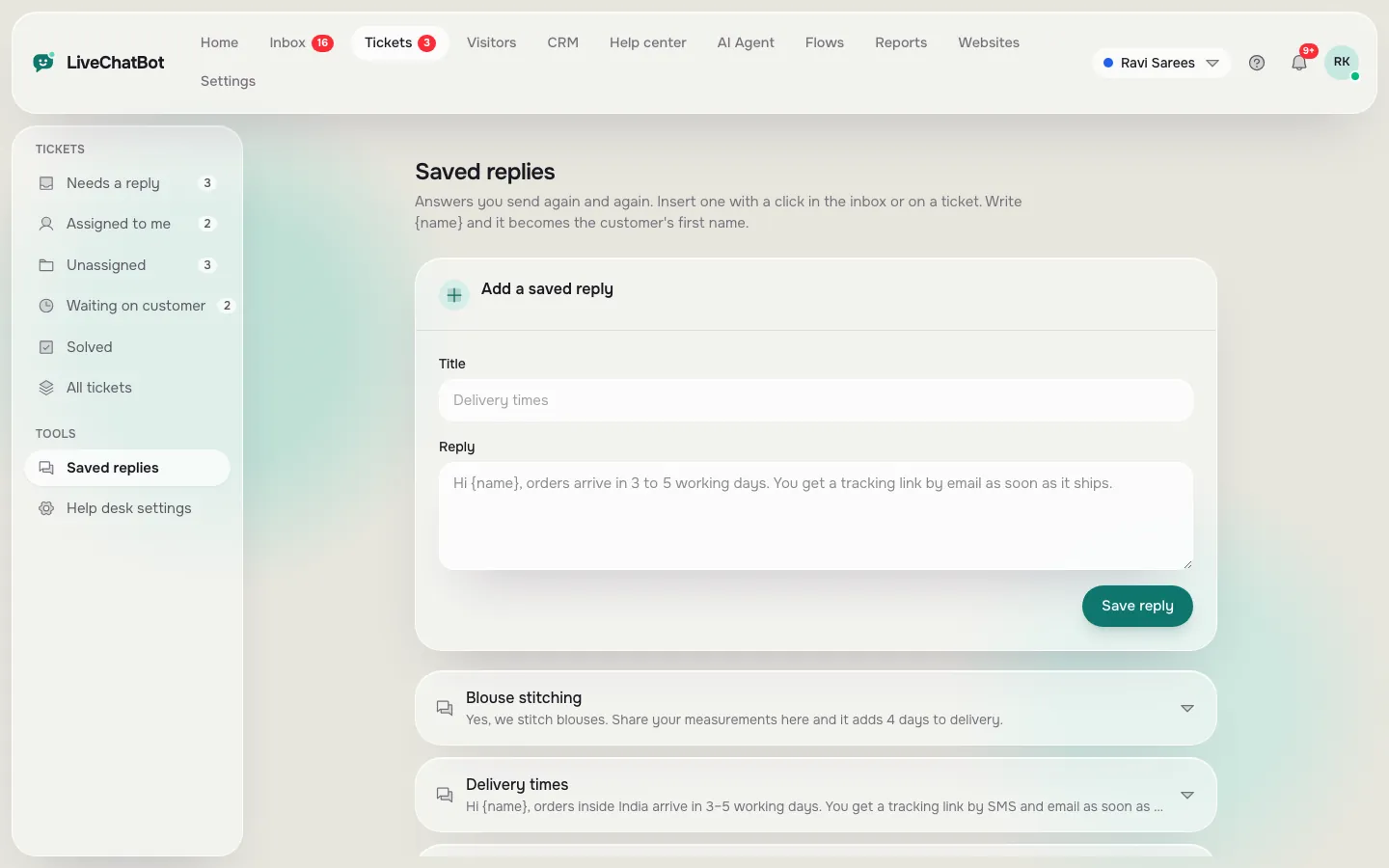
- Use saved replies with {name} for the standard updates.
You can also send ticket.created and ticket.solved events by webhook, or connect through Zapier, to tell another tool. Our ticketing system page has the full list, and how to turn a chat into a support ticket shows the clicks.
Real screens
Lane two in the app: the ticket list, one ticket and saved replies
Real screens from the LiveChatBot panel, shown with sample data. Click any picture to see it full size.
Lane three
Lane 3: messages that go straight to a person
A bot should step aside quickly for anything emotional or valuable: an angry customer, a large order, a complaint about safety, a legal question. Speed matters more than polish here.
Make the handover easy to trigger. Use a Rules line that tells the bot to offer a person when it detects frustration words or a request such as “talk to someone”. Then make sure the person hears about it in seconds: install the Android app for whoever is on call, and use the Unassigned and Mine folders with Assign to me so every chat has an owner.
If a person cannot reply in time, the chat rescuer asks the visitor for an email and phone number so the conversation continues later. There is no automatic round-robin or skill-based assignment, so decide who covers which hours. A helpful companion read is the chatbot customer service rulebook.
Sorting exercise
Sort your last 50 messages into lanes in an hour
Open your last 50 customer messages from email, WhatsApp, calls or chat. Make three columns on paper.
- Put each message in a lane using the tree above.
- Count the columns. If lane one is bigger than half, an AI customer support bot will save you real time.
- Pick the five most common lane-one questions and write their answers today.
- For lane two, list the three most common ticket causes and write a saved reply for each.
- For lane three, write one line of Rules and note who is on call.
You now have a plan that fits your business, not a generic one. Keep the sorted sheet next to the dashboard, because it doubles as your training list for new staff and as a checklist when you revisit the Rules box. Repeat the exercise after a month using chats the bot could not answer; they show which lane needs work.
Measuring
How to tell the lanes are working
Open Reports after two weeks and look at three things. Resolved by AI shows how much of lane one the bot handles alone. The By agent table shows how many conversations and replies each person handled, which is your lane three load. Ratings show whether customers were happy with how each lane felt.
Adjust one lane at a time
If lane one is weak, add Knowledge. If lane two tickets sit open, assign owners and set a daily five-minute sweep. If lane three is slow, check that the Android app alerts reach the right phone, and revisit who covers which hours.
Watch the edges
The edges between lanes are where customers get lost. Read a few transcripts where the bot handed over, and check the person did not ask the customer to repeat everything. A good handover note in the ticket saves the customer from starting again. Our live chat reports guide explains each number.
Honest limits
Where the lanes end in LiveChatBot
Know the gaps before you promise anything. The bot cannot look up live orders from your own system, so questions like “where is my order?” belong in lane two or three unless you give a general answer. WhatsApp and Messenger arrive in the same inbox, but there is no native Slack, Teams, Zendesk or CRM app; Zapier, webhooks and the REST API can bridge some. There is no sentiment scoring, so frustration detection depends on the words in your Rules. The Android app has no iOS version, and “Powered by LiveChatBot” stays on all plans.
Frequently asked questions
What is an AI customer support bot best at?
Stable, repeated questions with one right answer, such as hours, prices, policies and how to book, answered from facts you provide.
When should a chat become a ticket?
When it cannot be settled in the chat: a repair, a refund approval, a wrong invoice. Tickets keep an owner, a status and a customer page.
Can the bot detect angry customers?
There is no sentiment scoring. You can add a Rules line to offer a person when a customer asks for one or uses frustrated wording.
Does every plan include tickets?
Yes. Tickets, saved replies and the shared inbox are included, with no per-seat charges.
Can it check order status?
Not from your own order system. Give a general answer about timelines, and route specific order questions to a ticket or a person.
Keep reading
Related guides
AI Customer Service Chatbot: Your First 30 Days, Week by Week, From Empty Knowledge to Trusted Answers
More to read
More guides on this topic
Shopify Customer Support Chatbot: Which Store Questions the Bot Answers and Which Go to You, With a Ticket Routine (Free Bot-or-Person List)
Give every message a lane
Start free on livechatbot.in with two websites, tickets, saved replies and the AI Agent, and sort your first 50 messages today.